
DOWNLOAD THE APP


Customer Services
Copyright © 2025 Desertcart Holdings Limited
DOWNLOAD THE APP


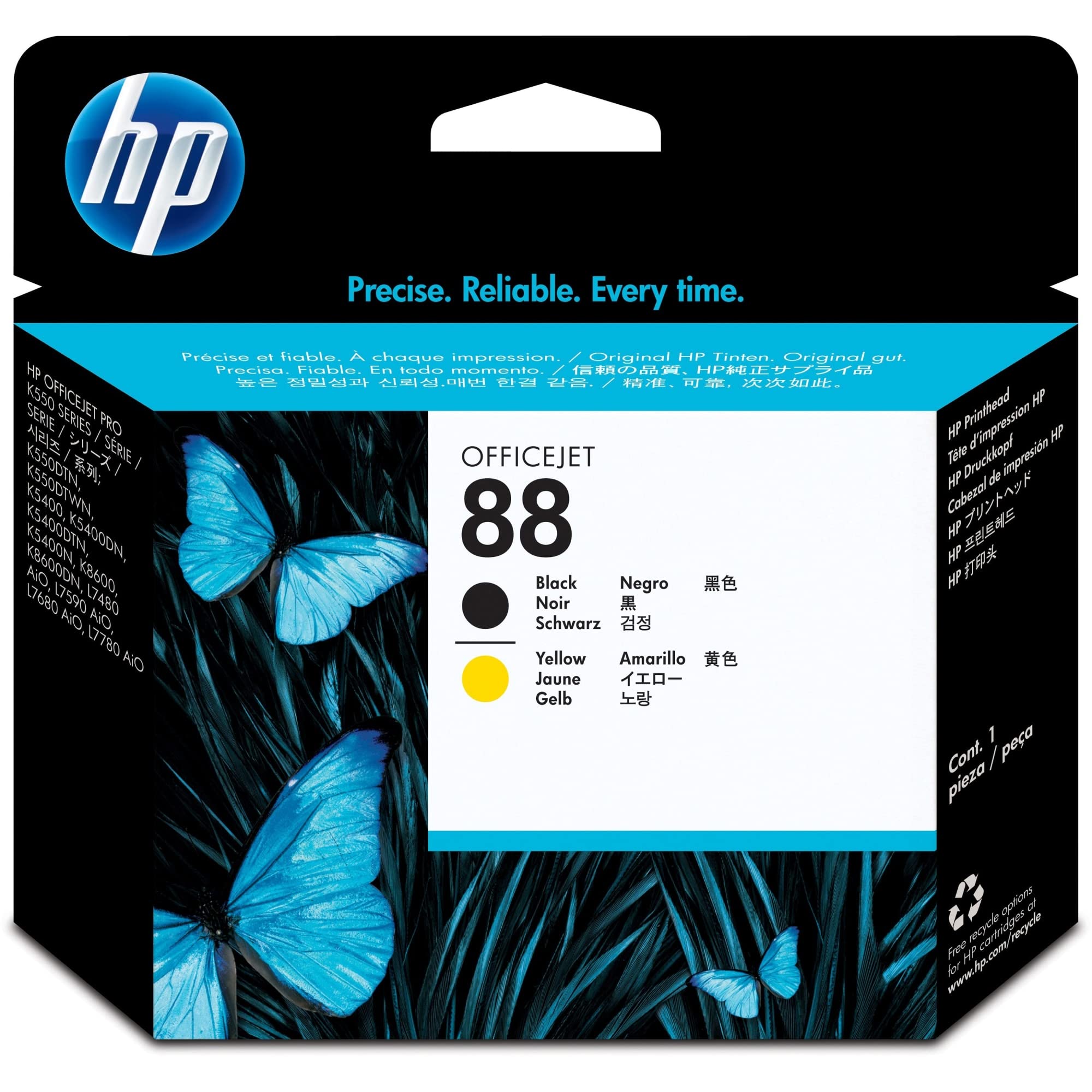
🖨️ Print Bold, Print Smart — Because Your Office Deserves the Best!
The HP 88 Black & Yellow Printhead (C9381A) delivers professional-grade print quality with crisp black text and vibrant yellow color. Designed exclusively for select HP Officejet Pro models, it offers up to twice the print volume compared to refill cartridges. Crafted with 80% recycled content, this printhead combines reliability, sustainability, and superior performance to keep your workspace efficient and eco-friendly.
| Manufacturer | HP |
| Brand | HP |
| Item Weight | 3.8 ounces |
| Product Dimensions | 0.06 x 0.01 x 0.05 inches |
| Item model number | C9381A |
| Is Discontinued By Manufacturer | No |
| Color | Black, Yellow |
| Total Recycled Content Percentage | 80 |
| Post-Consumer Recycled Content Percentage | 20.00 |
| Number of Items | 1 |
| Size | 1 |
| Ink Color | Black, Yellow |
| Manufacturer Part Number | C9381A |
| National Stock Number | 7510-01-566-6209 |
X**2
Works as expected. Resurrected our aging L7780.
Although many have advised this part wasn't worth its $60 cost, we took a chance and it was a success - for our situation.Delivery Time: On time.Delivery Condition: Perfect.Legitimacy: Appears 100% genuine HP unit and box.Installation: No problems.Result: Complete success.Value: At 60 it costs $5/month if it printer last another year versus spending $300 for an equivalent printer. The cost of the printer and parts prior to failure was $300 over 5 years = $5/month. So the added cost of the new print head is simply extending the same expense rate. If it runs another year, cost will be $300+60 = $360 / 72 months = $5/month.Summary:The black ink printing of our L7780 malfunctioned completely. There were bands and completely dead areas with no ink coverage in a fairly random manner. No amount of shaking and re-aligning made any change.Detail:Our 5 year old HP OfficeJet Pro L7780 printer's ADF paper feeder began to fail and not pull paper. We decided to look at newer models like the spiffy dual tray 8600 Pro. While researching, the 7780's Black ink ran low with the usual warnings. Rather than open a costly new Black cartridge that we could sell on eBay if we replaced the printer, we reset the ink warning by OK-ing the the warning and, when critically low, by opening/closing the ink bay door. This worked for another week of light duty.We then bought a new 8600 Pro. Shortly after installing it, things got strange. To our amazement, the 8600 Pro would not auto select the tray based on document size like the 7780 and most modern dual tray printers have done for years. After 3 weeks of research and testing, many hours of hair pulling, and a ream of paper, we got HP Phone Support (both Front Line and Leader Level) to confirm that the 8600 Pro does NOT auto select trays based on document size - at least when they are loaded in the extremely common arrangement of Letter in one and Legal in the other.In HP's own words, "auto tray selection on the 8600 Pro requires the user to manually select the tray". Yes, they actually said that. You do it manually to do it automatically. So, it seems that HP forgot to implement auto select in the driver even though the driver has all the of necessary fields such as the size of paper in each tray.After 28 days (2 days before the return deadline), we brought back the 8600 Pro and re-installed the L7780. However, it seems that reinstalling it after it sat unused without power for 3.5 weeks caused the Black-Yellow print head to fail. We suspect it may have been triggered by our running the black ink cartridge down to absolute zero by overriding the warnings via the old trick of opening and closing the ink bay door. That, in turn, may have caused the ink supply to literally run dry. That, in turn, may have caused the nozzles to dry up and jam with old nozzle ink-gunk. Just a naked theory..So, we piped up our old LaserJet 5 with streaky cartridge while we ordered this Black/Yellow print head. It arrived at the estimated time a week later. With bated breath, we followed the instructions, held the unit flat in its packaging and shook it laterally. The package and installation sheet said 6x so we swished it 10-15x. We pulled out the old print head, removed the new one from its wrapper, removed the nozzle and contact protectors, and pushed it into the printer.The printer dutifully began its self check and realignment procedure and, lo and behold, it passed. The alignment sheet looked good but not perfect so we manually re-ran the alignment and it reached near perfect.So, our L7780 is now working again with a flaky ADF feeder that sometimes works if we manually help guide the paper down its throat. The more we use it, the better it seems ot be working. Fingers crossed. So the printer is now serviceable for, ghopfully, many more months.In the process of all this, we rediscovered the fact that we can print form our PC to the L7780 Fax and have the output faxed to the recipient. So, for now, we can create, or scan in, documents and fax them out by printing to the L7780 Fax driver.~fin~
S**L
Did the trick
This was a good price for the product I knew I needed. I'm posting a review in case another user might be in doubt about whether or not this product is needed. In my case, thanks to (painful) previous experience, I recognized the symptoms this time and just ordered the printhead right away. If your printer stops printing a certain color and replacing the ink cartridge doesn't help (or if the cartridge is not empty), consider that the printhead may be what you need EVEN THOUGH THE PRINTER REPORTS THE PRINTHEAD HEALTH AS "GOOD." I struggled with inability to print cyan, despite replacing the cyan ink cartridge (twice), and was slow to accept that the printhead was the problem because the status report from the printer didn't indicate a problem and the printhead alarm light on the control panel was not illuminated. Apparently my particular printer (OfficeJet Pro K5400) does not accurately report printhead health. In the first instance, replacing the cyan/magenta printhead did the trick. This time, when replacing the yellow cartridge didn't help, I knew what to do.
M**K
"What you see" isn't exactly "what you get," but the printhead is authentic HP and it works ...
I had to resort to this item after trying two different OEM ink cartridges (one cheapie found on E-Bay with expired warranty, one full-price retail from Staples). Neither one succeeded in getting the printer to print black again, even after running many futile "clean printhead" cycles. The color cartridges were all working fine, just no black. I figured I had to try replacing the yellow/black printhead before tossing the whole printer.Well, I don't know about anybody else's experiences, but I received a properly-functioning, OEM HP printhead ... no problems whatsoever. Disconnected the power; opened the printhead bay; pulled out the old yellow/black printhead; put this one in; restarted the printer; it went through a long re-alignment cycle, and successfully printed out several test pages, with all colors AND the black now working perfectly.The only "issue" I've got with the item is that it was shipped in only the sealed, internal container that normally comes enclosed in the cardboard box pictured in the listing ... purportedly because the seller purchases the printheads in "bulk packaging," and then sticks their company's own labeling over HP's internal container labeling. The problem with this packaging is that the buyer has no way to confirm any expiration date assigned to the printhead by HP (usually printed somewhere on the outside of HP's "retail" cardboard box). One star off for that, but I'm not complaining ... so far. The printhead I received IS authentic HP; it was accepted by the printer without a hitch, and got the black printing perfectly again.
E**4
Renewed my OfficeJet L7780!
As we mostly print B&W (true greyscale) to save costs, it eventually happened that we'd have a color printhead die on us. And it was yellow, of all things. I tried the process of cleaning the printhead manually using isopropyl alcohol, but where ever the problem was, it was deeper in the head than I could reach.So, after a 5-minute simple surgery, and a 10-minute alignment process, we have perfect color function, as well as a brand-spankin'-new black printhead. Given that this printer is 5 years old and has printed many dozens (not quite hundreds... yet) of reams of paper, and this is the first major problem with it, I can only say that I am thankful that HP's mid-line business printers are built to the quality they are. I do also have a C9382A printhead, assuming that the blue/magenta head is up for problems next, but won't be replacing it until it is needed.
Trustpilot
2 months ago
1 week ago