Some deliveries may take a little longer than usual due to regional shipping conditions.

DOWNLOAD THE APP


Customer Services
Copyright © 2025 Desertcart Holdings Limited
DOWNLOAD THE APP


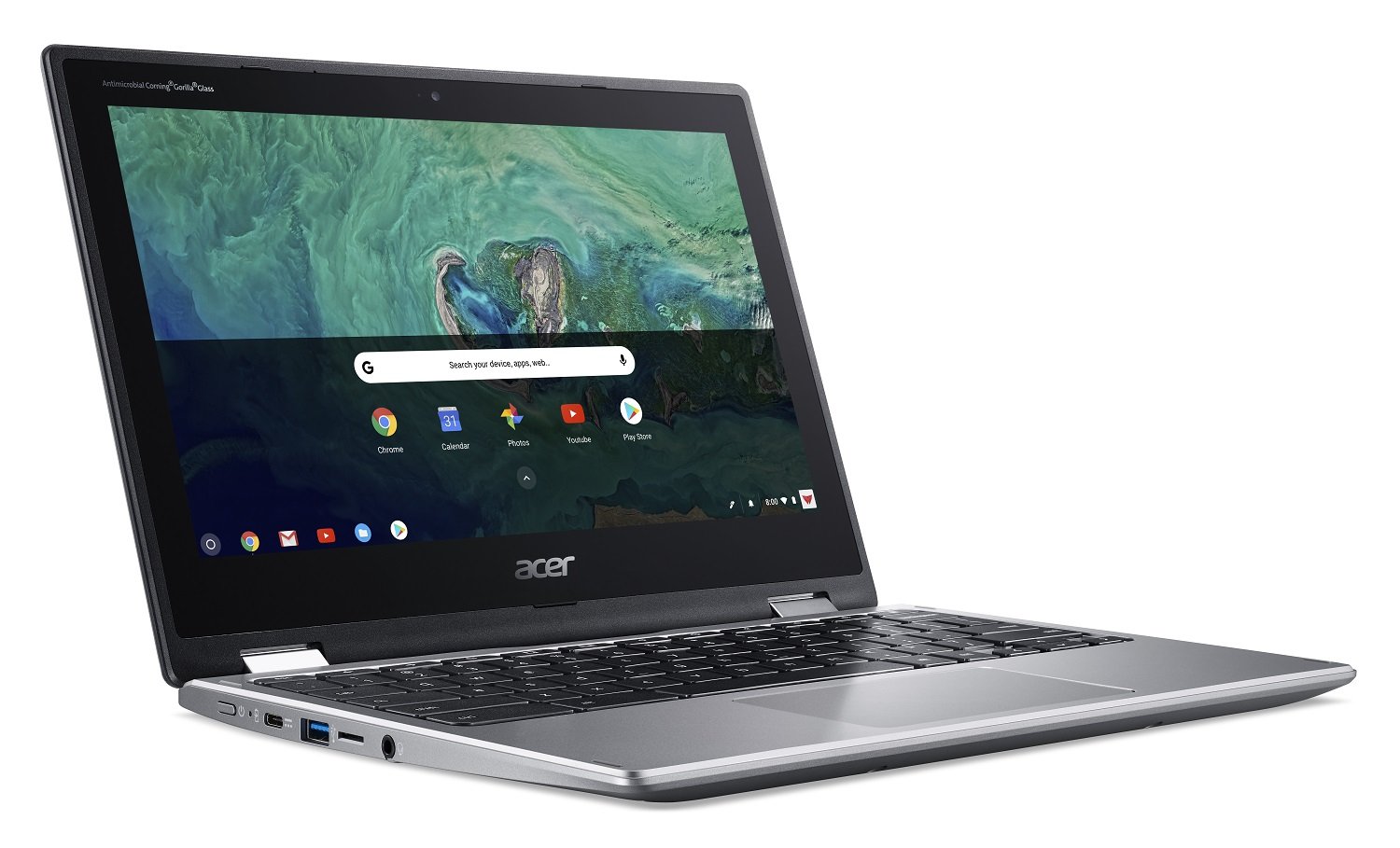


🚀 Spin into productivity with power, portability, and precision!
The Acer Chromebook Spin 11 CP311-1HN-C2DV is a versatile 2-in-1 laptop featuring an 11.6" HD touchscreen, Intel Celeron N3350 processor, 4GB DDR4 RAM, and 32GB eMMC storage. It runs Chrome OS with built-in virus protection and automatic updates, offers up to 10 hours of battery life, and supports fast 802.11ac WiFi. Included are a Wacom EMR pen and protective sleeve, making it ideal for professionals and students seeking a lightweight, convertible device optimized for Google apps and Android compatibility.


| ASIN | B07C715KLH |
| Average Battery Life (in hours) | 10 Hours |
| Batteries | 1 Lithium Metal batteries required. (included) |
| Best Sellers Rank | #93,412 in Electronics ( See Top 100 in Electronics ) #6,766 in Computers & Tablets |
| Brand | acer |
| Card Description | Integrated |
| Chipset Brand | Intel |
| Color | Silver |
| Computer Memory Type | DDR4 SDRAM |
| Customer Reviews | 4.5 4.5 out of 5 stars (1,096) |
| Date First Available | April 15, 2018 |
| Flash Memory Size | 32 |
| Graphics Card Ram Size | 4 GB |
| Graphics Coprocessor | Intel HD Graphics 500 |
| Hard Drive | 32 GB Embedded MultiMediaCard |
| Hard Drive Interface | Solid State |
| Hardware Platform | PC |
| Item Dimensions LxWxH | 11.65 x 8.11 x 0.79 inches |
| Item Weight | 2.8 pounds |
| Item model number | CP311-1HN-C2DV |
| Max Screen Resolution | 1366x768 |
| Memory Speed | 2400 MHz |
| Number of Processors | 2 |
| Number of USB 3.0 Ports | 2 |
| Operating System | Chrome OS |
| Optical Drive Type | No Optical Drive |
| Power Source | Battery Powered |
| Processor | 2.4 GHz celeron_n3350 |
| Processor Brand | Intel |
| Product Dimensions | 11.65 x 8.11 x 0.79 inches |
| RAM | 4 GB DDR4 |
| Screen Resolution | 1366 x 768 pixels |
| Series | CP311-1HN-C2DV |
| Standing screen display size | 11.6 Inches |
| Voltage | 5 Volts |
| Wireless Type | 802.11ac |
B**H
Good while it lasted…
Our Acer CP311-1HN Spin was great - while it lasted. Everything about it was absolutely perfect for my son’s use. Really is/was a great chromebook in every aspect - nice touch screen… light weight… but then there’s the battery… In general, it’s battery life seemed less than my other son’s Lenovo chromebook from the get-go - requiring charging more frequently than the Lenovo and ultimately (seemingly) dying before the Lenovo. The frequent charging was manageable, but a now dead battery and inoperable chromebook kinda stinks - as they do a lot of schoolwork on their chromebooks. Maybe I’m being delusional, and maybe products are just meant to only last two years, but at 24 months (and being well taken care of) it has stopped working. I’m assuming it is the battery - as the power indicator light won’t come on even when plugged in. I’ve tried a number of the recommended trouble-shooting options but to no avail. I will note, my other son’s Lenovo (which is also older than the Acer) is still alive and kicking. Not sure if we’ll try to replace the battery or just get a new chromebook at this point, but I’ll think long and hard about getting another Acer due to the inferior battery.
A**R
Reliable workhorse
We bought this computer for our kid's school work, so it's in use every day, all day long. The touch screen is a convenient feature that gives a helpful navigation option. The battery life is very good, on average we need to charge it every other day maybe and the charge process is very fast. We had some weird glitches in the past (screen going dark for some reason), but it may be related to my unfamiliarity with the Chrome OS in general. So far it seems like this was an excellent purchase.
M**T
A nice rugged machine for basic chromebook work
Having been a unix/linux and windows guy for years, I bought the bullet and tried a Chromebook. I settled on this Acer S11 because it was relatively inexpensive and available. I understand it is already a three-year-old machine and so no longer state of the art. But considering that my two windows laptops are 12 and 15 years old, it's a long way up for me. My goal was to understand the Chromebook OS, determine if the tools I need (few now that I am retired) were available, and learn how to use it to get my work (now mostly browsing, email, and long-form writing and some communication with a Unix host) done. The Acer S11 is a very basic machine. It has two USB ports, a single-style earphone/microphone jack, another port of a sort I am unfamiliar with, and a rocker bar controlling speaker or earphone volume, the only way to do that in tablet mode. The keyboard is comfortable, but not back-lit, nor are there any indicator lights of any kind. Pretty basic. The keyboard seems to be missing keys; there is no INSERT, DELETE, CAPS LOCK, PAGE UP/DOWN, or HOME. I have found no way to jump to the beginning/end of a line of text, or for that matter, a document. There are perhaps keyboard short-cuts for each of these, but I have not explored enough to find them. I have discovered work-arounds between the usual copy/cut/paste (CTL-C, CTL-X, CTL-V) for the most important of these missing keys. To delete a word or sentence select it and hit [BACKSPACE], and it’s easy enough to scroll around a document. The Acer comes with no documentation what-so-ever. You learn by doing (the machine leads you through initial set up) and using the various tutorials available for all the on-board apps. The process was straightforward, but once set up, it took me a few days to understand how the apps used the file system. I had never before used Google Drive or Google Docs. Chromebook is oriented around these two products and the chrome browser. It's much easier to go with the flow and use what it gives you. There isn’t much. Your Google Docs cloud-folder and a single local directory called Downloads. I had to get used to the way Chromebook and the apps work with the file system. By default, Google Docs (for example) saves only to the cloud. To save to your local Downloads directory (the only one you can reach) you download the file. Once in your Downloads directory you can move the file to other local directories you create with the Chromebook FILES utility. A few days of playing around and I beat this learning curve. None of this is a hardware issue anyway. As a part of its set-up, the Acer found most of my standard apps (twitter, skype, Adobe reader, WordPress, a few others), and having asked my permission, moved them over to the new machine. Others I found easily enough on the play store (there are two stores available, Android and Acer web-store), and installed. All the Android apps I used previously on my phone seem to work fine. Besides the keyboard, the machine operates as a tablet and rotates quickly between portrait and landscape views. The screen folds back on its hinges so the back of the screen touches the base. When holding the Acer-as-tablet, your hands are pressing on random keys. Of course, the keyboard is disabled in this mode, but I still do not like this. Keyboards get dirty in normal use. This can’t help matters. One review said the machine is too heavy to hold (especially with one hand) in tablet mode. This is true. If you are going to use the device a lot in tablet mode, it must be propped up on something or lying flat. It can stand on its own in landscape mode with the keyboard and screen separated, an inverted V, but this seems a bit unstable to me. There is a stylus. It does help to pick things out in tablet mode, but that forces you to one hand. The virtual keyboard is a good size for rapid 1 finger (or stylus) use in profile orientation. In portrait mode, the keyboard is more than big enough to be used two-handed, but unless you hit the virtual keys exactly in their center you risk lots of typos. The same review said the colors were rich (they are), but the screen did not get as bright as others. I haven't tried it in a bright sun, but outside in the shade on a sunny day, it seems bright enough for me. Battery life was also rated a little down, but still above eight hours, more than enough for me. The machine itself reports 10-hours! One day I left the machine unplugged for twelve hours, using it on and off for about four hours over that time. The screen shuts off if closed or idle for a minute or so. Idle like that, the device seems to use little or no battery. At the end of my twelve-hour experiment the battery icon still showed about 2/3 full. To sum up this rambling review, I like this hardware. Minimalism is OK if inexpensive enough. It has a pretty rugged feel when using the keyboard. Tablet mode is easy enough to use, though selecting small fields for text entry can be clumsy with a finger. The stylus helps here. There are a few mysteries remaining about the keyboard. Remembering short-cuts is a pain in the neck, but on balance the Acer S11 will do everything I need.
A**H
WAS a Great simple laptop
Update: 5 days later it stopped charging and won't turn on. I've tried all of the troubleshooting options. It's now in a box on it's way back to where it came from. What a great purchase! Needed a simple and easy to use laptop for my mom. She loves the versatility of it and uses it both as a laptop and tablet. Battery life is good so far, and touch screen is great. The pen is such a great added bonus.
K**R
VERY happy with my 1st ever acer purchase
bought this as a replacement for my samsung tablet (loved my tab, didn't like not having a keyboard). like that this acer "boots" within seconds. like that it came with a little zipper bag. like that it came with a stylus - don't like the way the stylus is stored (cheezy little stick on holder). like that it has charging ports on both sides. REALLY like spinning the display around and standing it up to read the news in the morning. sorta like the battery life; i can kill it in just a couple hours reading news, playing games, or watching videos. like the price. like the speaker quality. like the weight. like that the cover has a texture that doesn't slip right thru my hands. dont like that it gets hot (if i'm just using the touchscreen and fold it, the heat dissipates better than when i use it like a laptop). dont like it that there's no caps lock key! they used "search" instead of caps lock...bad choice... REALLY dont like that some apps arent available like alexa, my smart ac controller, and my security cams. not the fault of acer; that's on the developers. but with so many people buying portable, lightweight chromebooks, you'd think they'd modify their apps but no... all in all, i'd recommend it and would buy it again.
C**A
BEST Chromebook Ever!
This is amazing, especially for the price. It was bought to be a work computer but everyone in the house wants one! You can create amazing art, it bends back easily, it's sturdy, has exceptional battery life. It's display is super high quality, the Google integration is great. I searched for hours, and I am so glad I got this one!
C**N
very slow and i can only connect internet as a "guest" in my own house....???
T**N
Had to return. Only allow me to use in guest mode.
Y**A
Compre este articulo hace un mes (Julio 2020) en 9 mil pesos y ahora esta en 24 mil; creo que es un error de sistema y confundieron el modelo. Es muy buena para cosas sencillas pero no es una computadora de alto rendimiento.
Trustpilot
2 weeks ago
1 week ago