
DOWNLOAD THE APP


Customer Services
Copyright © 2025 Desertcart Holdings Limited
DOWNLOAD THE APP



🚀 Expand your workspace, elevate your hustle.
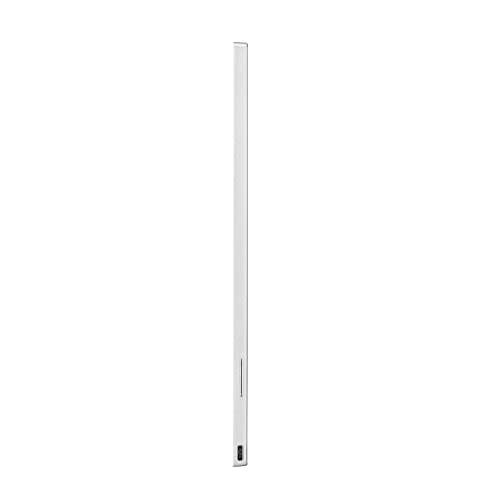
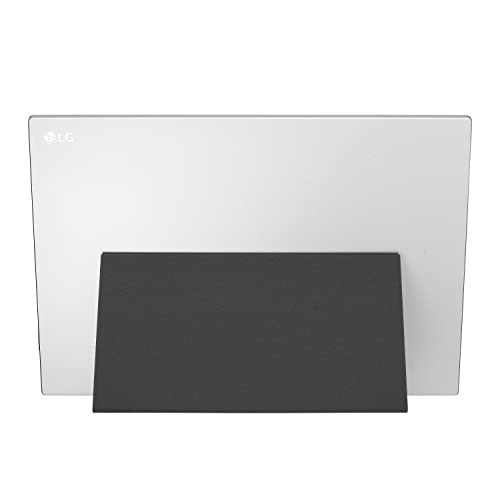
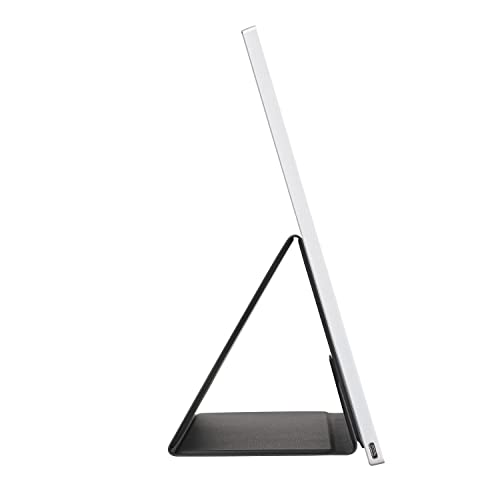
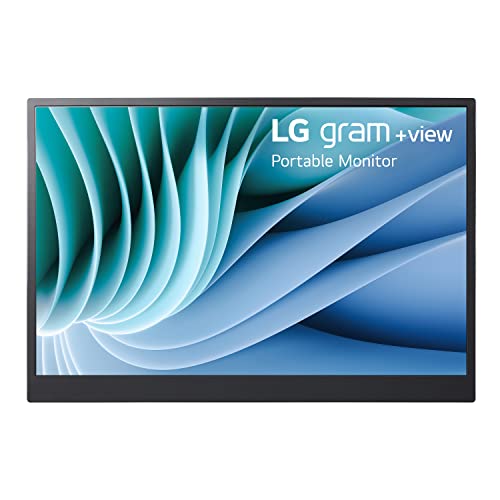
The LG Gram 16" IPS Portable USB-C Monitor (16MR70) is a premium 16-inch portable display featuring a sharp 2560x1600 WQXGA resolution, 99% DCI-P3 color gamut for vivid visuals, and dual USB-C ports for seamless connectivity. Designed for professionals on the move, it offers an anti-glare IPS panel with a wide 178° viewing angle, auto pivot for portrait or landscape modes, and a lightweight form factor (658g) with an adjustable cover stand—perfect for enhancing productivity anywhere.
| ASIN | B0BZQJ5SPC |
| Actual viewing angle | 120 Degrees |
| Aspect Ratio | 16:10 |
| Batteries Included | No |
| Batteries Required | No |
| Brand | LG |
| Colour Screen | Yes |
| Connector Type | USB Type C |
| Country of Origin | China |
| Customer Reviews | 4.3 4.3 out of 5 stars (102) |
| Date First Available | 17 June 2024 |
| Device interface - primary | Keyboard, Mouse |
| Display Technology | LCD |
| Display Type | LCD |
| Hardware Interface | USB |
| Image brightness | m2 |
| Item Dimensions LxWxH | 8 x 360 x 245 Millimeters |
| Item Weight | 658 g |
| Item model number | 16MR70.ASDU1 |
| Manufacturer | LG |
| Maximum vertical resolution | 1600 |
| Model | 16MR70.ASDU1 |
| Model Name | 16MR70) |
| Mounting Type | Desk Mount |
| Product Dimensions | 0.81 x 35.99 x 24.54 cm; 657.71 g |
| Refresh Rate | 60 Hz |
| Resolution | 2560 x 1600 |
| Response Time | 30 Milliseconds |
| Screen Resolution | 2560 x 1600 |
| Special Features | Anti Glare Screen, Portable |
| Standing screen display size | 16 Inches |
| Total USB ports | 2 |
| Viewing Angle | 178 Degrees |
J**N
I bought this because it was recommended by the New York Times Wirecutters. I had some concerns about my 2022 Macbook Air M2 not displaying correctly on this portable display, because of Apple's Retina display scaling that can render text and images fuzzy on non-Apple displays, but I am beyond impressed with the picture quality on this display using my M2 Air with the default USB C cable the display came with. The color and clarity are fantastic. (Check out the Wirecutters article "The Best Portable Monitor," By Dave Gershgorn, Updated May 12, 2023, for more details about Mac fuzziness and a possible fix if you have this experience.) The resolution settings defaulted to 1280x800 (image/text were still nice at crisp at this resolution) but that was easy enough to change in my display settings. I just had to go into Display settings, select the external monitor, turn on the "See All Resolutions" settings to show all possible resolutions. The text is a little too small when the display is set to 2000x1600, but it's just right for my eyes on 1920x1200. Putting this here in case it's helpful to someone else. Annoyingly, the resolution seems to reset whenever I reboot my laptop... but that's a Mac issue, not a problem with the monitor. Setting the display to portrait (vertical) orientation using a Mac was super easy. Just go into the Display settings, click on the external display, and look for the Rotation setting. Set this to 90° and you're done. I was also concerned about my M2 Air not powering this portable display adequately, but digging around for the wattage requirements gave me hope. (This display requires USB PD with 7.5W.) I plugged the display into my Air and it powered up flawlessly, though that's using the burly USB C cable the display came with. Not sure if it will work with a different USB C cable... that's a test for another day. Not a super fan of the weird magnetic stand/cover hybrid, which does not feel terribly stable, but the display is so lightweight it doesn't stress the magnet at all. Still, I'll potentially hang it on the wall over my laptop instead. I do appreciate the two USB C ports and the brightness button. Would be nice if the button also controlled contrast, color, etc, as it seems that you need special Windows software to control all of that. Womp womp. But other than this one caveat, I've very happy with my purchase. It's a pretty sweet display. It's much more expensive than the others I considered, such as the ASUS ZenScreen MB16ACV, which was also mentioned in Wirecutters. If you're looking for a cheaper option, check that one out... but I couldn't find any clear details on how well it would work with a Mac, which is why I ended up buying this LG model.
E**C
This portable monitor works really well overall. Connectivity is quick and responsive with true plug-and-play, and it’s great as an extra screen for working on the go. The brightness is solid, and I like that it runs directly from USB-C without needing another power source. It is a bit expensive, but the sleek design and size balance that out. The only drawback is the 60Hz refresh rate — not ideal for gaming, though perfectly fine for office work.
D**S
Bought this to take with me when I work and travel and it is incredible. It was a bit trick to figure out the stand, but once you get it, it's easy. Tip: see where the magnet connects to the back of the display on the side and the bottom, and then you'll get a feel for it. Only took a couple tries and now I get it propped up seamlessly. It's super light and the display is really crisp. The only thing that would make it better is if it supported a higher refresh rate than 60hz, but that wasn't my intended use, so I'm happy with it.
D**A
The screen quality on this display is my favorite of several I have tested out so far. It is crisp, bright, and colors look good. The negatives about this is that the stand is not good. Is a cover like material that folds into a triangle that goes behind the monitor. It has a magnet to hold it together (not very strong). You then need to prop the monitor up against it. It is very easy for it to slip and not very stable. It will only work on a desk (or similar surface) otherwise it will fall over. Also I dont consider it having a case. I assume they intended the mount to cover the front of the display. The magnet is so weak that it barely hangs on. In a bag it will fall off, it doesn't protect the back, pick it up the wrong way it falls off.... You need to buy a separate case if you are traveling with this monitor. I just got this display so cant comment on the longevity. I am going to test out a few other monitors to see if I can find one with a similar quality display. If I can find one with a better stand/case I will go with that. Plus I would like a monitor with HDMI for when I connect to my desktop. But so far the display is much better than anything else I have tested, so if I cant find a similar quality display, I will keep this one and deal with the shortcomings.
D**M
I bought this for my Chromebook to have two monitors, and it was plug-and-play. It also works with my MS Surface and MacBook! It has amazing clarity and size with great detail, and it is perfect for working remotely in my RV and vacation hotel rooms. I bought a second one for my partner because he had to have one for working remotely as well. I also can't believe how light this is! It added almost no more weight to my computer carry bag.
Trustpilot
3 weeks ago
5 days ago