
DOWNLOAD THE APP


Customer Services
Copyright © 2025 Desertcart Holdings Limited
DOWNLOAD THE APP

📺 Elevate your viewing game — don’t just watch, live the moment!
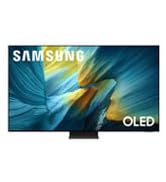
The 40-Inch Class Full HD F6000 Smart TV (2025 Model) combines stunning HDR visuals and Object Tracking Sound Lite for an immersive entertainment experience. Powered by Samsung’s secure Knox platform and intuitive One UI Tizen OS, it offers access to thousands of free channels and apps. Its sleek bezel-less design fits perfectly in any modern space, making it the ideal smart TV for professionals seeking premium quality without compromise.






| ASIN | B0DXN1CFFR |
| Aspect Ratio | 16:9 |
| Batteries | 2 AAA batteries required. |
| Best Sellers Rank | #608 in Electronics ( See Top 100 in Electronics ) #9 in LED & LCD TVs |
| Brand Name | Samsung |
| Color Name | Black |
| Customer Reviews | 4.2 4.2 out of 5 stars (2,085) |
| Date First Available | April 21, 2025 |
| Item Weight | 13 Pounds |
| Item model number | UN40F6000FFXZA |
| Product Dimensions | 36.3 x 6.7 x 21.8 inches |
| Special Features | Built-In Speaker |
| Standing screen display size | 40 Inches |
K**9
Great picture and sound!
I was looking for a Smart TV for a smaller bedroom that wouldn't break the bank but also have solid quality and sound. This 32 inch FHD Smart TV from Samsung is perfect. Most of the apps I use came pre-installed which was great, there were only two I had to install. They were easy to find in their app store and very easy to install them. I thought that some Korean and Asian apps would be hard to find, but they weren't. The app store is pretty well rounded. It was also extremely easy to set up my TV since I already have a Samsung phone. That is a great feature! I will recommend that you set your TV up, connect it to your WiFi/Internet, and then let it sit for 5-10 minutes (take a break to organize the shipping boxes, etc) before you try to download new apps. It does seem to need a few minutes when you first set it up to finish initializing everything. But after that first bit of time, I've not run into any connectivity issues or slow response times. The TV is in the budget range for price, but it is definitely feels like I bought a midrange one. I mounted it on a pedestal mount and it is extremely sturdy. The colors are vibrant. The picture is nice and clear. I've not noticed any issues with pixelation. The sound is perfect for the space. It was an excellent choice for a small bedroom (10 x 9).
C**N
Great in my small gym
Great tv for in front of my treadmill. Good picture, Good sound, Good price, easy setup, easyto connect to wifi, the picture is perfect. Perfect brightness. I'm happy
B**D
Great TV for bedroom or home office
I bought this as a TV for my home office. It's only 1080p which was fine for my needs. It works great with a cheap antenna for OTA stations. The interface for the various apps is a little slow/clunky to launch and navigate, but it seems reasonable given the entry level price. Once launched they run fine. The picture and sound are both good for this low price range as well. Makes a great second TV.
R**F
Great Picture and Sound Quality
I have Samsung TVs elsewhere in the house, so wanted to get the same for the kitchen. I only had a small space for it on a shelf so I needed something light and thin so it did not look over sized or cause the shelf to fall. It was easy to set-up, but took a bit to connect to the wi-fi, but once it was done seems to be fine. Picture and sound is fine for the money. Once the volume gets above 8 it is to loud to talk over so have no idea how loud it will actually get. Only negative I have it it is slow to respond to the input from the remote. Once you make a choice it takes a few seconds to react, whether it is the volume, channel or apps. You just need to wait for it to catch up before pushing to many choices.
J**.
Samsung quality is a great value
Nice smart TV for the money Nice picture and works great. If past performance is any indication it should last for years. We have a few Samsung TVs and they have held up well. We replaced a 15 year old Samsung that was still working great with this one. The old one just wasn't a smart TV.
B**D
A very glitchy and problem ridden TV
I recently got rid of cable TV and decided to stream only those things I wanted to watch, through Netflix, Prime, Sling etc. I decided to get a new smart TV to make the transition easier. I also installed an OTA antenna so I could have access to the major networks and local channels such as CBS, NBC, ABC, FOX, PBS, etc. When I got this TV the first thing I did was scan for all the available channels I could get via the antenna. This Samsung TV also offers a lot of free channels, courtesy of Samsung. I scanned for those as well. Once I had all the channels scanned, I went through the list and created a “favorites“ list. I also went into settings and set the TV up so once I turned it off, it would return to the last watched channel when I turned it on again. Easy enough, you think? So here’s a couple of things that happened. I’d be watching channel 4 and I would punch in channel 13 to watch whatever was going on in that one. From channel 13 I pressed the channel up button, which should logically have taken me to the next higher up channel on the favorite list. That would’ve been channel 14. It did not. It would resort back to the first channel on my favorite list which in my case would be channel 2. I also noticed that favorite channels will go out of sequence for no reason at all. So as I’m pressing channel up, I may go from channel 11 to channel 43, totally bypassing all the channels between 11 and 43. Those missing channels will eventually appear later on as I continue to press the channel up button. Why it’s doing this I don’t know. I did find an article in the web that says other people who are using OTA antennas have experienced the same glitch with the sequence of favorite channels. So I just went through the trouble of erasing all the channels in the favorite list, l checked to make sure I have the latest version of the software (I do), I unplugged the TV, waited 60 seconds and then turned the TV on again. Then I rescanned all the available channels once again and created a new favorite list. The channels are out of sequence again. I really expected so much more from Samsung. The quality of the picture is excellent, the colors are vibrant and true to life. That part of the TV I have no complaints about. But their software absolutely sucks. I am so disappointed and I am very sorry I bought it. This new TV is a headache. It might be a smart TV, but it is full of glitches and bugs. I am keeping my fingers crossed that the next time they have an update to their operating system. It will address this problem. I am not a happy camper right now!
A**R
Perfect. Easy to set up. Nice sharp picture. Sound OK. But think it might be better with a sound bar. Good size for a small lounge.
I**O
EXCELENTE TV DE ALTA DEFINICION
C**E
Llegó defectuosa , tiene dos líneas horizontales negras
V**S
very good picture
V**L
Compré la TV Samsung porqué la que tenía dejó de funcionar y decidí comprar otra, la marca Samsung es muy buena, es una marca china que está en ascenso y cuenta con muchas cosas que están con tecnología de punta
Trustpilot
1 week ago
2 months ago