
DOWNLOAD THE APP


Customer Services
Copyright © 2025 Desertcart Holdings Limited
DOWNLOAD THE APP

🚀 Upgrade your internet game—because buffering is so last decade!
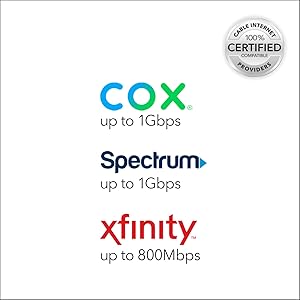
The NETGEAR CM1000 is a DOCSIS 3.1 cable modem delivering up to 1Gbps speeds, compatible with major US cable providers like Xfinity, Spectrum, and Cox. Featuring a single Gigabit Ethernet port and an easy-to-use power button, it eliminates rental fees and supports future internet upgrades with a sleek, professional design.




| ASIN | B01I5TJGSE |
| Are Batteries Included | No |
| Best Sellers Rank | 245,123 in Computers & Accessories ( See Top 100 in Computers & Accessories ) 105 in Modems |
| Brand | NETGEAR |
| Colour | Black |
| Customer Reviews | 4.3 4.3 out of 5 stars (5,187) |
| Date First Available | 14 Dec. 2016 |
| Guaranteed software updates until | unknown |
| Item Weight | 381 g |
| Item model number | CM1000-100NAS |
| Lithium Battery Energy Content | 4 Watt Hours |
| Lithium Battery Packaging | Batteries contained in equipment |
| Lithium Battery Weight | 0.8 Grams |
| Manufacturer | Netgear Inc |
| Number Of Lithium Ion Cells | 2 |
| Number of Ethernet Ports | 1 |
| Product Dimensions | 13.72 x 14.99 x 22.35 cm; 381.02 g |
| Series | NETGEAR |
| Voltage | 100240 Volts |
N**R
Das Modem ist nicht für Deutschland vorgesehen und wurde bei mir auch nur mit dem US Netzteil ausgeliefert, konnte am Vodafone Anschluss nicht in Betrieb genommen werden.
S**N
Review of Netgear CM1000v2. I got a notice from my internet company, xFinity, that I should upgrade my old DOCSIS 3.0 modem to a newer 3.1 version. Even though my internet package only gets me up to 59Mbps, nowhere near the gigabyte speed offered by the new modems, I decided to replace my old modem anyway, since I was starting to get more internet outages over the past few weeks. I figured the older technology maybe wasn't being supported as well on the network, and I had to keep resetting my modem and waiting for connectivity to come back again. Installation was pretty easy. 1. First, unplug old modem from power, cable and ethernet. 2. Plug all of those into the new modem and wait for all the lights to stay on, which can take up to 10 full minutes. 3. Go into the xFinity app on your phone, log into your account, then tap Account, Activate xFi Gateway or Modem, Your Own Modem, Start Activation, then follow prompts from there. You will need to enter the MAC address, which is printed on the bottom of the modem. It may take another 10 minutes after activation for you to have internet access. All worked well for me and there were no problems. Modem has been working flawlessly for the past few days since I set it up. As I said, my plan only gives me up to 59Mbps, and that has not increased with this modem. It will only increase if I change my plan to a higher speed plan. But, I have a newer technology modem now that is at least ready for future speed increases should I choose to pay for that, and this DOCS 3.1 modem may have better security and more compatibility with the xFinity network. Things I like about it: 1. It has an on/off button on the back. VERY handy for resetting the modem. Much more convenient than having to pull the power plug then struggle to get it plugged back in while in a tight, dark space behind the modem. Many modems do not have an on/off button. 2. The lights are easy to see, but not too bright. On my previous Arris modem, the lights were overwhelmingly bright and flashing, so much that you could hardly read what their function was. These lights are much better. 3. The form factor is good; thin and tall, with a sturdy base. Other note: Some reviewers have said this modem gets HOT. I don't find that to be the case. It is warm, but not really any warmer than any other modem or streaming device I've had, especially one that is on 24 hours a day. Bottom line, this modem is a highly compatible modem for xFinity and all other cable systems, has an on/off button, good form factor, perfectly readable and not-too-bright lights, and is easy to set up.
O**E
I don't do reviews often but I want to help my geek friends save days of research and frustration that I went through to finally get the absolute most speed out of my Gigabit internet. There's some golden nuggets here that you need to know. When I first upgraded to the new gigabit here in Denver (from Xfinity), it was using their new Cable Modem/Router device (XB6-A) and I was only getting 500 Mbps download speed. It was also lagging in our house when several people were gaming and others were downloading, or even accessing intensive web-pages. (lagging = pings were going up). Since upgrading to this Netgear CM1000, upgrading my cabling, and factory resetting my router, I'm now getting the most download throughput (~941 Mbps) and the lowest pings I've EVER seen! Connection is rock solid throughout the house. SHORT ANSWER: Get this Netgear CM, upgrade your ethernet cables to Cat 6 (or Cat 5E for short distances) and then Factory Reset your router to get the most speed. You still may need a new router to reach gigabit speeds. I'm getting the most download throughput (~941 Mbps) and the lowest pings I've EVER seen! I did lots of tests comparing this cable modem to the XB6-A that Xfinity provided. Here are some big things I learned: 1) Make sure your ethernet cables going from the cable modem to the router and from the router to your PC are CAT6 or at least CAT5E (for short distances). 2) Upgrading to this Netgear CM1000 Cable Modem LOWERED my ping/latency compared to the XB6-A that Xfinity provided. I just got a 5 MS Ping to the google server here in Denver! UNHEARD OF. Most of the time it's around 8-9ms with this new cable modem. I was getting 11-14 w/ the Xfinity modem. If you're a gamer, a lower ping matters! 3) The Xfinity XB6-A modem/router combo doesn't work too well when you have your own router also connected to it. Xfinity recommends you only use their device and disconnect your router. 4) Around 941 mbps is the max download speed that modern gigabit routers/switches can do right now so don't be worried if you can't get above that. 5) Many routers can't handle gigabit download speeds, especially if you've enabled any of the features like QoS, Traffic Meter, Keyword block, etc. My Netgear Nighthawk (R7000) was only getting 400-500 mbps (using speedtest) because I had enabled some of these features. Even when I disabled these features, the speed was still low. Doing a FACTORY reset fixed it, and now I'm getting 937 - 943 mbps download speed!!! The reason these routers slow down when you enable extra features is because it disables CTF (cut through forwarding) and the router no longer uses it's faster processor. Some of the newer routers can still maintain max download speeds of 941 mbps while also allowing you to use QoS and other features. 6) There's a great website called Small Net Builder that compared routers to see which could reach 941 mbps download speed. I recommend you check that out if you need a new router. Keep in mind that this Netgear CM1000 is JUST a cable modem. It's not a router. So if you only have 1 device you want to wire into it, you're fine but if you want to have more devices, and wireless, then you'll need a router too. The Xfinity provided XB6-A is both a cable modem and a wireless router in one. I personally think it has some flaws that need to be worked out but appears to be a beefy piece of hardware. You can save yourself the $10/month rental by getting this Netgear CM1000. P.S. I do plan to upgrade my router so that I can still get 941 mbps download speed while enabling QoS. With QoS, it will set aside a portion of your bandwidth (say 20%) for high priority traffic like gaming that need low latency, and then it will limit all other connections (like large downloads) to the other 80% the connection. Keep in mind, if you enable this and run a speedtest, it will appear lower simply because it's now reserving part of your bandwidth for other devices/traffic in your home.
B**N
The NETGEAR CM1000 is a modem that targets users who primarily are interested in gaming, or streaming HD video on multiple devices. This modem definitely delivers that type of performance. The design is very much in this vein, it looks vaguely futuristic, perhaps alien in its elongated hexagonal case. The two-tone dark charcoal unit affixed to a gray stand also seems a bit off, why two colors? Anyways, the stand is connected by a single screw, but it seems to also be attached using plastic rails, and it seems sturdy enough. It is very obviously meant to only be used in this upright orientation the reasoning for which brings me to my next point... The triangular venting mixes form and function but is heavy on the form, as this modem does throw off some heat! It will warm your hands in the winter no problem. Might even save you on heating bills. It is almost concerning how warm it runs. I often think to power it down overnight or if I leave the house for an extended period. The modem is DOCSIS 3.1, which is a international standard that allows for higher bandwidth over existing Cable TV service. The next generation of internet speed offerings from ISPs will be in the multiples of Gbps, and to take advantage, you will need a modem that is DOCSIS 3.1. Thankfully, this modem is backwards compatible with the older standard DOCSIS 3.0. The modem came assembled on the stand out of the box, along with the customary canary category 5 cable, and power adapter. I didn't use the cat 5, I opted for the Vandesail CAT7 Cable because, well, why not? The category 7 cable has a much higher bandwidth, and will be used in future equipment, so best to be prepared! I also upgraded the coaxial cable in my house to Quad Shield RG-6 Coax 75 Ohm 3Ghz Cable as you see in the included picture. I have the CM1000 connected to a NETGEAR AC1600 which I had from using with DSL internet service. The pair is working seamlessly together, and I am regularly seeing download speeds at the maximum of my service rating of 200Mbps, using Comcast as an ISP. See the included screencap of the speed test. During install, the modem powered up, and went through a few reboots, and after about 10 to 15 minutes, the connection was made. It initially didn't want to to play with the NETGEAR AC1600 router, but after a few power cycles, everything resolved itself, and the two now peacefully coincide. The status indicators are only on the left side of the front, which itself is angled at about 30 degrees away from you if you are looking straight on. A strange design decision, it limits one's vision of them, especially if you must place it on your left. Not a huge deal, but it seems so easy to design a better solution. Fortunately, I haven't had a need to check the indicator LEDs. Conclusion: BUY. An A+ modem, fit for heavy gaming or streaming HD video. PROS: + Easy setup + DOCSIS 3.1 and 3.0 compatible + FAST + Will work with the next generation of speed tiers + Don't have to rent from ISP CONS: - Expensive - LEDs are difficult to view - Runs really warm!
B**P
The ISP (which will remain nameless), that I rented my Internet gateway from did not adhere to sound security protocol. I myself, as a cybersecurity professional with more than 10 years experience, am naturally paranoid about weak passwords. This particular ISP limits the variety of keyboard characters allowed for cable modem management passwords, making them easier to crack! In fact, on a few occasions, my passwords were changed without my consent. From that point forward I decided to buy my own cable modem that would allow me to choose the access passwords without character limitations. Now that it is up and running I am beyond happy. My desired security posture is now a reality, and my internet finally achieves 1gb downloads, better than the ISP's cable modem that was supposed to do the same thing. My network is tight security wise, and this Netgear Nighthawk CM2000 helped me realize that. Finally, I had to overcome one technical issue that I thought was generated by the CM2000. After registering my cable modem with Netgear, called tech support. Best dang support I've dealt with in a long time! From one geek to another, we were able to speak the same tech-ease and I learned more about my new CM2000 and the DOCSIS standard than I knew before the call. Found out that the CM2000 was not the culprit, so I called the ISP to handle it, problem resolved. The one setback for Netgear that I thought was serious enough to mention is that as far as firmware upgrades there seems to be tit-for-tat between Netgear and this particular ISP. Either group seems to point the finger at the other when it comes to whose responsibility it is to push out firmware upgrades. I hope, for customers' sake, that these two outfits work out their differences on this. Heavens forbid that there is a security vulnerability that requires a firmware upgrade! I shiver to think about that outcome. Other than that, I am very happy with my purchase. UPDATE (6/2025) It's been a few years since I pinned the above review of the CM2000. Now it's time for an upgrade from the CM2000 to the CM3000. This is what I've learned: The CM2000 performed honorably for the most part. However over time the status LED lights began to shut off one after the other. Today the only one that is still operational is the Online LED. I understand that there are others who've experienced the same malfunctioning LED issues as well. Other than that I am pleased with its performance, so much so that I am considering purchasing it's more mature cousin, the CM3000. The one BIG issue I have with this consumer-class cable modem is what seems to be the unwillingness of its manufacturer Netgear & my cable service provider Xfinity/Comcast to agree on WHO WILL PROVIDE THE FIRMWARE UPGRADES! This was the 800lb gorilla that otherwise would make the experience with this product a 9/10! Just as with the CM2000, Netgear advises users to access their cable service provider for the firmware upgrade for the CM3000. With both devices Xfinity does not have documentation on its website which gives instructions on upgrading the Nighthawk CM model firmware: https://www.xfinity.com/search?q=Netgear%20cm2000 . Similarly, Netgear support encourages users to contact their ISP for upgrades: https://kb.netgear.com/000036375/What-is-the-latest-firmware-version-of-my-NETGEAR-cable-modem-or-modem-router . Either way, if there is a need for a future firmware update anyone purchasing this item will risk ending up with an expensive paper weight if both the manufacturer and the ISP refuse to come together and resolve the issue. For this reason I am exploring other cable modem options, ones where firmware updates are available for ISP-approved devices.
Trustpilot
5 days ago
1 day ago