


🎮 Elevate your stream with zero lag and 4K clarity — because your gameplay deserves the spotlight!
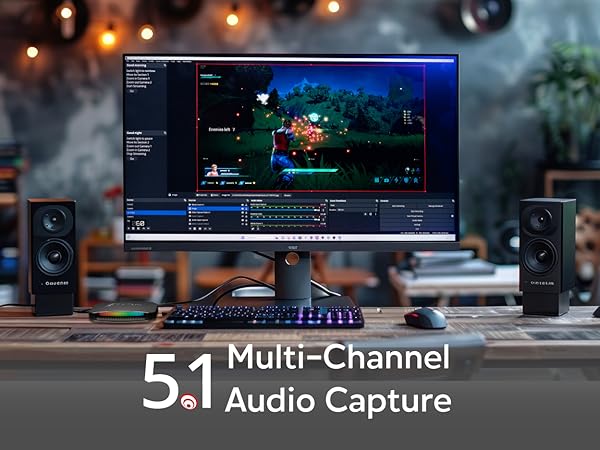
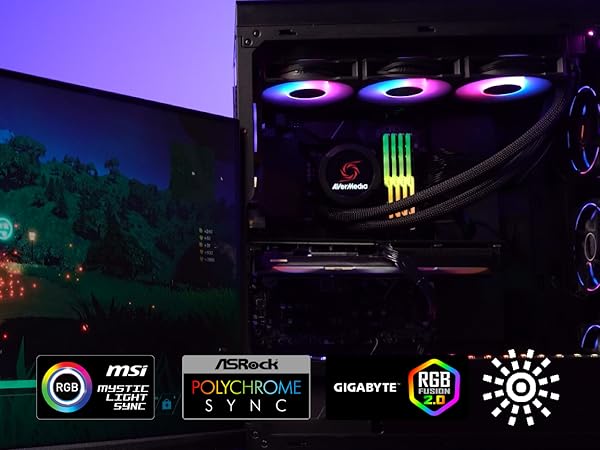
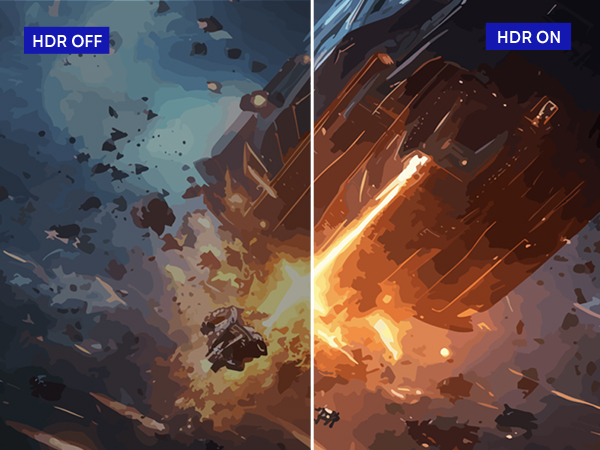
The AVerMedia GC553G2 Live Gamer Ultra 2.1 is a premium HDMI 2.1 capture card designed for next-gen consoles and PCs, delivering true 4K60 HDR10 capture with near-zero latency. Featuring USB 3.2 Gen 2 Type-C plug-and-play connectivity, it supports VRR for smooth gameplay and is fully compatible with OBS Studio and Streamlabs. Customizable RGB lighting and 5.1 audio support make it a versatile choice for professional streamers seeking high-quality, reliable performance.






| ASIN | B0CPXPM6XW |
| Item model number | GC553G2 |
| Manufacturer | AVerMedia Technologies Inc. |
| Package Dimensions | 18.69 x 16 x 7.11 cm; 115 g |
T**A
My review will just be covering gameplay capture from the PS5. I don’t currently stream or anything so have no experience with that. I’ve been using the Elgato HD60S+ for several years to capture my game play from the PS5. It honestly worked great and capturing 1080p 60fps worked well. I didn’t use the pass through to play directly off the capture card (I have a HDMI splitter so play direct from the PS5 on a separate monitor), but when I tried it, there was a noticeable half a second to one second lag which made playing games bad anyway. But the main thing that made me want to try something new was that Elgato has this issue where the capture card gets used by another device in Windows and doesn’t show a signal. The only way to get it to work was restarting the PC. Trust me, I tried everything, even disabling all types of devices on Windows. Apparently anything that uses audio can cause the Elgato to see it as a source and then it doesn’t connect to your console. And it doesn’t have the ability to connect to more than one source. So I went with the Avermedia and so far everything has been working great. After connecting everything it got my PS5 signal right off the bat. I also have an XLR mic setup and was able to get that working during PS5 gameplay capture without too much trouble once I figured out I needed to download the RECentral program. I originally used their streaming software which didn’t work in capturing my voice during gameplay on the PS5. I’m sure it works fine or streaming but as I mentioned, I don’t have experience in streaming yet. The quality in gameplay capture is excellent. Everything looks great in 4K and the pass through virtually has no lag that I could play it off the capture card alone with no problem. I haven’t encountered any black screens or disconnects and so far it’s been a lot better than the Elgato I’ve used for so long.
M**G
Sfortunatamente la confezione è arrivata danneggiata. Il dispositivo di per sé funzionava bene con Recentral arrivando a 4K'30. Invece su Obs mi dava il problema di "not supported" se salivo sopra i 1080p60 (idem streamlabs). Ho fatto il reso dopo diversi tentativi. Soddisfatto invece dell'assistenza di Avermedia nel cercare di aiutarmi a risolvere le problematiche.
S**N
Works amazingly well. Able to record gameplay at 4k 60 with OBS. I have a two pc setup for recording/editing my pc gameplay to eliminate any possibility of my gameing pc screwing up recording in the background without me finding out until much later, and this works great, highly recommend.
L**A
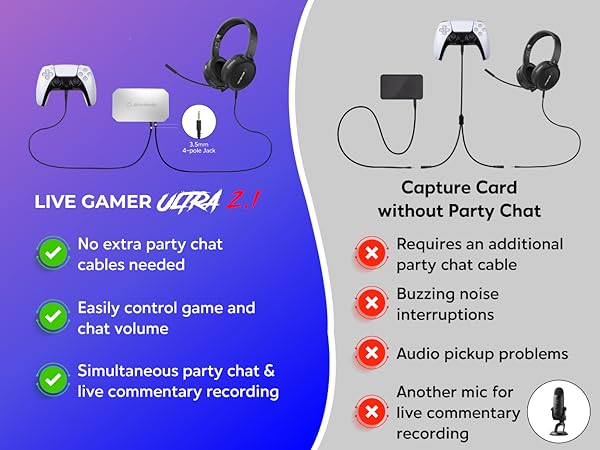
I was initially unimpressed by this device when I first ordered it and returned it in a hurry, but realized that it was exactly what I needed. You do not need a chat link pro cable to make this work for capturing party chat, but I strongly suggest buying the one from Gneinour and not the one from El Gato. I am using the chat link pro with this because it gives me more cable length to stretch out in case of something like I left my drink too far away while gaming and I need a drink between matches. This device was easy to setup, but their a.avermedia.com links are all outdated and insecure, but if you just visit AverMedia.com you can search your device and get all the installs and assist software to help you turn your device RGB lighting off, in the color selection in the assist app you get from their site, you just gotta click at the edge of the color wheel until you get the black color and it will keep the lights turned off unless it has a prompt to flash at you or something. I strongly suggest this product if you take your streaming seriously. I previously said this device was bad for streaming because it didn't have 1 in and 2 out plugs, but I didn't realize that I had my 3rd HDMI cord plugged into my computer using a USB C adapter, and now I can skip the adapter and just plug their USBC cord into my computer and be done with it. If you do not have a USBC input, buy a UBSC to USBA connector. The quality is amazing, I played a match while OBS was open, and OBS captured the audio, and the party chat. Again, I am using the chat link pro by Gneinour, and you do not need it, but I strongly suggest buying them both because the audio quality and the length with the extra cords really comes in handy. Very Happy with the super fast shipping. Happy gaming and have fun streaming, my friends!
A**A
It works great. The only 2 points I’d like to bring to your attention is: If you use OBS for MAC it doesn’t recognize it as a capture card so you have to use it as video capture device, which is not a problem, but you might have some problems configuring it and thinking is not working, while is just a matter of set it differently. The other thing is if you using it to record your console and want to record all the audio such as audio chat , is easy to do it, but while your controller is connected via USB to your console, it captures a lot of noise and the audio quality is really bad. They should improve the audio cable that goes from the controller to the capture card with some noise reduction filter or something like that, just like elgato has the chat link cable. Other than that is fine. Although I’d like to have the capture card software for Mac to be capable of use some more configurations, but unfortunately the software is only available for Windows
Trustpilot
3 weeks ago
3 weeks ago


