Some deliveries may take a little longer than usual due to regional shipping conditions.

DOWNLOAD THE APP


Customer Services
Copyright © 2025 Desertcart Holdings Limited
DOWNLOAD THE APP


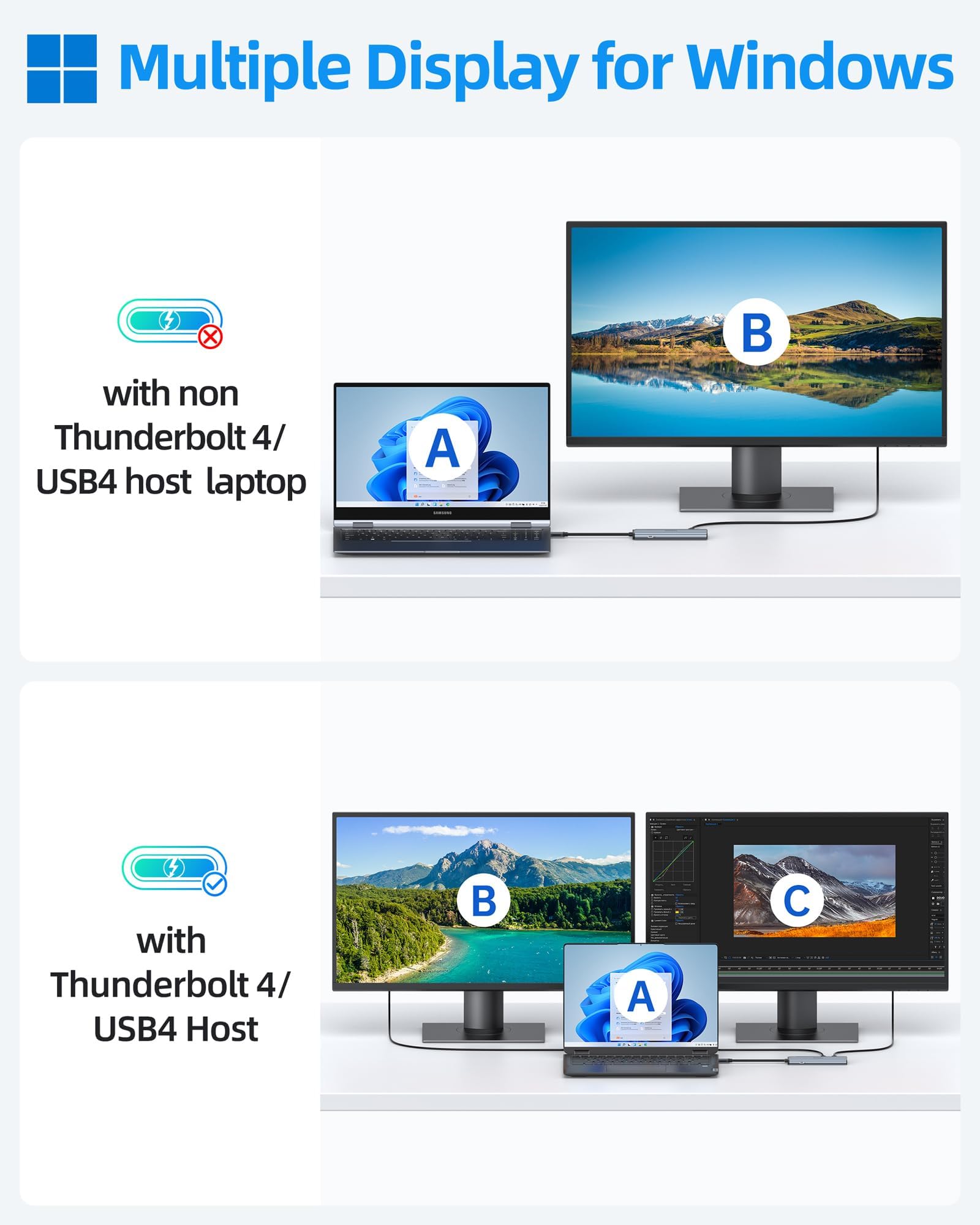
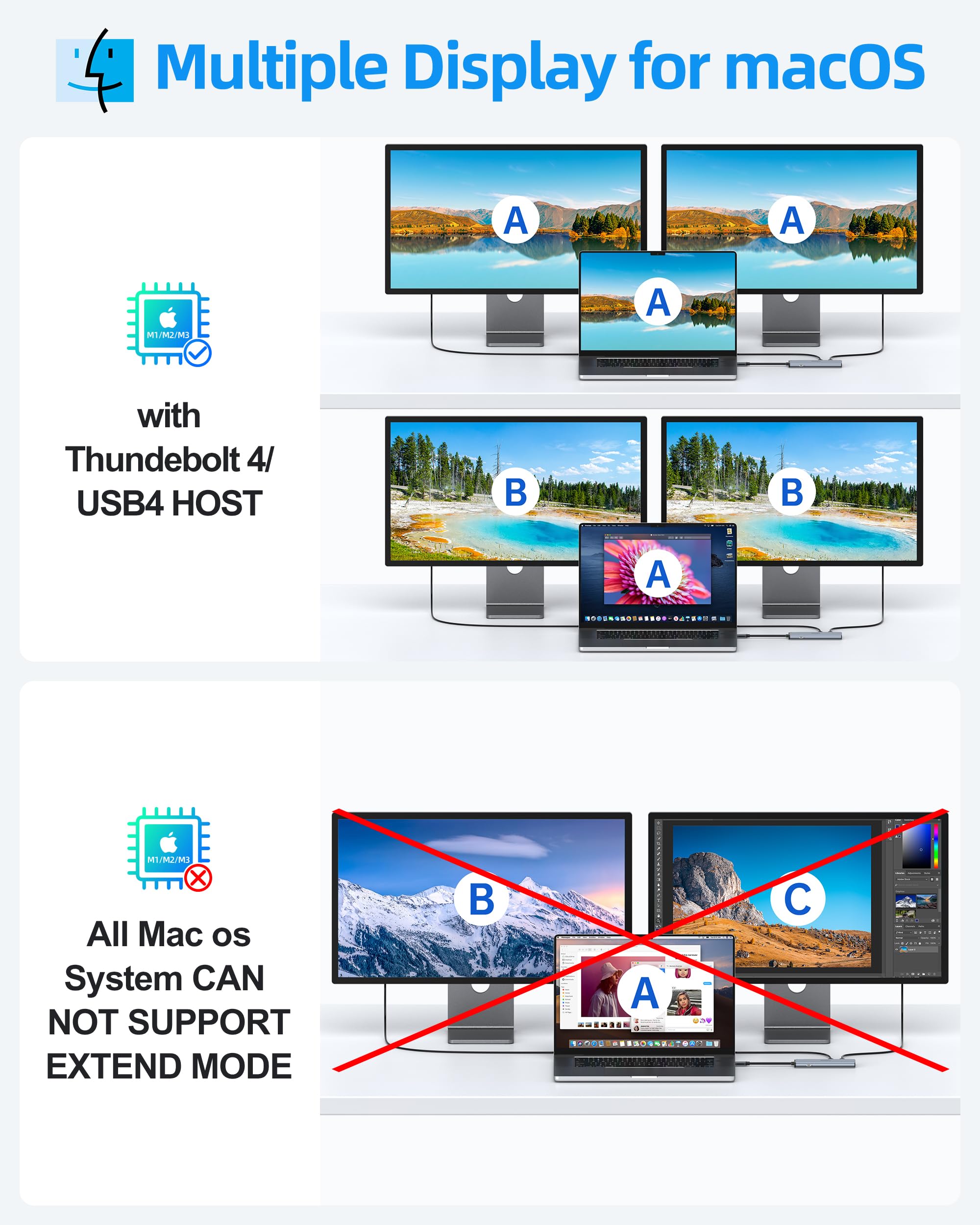

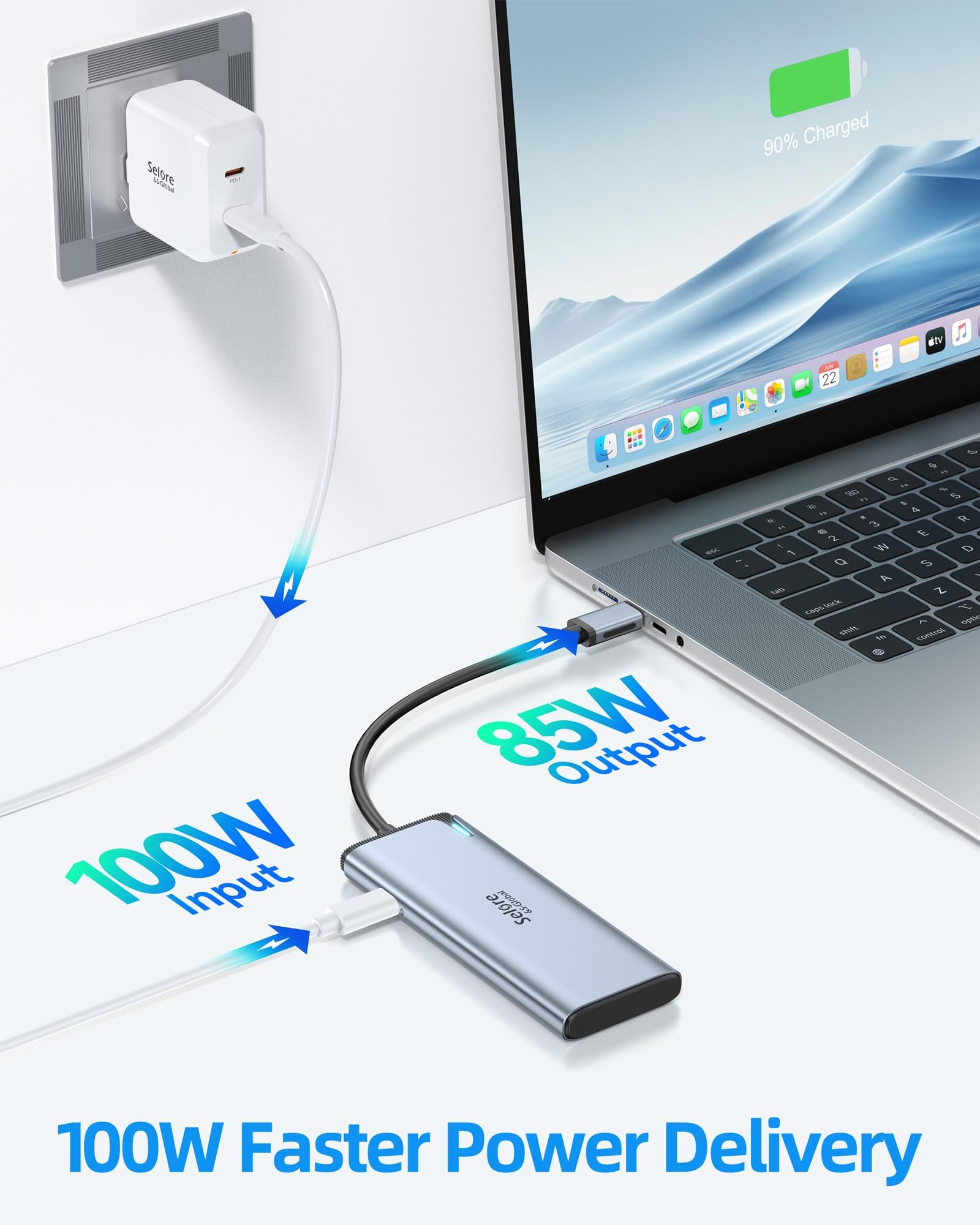
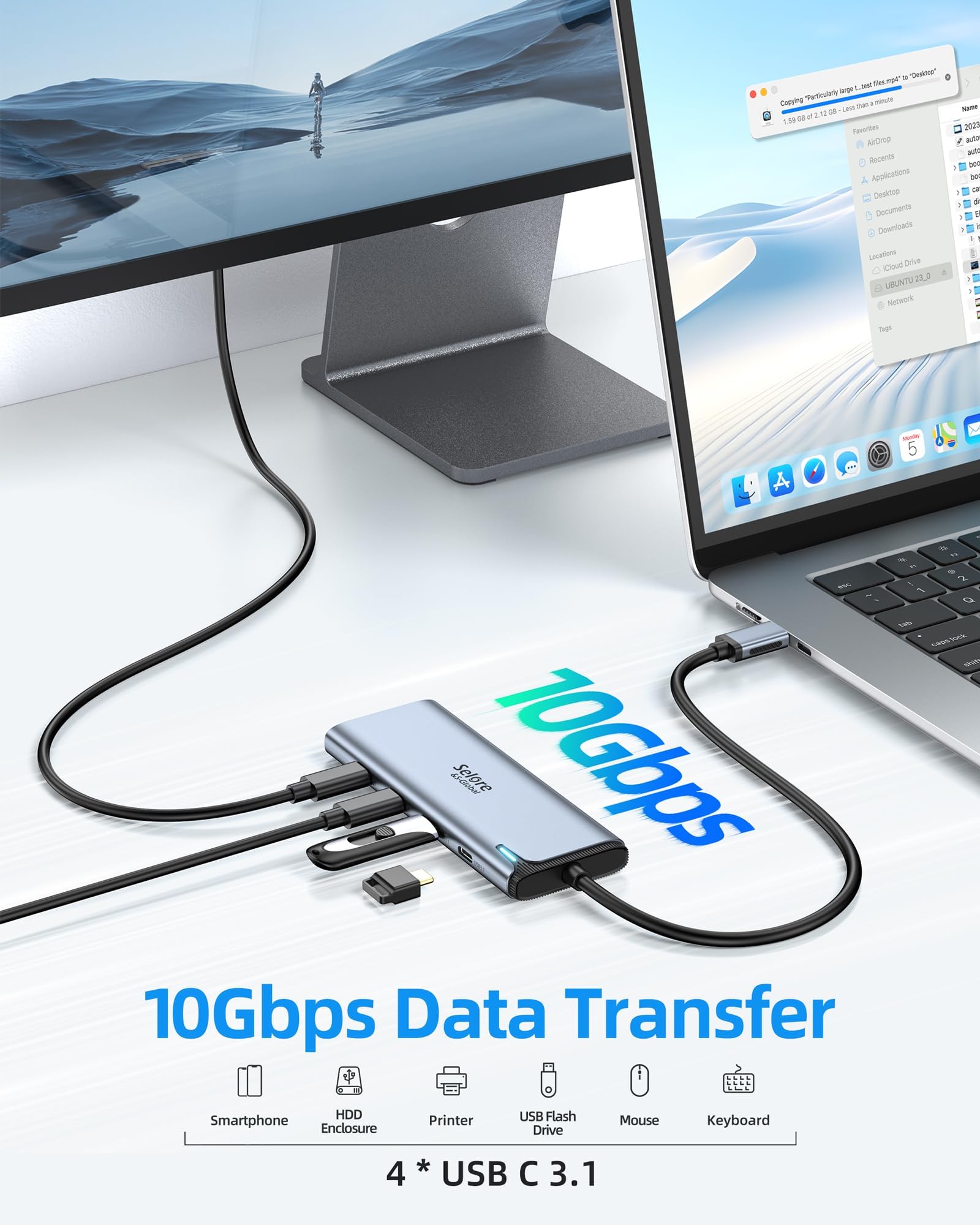
🚀 Double your screens, not your clutter — power, speed, and clarity in one sleek hub!
The Selore USB-C Splitter is a high-performance docking station that transforms a single USB-C port into dual 4K@60Hz video outputs with DP Alt Mode support, 10Gbps data transfer speeds, and up to 100W pass-through charging. Designed for Thunderbolt 4/USB 4 laptops and compatible with major brands, it’s the ultimate productivity booster for professionals seeking seamless multi-monitor setups and fast device connectivity.


| ASIN | B0DRG9K3BJ |
| Best Sellers Rank | #21,521 in Electronics ( See Top 100 in Electronics ) #302 in Laptop Docking Stations |
| Customer Reviews | 4.3 4.3 out of 5 stars (737) |
| Date First Available | March 13, 2025 |
| Item Weight | 3.2 ounces |
| Item model number | SEUC6101B-US |
| Manufacturer | Selore&S-Global |
| Package Dimensions | 13.35 x 10.94 x 0.71 inches |
P**S
Exactly what I needed
First, for all those who don’t read product descriptions: This hub will NOT allow you to connect a power supply and it will NOT power a monitor! (Please don’t rate it 1 star because of that - this is clearly stated in the description) I needed this for a very specific purpose: connect 2 USB devices to my iPad. A midi keyboard and a headset (via USB-C to audio dongle. Unpacking revealed a solid-feeling hub with a nice medal enclosure. After plugging it into my iPad, a small blue LED indicated that the hub was active. Plugging in the MIDI keyboard, the keyboard immediately fired up, powered through the hub. (The hub WILL make power from the host available - it’s just not a lot.) Communication is perfect. Plugging in the headphones via dongle results in headphones immediately receiving an audio from the iPad. There is no noise inserted and audio quality appears to be excellent. The cable on the hub is long enough for the hub to lie flat in the table despite the iPad being positioned almost upright in the “Magic Keyboard.” Du to the metal housing, the hub is a bit heavier than expected but that should not be a problem. All in all, an unproblematic experience. I have at this time no information about transfer speeds (not relevant to me) or reliability. Will update should the hub fail within less than 2 years. Added note: It should be obvious but I tried anyway - this will not work with a non-powered USB port (like those found on “target” devices, like printers or, in my case, a mixer). For example, don’t expect that you can plug this hub into a printer and connect two computers to it (or connect two audio sources to a mixer :-). That will not work. It was obvious with the old USB-B connectors that wouldn’t even let you plug in a hub. Now you actually have to think :-)
Z**R
Expand Your USB-C Options with Ease and Speed
The 10Gbps USB C Hub is a convenient and reliable way to expand your device’s connectivity. With four high-speed USB-C ports, it offers seamless data transfer, making it perfect for laptops, tablets, and other USB-C-compatible devices. Its compact design is ideal for on-the-go professionals, and the 10Gbps speed ensures quick transfers for large files. While it doesn’t support charging or monitor connections, this hub excels as a straightforward solution for expanding USB-C capabilities. Pros: 1. High-Speed Transfers: 10Gbps ensures fast data transfers for large files. 2. Compact and Portable: Lightweight design makes it easy to carry. 3. Multi-Device Compatibility: Works with MacBook, iPad, Chromebooks, and more. 4. Plug-and-Play: No drivers or setup required. Cons: 1. Limited Power Supply: Devices with high power needs may not function optimally when connected. 2. Short Cable Length: The attached cable may feel restrictive for certain setups. This USB-C hub is a great addition for anyone needing extra USB-C ports without sacrificing speed. Perfect for students, professionals, or tech enthusiasts looking for a compact and efficient solution to streamline their connectivity needs.
K**R
Works well for dual monitor setup
Works well with my dual monitor setup. I have had no issues. Good value for the money.
T**S
Doesn't work with my extra monitor, but customer service is excellent.
I bought this to have enough ports to use my mouse and additonal monitor, but does not allow my second monitor to connect. I'm updating this review because the description mentions it will not work with an extra monitor, but their customer service team still offered me a refund even though I'm the one who ordered the wrong thing.
D**I
Good product
Worked as advertised, no issues
R**H
single monitor only
works well with a single monitor, but it fried -- actually fried -- got too hot to the touch and you could smell it -- with a second monitor. not bothering with a return the boxes were recycled and this hub is now e-waste.
S**N
Absolutely recommend this for laptop extenders
This is super useful! I wasn’t able to use an h5 converter cable for my laptop extenders as my work computer did not allow a program installation which is required. This has allowed me to expand from 1 usc-c to use my two monitors while also charging my laptop. Would recommend as an affordable work around!
B**A
It didn't last
Dead already
J**D
I purchased this product with the intention of charging my iPhone while using my computer. However, I was highly disappointed as it proved to be extremely slow in charging.
J**R
This device works great! I use it with a 15'' Asus Zenscreen, a Samsung S24 Ultra and Prograde card reader to move 40Gb video files around and previews (no editing). Quick and easy. J.
T**T
This works well for connecting extendend monitors and charging phones. Makes monitor set up and takedown a breeze.
B**9
If you need to have a usbc monitor output this is one of the few that can do that. Only one signal but handy to have if you have to share ports on the laptop. Light thin and sturdy with a longer cord to accommodate awkward setups.
S**E
I’ve been looking for a solid USB-C hub for what feels like forever. Most of the ones I tried either didn’t deliver the speed I needed or felt cheap. But this one? Game changer. I mainly use it with my MacBook to connect an external SSD, and I’m getting write speeds of 1GB/s, which is the same as I get when the SSD is plugged directly into the Mac. There’s zero speed loss, and that was a huge deal for me. The build quality is excellent — sturdy and well-designed — and it’s also incredibly compact, so it’s easy to carry around and doesn’t clutter up my desk. Looks clean, performs great. I also love that now I’ve got more USB-C ports, and there’s no compromise on performance. I don’t use it for charging, but I did test it and it handles charging just fine. I just prefer to use it strictly for data transfer. 💡 One thing to know before you buy: There are three 10Gbps USB-C ports for high-speed data transfer, one DisplayPort that can also be used for data (but at lower speeds), and one PD (Power Delivery) port. So it’s pretty versatile depending on how you want to set things up. ✅ What I liked: • Super fast — 1GB/s write speed with external SSD • No speed difference compared to connecting directly to Mac • Great build quality — feels premium • Adds more USB-C ports with no performance loss • Compact and easy to carry • Charging works (even though I only use it for data) ❌ What could be better: • Honestly, nothing major — this checks all the boxes If you need a high-performance USB-C hub that actually lives up to the specs, this is it. Really happy with this purchase!
Trustpilot
1 week ago
1 month ago