
DOWNLOAD THE APP


Customer Services
Copyright © 2025 Desertcart Holdings Limited
DOWNLOAD THE APP


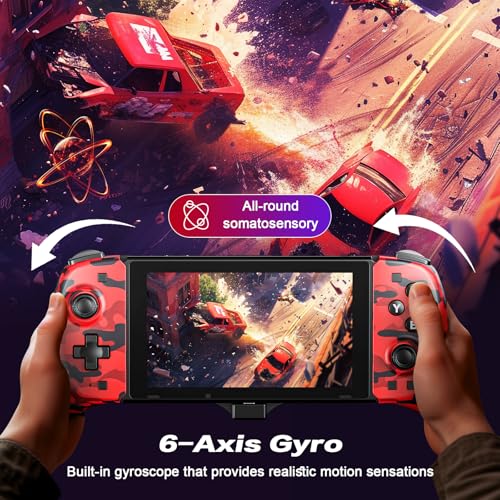
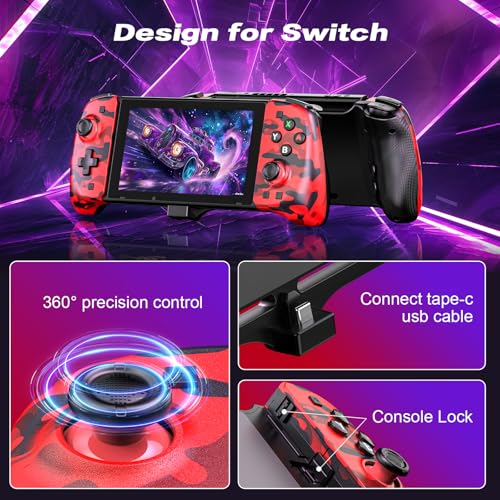

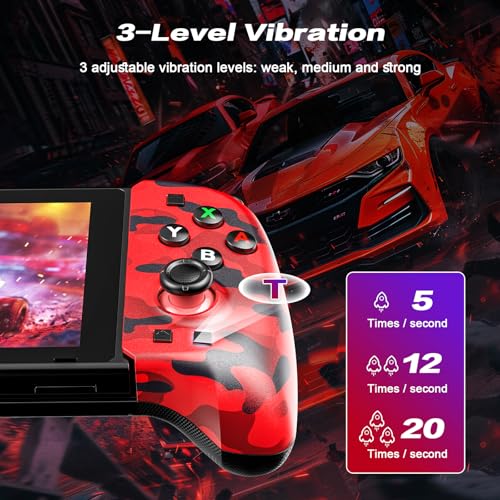


🎮 Elevate your Switch game with comfort, speed, and style—don’t get left behind!
The SWDMFC Switch Controller is a one-piece, ergonomic replacement for the Switch Pro Controller, compatible with Switch and OLED models. Featuring a Type-C plug-and-play connection, adjustable TURBO mode, and dual motor vibration, it offers enhanced comfort and responsive gameplay. Easy pairing and quick calibration make it perfect for gamers seeking a reliable, high-performance handheld controller at an unbeatable price.


| ASIN | B0D9YJSQ4Q |
| Customer Reviews | 3.8 3.8 out of 5 stars (69) |
| Date First Available | July 23, 2024 |
| Item Weight | 12.1 ounces |
| Item model number | SWDMFC-BR |
| Manufacturer | SWDMFC |
| Package Dimensions | 11.39 x 4.73 x 2.68 inches; 12.17 ounces |
L**T
Good product
There may be videos or reviews saying negative things but let me tell you, THIS DOCK CONTROLLER SETUP IS BY FAR THE BEST CONTROLLERS YOU CAN EVER GET. It is really easy to setup, Please READ the INSTRUCTIONS! It is very important to read those little words because it guides you to the correct way to use and calibrate the controllers to your NS. Aesthetically the controllers are phenomenal, the feel of them are spectacular. Comfort is what these controllers bring. At first I was skeptical because of some reviews that I read but I took a leap and I do not regret buying them. For the price of $22 and some change, these are a steal. Great quality, they are way better than those Nintendo doohickeys. A perfect gift for kids or adults with butterfingers, because of the ergonomical grips. Truly these controllers will up your game in your NS. They are responsive and accurate (remember to calibrate as soon as you dock your NS). For those who don't like instructions here is a quick guide. Go to your NS controller settings and enable your Pro Controller setting, then dock your NS onto the controllers. Make sure it aligns correctly into the C-type connector. Then go to calibrate your Joysticks. Once that is done, you can use them. You can undock the NS and reDock it and it will still recognize the controller without you having to recalibrate. Hope this helped you.
K**A
Love it
My kid loves this now You have to calibrate it in order to use the controllers on the side if you're having an issue there is a review on here that walks you through it really came in handy because at first we didn't think it worked but once I read someone else's review it was perfect and it connected to the switch immediately Hope this helps.
J**A
Broken
I dont know if maybe we just got a faulty one. But the controller would not work. We let it charge over 12hours and no light came on to indicate it was on.
V**Z
👍 recomendable
A**R
Junk
Purchased twice - broke both times
C**S
First one bad, second is working.
The first one sent was a gift for Christmas. One of the control pad buttons was permanently pressed. So, we were unable to configure properly and use. We sent it back and when the second arrived, it is working perfectly. Easier to hold for an adult too, in case you need to, um, make sure it is working properly for your little ones.
E**E
This was a gift
It's worth buying as a gift
J**G
Nice! Be sure to enable USB Pro Controller in settings
So far, this feels and works really well. Note that you do have to enable USB Pro Switch controller in settings to get this to work (the setting was disabled on my switch), but once set it seems to work great! Here’s to hoping that it holds up well over time. But if not I found some snap on grips for the original Joy Cons that work well too. But I like the larger face buttons and cross D-Pad on this controller, it feels more like the actual pro controller, than the tiny buttons on standard Joy cons.
Trustpilot
2 days ago
1 month ago