
DOWNLOAD THE APP


Customer Services
Copyright © 2025 Desertcart Holdings Limited
DOWNLOAD THE APP


🎯 Elevate your number pad game—customize, connect, and conquer productivity!
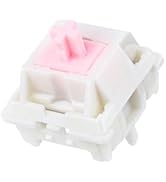
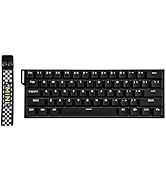
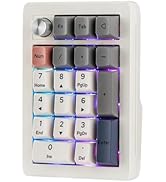
The EPOMAKER EK21 VIA Gasket Number Pad is a versatile, high-performance numeric keypad featuring triple-mode connectivity (Bluetooth 5.0, 2.4GHz wireless, and wired), a 1000mAh battery for long-lasting use, and hot-swappable Gateron Pro Yellow switches. Its ergonomic gasket mount design with Poron foam and IXPE pads ensures comfortable, quiet typing, while the CNC-cut PC plate and aluminum alloy knob provide premium durability and precise control. Fully programmable via VIA software, the EK21 empowers professionals to customize their workflow and boost productivity.








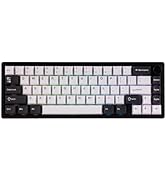


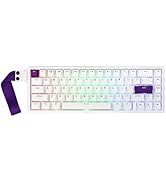


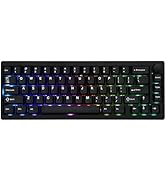


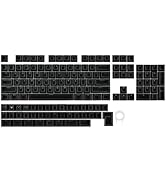






| ASIN | B0CQ1VCGT8 |
| Are Batteries Included | Yes |
| Batteries | 1 Lithium Ion batteries required. (included) |
| Best Sellers Rank | #1,823 in Videogames ( See Top 100 in Videogames ) #119 in PC Gaming Keyboards |
| Brand | EPOMAKER |
| Color | Black, Gateron Pro Yellow |
| Customer Reviews | 4.1 4.1 out of 5 stars (148) |
| Date First Available | 1 August 2022 |
| Item Weight | 420 g |
| Item model number | EK21 |
| Lithium Battery Energy Content | 1 Watt Hours |
| Lithium Battery Packaging | Batteries contained in equipment |
| Lithium Battery Weight | 10 Grams |
| Manufacturer | EPOMAKER |
| Number Of Lithium Ion Cells | 1 |
| Number of Batteries | 1 |
| Number of Lithium Metal Cells | 1 |
| Number of USB 2.0 Ports | 1 |
| Package Dimensions | 26 x 11 x 1.8 cm; 420 g |
| Power Source | Battery Powered |
| Series | EK21 |
D**E
Perfect!
Been using it for months and it is working perfectly fine. Tho if you're a fan of clicky switches, you can swap them so all good!
A**I
Good number pad, bad software optimization
For around $15 it's a good deal. The Quality is fair and good for the price. Everything feels alright. The only issue is the software optimization through VIA which is poor. I tried every method I found online and this what made it work for me. The only json profile that worked was the USB V2 Factory version. First, go to settings in VIA app and enable the "Show design app" option. This will unlock the design tab where you will be able to load the json profile for the number pad . Second, in the design tab, you need to enable "Use V3 defenitions (deprecated) option. Then, load the json profile that works with your number pad without errors (like I said earlier mine was USB V2 factory version). This will load the number pad template. Third, this is where it gets annoying, choose configure tab, if it shows it is searching for devices, try the following. Turn "Use V2 Definitions) off and on and see if number pad is showing in configure tab or try disconnect USB and connect again to see if this works. You can also try delete the json profile and load it again while following the previous steps until it works. Once it work, It will show the number pad with the option to configure to your liking. Layer 0 is the default number pad layout. Layer 1 is for Fn key combination. Layer 2 & 3, not familiar what are these for. Since I used the USB V2 factory version the volume knob will be shown as keycaps instead.
B**V
Don’t waste your money!!!
Quality is terrible! LEDs are different! Software doesn’t work! It cannot discover the device. Knob is too tight and inaccurate! Don’t waste your money on products of this manufacturer.
H**R
Great number pad, snappy and love the sound of the switches - it’s actually a joy entering numbers!
A**A
Ich habe mir neulich die EPOMAKER EK21 VIA Nummernblock in Schwarz mit den Mulan Switches geholt und bin echt begeistert! Obwohl ich die Optik anfangs nicht so toll fand und sie nur wegen des Angebots gekauft habe, hat sie mich komplett überzeugt. Die gelben Keycaps, die dabei waren, sehen super aus und werten das Design deutlich auf. Die Mulan Switches klingen klasse und das Tippgefühl ist einfach top – siehe Video. Die Tastatur ist die perfekte Ergänzung zu meiner 60%-Tastatur im Büro. Ich hätte nicht gedacht, dass ich mein altes Numpad so oft benutze und vermisse, daher die Anschaffung. Hot swappable war für mich entscheidend aber die mulan switches sind super und bleiben. Insgesamt bin ich mega zufrieden mit der EPOMAKER EK21. Sie ist nicht nur praktisch, sondern sieht auch gut aus und ist von der Verarbeitung hochwertig, ist halt dennoch Plastik und kein Alu aber dafür: Klare Kaufempfehlung! P.S. Via nicht benutzt.
た**こ
使い始めたらキーが戻らなくて焦りましたが、どうやらスタビライザーのグリスが固いだけで、しばらく上下させていたら改善しました。 その後は極上のコトコト感です!あまりに良くて同社のキーボードも気になってきました。 他のレビューで基盤がたわむなんて指摘もありましたが、それはガスケットマウントの正常な動作で無駄な圧力を逃がしているだけです。 逆に気になったのは、無線を使わないのでバッテリーを切っておこうと分解したら、ガスケットの役目をしているウレタンっぽいフォームが変なふうに挟み込まれて潰されていました。 組み立ての甘さを感じましたが、個人的には何も支障を感じないので問題なしとします。
I**N
Awesome little number pad, little bit of a pain to get it to work in VIA software, but once its there, its easy to configure - also very easy to add multiple layers for when you want to use it as more of a macropad than a numberpad.
京**口
any キーが使えない。左手デバイスとしての価値が高くない
Trustpilot
1 day ago
2 months ago