



🚀 Elevate your workspace & binge game with LG’s smartest 27" monitor yet!
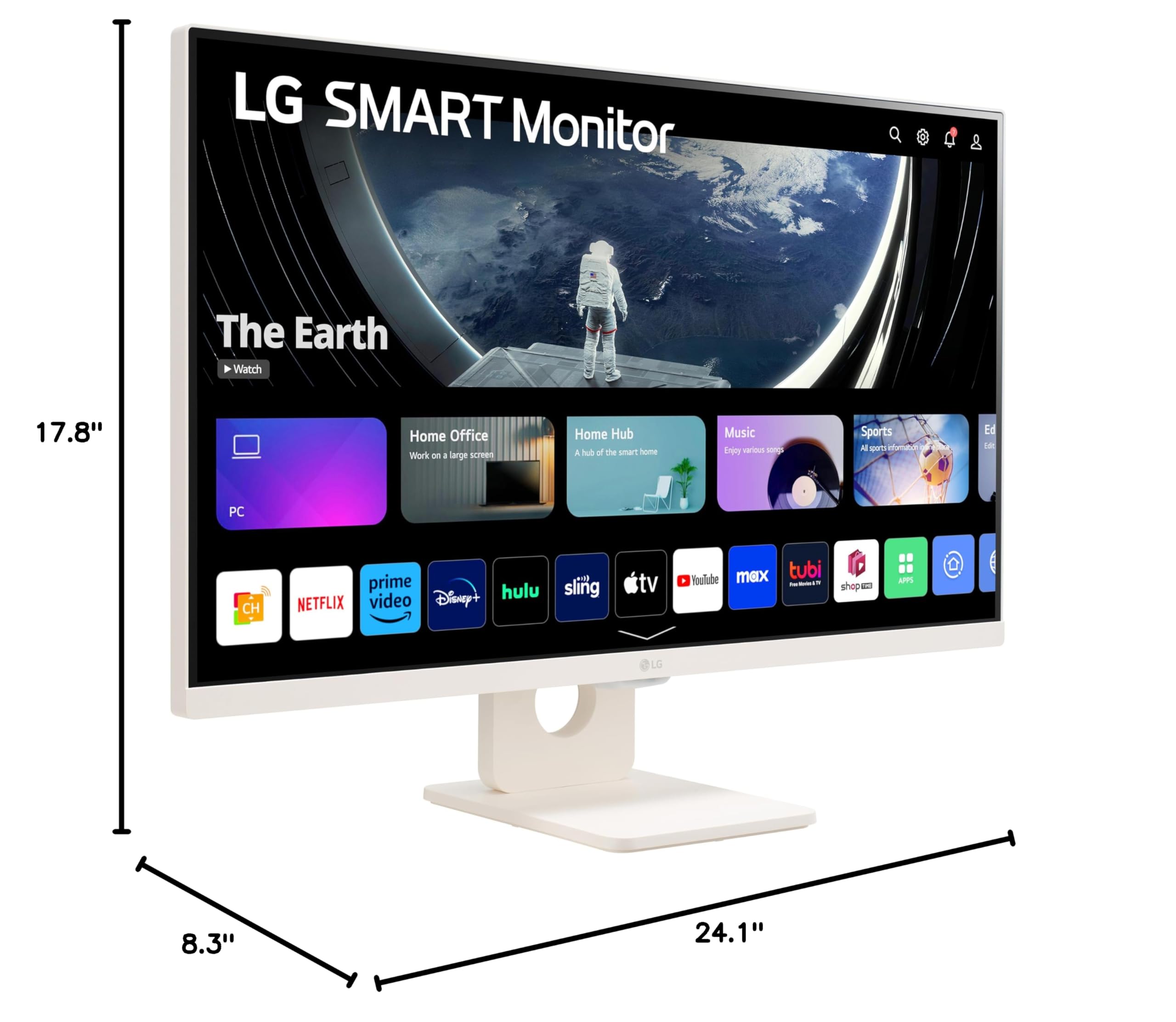
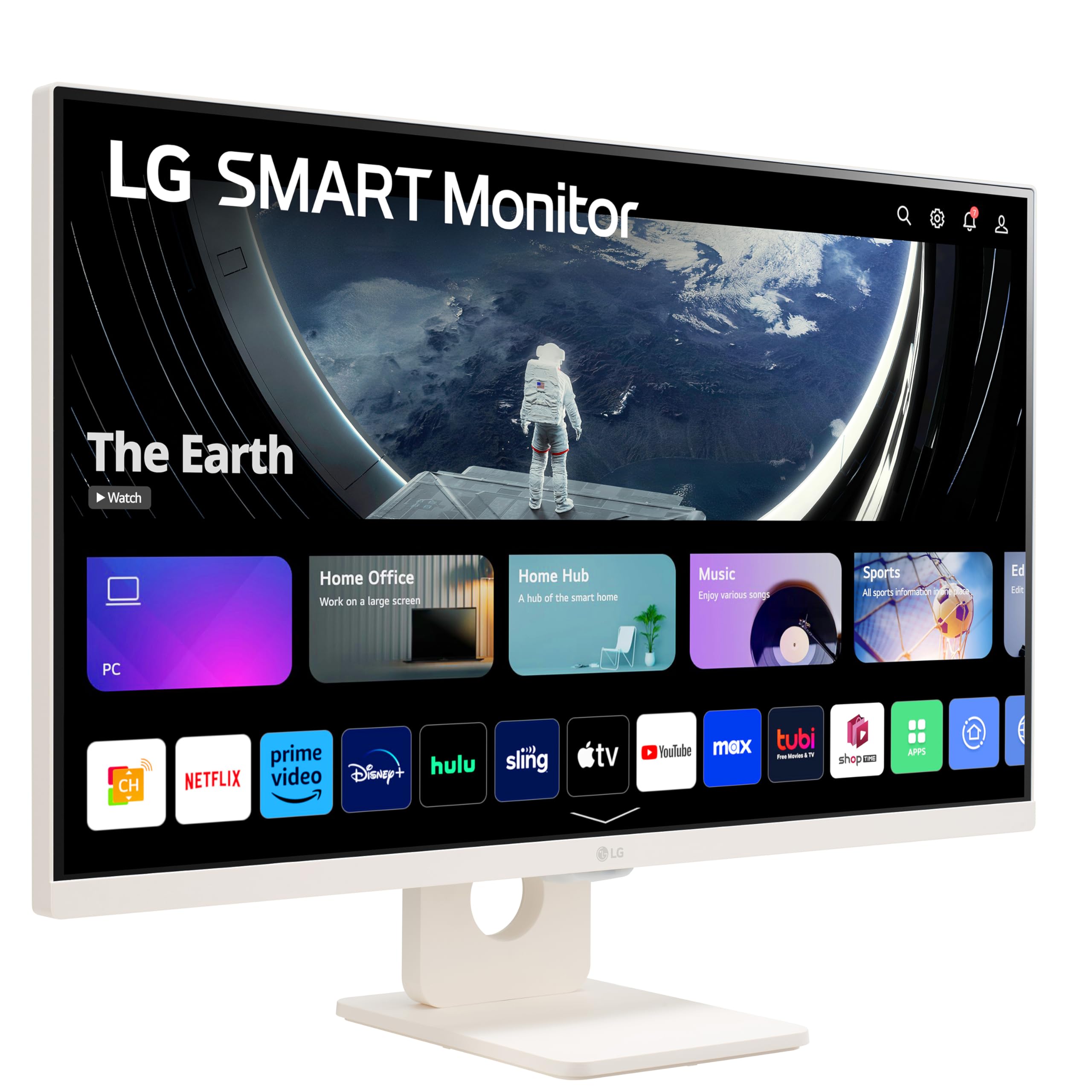
The LG 27SR50F-W is a 27-inch Full HD IPS monitor featuring webOS 23 for direct streaming access, HDR10 for enhanced picture quality, and built-in speakers. It supports AirPlay 2 and HomeKit for seamless Apple device integration, offers multiple HDMI and USB ports for versatile connectivity, and sports a sleek, frameless design with ergonomic tilt adjustment—perfect for professionals balancing work, entertainment, and gaming.


| ASIN | B0CJKP87GN |
| Adaptive Sync | FreeSync |
| Additional Features | Built-In Speakers |
| Aspect Ratio | 16:9 |
| Best Sellers Rank | #11,350 in Electronics ( See Top 100 in Electronics ) #369 in Computer Monitors |
| Brand | LG |
| Brightness | 250 Candela |
| Color | White |
| Compatible Devices | Gaming Console |
| Connectivity Technology | HDMI, USB Type A |
| Contrast Ratio | 1000:1 |
| Customer Reviews | 3.9 out of 5 stars 213 Reviews |
| Display Resolution Maximum | 1920 x 1080 |
| Display Technology | LCD |
| Display Type | IPS |
| Hardware Connectivity | HDMI, USB |
| Has Color Screen | Yes |
| Is Electric | No |
| Item Dimensions D x W x H | 8.3"D x 24.1"W x 17.8"H |
| Item Height | 17.8 inches |
| Item Weight | 12.3 Pounds |
| Manufacturer | LG |
| Model Name | 27SR50F-W |
| Model Number | 27SR50F-W |
| Mounting Type | Desk Mount |
| Native Resolution | 1920x1080 |
| Number of Component Outputs | 2 |
| Picture Quality Enhancement Technology | HDR10, Reader Mode, Flicker Safe |
| Power Consumption | 20.1 Watts |
| Refresh Rate | 60 Hz |
| Resolution | FHD 1080p |
| Response Time | 5 Milliseconds |
| Screen Finish | Matte |
| Screen Size | 27 Inches |
| Shape | rectangular prism |
| Specific Uses For Product | Desktop |
| Total Number of HDMI Ports | 2 |
| Total USB 2.0 Ports | 2 |
| Total USB 3.0 Ports | 2 |
| Total Usb Ports | 4 |
| UPC | 195174061527 |
| Viewing Angle | 178 Degrees |
| Voltage | 240 Volts |
| Warranty Description | 1 Year Parts and Labor |
| Warranty Type | 1 Year Manufacturer Warranty |
N**9
A Great Multi Use Monitor
I have had this for a few months now and I am enjoying it. I got the 27". Easy setup and nice display, vivid and clear. I did have to adjust the colors to match my iPad screen. I use it for stage manager with my ipad but I love that it can be a smart TV on the side if needed. It came pre-installed with a bunch of apps and LG channels as well. The sound is great, very loud and you can chage the settings depending on what you are watching. Refresh rate is also good.
T**S
Newest tech
Super Product Easy to set up and good looking. Latest tech included.
T**A
Best priced pleasing to the eye monitor Mac desktop dupe
It’s a nice monitor. I like that we can use it like an easily movable smart tv and use it as a monitor as well. Having to update it is annoying sometimes but it works really well with my MacBook. I wish that the screen quality was a little better but I picked aesthetics/how it would look in my office over screen quality. I wanted a white monitor to match my Apple devices. The color accuracy is decent. But when I use MacBook next to the monitor as a dual screen you can tell the quality is no where near as good. The sound quality isn’t that great I’d recommend getting speakers for it if you care about the sound but it connects to my devices easily and im happy with it.
G**S
Great monitor, horrible remote
BUYER BEWARE!!! Depending on your use case this may not affect you, but given mine it's a deal breaker. If you plan on using more than one of these in the same room, please pay attention and stay away! I bought three of these for my kids who all share the same room for Christmas. They each have their own Nintendo Switches which works great with the HDMI port, and also I was planning on them being able to use the smart side of the monitor to view the streaming services we have subscribed to as well as YouTube and such, but it has turned into a nightmare. The remotes that come with this monitor are infrared and ONLY infrared despite this monitor having Bluetooth capabilities. If you have two or more of these monitors in close vicinity (or say as a dual monitor setup), any time you push a button on one remote it will affect all monitors. So when one of my kids is gaming on one monitor and another goes to use their monitor, as soon as they click the power button it turns that monitor on and the one that was already on off. Cue the madness. Same with volume via the remote, trying to select a streaming service, video, HDMI input, etc. I have been in contact with LG support, and they recommended trying their LG magic remote MR22GA. I bought and received 3 of them, one for each monitor, and upon attempting to pair the monitor displays "Pairing...", then "This remote is not compatible with this device." So it attempted, but doesn't work. I contacted support again, and this time they said this is a known issue. I said, "great, so what is the solution?" They said, "there isn't one currently" . So now I have to return those as well, fun times and kids are thrilled. If you plan on having only one of these, I imagine you are fine. The monitor functions snappily, supports a wide range of services and looks pretty well for a 1080p 27" screen with deep blacks. But as soon as you put two of these close enough together for the remote to send input to both, you're in trouble and LG support will not help you. You have been warned, best of luck!
F**E
Wonderful LG Smart Monitor
The product arrived three days ahead of the estimated delivery date with DHL and and that made me very happy. Wonderful LG Smart Monitor, it arrived in magnificent condition, very well packaged. Amazon tracked the purchase at all times with incredible precission. DHL also started to send messages alerting customs clearing and final delivery just in time. I'm already using the Smart Monitor, which works very well. I'm very happy with this purchase.
P**Y
GREAT Monitor! LG doesn't disappoint. best monitor for your money!
This monitor is probably the greatest value for your dollar on the market. The picture quality is amazing. You have to take time to tweak the picture settings. Any HDR 1080p or higher content will look better or as good as any 4k monitor priced 3x or 4x more than this once you configure all the settings and do an HDR calibration if your PC supports HDR. Also turn off that automatic "dark tone" or whatever its called and just adjust the blacks. Only cons is the brightness could have been just a little bit higher but as long as you are not in front of a window its fine. Glad I bought this smart monitor. It does the job and more with the TV remote and apps.
M**N
Not really suitable as a PC monitor, only a smart TV.
The most basic feature or requirement of a monitor for as long as I remember is to turn on when the computer wakes up and then go to sleep or standby when the PC signal goes away. For the first week, that is exactly how it worked, sort off. Once the PC would go to sleep, the monitor would first turn off and then display some bright pretty backgrounds for 1 minute and then go to sleep. Then when I would come back and move the mouse it would turn on just like a normal monitor. Unfortunately, after the week, this stopped working. It would go to sleep the same way, but it would not turn back on after a long sleep, not even that long or only several minutes. There is a power setting to keep the monitor on in sleep for faster startup, but it clearly stopped working after a week. I updated the firmware, reset all settings, but it never worked again after the first week. The only way was to turn it on using the remote or using the button at the bottom center of the monitor. In this case it would take much longer, 8 seconds to turn on the screen, but then 10-20 additional settings were it cannot properly handle inputs which is just far too long for any monitor. The settings for the monitor are similarly very slow to respond or load, at least sometimes. By default the monitor always goes to the home screen when turned on. There is a setting to have it turn on to the last input, which is the way I used it. The smart features and apps do work, but I found it way too slow taking about a minute to start and app and navigating any app was nearly as slow. I greatly preferred just using the PC and a normal monitor. Another great feature, and probably my favorite is that it was very easy to cast or screen-share from my phone (Samsung) to the monitor. The monitor did not need to be on wifi to connect so I could just cast and find the monitor if it was ON. Would have been nice if it stayed on or in standby even when the screen was off so I could cast at any time. The speakers were quite bad. I saw the reviews saying they were bad, I was still surprised. The speakers sound like they are under water. Very distorted and just low quality. When I streamed from the phone or PC I was surprised that both the phone and crappy PC speaker were better. When I upgraded the firmware and reset, It may have improved slightly, but still quite bad. There are different audio settings and an equalizer, but I still could find a good configuration. The remote worked fairly well, but it is very basic. It is the best way to use the monitor or to change settings. It has quick access buttons for apps like Netflix. I often found myself pressing these buttons by accident instead of back. As a result I was greeted with the app loading screen for about a minute before I could exit so it was faster to power if completely off and back on. The monitor itself looks great. It is IPS and the color and brightness looks great. The screen has a mat finish which is fine side-to-side, but I did notice it would appear whiter if looking from the top, more than usual IPS screens.
I**Y
Really pretty decent!
The monitor is plenty bright and picture quality is very good. Sound is tinny but plenty loud. No dead pixels or bright spots. Black screen bleed through is moderate, for my use no biggie , Nice functional remote control. My biggest gripes with the monitor are no hight adjustment and the processor for the TV lags. But for the price the lag should be expected. It’s a nice countertop TV for the kitchen. Just keep in mind it that’s why you are going to purchase this monitor for the kitchen it won’t fit under the cabinets without purchasing a new adjustable stand.
Trustpilot
3 weeks ago
1 week ago


