Desert Online General Trading LLC
Dubai, United Arab Emirates
Desert Online General Trading LLC
Dubai, United Arab Emirates


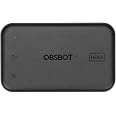
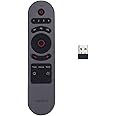
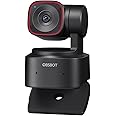
Before You Use Please operate as shown in the following figure: Step 1: Connecting Power Port with power supply. Step 2: Connecting HDMI Output Port with monitor via HDMI cable. Step 3: Connecting USB-C Input Port with USB camera via USB-C cable. *Note: a. If necessary, you can plug in the OBSBOT remote control (Meet control and Tiny control) Receiver into the USB port to control OBSBOT Tiny Series or OBSBOT Meet Series via remote control. b. Power of the adapter is not less than 5V/2A/10W. c. Do not use the USB port of the computer for the power supply.


| Brand | OBSBOT |
| Manufacturer | OBSBOT |
| Model | OHB-2110-CA |
| Package Dimensions | 31.7 x 23.1 x 3.9 cm; 150 g |
| Item model number | OHB-2110-CA |
| Compatible Devices | ATEM devices, Mac, Monitor, PC |
| Standing screen display size | 3 |
| Batteries Included | No |
| Batteries Required | No |
| Number of Ports | 2 |
| Material | copper |
| Manufacturer | OBSBOT |
| Item Weight | 150 g |
Trustpilot
4 days ago
3 weeks ago