
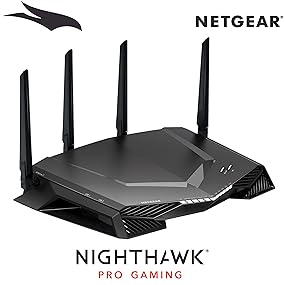
🎮 Dominate your digital domain with the XR500 Nighthawk Pro – where every millisecond counts!
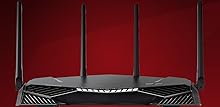
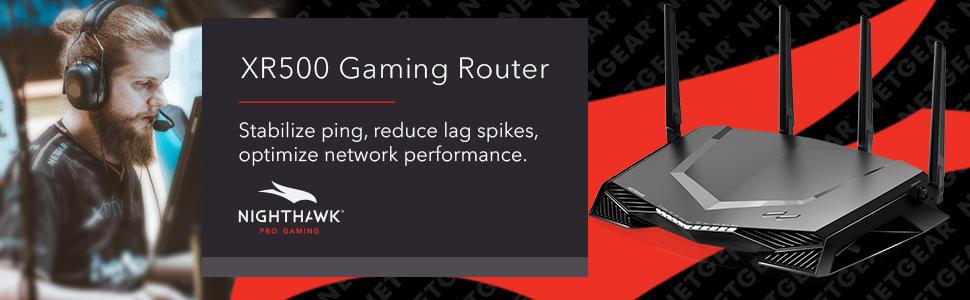
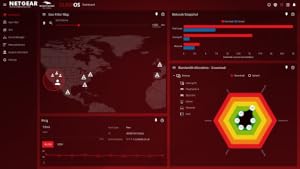
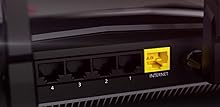
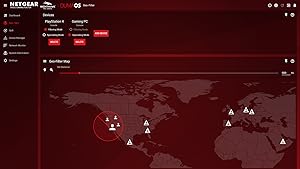
The NETGEAR XR500 Nighthawk Pro Gaming Router is engineered for the professional gamer and tech-savvy millennial seeking ultra-fast, stable, and customizable network performance. Featuring AC2600 dual-band WiFi with speeds up to 2.6 Gbps, four gigabit Ethernet ports, and a powerful 1.7 GHz dual-core processor, it minimizes lag and maximizes throughput. Advanced features like geo-filtering, quality of service prioritization, and real-time bandwidth monitoring empower users to dominate online gaming and streaming with confidence and precision.




| ASIN | B078GWJ44Z |
| Best Sellers Rank | #47,930 in Computers & Accessories ( See Top 100 in Computers & Accessories ) #1,243 in Computer Routers |
| Brand | NETGEAR |
| Color | Black |
| Customer Reviews | 4.4 4.4 out of 5 stars (4,611) |
| Date First Available | January 8, 2018 |
| Is Discontinued By Manufacturer | No |
| Item Dimensions LxWxH | 2.2 x 12.7 x 9.6 inches |
| Item Weight | 3.71 pounds |
| Item model number | XR500-100NAS |
| Manufacturer | NETGEAR |
| Operating System | RouterOS |
| Product Dimensions | 2.2 x 12.7 x 9.6 inches |
| Series | XR500-100NAS |
| Voltage | 220 Volts |
| Wireless Type | 802.11ac |
M**C
This network engineer is very impressed
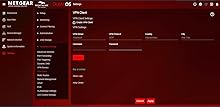
I’m a network engineer and I wanted to replace my enterprise gear at home with something simple to manage, yet powerful. I’m getting old and I’d rather not troubleshoot network problems at home. Not that it happens often, but it’s been a nightmare when the wife calls saying that the Internet isn’t working. Time to downgrade. Enter the Netgear XR500. The XR500 ticks off the boxes I was looking for: -It does not need to be rebooted for silly wireless issues. It’s rock-solid stable. -Never needs a reboot to change a setting. -The WiFi range goes well into my yard, past my neighbors home and into the street. How?? It blows away a multiple AP setup it replaced. -My iPhone X is speed testing at 91/5.5 on a 100/5 Internet connection. My computers test at 110+/5.5. -AirPlay runs flawessly to my Apple TV 4K. -Initial setup is simple. My dog could have done it. -VPN is simple to configure and has detailed instructions accompanying the menu options. -Dynamic DNS is insanely easy to turn on. It even configured an account for me. While there are very few drawbacks: -Remote admin can only be secured to one IP or a range. I can’t input a list of IP’s I’d like to have access from. -There’s no mobile app for DumaOS. The web view works pretty well on mobile though, so I’d say that 75% makes up for it. (UPDATE 10/27/18: The Nigthawk app works great with this router; I highly recommend it.) -I could not get the Internet to work in “manual setup” mode. The router would proxy any DNS address to itself: 192.168.1.1. There might be a bug that caused the proxy not to turn off, or maybe there’s a setting I simply couldn’t locate. When I used the automatic setup, Internet started working in one click. Overall I’m very happy with my XR500 and I’m excited to have my home network all under one box again. My “issues” with the router are all “fussy network engineer-problems” that most users would *never ever* encounter. Since my number one concern was stability, I would go as far to say that there is no other home-class router on the market that could satisfy me. I’m a demanding user and the XR500 delivers in spades. In the network world, this thing is the equivalent to an indestructible tank. Congratulations to the Netgear and DumaOS teams who developed this product. You absolutely outdid yourselves. UPDATE 10/27/18: I'm still absolutely loving this router, and I can't recommend it enough. I recently updated my XR500 to the latest firmware, and believe it or not, it didn't require a reboot! This thing NEVER needs to reboot. You may be able to tell that I'm the kind of techie that gets excited about servers with up-times measured in decades. The XR500 definitely gives off that feel! I hadn't thought about it until today, but we never have network problems at home anymore. Not even one- The last time the Internet stopped working, it was because the power was out during a storm. This device is amazing, and I have ZERO regrets in my purchase decision.
J**A
Nice Router After 4 Years
have had this router for 4 years and 2 months (from June 11, 2021, to August 7, 2025). I play video games a lot and stream movies on my TV and phone. This router was amazing, but eventually it just died on me. Even so, it deserves 5 stars. You do have to learn the Netgear app and Netgear login with the GeoTech stuff, and the antennas went bad after so many years, leading to Wi-Fi lag and connection issues after 4 years, but it still deserves its flowers. Now I have switched to the TP-Link Tri-Band BE9300 WiFi 7 Router (Archer BE550). I will review this after I use it for a while.
M**T
Incredible power, incredible features and incredible support. This is a gaming router done right, look no further!
I've been a long time fan and customer of Netduma ever since they brought out their first router. To give you an idea of who Netduma are and what they represent, it's very simple: They are gamers developing for gamers. If you want a team that's passionate and dedicated to bringing you the best technology to help enhance your gaming experience then look no further. The proof that they deliver on their promises of helping reduce lag and improve network performance is supported by their recent partnership with Netgear. When I heard of their partnership and the fact the Netduma's new and improved DumaOS would be powering the already powerful and renown Nighthawk, it was an instant purchase for me. For gamers wanting a router that has both sheer power combined with ease of use, look no further. This is the router for you. The sheer size and design of this router instantly caught my eye, this thing is a beast! The product came with everything needed to get started quickly and setting up the router prior to installation was a breeze. Setting up the router and connecting all my devices was honestly the easiest thing I have ever done. Simply follow the instructions (there's maybe 3 steps!) and you're good to go. The router re-directed me instantly to the setup page, updated itself to the latest firmware and walked me through every step. To point it bluntly, the setup is idiot proof. Now the Nighthawk has always been an incredible product for any gamer but with it now being powered by DumaOS, this router is a step above anything I've seen. To say the router's user interface is user-friendly would be an understatement. It is a huge step up from Netduma's previous design and allows even the most novice computer users to tailor the router to their own needs. The router provides a quick and informative tour of all the features you can use, navigating you every step of the way. The new dashboard can be entirely customised, allowing users to place their most important features only a click away. I run a fairly heavy system which includes multiple consoles, multiple desktops/laptops and a whole host of wireless devices. So far everything has been working flawlessly and with the inclusion of 5GHz wireless connectivity I've noticed improved speeds for those connected devices. I've tested my connect speeds (wired and wireless) multiple times and since purchasing the XR500 Nighthawk I've noticed improved speeds and reduced ping. This is on top of an already consistent and high quality connection that I had previously. Even for non-gamers, this router can be an excellent choice for anyone wanting to keep tabs on their network. The Device Manager allows you to effortlessly see what products are connected, how they're connected and whether they're currently online. See something you don't like? You can easily block the device and remove it altogether. This can be great for families wanting to restrict Internet usage at late night hours and with the parental control settings, connections for devices can be tailored specifically so that they are unable to get online during certain hours. You really get the sense that this router is designed to work for you and handle any task you throw at it. If there's one thing that I can say, it's that the best part of this router is knowing I have the Netduma support watching my back. Going back to my previous comment, these are gamers first who know exactly what we want from a gaming router. For any technical problem or concern they have always been there to listen and provide assistance wherever possible. There's nothing more frustrating than having technology breakdown and not work. Netduma have an incredible support system, an active forum and from first hand experience, will always be there to help you resolve any issues you have. No more sending emails in a vague hope of getting a reply and dealing with strangers. The team is friendly, passionate and actively prepared in getting any issues resolved asap. The community is supportive and will always help users encountering issues. When you have a Netduma product, you're part of the Netduma family where only the best connections and experiences are found. I can't recommend this product enough!
A**H
Excelente producto, facil de instalar, gran velocidad, muy buena señal. El empaque venia dañado con un corte de navaja que llego hasta el router.
C**R
I have a dead zone in my duplex house which my old dlink 605L can only show 1point and cannot have stable connection. Signal strength of this in 2.4 Ghz is penetrating there also which great. I can able to login to office and work without any noticable issue any where from home. 5 Ghz is just passing 1 wall. whereas 2.4 Ghz is passing 2 to 3 walls in between. Another thing about this router is Duma Os which is awesome if u r monitoring and managing home network frequenty. DHCP settings works as charm as I have some IOT devices where I need static ip address to be assigned. Overall its good router and value for money if ur house is having lot of dead zone and u r serious about ur home network.
S**E
******** Quick Rating ******** Pros: - Does help to keep pings consistent for the most part. - For basic use, it's easy to set up; but more advanced users will appreciate some of the under the hood settings. - Fixed my bufferbloat issues. - UI in the admin panel is practical on desktop, but useless on mobile. - Bandwidth control on a per-device level is really nice. - Looks amazing. - Encrypted guest access. Cons: - Can cause some games to simply not connect if servers are outside of the geofenced area. - No mobile admin UI; Netgear app is very limited and doesn't make use of any of the features this router has to offer. - Ironically, I'm not getting the best pings I've ever had with this router, but the connection is stable. - Weak content filtering. ***************************** Let me start by saying that I've tried several high-end routers before settling on this one. We have several gamers in the home, but also have a lot of streaming and high-volume data transfers happening throughout the day, so the network and internet at home take a beating. Previously, I was constantly having bufferbloat issues no matter what I did - this made it impossible to game unless it was after 11pm and forget about live streaming during the day - it didn't happen. My internet is a 150/10 cable connection and it's usually always stable. The XR500 has several features that I really wanted to take advantage of: - Geo-filtering connections while gaming online. - Granular control over bandwidth used by each device. - Bufferbloat protection. - Guest networks with encrypted connections (it's shocking that other high-end routers don't offer this...). All of these needs were met, although there were a few caveats. Most games do fine with the geofilter - I set mine to 2000km as it gets a good part of the east coast from where I am. Certain games like Rocket league (which have previously been notorious for me when it comes to lag) will often kick me out when looking for a server because the host or another player was outside of the geofilter. I would say this can happen maybe 3 out of 10 times when looking for a host. But when it does connect, the pings are STABLE - not the lowest I've ever seen - but stable! Using this with my Xbox One has been very simple. When gaming on a PC, the geofence works a little differently because it can't auto-detect games as easily. When you add a PC, it basically gives you an option to select a geo filter by game (some like battlefield, COD, Overwatch are listed, but others like CS:GO and DOTA 2 are listed as "Source engine). You have to select one of those and it will set a distance for the geo filter for you. But you will automatically be put into "spectating mode" when selecting a PC, which means it's not using geo filtering. The idea is that PC games are good enough when deciding which server to connect to, while consoles aren't... at least that's what I've been reading about this feature. That said, I only use geofiltering on my console. This router does have features like secure remote management, VPN, content filtering, guest access, and many other features you'd expect on a router of this calibre. I will note that content filtering isn't nearly as good as it is on the Netgear R7000 I was using previously, which worked via opendns to filter categories of websites and not only keywords. Regarding guest mode, this is as good as it gets. You can set up both a 2.4GHz (b/g/n) and 5GHz 802.11 (a/n/ac) guest SSID and can set whether each guest can see another on the network. Guest access can also be encrypted. Overall, I'm happy with this router. My connection is as stable as it's ever been and my son no longer yells at me because of lag ;) I wish that a mobile admin UI would be available, but this router is great as a set-and-forget unit.
A**R
This has been a nice upgrade from the both the Netduma R1 (which I stopped using because it was a little glitchy and the wifi wasn’t great for a medium to large house) and the Netgear r7000 (which was “ok” but did not have the features of the DumaOS). I did extensive testing today when I got it and I can’t believe how well the Anti Bufferbloat works. Internet in my area is not the greatest - Average ping times on PSN (Cod / Fornite) were always around 85 - and with this - around 52. For those that don’t know, that doesn’t sound like much, but for those that game - it’s life or death. Testing bufferbloat on dslreprts I continuously get A+ rating with everything set at 75% and set to “only when needed”, which is nice because it doesn’t screw up the internet speeds for everything else. With my other router, the tests were never consistent, but with this I must have ran the test 40 times and all were A+. I was shocked as I always just though it was my crappy ISP why the results were never consistent. I literarily just got my first Solo win on Fornite on the second game I played after getting everything with this new router configured. Played all night and connection felt great. I got more kills just tonight then I did all last week. Luck?.. I don’t think so. So far so good.
C**.
Instalación muy fácil, viene en varios idiomas, mi casa es de dos pisos y la señal llega a toda la casa. Puedes seleccionar equipos para darle prioridad y dar todo el ancho de banda a ese equipo, puedes seleccionar los servidores al que te quieras conectar ( para juegos COD WZ)
Trustpilot
5 days ago
1 month ago


