We remain fully operational. Our teams are working around the clock to ensure your deliveries continue safely.

DOWNLOAD THE APP


Customer Services
Copyright © 2025 Desertcart Holdings Limited
DOWNLOAD THE APP
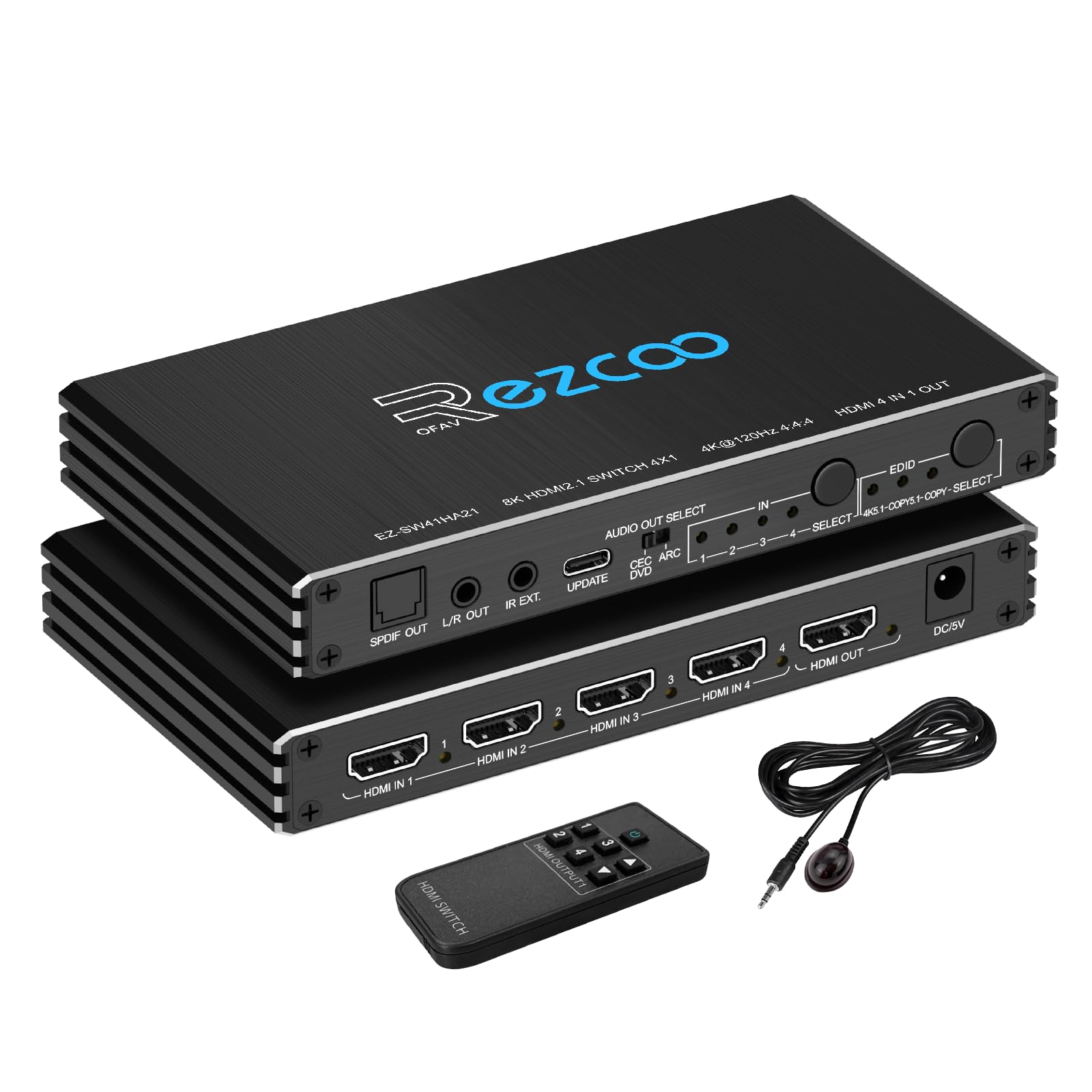
🎬 Elevate your entertainment hub—4 devices, 1 switch, endless possibilities!
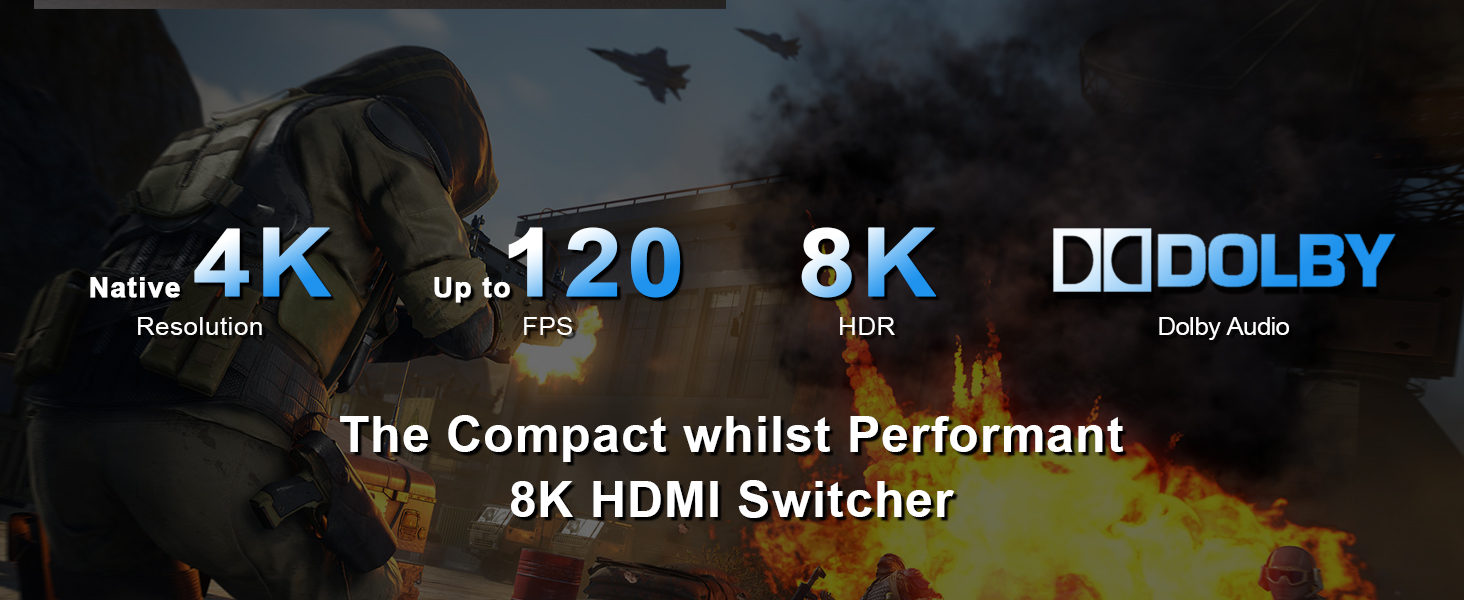
The EZCOOTECH HDMI Switch 8K 4x1 is a cutting-edge HDMI 2.1 switcher that supports up to 8K@60Hz and 4K@120Hz resolutions, HDR10, and VRR up to 240Hz. It features 4 HDMI inputs with one output, compatible with all major gaming consoles, streaming devices, and operating systems. Equipped with Dolby Atmos and 7.1 channel audio support, IR remote control, and CEC functionality, it offers seamless switching and immersive audiovisual performance for professional-grade home entertainment setups.




| ASIN | B0C7BXL9ZY |
| Best Sellers Rank | #543 in Audio & Video Selector Boxes |
| Customer Reviews | 4.1 4.1 out of 5 stars (65) |
| Date First Available | June 7, 2023 |
| Item Weight | 1.04 pounds |
| Manufacturer | EZCOOTECH |
| Package Dimensions | 7.64 x 5.51 x 3.43 inches |
R**M
Works Well on MacOS and Window. Need to force AppleTV 3rd Gen to 5.1
This item is identical to the CorsaHD. Literally inside and out. And software. They react the same way. The remote doesn't let you switch the EDID. If set to 5.1 it doesn't do All Channel Stereo. Which is unique case for my setup. Other than that it works WELL on AppleTV 4K 3rd gen. And for MacOS, and Windows. No issues at all. (PS for AppleTV, you will need to set it to 5.1 on the AppleTV settings . Leaving it on Auto won't work with 5.1/Copy5.1 modes) Much better than Orei, and XolorSpace - which just don't do a lot of this.
M**S
great for Nintendo switch 2
Through watching YouTube videos I found this was the only HDMI switch that worked with a new Nintendo switch too for some reason. The one we had just did not work just had great reviews so I bought it and it works just as it claims it should.
N**E
Glitchy
Changing from one source to another is glitchy. Takes a few seconds for the source to come up. Remote is very cheap.
B**N
Does the job, no glitches
Using this to switch various sources to my projector. Firecube, cable TV box, and Blu ray player all switch with no issues. Audio extract optical out also works properly. Definitely happy with the purchase.
C**N
Has a tendency to reset itself off and on
It works well most of the time, but does have a tendency to reset itself by going to black and then re-displaying the video off and on. I purchased several to see which one would work the best, and this one had the best features. While the occasional resets are annoying, they haven't been bad enough to make me unhook everything and try one of the others yet. I have my PC, PS5, and XBOX X hooked up to it, and like I said, it is a mild annoyance. If it starts to happen multiple times close together, I just turn it off and back on with the remote and I'm usually good to go again. I'd say solid 4 out of 5.
L**N
Auto Switch Feature is terrible
It has a terrible auto switch feature that activates itself at the worst times. There's no way to turn it off. So you either have to unplug certain devices, defeating the point of this thing, or just live with your input randomly switching. I have had several types of devices like this, all with auto-switch, all with an ability to turn off auto-switch. Why can't you turn it off for this device??
R**N
Fits exactly my need
Works great with all my devices. I have a switch, Google Streamer, Steam Link, and Blu-Ray player connected to my TV with pass through to my sound bar and I have no issues. The auto switch functions works as well so I don't need to ever use the remote that comes with the device. Dolby Atmos and Dolby Vision are properly recognized by my TV as well. The only grime I have with this device is that the LEDs are way too bright. I am considering taking it apart and changing the resistor or just putting black tape in front of them.
G**S
Way more than I needed...
2023-07-15. HDMI 2.1 Switch by ROFAVEZCO. 8K@60Hz, 4K@120Hz, 4 in 1. Remote. Black. A switch is a great thing for hooking up multiple peripherals to a single monitor. But you need to keep in mind that whenever there are multiple pieces of equipment in play, it's really a system and every system is only as good as it's weakest link. This means that everything from your device, to your cables, to the switch to the TV/monitor must be capable of supporting the level of performance you expect. If you're hooking up things like a game console, or if you plan on streaming anything, you can throw in internet connection and internet speed to this list. I tested this a couple of ways: 1. Roku, Nintendo Switch, XBox, HTPC 2. Laptop, desktop PC, NAS Scenario 1. I'm using 8K cables (even though I only have a 4K TV) for all applications. The TV is a Sony Bravia XBR that supports Dolby Vision. The speakers are Sony, but they're older and do not support Dolby Atmos. My internet source is cable and my speed is 1/2Tb. My test was streaming Strangers Things on Netflix to see if the blacks really came out darker, and the good news is that there is noticeably more contrast so I'm giving it the green light on Dolby Vision. Streaming was smooth and no issues with the picture at all. Scenario 2. This scenario was more a test of yes or no. Without any fancy features, it was more of whether or not multiple devices could be hooked up to display on a single interface. This worked flawlessly so there's not much to say here. Overall, the switch performs, and it's really overkill for what I'm using it for. The unit is packed with features and I really like the fact that it supports S/PDIF as my TV is a Sony and my Blu-Ray is a Philips. If you have different audio systems, don't worry, the unit also supports ARC (Audio Return Channel via HDMI). The star of this show is truly the HDMI 2.1, capable of 48Gbps (6 GBps), ARC, CEC, and EDID. The only notable really is that 8K@60Hz and not 120Hz. There are monitors out there that support 8K@120Hz, so if you have one of these, this switch will be the limiting factor (remember, it's a system, and it's only as good as its weakest link...)
H**8
I wanted an HDMI switch that would do it all—handle everything and let me use my game PC, game console, and work PC without compromise. This little device has been holding up my setup since 2024**,** and it keeps going. VRR is working, and the batteries in the remote are still holding strong. Great quality stuff!
V**.
I wasn’t sure if it would strip the hdcp as I couldn’t find it mentioned in the manual. I am using a Sony PSTV plugged into this switch and then into the retrotink4k. Happy to report it works perfectly without needing a hdcp stripper.
D**K
Bought this to connect multiple devices to ceiling mounted 4K Viewsonic Projector (new). When switched to Laptop input or 4K Amazon Firestick (New), looses sync after a minute or two. Projector keeps searching for signal but cannot find. Did not work with existing HDMI cables or new 4K HDMI cables. Customer Service or should I say lack of, (took 7 days for a reply) wanted to know Order # ?? to identify Model # which I provided in email previously and via Order # below. Suggested changing ports or cables which I had already done. Emailed them again 11 days ago and still no reply. And they still think it is a TV??? not Projector. Well still waiting for Customer Support. Are you still there? On Thu, Aug 1, 2024 at 12:13 PM wrote: Hi Order # xxx-xxxxxx-xxxx. From Amazon. New 4K hdmi cables to a Viewsonic Projector also 4k and brand new. Without splitter all source devices work fine, one by one. With splitter, loss of signal and projector goes into Search mode on both laptop and 4k amazon firestick? On Thu, Aug 1, 2024 at 3:32 AM support <[email protected]> wrote: I have no intention of verifying that you actually purchased it. We have 3 kinds of 4K120hz HDMI switches 4X1, and I can't say for sure which one you are using. So if I don’t know the product mode, I will suggest to change HDMI cables, try to connect another port on the TV and so on.
M**R
Unless I am missing something, I had to connect an IR sensor to use the remote. Think carefully before you purchase one of these splitters/switch regarding the need for a remote or not.
M**.
This product worked exactly as expected and is still going strong.
Trustpilot
2 months ago
1 month ago