
DOWNLOAD THE APP


Customer Services
Copyright © 2025 Desertcart Holdings Limited
DOWNLOAD THE APP


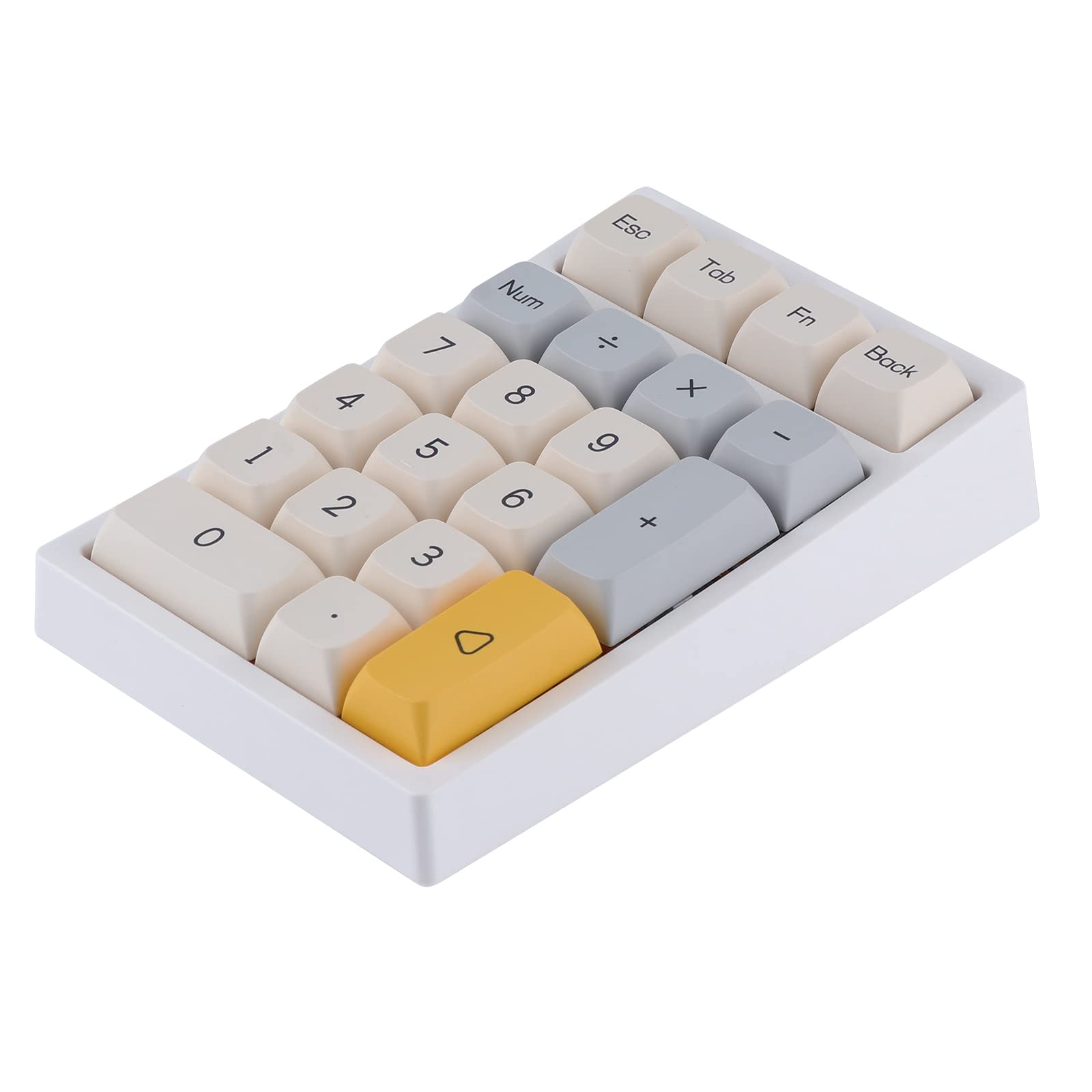
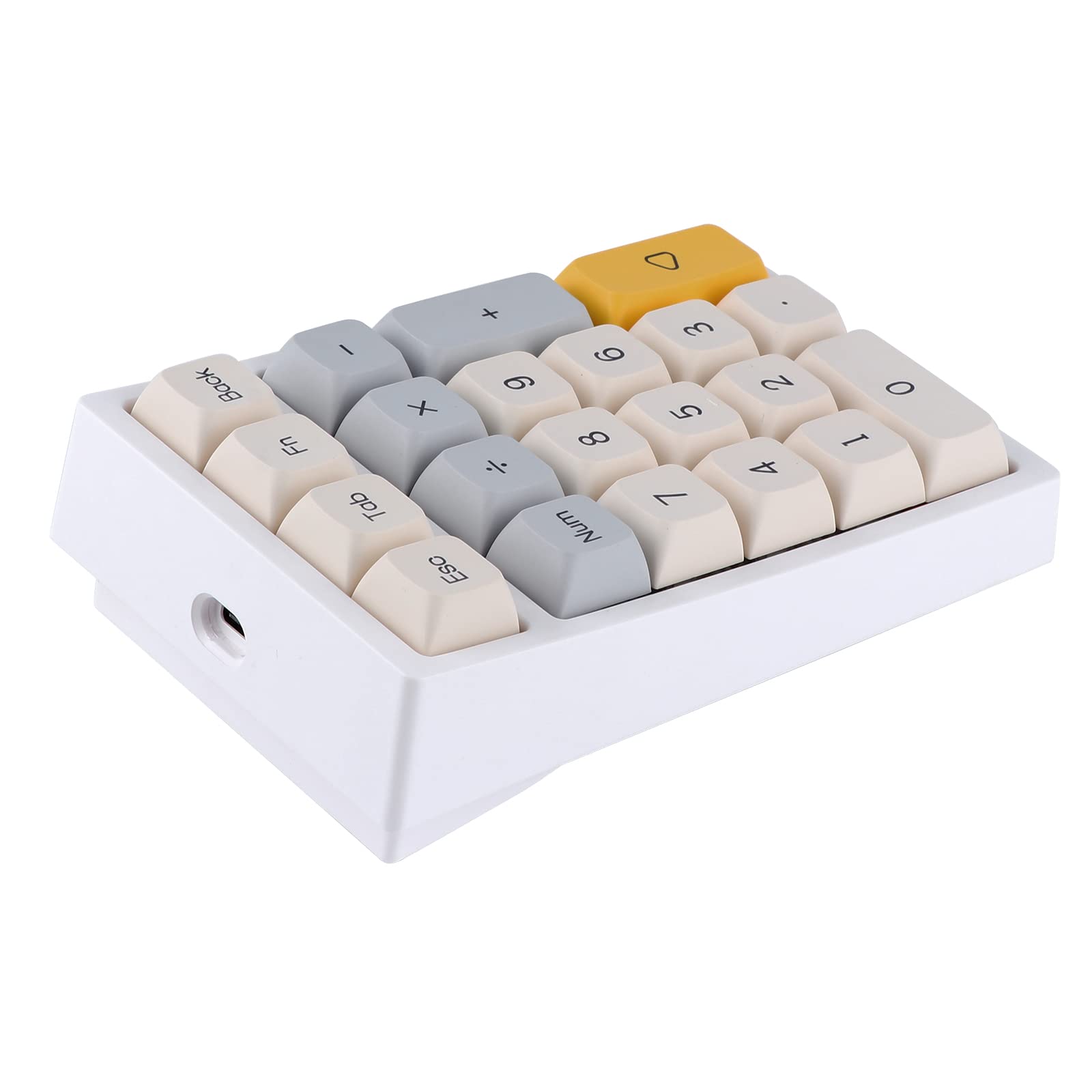

⚡ Elevate your workflow with the ultimate hot-swap RGB numpad!
The EPOMAKER TH21 is a compact 21-key mechanical numpad featuring hot-swappable Gateron Pro Brown switches, triple-mode connectivity (Bluetooth 5.0, 2.4GHz wireless, and wired USB-C), and durable XDA profile PBT keycaps in a stylish Geometry Grey finish. Designed for professionals and gamers, it offers full programmability and vibrant RGB backlighting to enhance productivity and desk aesthetics.


L**W
no power switch for bluetooth
This number keypad does not have a power switch, so I was frustrated with how to turn it on. So I tried plugging in the 2.5 wireless, and that didn't work right away. I tried plugging it in as wired mode, and then tried the Bluetooth and it suddenly started working. It's a bit heavier than the flamingo switch but I like the overall thockiness.
C**L
Great Numpad
This numpad looks, sounds, and feels good. Currently using it on wireless mode, which has a battery saving mode that kicks in once you haven’t used it for a bit. It’ll take a couple seconds to wake up, so don’t expect the numbers to immediately register once pressed if you’re wireless and inactive for a period. I’ve used it in wired mode too, so obviously there is no delay or power saving going on because it’s got power.
E**A
good addition to my desk
Only thing i don't like is i wish the numbers were pushed to the right
J**D
The Cadillac of custom number pads
Super customizable to use as a macro pad. Software works fine, you can remap keys, customize key colors, change the function key settings, even change the time to go to sleep mode. Software could be better and does not launch programs like a stream deck, but auto hot keys will fill those gaps.Very nice hardware. Keys have a nice action to them. It’s a substantial unit for desktop use, even bulky.Fn + Enter for 5 sec to turn on / offBluetooth reconnection is very fast, easy to reconnect to up to 4 devices.To mark my macro keys I put on “shine through” key caps and the RGB looks great. Otherwise it’s too backlit and kinda distracting.Great build quality. Seems a bit of overkill if all you need is a simple number pad. For traders, editors, hot key users that need a quality macro pad these are very sturdy and quality.
Z**L
Software stopped connecting
I got this keypad to add some shortcut macros for outputing text strings like emails, signatures, login credentials and a few other shortcuts that I use repeatedly on my Mac.Initially everything worked perfectly, I enjoyed the lighting patterns, the build quality, and the ease of connecting. And unlike others I have tried, you don’t need to have the software driver running in the background and you could store any string of character patterns you want. The software interface also wasn't bad at all , like a 7.5/10.HOWEVER, after programming the first 2 keys, the software stopped connecting to my keypad. I tried Bluetooth, dongle, and wired. I power cycled and reset the keypad. I updated the driver from the one linked in the q/a, to the newest one on their site. Nothing worked to connect again. After spending about 90 minutes trying different things, I sent it back to return.It’s tough to find a keypad like this with hardware macros that works on a Mac, so might try again if the software is ever fixed. For now it isn’t workable for me.
C**R
Surprisingly good!
I've heard mixed things about EPOMAKER, but I really like this numpad. The Flamingo switches are really good, it's wireless, and it's fairly cheap (for a mechanical numpad, anyway.)My biggest complaint is that it takes a bit to wake up in wireless mode, so there have been times when I've typed on it while it was asleep and it missed some of my inputs. I usually keep it wired for this reason. I'm also not really a fan of the RGB or the LED placement, but those are easy enough to turn off and ignore. Lastly, the keycaps aren't to my taste, but you can change those out if you want to.
S**M
Fantastic until issues arose
First off, while this numpad was working, it was fantastic. The build quality feels really solid, and the ability to switch between bluetooth, 2.4 GHz wireless, and wired modes has made it really easy to move it around my desk. It's been nice being able to use the cable to charge my other peripherals, and simply use one of the wireless modes in the mean time has been great.The bad news is that some keys stopped working recently. Specifically the '0', '.', and 'enter' keys have stopped working all at the same time, and some basic troubleshooting tells me it's a hardware problem. All the switches seem to still work, so it's likely a problem with the board itself and I probably won't be able to fix it. I would have tried to claim it under warranty, but it looks like it only gets a 1-year warranty according to their website, and I've had this for 15 months.It's really quite a shame, because everything else about this numpad has been perfect, but the extremely limited warranty means you're rolling the dice with this product, and just have to hope you get a good one. I probably will replace this product with another, more reliable brand.
C**N
Less useful than a 10 dollar alternative
It works in the basic sense, and it looks nice.If it didn't die so quickly and didn't need to be woken up to use, it may be decent. The entire reason I use a numpad is for macros, what good is a macro that takes an extra second(s) and keypress(es)?
Trustpilot
2 days ago
1 month ago