
DOWNLOAD THE APP


Customer Services
Copyright © 2025 Desertcart Holdings Limited
DOWNLOAD THE APP

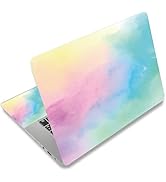
🌸 Protect your tech, express your vibe — because your laptop deserves to be as dynamic as you are!
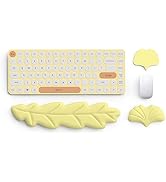
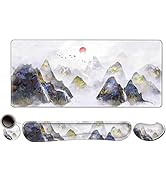
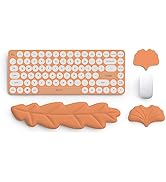
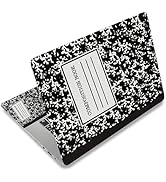
This premium laptop skin sticker decal offers a waterproof, dustproof, and scratch-resistant vinyl cover with vibrant, high-resolution floral prints. Designed to fit laptops from 12" to 15.6", it includes two wrist pad skins for added comfort and style. Easy to apply, remove, and customize by trimming, it’s the perfect blend of protection and personality for professionals on the go.








| ASIN | B0BCW4CQZB |
| Best Sellers Rank | #2,235 in Electronics ( See Top 100 in Electronics ) #101 in Laptop Decals |
| Customer Reviews | 4.1 4.1 out of 5 stars (2,802) |
| Date First Available | September 2, 2022 |
| Item Weight | 6 ounces |
| Manufacturer | ToLuLu |
| Product Dimensions | 5.3 x 3.4 x 0.04 inches |
J**N
Great solution!
Great solution for 👩🏼🏫 teachers that use school computers, or anyone using a work computer. Mine was damaged and rough looking. We’re not allowed to put stickers so this is a great solution to improve is look at a great price! I wish I hadn’t lost so much of the image but I do love it & the keypad stickers were too large as well, but I used the pieces as best I could. I love the way it looks. I attempted removing a corner after a few days, no residue, removed as it says! Yeah! Big improvement!
M**T
Worth the purchase!
His laptop skin is pretty and super easy to put on. I had to trim the edges as it was a little too big, but that was expected. It was a bit tricky to get the trimming just right. Be sure you use quality scissors so that you get a clean cut. I’ve had this on for over a month and haven’t had any issues with the quality, durability or it lifting up. I haven’t tried to take it off yet but I can say that I did lift an edge when putting it on and that was very forgiving. Overall, I’m very happy with this purchase.
J**S
Good wrap, but low res images
So first of all, do not use the instructions on this product page. Instead go search YouTube for a video called "DIY Vinyl Wrap Your Laptop" by color change customs. It's the best video I found on how to properly wrap your laptop. Secondly, don't trim the vinyl until after you have applied it to your laptop. Make sure to smooth all air bubbles out, and then use a heat gun\ hair dryer to relax the vinyl around the edges and stretch it to a tight fit on the corners. Once applied, you can then trim the vinyl at the seam between the back and front panel of your laptop top. It gives it a much more professional look that will last a long time. As for the vinyl skins themselves, the material seems to be good quality, but the actual images are fairly low resolution. You can see in the close up picture of the text on my Skin, that there is pretty significant pixelation. That said . You don't really notice it too much from a distance and overall the skin looks good, and will protect your device for a long time to come I didn't use the two palm rest stickers, as I don't like them (I would have just bought a second skin and disassembled my laptop to apply it to the keyboard area if I were going to do that), but I could see the palm rest stickers being used to wrap a small cell phone or other personal electronic device.
M**Y
It’s durable and attractive!
I love this skin! Not only does it look good but it protects my company’s investment from nicks and scratches. I would definitely purchase this product again.
C**R
Great! So glad i chose this. I included instructions
Very nice quality. I like the leather embossed texture on this. It was very very easy to install. Any bubbles came off with almost zero effort. It did require me to trim it to fit the dell pro max 16 properly. This is what I would recommend for you to do for successful install/trim. 1. Align one of the sides with the rounded edge to the corner of the laptop's lid. 2. Use either tape or if you have any extra "guide stickers" handy tape that side down to the laptop. 3. Use one hand to hold the skin in place while contouring folding the skin around the laptop's lid to determine where to trim. I chose to use my forearms and let them lightly rest on top to secure it so I could use both hands to fold the edges. 4. Once folded enough, remove the skin with the tapes attached to the skin and grab a marker or pen and trace that line from the inside. Tip: slightly fold the edges to create a 90 degree angle so you can trace it without any mishaps. 5. Trim the excess pieces. 6. Tape the skin back to the laptop 7. Flip the skin over and start peeling the underneath layer while you slowly start applying the skin and removing any bubbles as you go. 8. Once finished, turn the laptop upside down. Grab a arts/craftsmanship knife or any knife with a very sharp tip and slowly and carefully trim the corners to give the rounded shape. And you are done!
S**Y
Good for the price
I applied this to my MacBook Air 13” and cut it down to size, looks good!
D**E
Cutting to fit is a hassle!
Beautiful pattern and easy to stick on, even allowing for repositioning. It's a hassle to cut for precision to fit the laptop cover. I got uneven edges even after I made a template. Pre-cut perforations would help.
A**R
I had to cut it down to fit my HP laptop.
Easy to use and stays in place. Graphics are as expected.
F**T
Good but doesn't worth this price. It is just a regular sticker with a value of not more than 15Dhs.
M**.
Ja wie im titel halt total verwaschener Druck mit Druckerstreifen, so also unbenutzbar. Finde ich enttäuschend, würde zurück schicken bin aber zu faul dafür.
M**E
Autocollant de qualité qui a permis d'embellir mon ordinateur portable. Livraison très rapide.
A**R
These are poor quality pictures printed on regular sticker paper, so the images were terribly pixelated. Also there were no markings for cutting according to the size of the MacBook. The decal was rolled and pressed so tight that there were fold marks all over which made it impossible to stick without bubbles. Overall not worth your money one bit.
C**E
excelente produto e serviço de entrega
Trustpilot
1 week ago
1 day ago