



✨ Elevate your rig’s style and performance with Thermaltake’s ARGB masterpiece! 🖤
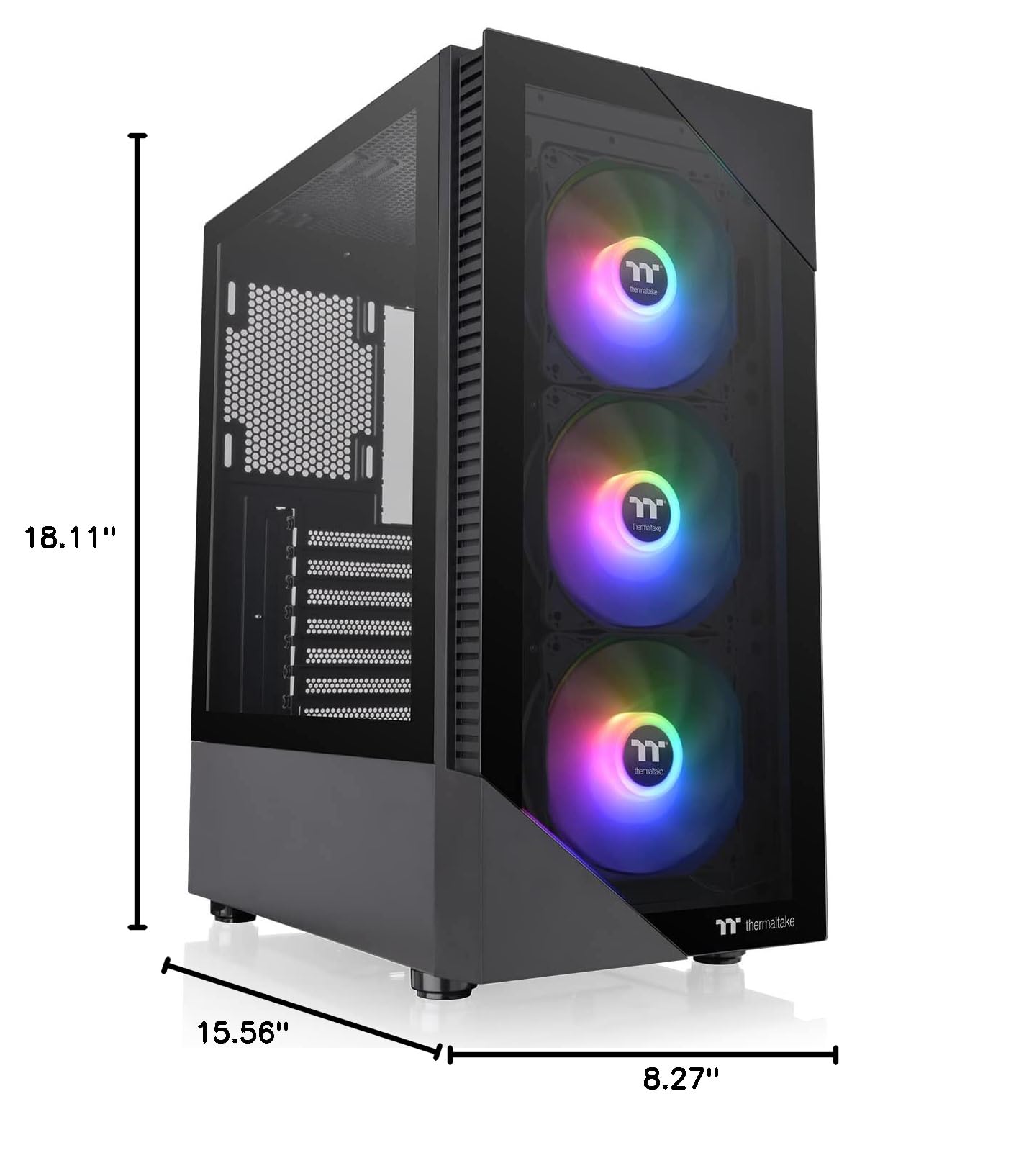
The Thermaltake View 200 TG ARGB is a mid-tower ATX computer case featuring three preinstalled 120mm hydraulic bearing ARGB fans visible through a tempered glass front panel. It supports motherboard RGB sync from ASUS, MSI, GIGABYTE, and ASRock, offers extensive cooling options including up to six fans and a 360mm radiator, and provides ample space for high-end components with smart cable management and a built-in PSU cover. Designed for gamers and professionals seeking a stylish yet functional chassis.


| ASIN | B0BHHCJQMB |
| Antenna Location | Gaming |
| Best Sellers Rank | #577 in Computer Cases |
| Brand | Thermaltake |
| Case Type | Mid Tower |
| Color | Black |
| Compatible Devices | Motherboards with ASUS Aura Sync, GIGABYTE RGB Fusion, MSI Mystic Light Sync, and ASRock Polychrome |
| Cooling Method | Air |
| Customer Reviews | 4.5 out of 5 stars 1,695 Reviews |
| Enclosure Material | Tempered Glass |
| Hard Disk Form Factor | 2.5 Inches |
| Internal Bays Quantity | 4 |
| Item Dimensions D x W x H | 15.56"D x 8.27"W x 18.11"H |
| Item Height | 8.27 inches |
| Item Type Name | Computer Case |
| Item Weight | 4.8 Pounds |
| Light Color | RGB |
| Manufacturer | Thermaltake |
| Material | Tempered Glass |
| Model Name | View 200 TG ARGB Black |
| Motherboard Compatability | ATX |
| Number of Fans | 3 |
| Other Special Features of the Product | Built-In Fan, Dust Filter, Partition Plate Cooling Technology, RGB Lighting |
| Power Supply Mounting Type | Bottom Mount |
| Recommended Uses For Product | Gaming |
| Supported Motherboard | ATX |
| Total Expansion Slots Quantity | 7 |
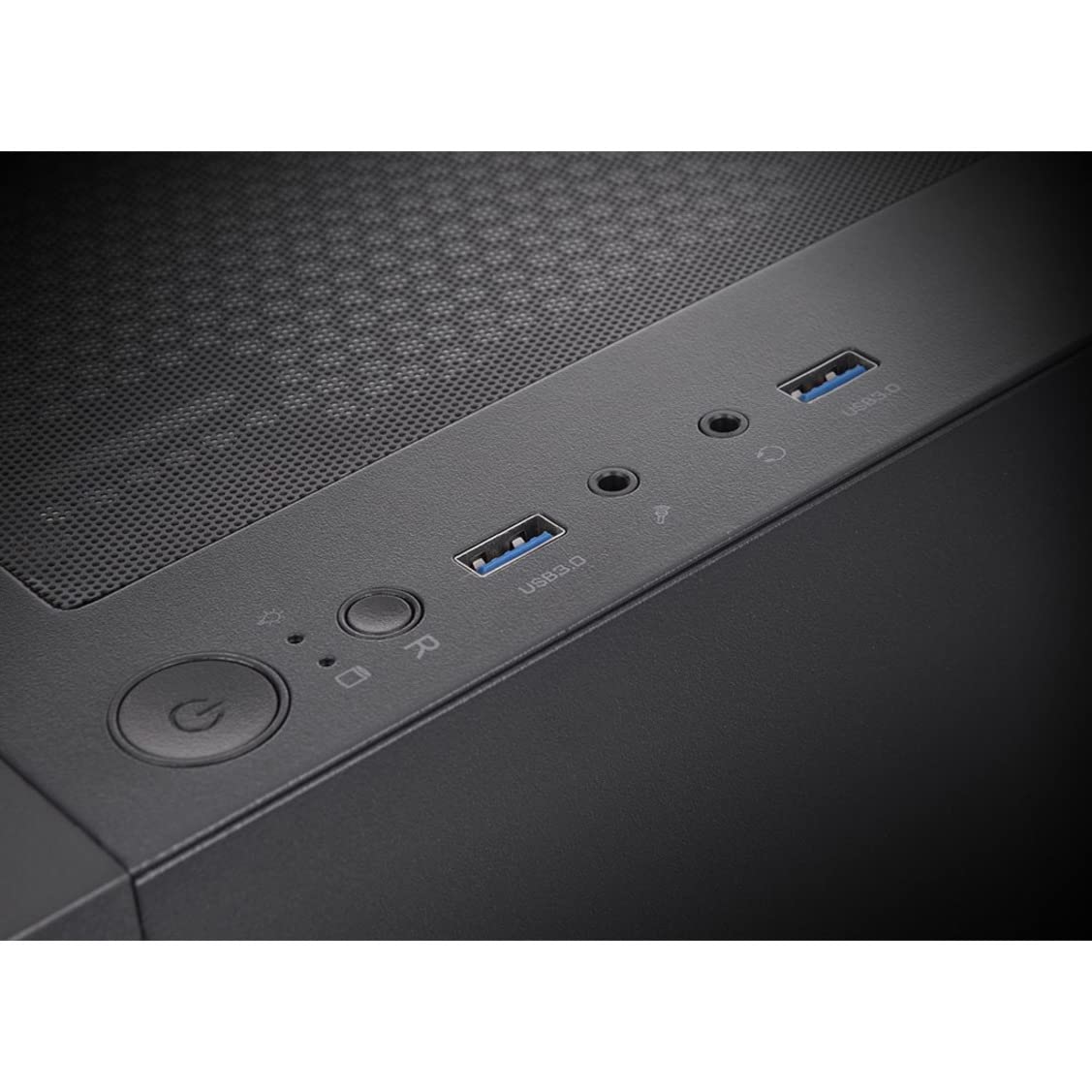
| Total USB 2.0 Ports | 2 |
| Total Usb Ports | 2 |
| UPC | 841163083673 |
| Unit Count | 1.0 Count |
| Warranty Description | 3 Years |
W**L
Nice case
good small case, decent airflow, cable management is easy but depends on wether or not you have the time, easy to install however the thermaltake 360 aio does not fit with the tubes at the bottom ( the tubes at the top works fine), nice weight, and quiet.
J**S
Great pc case
Great case for my pc with a mini motherboard. Compact but plenty of space for cables managment and clean as hell looking.
R**G
Great case
I initially looked past this case when ordering the components for my new build. I'm not a big fan of all the RGB stuff. When my other case showed up in unusable condition, I ordered this one because it had overnight shipping on it. This case arrived and I was very happy with the quality. There are plenty of openings to pass cables and plenty of tie downs for cable management. As I said before, I dont like a lot of RGB, so I just turned it off. For those of you that like the flashy lights, this case has an RGB control module on it that will allow RGB control from your mobo. Mine came with the reset button cable hooked to the controller, so RGB is controlled with that button. The directions are good about telling you the different options for the ARGB.
C**S
Fun case, looks great but...
This case looks nice and has a lot of great features. Only minor 'annoying' things I will list below. -I put in a 1050W power supply and there isn't a lot of room to get the cables into the case because the 3.5" Drive bay is in the way (extremely tight angle and fit to thread power cable into case AND I needed to plug in what I needed on the power supply before install). -No slot for 5.25" DVD player for OS install and I didn't have an external drive. I hooked up a DVD drive before closing the case to get my OS installed. (yah yah... this PC case building Gamer is behind the curve) -Glass shield is beautiful but the little sticky grommets for washers move and are easily lost (used to help with vibration dampening between glass and metal). There are four that are used where the finger screws attach the glass to case. -Front of case fans don't have a lot of opening to suck in air. Not sure if this was engineered for tighter air flow or designed to make the case look pretty. (I haven't had many hours on this case to know for sure but this is my first case with more than 3 case fans). -the circuit board for the ARGB fans on the back is loose because someone didn't screw it in correctly. They also stripped the F out of the screw. (but nothing to make me return the product or downgrade more) *** All in all, the case looks awesome! Mesh filter under power supply and on top of the case are not noticeable and look great. Buttons and front USB connections in a good spot. Lots of openings to hide wires on the backside of the case. Comes with some zip ties to help hold them in as well as some mediocre wire hooks built into the backside. Hope this helps. This is a great case. Get an ARGB compatible motherboard if you want some fun with the fans. Or you can just hook your reset switch to the mini ARGB board in the backside ***
G**G
Beautiful and spacious case, but some serious RGB gotchas
This was my first attempt to make a really beautiful RGB PC and I'm thrilled with the result. My version was the V250 with 3 pre-installed ARGB fans in the front. I bought 3 additional matching Thermaltake ARGB fans and installed one in the rear and two on my top mounted radiator. The real gotcha is trying to figure out the pre-installed fans and how to integrate their hardwired fan control hub with motherboard control. The documentation is criminally poor, so it took a lot of guesswork to get everything flowing the way I wanted. To make a long story not quite as long, here's what to do: The control hub comes connected to the case reset switch. You need to power up the PC and hit that reset switch for a few seconds, until the front fans flash. This confirms that the control hub is now set to motherboard control instead of case control. You can now safely remove the reset switch wire from the hub and plug it into the reset switch header on your motherboard. The case reset switch will now function as God intended. Now, the tricky part. You'll need to (for a MSI JRAINBOW motherboard header anyway) connect the 3 prong 5V ARGB cord into both the motherboard and the case fan control hub. In my case, connecting to the motherboard header was no problem, but on the other end, the male plug would absolutely not fit into the receptacle on the hub. I took a risk and shaved off the plastic left and right edges of the cord plug and jammed what was left in the socket on the control hub. I plugged SATA power into the hub as well. Half expecting my rig to burst into flames when I powered on, I was pleasantly surprised that I could now see and control the front case fans in Windows via Mystic Light motherboard control. I have to admit, it's some really bad quality control for the ARGB control socket on that fan hub to be so small as to be unusable. A user shouldn't have to shave a plastic plug down to the bare metal wire for it to fit where it's intended to go. Anyway... Next, I needed to add my additional 3 fans to the setup. I plugged their fan speed control wires into motherboard fan headers. I daisy chained their 3 ARGB wires together and plugged the end into the case fan control hub, also not clearly labeled and unexplained in the case documentation. Miracle of miracles, the motherboard now sees all 6 fans and can fully control and coordinate their RGB properties via the MSI software. I hope this experience helps someone. The final result of putting some time into this case was really rewarding for me.
E**N
Not really suited for RTX-4090 GPU, some features poorly implemented
I should probably have read the specs a little closer before ordering this but I was looking for a fairly simple design case that didn't look like somebody's new wave art experiment, and this fit the bill nicely. A few of the pro's of this case are that the reset switch can be assigned to control the RGB lighting, and my E-ATX motherboard fits nicely in it with enough room to easily route the cables. The feet are removable so if you want you can put some more stylish ones on in their place (or even vibration dampening ones for that matter). The case does support HD Front panel audio (no AC'97 support from what I could tell though). There is a power indicator LED and an drive activity LED as well, there is support for 2x 2.5" mechanical or SSD drives mounted on the side opposite the glass side panel, as well as the option for either 2x 3.5" drives or 2x 2.5" drives (or a mix of one of each) in a drive cage under the power supply shield. Now some of the cons, the front panel supports only 3 USB ports (2x USB 2.0 via 9 pin header connector, 1x USB 3.0+ via 19/20 pin header connector despite the fact that that connector on the motherboard side typically supports 2x USB 3.0+ ports, so basically you end up with a wasted unusable port). To me one major con is that it wasn't designed with better support for today's large GPU's, while my RTX-4090 does fit I practically need a shoehorn to wedge it into the case, even then I can't use the GPU support bracket that came with it because there just isn't enough room (my old Rosewill case didn't have that problem). Another con for me is the lack of more support for 3.5" drives right now I have my two 20Tb WD drives installed but would have liked to additionally install 2 of my 8TB Toshiba drives as well, in my old Rosewill case they placed 2 drives on top of the powersupply shield on removable mounting plates and mounted one on the very bottom of the case itself down by the powersupply and the drive cage which in the Rosewill case held 3x 2.5" or 3.5" drives as well as also having space for 3 additional 2.5" drives on the plate that the motherboard is mounted on. I think Thermaltake could learn a thing or 2 from the design of the Rosewill case admittedly, all that said cooling options are nearly identical to the old Rosewill case so nothing truly spectacular in terms of cooling with this case. I would have given it another star or two had they had the foresight to accommodate support for more than just 2 3.5" drives, larger graphics cards, and at least 2 (if not more) USB 3.0+ front panel ports (with USB 3.0 being backwards compatible with USB 2.0 devices I don't see why they felt they had to include the USB 2.0 ports in the first place on the front panel). It looks nice but that's unfortunately it's main selling point in my book.
K**T
Nice, accessible case with lots of fan space
Comes with 3 fans, I'm currently using 5 but could fit another one or maybe 2 if I move my video card. Easy M.2 drive access, easy PSU installation, room for a couple of SSDs, I also have an older 4TB HDD with plenty of room. The lights are programmable and the wiring might be a little confusing for a beginner, but if you're building your own PC, you'll figure it out. Not the largest case, but very open inside, lots of room and good air flow, just keep it clean of dust and cat hair.
G**N
Awesome PC case
This case is shorter than my other pc cases but can fit large video cards unlike my other cases. The fans are quiet and the colors are amazing! I was able to hide all wiring in this case which shows off the parts. I definitely recommend this case.
Trustpilot
1 week ago
3 days ago


