
DOWNLOAD THE APP


Customer Services
Copyright © 2025 Desertcart Holdings Limited
DOWNLOAD THE APP

🚀 Level up your game visuals—because 1080p is so last gen!
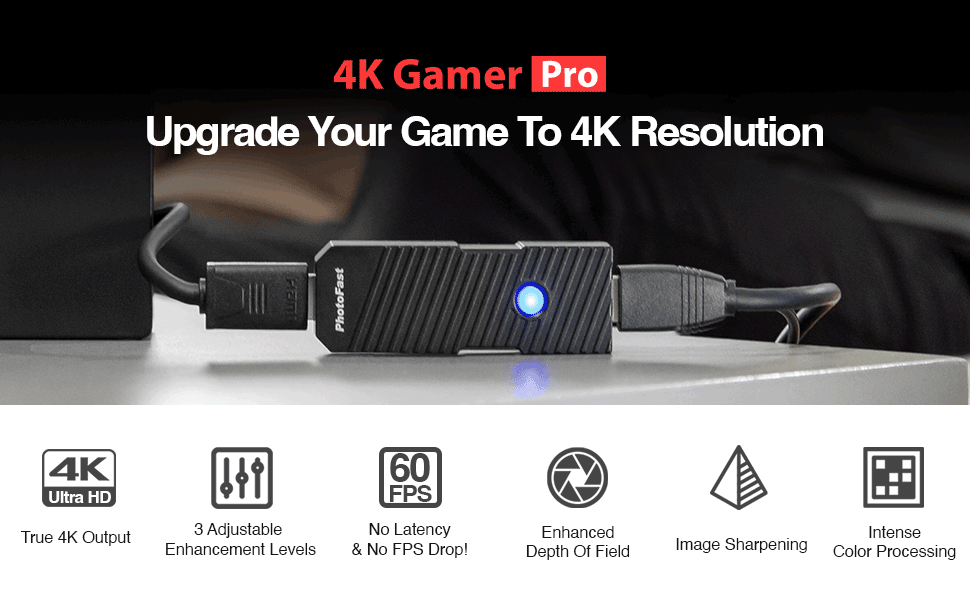
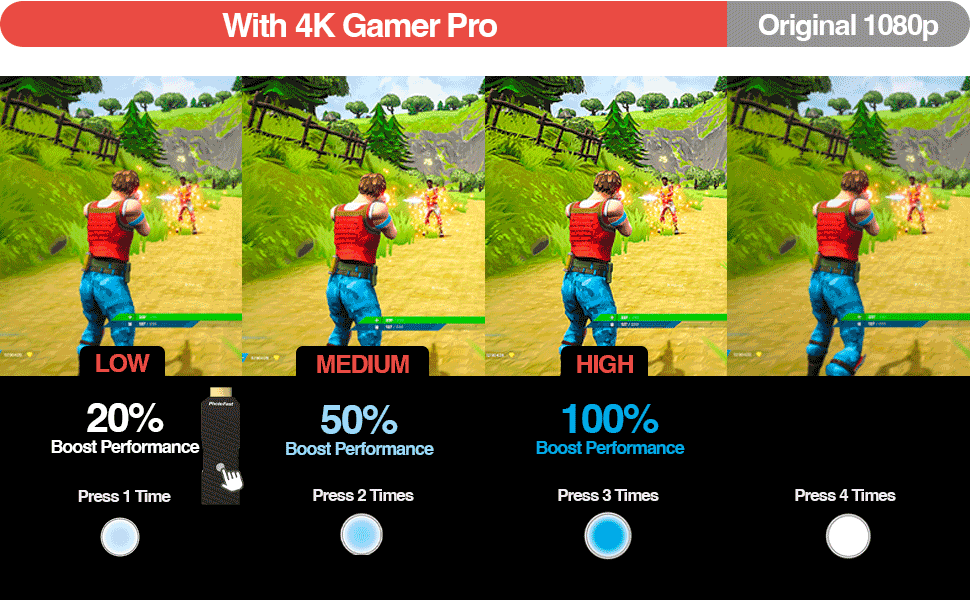
The PhotoFast 4K Gamer Pro is a compact HDMI upscaler that converts 1080p input from popular consoles like Nintendo Switch, PS4, and Xbox One into smooth 4K resolution at 60fps without lag or FPS drops. Featuring three customizable enhancement levels, it sharpens images, enriches colors, and adds depth for a premium gaming experience. Plug & play design ensures effortless setup, making it an essential upgrade for millennial gamers craving next-level visuals and flawless performance.



| ASIN | B0B75L5P38 |
| Best Sellers Rank | #10,916 in Videogames ( See Top 100 in Videogames ) #366 in Nintendo Switch Controllers |
| Customer reviews | 3.9 3.9 out of 5 stars (123) |
| Item model number | 848661015519 |
| Product Dimensions | 10.2 x 3.3 x 2 cm; 150 g |
J**N
I am absolutely thrilled with the 4K Gamer Pro. This upscaler is a game-changer for anyone looking to enhance their gaming experience. It converts 1080p games to 4K resolution, resulting in stunningly vivid graphics and breathtaking detail. Love it.
E**L
TLDR: Actually Upscale to 4K but takes a 1080p Input. For TVs it can be used alone. For 4K Monitors you'll need to invest extra money into the Marseille MCable Gaming Edition or else it'll look jagged on your 4K Computer Monitor. Third setting is a bit much, 2nd setting seems to be the happy point. Final Connection is Switch HDMI OUT mCable Gaming Edition > HDMI Coupler (Female to Female) > PhotoFast 4K Scaler > 4k Computer Monitor I recently switch from 1440p to 4k Monitor three months ago. I got the Samsung Neo G7, and had been using the mClassic with my switch. The mClassic only upscale to 1440p. It still looked great but I wanted 4k and after doing some searching I landed on this upscale and a couple of video review about it. Decided to go for it after seeing the first 2 detail reviews about it. Upon receiving the 4K Upscaler, I hook it up to my Switch, turn on the monitor, and......meh. It didn't look bad but definitely not smooth around edges of objects and people. But I did expect this as the review I'd looked at state that this Upscaler Sharpen. The review before mine mention adding the mClassic in line with the 4K Upscaler as the mClassic Smooth jagged edges (Anti-Aliasing).... but that didn't work for a my Samsung Neo G7 (4K Computer Monitor) as the mClassic Max Resolution is 1440p and the 4K Upscaler ONLY accepts 1080p input. So something would override the 4K scaler and I would only get 1440p Resolution when daisy chaining them together. Lucky, I had a mCable Gaming Edition (Same company that focus on Anti-Aliasing just the cable vs an small adapter). The cable does not upscale to 1440p, so the daisy chain was mCable Gaming Edition > HDMI Coupler (Female to Female) > PhotoFast 4K Scaler > 4k Computer Monitor. Started up Splatoon 3 and....WOW exactly what I was hoping for 4K Scaling, Smooth, no lag, no loss in colors, and no more jagged edges. Now I'll say that's ALOT of investment just to get 4K Scaling if you using a computer monitors as your going to need to buy the mCable ($110 when on sale) and a HDMI Coupler ($7-10). If you playing on a TV depending on how it look you may need to buy the mClassic ($99) if it looks to jagged to you. But look at the other reviews for that decision. I've only tested this for roughly 12 hours straight, so I will update in the future (if I remember) on how far it last and how other games look.
A**E
Kurz gesagt: richtig starkes Teil! Vorweg sei gesagt, dass ich hiermit eine absolut ehrliche Rezension verfasst habe und definitiv keinerlei materielle Anreize von irgendwem erhalten habe, um diese Rezension zu veröffentlichen. Ich habe mich vor dem Kauf ausgiebig mit schriftlichem Rezensionen und Videoreviews zu dem Photofast 4K Gamer Pro auseinandergesetzt. Jedem sei die Kundgebung seiner Meinung natürlich gestattet, gar keine Frage! Aber nachvollziehbar finde ich sie trotz der vielen Arbeit, die in manche Tests und technische Evaluationen im Rahmen Rezensionen gesteckt wurde, in Anbetracht der tollen Leistung in realitas nicht!
B**T
Upon learning that this video image upscaler existed, I looked at some other reviews online to determine whether or not it was legitimate enough to buy. I was somewhat eager to receive and test this out after deciding I would initially make the purchase. After two weeks of usage specifically for the Nintendo Switch, I can say that this product does everything it advertises, that is, upscales images to a 4K resolution and increases color contrast, most importantly successfully processing the source without lag/delay. The difference in image quality with vs. without this is subtle, but noticeable both under scrutiny and casual, sustained play. I've compared games like Splatoon 3 and Mario Kart 8 Deluxe, but I think there's even further benefits to be had using this with games that run natively sup-1080p, like Xenoblade Chronicles 3 and Persona 5 Royal. Seeing a sharper, clearer image on games on Switch with denser colors is remarkable, but that's essentially all you're paying for. It's up to your discretion if that relevant, albeit minor effect is worth the price that makes it possible. A proper upgraded Switch model could potentially entirely mitigate this product's purpose, unless you have older consoles as well, especially if games get further optimized for the better hardware (i.e. frame rates, lighting, texture quality, other graphical elements beyond simple image upscaling). This is an acquired luxury that's certainly nice to have, but it comes with a hefty price tag. I can only recommend it if you think that justifies what this offers.
J**S
Das Produkt hält Sein Versprechen zur Besseren Grafik. Auch dir Farben sehen deutlich besser mit Filter aus. Einzig alleine der Preis ist sehr hoch angesetzt aber gerade bei einem sehr großen TV-Bildschirm zu empfehlen.
Trustpilot
2 weeks ago
1 month ago