

🎯 Upgrade your comfort game with color, control, and savings—because smart homes are the new status symbol.
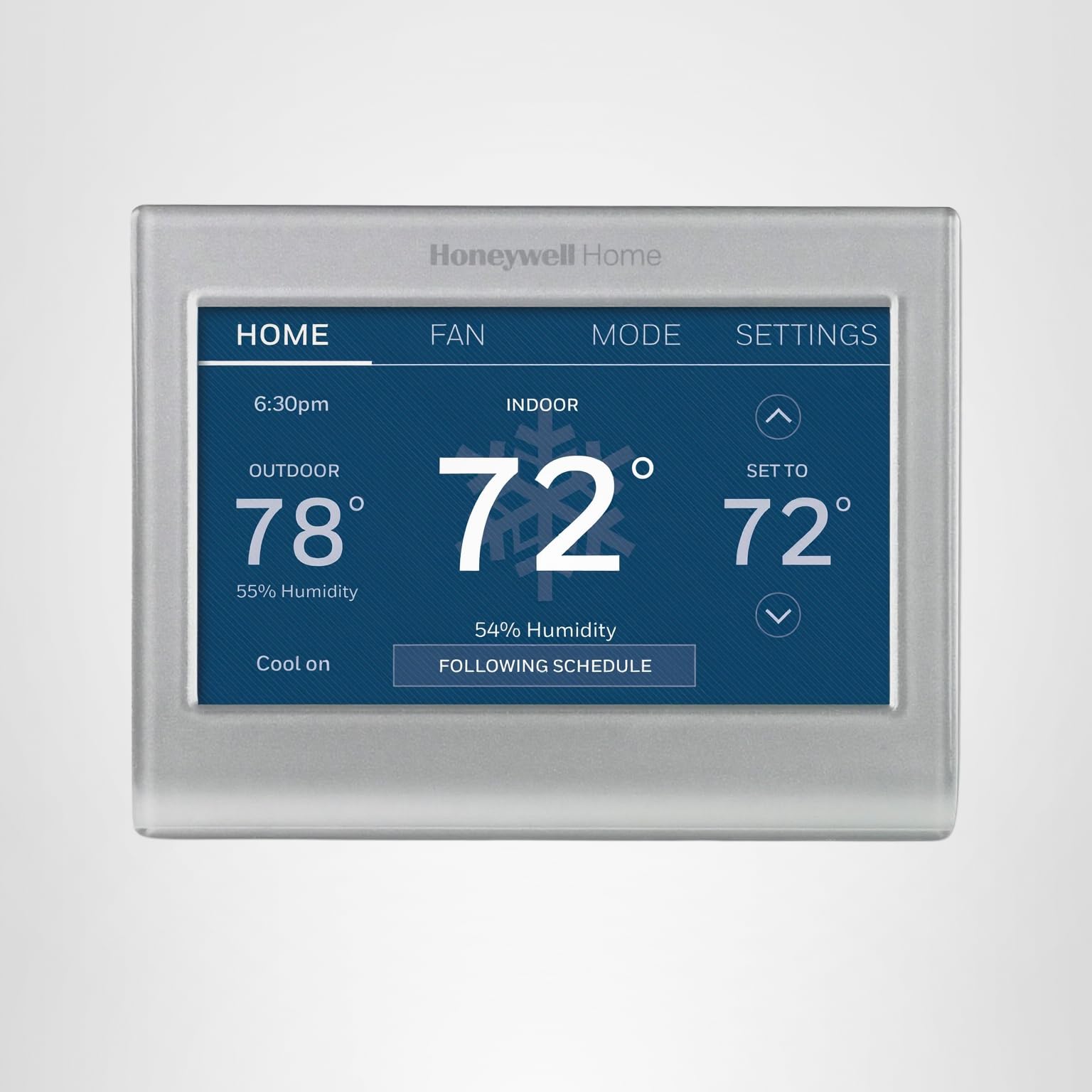
The Honeywell Home RTH9585WF1004 is a sleek, gray Wi-Fi smart thermostat featuring a customizable color touchscreen, 7-day programmable scheduling, and Energy Star certification. Designed for easy DIY installation, it supports voice control via Alexa and Google Home, offers smart alerts for maintenance, and enables remote temperature management through a dedicated app. Compatible with most forced air and heat pump systems (excluding electric baseboard heat), it helps users save energy and money with utility rebate eligibility and demand response program participation.


| ASIN | B075BF6V58 |
| Additional Features | Customizable color touchscreen, Smart Response Technology, Energy Star certified |
| Backlight | No |
| Best Sellers Rank | #2,090 in Tools & Home Improvement ( See Top 100 in Tools & Home Improvement ) #9 in Home Programmable Thermostats |
| Brand | Honeywell Home |
| Brand Name | Honeywell Home |
| Color | Gray |
| Connectivity Protocol | Wi-Fi |
| Connectivity Technology | Wi-Fi |
| Control Method | Voice |
| Control Type | Touchpad Control |
| Controller Type | Touch Screen, Voice |
| Customer Reviews | 4.3 out of 5 stars 19,584 Reviews |
| Display Type | LED |
| Finish Types | Standard D. Grey |
| Global Trade Identification Number | 00085267911313 |
| Included Components | Mounting Hardware, Thermostat, Thermostat ID Card, User Manual, Wire Labels |
| Item Dimensions D x W x H | 0.88"D x 4.5"W x 3.5"H |
| Item Height | 0.88 inches |
| Item Type Name | Honeywell Home Wi-Fi Smart Color Programmable Thermostat, Alexa Enabled, (RTH9585WF1004) |
| Item Weight | 7.2 ounces |
| Manufacturer | Honeywell Home |
| Manufacturer Warranty Description | 1 year warranty. |
| Material Type | Plastic |
| Model Name | RTH9585WF1004 |
| Model Number | RTH9585WF1004/W |
| Mounting Type | Wall Mount |
| Number of Batteries | 1 AAA batteries required. |
| Power Source | AC Power Supply |
| Product Dimensions | 0.88"D x 4.5"W x 3.5"H |
| Product Style | D. Grey - Wi-Fi Thermostat |
| Shape | Rectangular |
| Special Feature | Customizable color touchscreen, Smart Response Technology , Energy Star certified |
| Specific Uses For Product | Furnace |
| Specification Met | Energy Star |
| Temperature Control Type | Heating and Cooling |
| UPC | 085267911313 |
| Unit Count | 1.0 Count |
| Voltage | 120 Volts |
J**B
Good product. Solid Device, Easy to install
This is my second Honeywell smart thermostat. I have two systems in my house that are fully independent and I wanted both that I can manage with one app. Installation: The device is really easy to install. The instructions have several alternate configurations in there which makes it seem complicated but for me it was installed in about 20 minutes. The disclaimer that I have to make is that my HVAC system is 12 years old, and is just standard gas heat and A/C. I have a "C" wire pre-installed so i didn't need any workarounds. Honeywell provides little stickers to wrap around each wire as you take them off the old device so you know what terminal they were attached to. I found this helpful. It was easier to connect the wires to this device because it uses push terminals instead of screws, though this didn't really matter to me. Unfortunately this device is quite a bit smaller than the previous one so I can see the old mounting holes next to it. Doesn't really bother me but it may bother some. There is no "cover plate" to take care of this. I believe Nest provides one with their thermostats. Powered it up and it comes right on. Configuration: Honeywell devices always seem a bit unfriendly in terms of UI. However, once you connect to the wi-fi you are instructed to go to the PC to finish setup. I did this and set up my program there. However, there are a few things you cannot do remotely. First if you choose to lock the screen, as anyone with kids will do, you have two options. The first option allows you to lock out all functions (it runs based on your program) or lock out programming settings and allow the users to still change the temperature temporarily. The issue here is that you have a pre-set lock code that you cannot change. I have a pre-set 4 digit code that is soon to be lost forever. The most annoying option though, and one that almost made me send it back, was that you have to find the option for auto-switchover in the menus and turn it on if you want the system to switch from heat to cool on its own. I need this where I am in the SE because it is cold in the morning and very hot by late afternoon. There is nothing in the instructions about turning this on. I stumbled across it. Programming: All programming can be done on the PC in a browser or on the app. Both are pretty intuitive and give you good control. I use the circulate option for the fan and it makes a huge difference. Highly recommend you use that to move the air around without the A/C needing to run. Integrations: I have this connected to SmartThings and Alexa. Smartthings shows this as a thermostat, a thermometer and a hygrometer which lets me set triggering events. I don't find Alexa to be very useful so I don't use it often but the integration does seem to work. Overall: As I said, this is my second Honeywell and I like them both. The upstairs is well controlled now and is more comfortable than it was with the old device. The wi-fi is solid, no drops, and the app is functional and I have no complaints.
A**N
I have the gray and the white
I have two of these Honeywell Home smart color thermostats: I purchased model RTH9600WF in white for our home first. I liked it so much that I wanted a second one for our vacation house. At that time the gray one (model RTH9585WF) was discounted $50 less and that’s the only reason I bought gray the second time. I am almost as happy with the gray as I am the white—they seem identical except for the exterior color and (see more below on this): the gray one does NOT have the automatic setting. The gray is actually a very nice metallic silver. It looks quite pretty. I’d even call it elegant. I really like that these thermostats are very easy to install and connect to my WiFi, and they are easy enough to operate without having to read the instructions. The feature I like the most is the ability to set up my planned vacation IN ADVANCE. I don’t have to wait until the last minute to do that before leaving. I just go into the settings under “vacation mode”, select the date and time I am leaving and the date and time I am returning, and the temperature I want to maintain while I am gone. It’s nice to be able to do that well in advance of my actual vacation if I want to. About the only thing I don’t like about the grey thermostat is that it does not have the “automatic” mode that switches between heat and cool when needed in order to maintain the programmed temperatures. You have to set it to either cool or heat and as the seasons change you need to switch from one to the other yourself. The white one DOES have the automatic feature. If I had realized that ahead of time, I would have spent the additional $50 and bought a second white one instead of the grey. That feature is important to me. I do not use the smart color feature on either one of my thermostats. I like the default color of blue the best and it seems to be the easiest for my husband and I to read. The phone app works okay for me and I was able to easily add the second thermostat. I like these thermostats and recommend them. I write honest reviews to help others make informed purchases because I read reviews myself and appreciate how helpful they can be. I hope that my reviews helped you.
P**.
Honeywell Home RTH9585WF1004 Wi-Fi Smart Color Thermostat
The Honeywell RTH9585WF1004 is a solid smart thermostat for homeowners who want remote control, scheduling, and smart-home integration without overspending. The color touchscreen is easy to read, the interface is straightforward, and the Wi-Fi connection makes it simple to adjust heating or cooling from a phone or through Alexa or Google Assistant. The customizable display is a nice touch and helps it blend into different rooms. Installation is manageable if your system has a C-wire, and once connected, the thermostat provides clear scheduling tools and useful energy-use reports. It’s reliable in day-to-day operation and maintains temperature accurately. There are limitations. The touchscreen feels less responsive than more premium models, and the thermostat doesn’t offer adaptive learning or occupancy detection. It also doesn’t support remote sensors, so temperature readings are tied to the thermostat’s location. Overall, this is a dependable and feature-rich option for single-zone homes. It delivers strong value if you want modern smart-home control and energy-saving scheduling without paying for high-end automation features.
B**G
Buy it for the smart-learning feature
While this thermostat may lack some of the modern "smart" features of competing products, its "smart-learning" ability can't be beat. With this feature, the thermostat learns how long it takes to heat or cool your house. It will then start the furnace or air conditioner so the house reaches the set temperature at the time you program. It really works. I installed my first Honeywell smart-learning thermostat 20 years ago. That house had passive solar and radiant floor heat. The house got toasty warm during the day. With a traditional thermostat, it would not cool off enough for the heat to come on until after midnight. However, it took several hours for the floors to heat up enough to actually warm the house. So it would still be cold when we woke up. Then the sun would come out and heat the house to a comfortable temperature before the hearing system could catch up. Basically, then, the heat ran for several hours for no reason. The Honeywell thermostats were smart enough to turn the heat on early in the evening. The floors were just warm enough when the house temperature started dropping to keep a uniform temperature. The thermostats even knew to turn the system off early, so the heating system would not overshoot and make the house too warm. I tried a Nest thermostat at another house (conventional forced air heat and A/C, no passive solar). It worked fine and it looked nice. I never really liked the way it learned my schedule, so I ended up manually programming it. The automatic home/away feature was okay but not entirely reliable. When I moved into my current house (conventional forced air hear and A/C, no passive solar), I gave the Ecobee 3 a try. It looked nice and has a nice interface. I never found the multi-room sensors that useful. The main thermostat tended to lose contact with them, perhaps because of the size of the house (aren't they supposed to be for larger houses?). They did help some rooms that don't heat or cool enough maintain a better temperature, but then other rooms get too hot or too cold. I found it better just to find a temperature at the main thermostat that keeps all of the rooms at close to a reasonable temperature. Plus my system actually ran more with the Ecobee, trying to get those outlier rooms to the set temperature. What killed the Ecobee for me is that it almost destroyed my air conditioner. It worked fine all summer and for the first month of the heating season. But then one morning this terrible rumbling started coming from my roof (where the A/C unit is mounted). The Ecobee was trying to run my air conditioner in sub-freezing weather. Although it was set to heat, it would cycle the A/C on. The A/C would shut itself off, so as not to destroy itself, then the Ecobee would cycle it back on. I spent a lot of time on the line with customer support, who eventually concluded that the unit was defective. They offered me an RMA, but I couldn't trust that it wouldn't happen again. So I went back to the Honeywell smart-learning thermostat. It took about a day for it to learn the heating times for my house. You can't set the temperature differential for cycling, but it keeps the temperature even to less than a degree without excessive cycling of the unit. For cooling, I set the thermostat to 73 F. It never moves off of 73 once it reaches that temperature. Programming is easy. You get four temperature changes per day, like a traditional programmable. That is plenty for my needs. The touchscreen and app interfaces make the programming easier than with the older thermostats. Temporary and permanent holds are easy to set - just change the temperature and make it permanent or set a time when it should revert to the schedule (although that appears to be the time the system comes back on - it does not appear to use smart-earning to hit the programmed temperature at the time the hold expires). Changing settings remotely with the app is also simple. So far, I don't miss any features from the Nest or Ecobee. The Alexa interface isn't very good, but even with the Ecobee I found it more of a gimmick than useful. I haven't tried using IFTTT for additional controls yet. The thermostat can be set to either home or business mode. The business mode has some additional programming options that would also be useful for home use. However, smart-learning is not available in business mode. I don't see why - if any developers are reading, please add smart-learning to the business mode. Make it an on/off option if necessary. The one negative is that customer support is terrible and non-existent. I installed on a Saturday and had an issue. I tried to call and got a message that said due to high call volume the call could not be answered. It then hung up on me, no chance to leave a message or anything. I went to the web site which offers live chat. There was a message that chat was down and I should call. I tried email and eventually heard back after a week, but the suggested fix was something I had already tried and described in my original email. The issue, in case you run across it, was that the thermostat would say "waiting for equipment" while the room temperature was well outside the set temperature. Eventually the A/C would turn on, run for a few minutes, then turn off and repeat the cycle. It may have been user error (I pulled it off and reinstalled), or it may have been something related to the smart-learning system doing its initial learning. But either way it resolved itself that day.
C**Y
Nice Upgrade From a "Dumb" Honey to a "Smart" Honey ... But Some Cons With a Couple of Tips
I had a standard, basic "Dumb" Honeywell for many years and worked perfectly, although I had to manually change settings from the basic 5/2 day schedule to override them. Having Alexa, I wanted to have the ease to change it via voice as well as when I am not home, so I bought the "Smart" Honeywell. After a week, here are my pros and cons: PROS - INTERFACE: Despite what other reviewers have said, I find the interface intuitive and just fine to configure the device. - TOUCHSCREEN: I had none of the horror stories about the touchscreen, listed throughout these reviews. The interface worked surprisingly well and I never had to push anything more than once ever. - SIZE: The thermostat is surprisingly small, compared to my "Dumb" Honey, and I like it more. - TEMP: The temp has been spot on. - DOCUMENTATION: The documentation is complete and most DYI'ers will have no issue following them. - WIFI: Zero issues connecting it to my Wifi. - ALEXA: Zero issues integrating with Alexa. Voice control worked instantly after integration. - INTERFACE: One of the reasons I chose this one was because unlike pricier options, this one shows the external temp and humidity which is a great quick check without having to look anywhere else to verify. - REGISTRATION: Registering the device with the Honeywell website was easy. CONS - WIRE CONNECTORS - Having installed many thermostats, this one was easily the worst and VERY delicate to insert wires. I can see why many consumers, even experienced ones, broke the terminal connectors when attempting to insert them. There is VERY little room to work on the wall plate, and there are no screws like all the others I have ever installed. As a result, here is what I found. First, if you push the first wire in too far and forcefully, the other connectors will be "open" and won't accept the next wire. The next connector will be "loose" and never grip the second wire, and the FIRST one will fall out. I had to take a tweezer with a bent end to "reset" the first connector and then all the connectors reset and I could begin again. (I was ready to return it.) Second, on my next attempt, I realized that you insert a wire until you feel resistance and then "gently" push the wire in like .25 mm (barely nothing) until you feel the slightest click on your finger. Believe it or not, that small amount is all it takes to grip the wire securely. Start on the top of each side and work down gently until all the wires are installed. - FAN: Strangely, the "Dumb" Honey had "ON", "OFF", "AUTO" but "Smart" Honey has "ON", "AUTO", "CIRCULATING". As a result, I have to trust the thermostat to run the fan on its own and I cannot turn if off completely, short of turning off the heat or A/C. At this point, the fan seems to be following a more "intelligent" function related to the heating and does turn itself off when it sees fit. -HUMIDITY: Although the temp is spot on, I have 2 humidistats in the house that are both consistent by the humidity percentage on the "Smart" Honey seems off by 5% and varies from the other two. The thermostat has a configuration setting to adjust the default up or down by degrees you choose, but I have fiddled with this setting and have not seen a consistency in "Smart" Honey with my other two humidistats, one which is 5 feet away from "Smart" Honey. After a couple of attempts, the "Smart" Honey seems to lag on internal humidity value, while at other times, it's showing the same value. Overall, "Smart" Honey has definitely won my affections with its verbal attention to my requests and interface. As "Dumb" Honey sits on my counter, dejected, I have assured it that I am keeping it as a backup just in case this new Honey goes bonkers, breaks or increases my utility bills.
A**A
What a frustrating, outdated device.
I'm so irritated with this thermostat. It looks nice and I appreciate that it has a low profile but it has MAJOR flaws and I'm returning it. I would caution potential buyers to fully understand this device and evaluate if it works for their situation. It seems like they've put everything into designing the look of the device on the wall but not the functionality or the app. I can change colors of the display screen but I can't have it heat to the temperature I set?? Bizarre. SCHEDULING: You can only set FOUR temperature changes per day. Have peak hours and demand charges you need to work around? Too bad! Do you like it to be cool when you go to bed and then get even colder in the middle of the night? Too bad! You get 4 temp changes, that's it. HEAT/COOL: Would you like it to have heat AND cool? Too bad! You get one or the other. Is it really cold at night and hot during the day where you live and maybe you'd like heat in the morning but AC in the afternoon? Nope. You can pick heating or cooling mode. I've never even seen a thermostat with this limitation! So now I get up, switch the mode manually at the device and turn on the heat to take the chill off in the morning, then go do that to return it to AC again. It cannot be done in the app. APP & DISPLAY: Speaking of the app, it sucks. It looks like 1989 programming. When you open it, it takes a moment to process and load. Then in the app you can pretty much just adjust temperature and do your very limited schedule. The display is VERY BRIGHT and finding how to dim it so you don't have a lighthouse beacon going at all hours is tricky. But it IS an option. However, if you manually change the temperature in the middle of the night, you know, because the programming options suck, you'll have the bright beacon light to guide any passing ships going for what feels like 2 full minutes. And when you are doing these manual changes, prepare to poke the button you want multiple times, as this display screen is from 2004 and isn't particularly responsive. SHORT CYCLING: This thermostat starts the moment the temperature edges barely over the set temp and shuts down immediately when it hits temp -- at least on AC. I have never had my AC run so often, and I know this is terrible for my HVAC. I do live in a hot place but it's winter, so I can't even imagine how this goes in summer. Thankfully I won't find out as I have a better thermostat on order. There's no availability to set a temperature swing or longer cycling. OVERHEAT: While the AC shuts off the second it hits the set temp, the heat goes about 7-8 degrees over the set temp and its very hard to shut it off. From my sleuthing, it seems to be that it runs my heat pump to the set temp, and then the coils are still hot so it blows that hot air into my house until the heat pump is cool. I just want to take the chill off the house in the morning but I keep having to turn on the AC and open the doors and windows to cool the house down after this stupid thing overheats us. I'm honestly astonished that this is considered Energy Star considering how limited your programming and control options are, and how poorly it manages cycling, heating, etc.
B**0
Easy to install and looks great.
Replaced my broken Honeywell RTH6580WF 1001 thermostat with this one. Functions like the old unit. Installation was easy just remove the old one and install this one. Wiring was push in terminal type. No more using a screwdriver. Display is big and bright. I dont know how it knows the outside temperature but it was nice to have. My Wifi was a little difficult. The issue I had was I had to figure out and use WPA2 personal security on my router instead of the WPA2 / WPA that my router was configured for. It would not connect and reported a password error. It connected when I changed my router to WPA2. Wasted an hour trying to figure that out. I did not see that mentioned in the manual. As far a I know there is no battery in the unit as the unit is powered from the furnace. I used the app to program the temperatures from my phone. I noticed a new function for recirculating the air using the fan in the app.
J**3
Great Smart Thermostat
A very nice looking, easy to operate thermostat. It's easy to program and/or check via the phone app, the web site, or of course the face of the device. The many options for setup and operation can be a little daunting, but it's great to have those options. Once they're selected initially, there's little need to revisit them. I got this thermostat to replace my 18-year-old Trane programmable one. Both the Amazon product description and Honeywell advised me (before and after the purchase) to check with my local utility for possible rebates on smart thermostats. I did that, and factoring in the rebate, the thermostat was an amazing bargain. In addition, a wi-fi capable thermostat like this one may make you eligible for thermostat response programs offered by some utilities. Installation was slow at first; I had a problem determining which wire in my home thermostat wiring served as G - ground; my wiring didn't have a "G". Turned out the wire I needed was available, but it wasn't immediately obvious or easy to find in the Honeywell instructions. Don't get me wrong - Honeywell provides a lot of help related to how to wire the device; it just took me a while to track down the information I needed for my particular wiring. Once that issue was solved, the installation went smoothly. A feature that is particularly nice is the thermostat's learning ability. With this, it is able to begin adjusting to a scheduled change in temperature ahead of time, rather than waiting until that time arrives to begin changing the room temp. I do not use the voice assistant feature, so can't comment on how that works. As with most smart thermostats, this one supports both heating and cooling functions and can be set to automatically switch between heating and cooling as temperatures call for. One feature that I would not pay extra for, given the choice, is the customizable color for the backlit display. I played with that at first, but once the thermostat is in operation, I find I pay little attention to the color of the display. I would have been just as satisfied with a preset non-adjustable display color. All in all, I'm very pleased with this thermostat and would not hesitate to recommend it.
Trustpilot
5 days ago
1 month ago


