


🔥 Dominate the game, own the room.
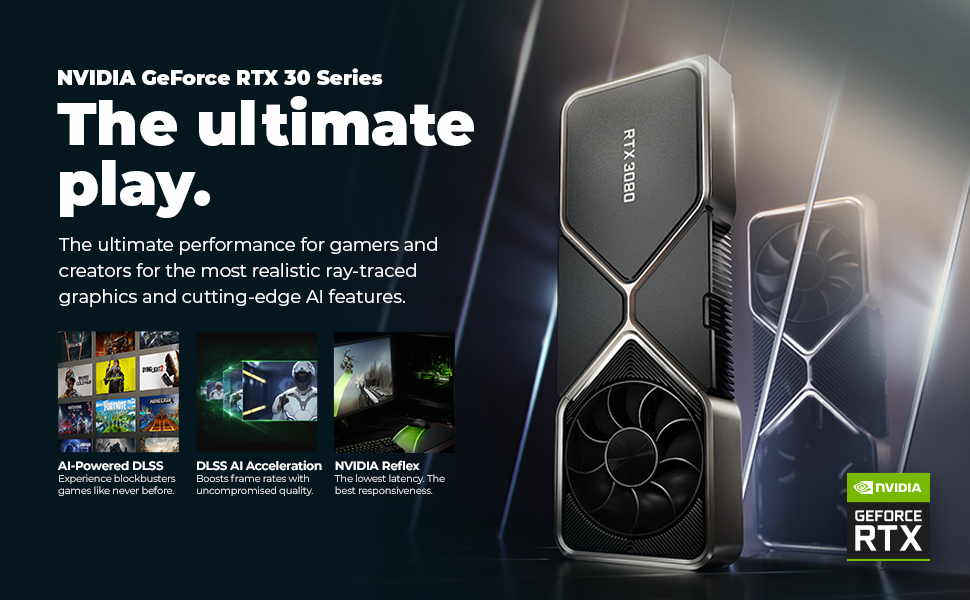
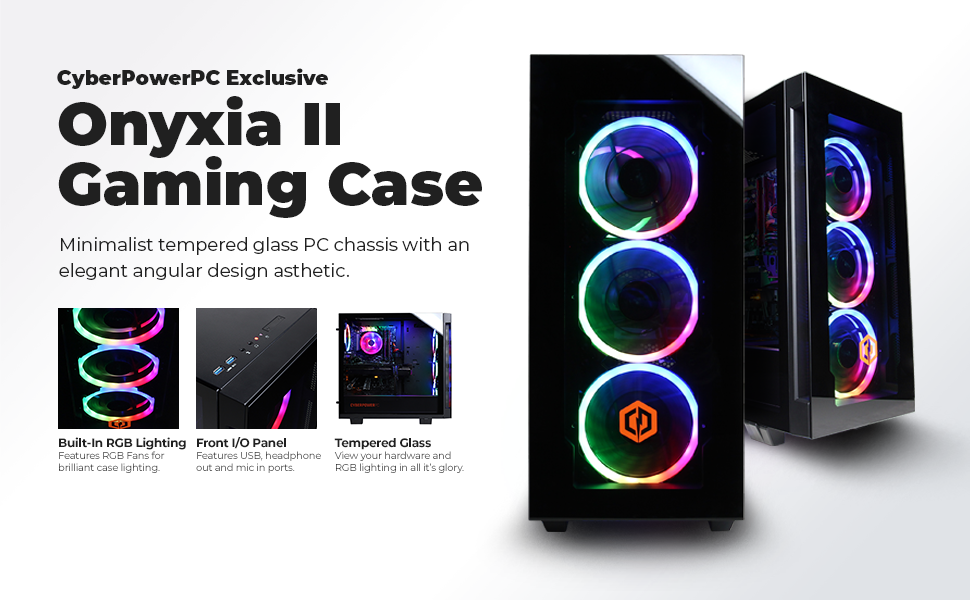
The CYBERPOWERPC Gamer Xtreme VR Gaming PC combines a powerful Intel Core i5-11600KF processor with a robust NVIDIA RTX 3060 12GB GPU, 16GB DDR4 RAM, and dual storage (500GB NVMe SSD + 1TB HDD) to deliver high-performance gaming and VR experiences. Featuring customizable RGB lighting, tempered glass casing, and Windows 11 Home pre-installed, it’s designed for gamers who demand speed, style, and reliability right out of the box.




| ASIN | B09DHTWR5N |
| Best Sellers Rank | #26,226 in Computers & Accessories ( See Top 100 in Computers & Accessories ) #873 in Tower Computers |
| Brand | CyberpowerPC |
| Card Description | Dedicated |
| Chipset Brand | NVIDIA |
| Color | Black |
| Computer Memory Type | DDR4 SDRAM |
| Customer Reviews | 4.1 4.1 out of 5 stars (1,954) |
| Date First Available | August 24, 2021 |
| Flash Memory Size | 500 GB |
| Graphics Card Ram Size | 12 GB |
| Graphics Coprocessor | Nvidia Ge Force Rtx 3060 |
| Hard Drive | 1 TB HDD |
| Hard Drive Interface | Serial ATA-600 |
| Hard Drive Rotational Speed | 7200 RPM |
| Hardware Platform | Windows |
| Item Dimensions LxWxH | 23.62 x 12.6 x 23.62 inches |
| Item Weight | 35.5 pounds |
| Item model number | GXiVR8480A10 |
| Max Screen Resolution | 7680x4320 |
| Memory Speed | 1.88 GHz |
| Number of Processors | 6 |
| Number of USB 2.0 Ports | 2 |
| Number of USB 3.0 Ports | 6 |
| Operating System | Windows 11 Home |
| Processor | 3.9 GHz core_i5 |
| Processor Brand | Intel |
| Product Dimensions | 23.62 x 12.6 x 23.62 inches |
| RAM | 16 GB DDR4 |
| Screen Resolution | 1920 x 1080 |
| Series | Gamer Xtreme VR |
| Standing screen display size | 0.1 |
| Wireless Type | 802.11ab |
E**L
A great gaming rig!
I bought a Cyberpower not too many years ago, but it was time for an upgrade, especially since that computer wasn't able to upgrade to Windows 11... A simple fix, but decided a new computer was in order anyway. I'm not the most "up to date" gamer in existence, I play Counter-Strike GO and Madden 22 and a few new but not AAA games, but the games that I've tried running and cranking up all of the settings left me pretty happy; they all run perfectly well. I'm also pretty into emulation, and I've noticed a considerable upgrade in performance on just about every emulator I've tried: PCSX2, Dolphin, Yuzu, Xemu... I was pretty impressed. Another thing I was surprisingly impressed by is Windows 11. It looks and runs great, and isn't too different from Windows 10, which I've used for a long time now. I really like the UI; it's simple, but looks great. Of course, none of this has much to do with the system itself, but I would legitimately recommend Windows 11. At any rate, it wasn't like the horrible switch from XP to Vista, or Windows 7 to Windows 8. When it comes to goodies, you get a surprisingly high quality keyboard+mouse combo, with the keyboard being exceptionally nice. I doubt that it's anything overly fancy when it comes to the tech inside it, but it feels very satisfying to type on, especially coming fresh off a mechanical keyboard that clicked so loud I swear it was going to drive me to the asylum when I had to type for extended periods of time. You also get a mouse, and while it feels, looks, and works fine, I decided to stick to my vertical mouse that I got about a year or so ago... Seriously, if you're a gamer, you should check one of those out. To my surprise, there was actually a remote to flip through the colors of the fan lights, which is surprising only because the Amazon page here doesn't mention that at all. The fan lights of my old Cyberpower rig got extremely dim over the years, so I plan to just have the lights on occasionally to save them from stress. As far as Cyberpower is as a company, I have nothing but good things to say about them. You'll see some horror stories if you go to Reddit and what not, but both Cyberpower computers I've purchased were shipped perfectly intact, and my last computer still works to this today with minimal upkeep needed throughout the years. The only thing I did in the over 4 years I had it was add some thermal paste to the CPU and general dusting, and it still works perfectly well, so if this new computer chugs along the same way, I'll be more than satisfied. I decided to leave the tech support at 0, and it's not because it's terrible; I just haven't ever had to get in touch with them. Ever. I don't think it would be fair for me to rate it. Overall, I'm quite satisfied with this computer and very satisfied with the purchase. Now, if you don't mind, I'm going to go install a few more games to try...
K**H
Great Value - 60fps and bank not broken
This PC performs and at least at the price I paid is worth as much or more than the sum of its parts, maybe the best value on the site on any given day. I get 60 fps routinely in highly modded Bethesda games, which can be a surprisingly difficult thing to do, but not for this build. I did update the graphics driver (not surprising) and was then ready to go. Everything arrived exactly as described on the site (purchased March 2022) with nothing missing, nothing broken, and nothing wrong. If you're trying to decide if you want this computer based on the specs that you see on the page then I'll say it is precisely as you see it, no more no less, and performs as you would expect (which is quite well), so you can consider those numbers reliable and set your expectations around them (or so says this one reviewer). I also learned I hate Windows 11 less than I thought I would (my first taste of that operating system is with this machine, it's not a problem). It's also quiet, has a manageable form factor, and is visually appealing (speaking of the RGB Case Lighting, configurable with its remote control). The mouse and keyboard that come with it are serviceable and you probably won't feel repulsed and want to replace them. The backlighting on the keyboard is a bit dim, but how much do you care? All in all I'm happy with this purchase and you likely will be also, if the specs on the page meet your requirements (they probably do).
C**N
Excellent for gaming, but don't expect much from the Wi-Fi connectivity.
This PC has been great and I have barely encountered any problems. The Solid State Drive is fast and the processor is solid as well. The graphics card has also been a pleasant surprise as it easily maxes out games like Skyrim, Hades, and Genshin Impact at 4k and 60fps. I have yet to try Cyberpunk 2077 but I do expect it to lag behind the better graphics cards. However, this isn't a negative in the slightest, seeing as the better graphics card options are considerably more expensive. The only gripe I have encountered so far is the abysmal Wi-Fi reliability. When I say abysmal, I mean it. I reliably get 100mbps on my PS5, Switch or my laptop while this PC barely even reaches 1mbps. It's quite laughable and I really hope this is an isolated incident. While not an issue for some, others will find themselves in a position in which Ethernet connectivity simply isn't an option. I can't, in good conscience, recommend this PC to anyone who is looking to make use of its supposed Wi-Fi capabilities. Other than that, this PC has been a grand slam in terms of productivity, gaming, and media consumption. Definitely worth it if Wi-Fi isn't a deal breaker. (Note: I purchased this PC at a discounted price.)
R**S
I bought this computer because: a) I wanted a new computer that could handle video editing and intensive tasks b) I was tired of my old, slow Xbox One for gaming This computer is great - it looks really cool, and it is a pleasure to use. However, if you order this computer, you really should replace the CPU fan. This seems a little bonkers to me, but you can turn it into an opportunity perhaps (the experience of building part of your machine). The price justifies these extra steps in my opinion. As soon as I received it, I completed all the necessary Windows Updates, installed Warzone and all necessary peripheral apps (NVIDIA experience, control panel etc). After playing the game for a few minutes the screen would turn black and it would become unresponsive. If you want to take the easy route, I believe the Cooler Master Hyper 212 would work, or a similar model, for air cooling. I decided that I wanted to install an AIO liquid cooling system so that I could have the option of overclocking this baby in the future, keeping temps low, and having it be quiet. I have very little experience working on computer hardware, so this was a journey for me. First of all, you can really only fit a 120 mm fan in this case. So this is important to note. I bought a Cooler Master ML120L V2 RGB and with tax it was CAD$90. The installation is relatively straightforward once you have all the information I'm about to give you. -Take off the front and back panels of the computer case so you can access everything. Put it in a comfortable place so you can work on it without destroying your neck/back. -Disconnect power and cables. -Remove the stock CPU fan and the rear ventilation fan with a Philips head screwdriver. Clean the remaining Thermal Paste off your CPU with rubbing alcohol and a cloth/paper towel (ideally a decent cloth with no fibers that come off) and perhaps clean off your stock CPU fan so you don't get it all over stuff while it's laying around your house. -Assemble the included Intel mounting bracket onto the pump. There are little grooves on both pieces of the mounting bracket that fit over notches on the pump. You'll be able to tell when it fits correctly. -Attach the included fan onto the radiator. The direction of the fan should be pushing air through the Radiator. -Note that you already have a mounting bracket installed on the back of the motherboard from the stock CPU Cooler Master fan. -Install the mounting screws onto the bracket (the silver (hex?) ones) on the front side of the Motherboard. - Apply a pea-sized dab of the included thermal paste onto your CPU, in the middle of it. - determine the correct orientation of the pump. I would also recommend running the two wires from the pump behind the top right mounting fastener for cable management reasons (see picture) and then mount the Pump onto the CPU. You can wiggle it around a little to spread the thermal paste, then screw in the 4 nut-type fasteners. IMPORTANT - If you don't apply the thermal paste correctly, it will heat up under load and will behave as though it did with the stock fan (black screen/"no signal", and the fan turns on to the max setting and sounds like a jet engine). - Plug the pump's power cable of the AIO system into the CPU_FAN terminal on the motherboard. (pay attention to your cable management). The pin on the left will remain exposed, this is fine and normal. - Plug the radiator Fan into the SYS_FAN1 plug (these can only be plugged in one way with the plastic adapters). There is no PUMP terminal on this Motherboard. - Connect the included LED wire adapter cable to both LED cables (1 from Pump, 1 from radiator fan) and note that the arrows on both ends of the connectors should point to each other to ensure you've plugged them together correctly. Connect the female end of this wire connector to the LED_C1 terminal on the motherboard (see pictures). I don't think there's a way to determine which orientation is correct when you plug this wire into your motherboard, so if the fan and pump don't light up when you fire up your computer, turn it off and remove the LED_C1 cable and plug flip it around and plug it back in. - At this stage I would then mount/screw the radiator into the back of the case with the included screws. - Later on I decided that I was going to install the stock case cooling fan onto the TOP of the case to pull air out and increase airflow within the case. It also looks cool, and you just plug it into where it was originally plugged into (the same connections). It's a little tight but it will fit. You should now have all the hardware installed and connected to your computer. - Plug in the power cable and wires to your computer. -Boot the computer. Press F12 right away (when prompted) to enter BIOS. -Click on "Enter Setup" -Bottom right of the screen, click "Fan Setup" or hit F6. -Click on "CPU Fan" and change the options on the right. CPU_Fan Speed Control - Full Speed (this ensures your AIO pump runs at full speed all the time). Fan control Use temperature input- CPU - Click on "SYS_FAN1" and change options SYS_FAN1 Speed Control - you can just set this to normal or silent, maybe play around with it a bit. I created a manual curve but this is not necessary and I may change it later. Fan Control Use Temperature Input - CPU ****Important You may want to Save this Fan profile in a separate slot... just click Save Profile. -Click on Back, then "Save & Exit" and confirm. You should now be all set. A few notes - I have read reviews of the cooler master unit I installed that noted the super loud fan, which is incredibly loud when you don't install the thermal paste correctly. I have played a bunch of warzone and it has never kicked into high gear after I re-installed the thermal paste. It seems quiet. The temperature maxes out around 61 degrees Celsius for me while playing warzone. To monitor your temps, I downloaded a program called Speccy. You can monitor temps while in windows. To control the RGB lights on the AIO unit you can download RGB color fusion 2.0. It won't be synced to the stock lights but it still looks cool. UPDATE** I also had to install MSI afterburner to control the GPU fans. I kept getting the black screen of death / unresponsiveness. I think the GPU was overheating because the built-in fans weren't turning on or enough. I run that program in the tray all the time now, and the computer has been working great. I posted this review because I hope it will be helpful, not because anyone asked me to. I am excited about my new setup.
K**N
Una ganga que consegui en "Buen Fin" ya que solo me costo 20k pesos esta maquina, y he de decir que estoy mas que contento con lo que compre. Me preocupaba un poco los comentarios en ingles que decian que el ventilador era un i71C Cooler Master y que no era muy bueno para controlar la temperatura del pc pero creo que Cyberpower vio esto y lo decidieron cambiar ya que el que me llego fue el MasterLiquid ML120R RGB (creo que es ese modelo XD) y el problema se resolvio ya que no he tenido problemas al correr mis juegos ni con las temperaturas, eso habla muy bien de Cyberpower
D**L
This is my first gaming PC that I've bought and I love it!! This PC is amazing especially in today's market!! For the price of $1479 (at the time of this review), this is the BEST and most affordable gaming PC you can buy. I have just recently got this PC so I cannot comment on the long term usage but so far it is running very smoothly and I have not experienced any issues. This PC is perfect for gaming, everyday usage, entertainment and etc. Very easy to setup, the included instructions are very clear to understand, the PC runs very quietly, and it all goes above my expectations. Starting up the PC for the first time went very smoothly and setting up Windows was very easy too. In today's market, its very hard to find graphics cards, especially the GeForce RTX 3000s series, so the fact that this PC has a GeForce RTX 3060 available at this price point is an amazing deal! This has got to be the best PC you can buy in 2021 especially for this price. The CPU is very fast, works very smoothly and even while playing games, it performs very well. The 16 GB ram running at 3000 mhz in dual channel is amazing too. For those wondering what the full specs of this PC are: - Gigabyte B560 motherboard - Intel Core i5-11600KF 3.9GHz - Crucial Ballistics 3000mhz 16GB DDR4 (2 x 8gb) - EVGA GeForce RTX 3060 12GB - 500 GB WD NVMe SSD - 1TB Seagate BarraCuda 7200rpm HDD - Apevia 600w 80+ Gold PSU - Windows 11 Home My only concern is the CPU cooling fan, it's a Cooler Master brand but I think it's one of the cheaper ones. I would suggest replacing it to something much better because this PC does reach temps of up to 90 C when playing heavy games like New World at max settings. I am however able to get above 60 fps, so its just the cooling that's a concern but I will most likely be looking to switch the CPU cooling to something more better and efficient. The PC also maintains an average temp of just over 50 C when playing games like Minecraft. So it's just the more heavy games like New World where CPU cooling is an issue. Other than that, everything else works perfectly. Also another tip, there's no software installed in Windows to control the RGB lights on the PC, in order to control the lights, you can do it from the BIOS settings or with the included remote which is very cool and convenient. Overall, I would highly recommend this gaming PC because the price is very good especially for what you're getting with the specs, and it performs very well. I am very satisfied with my purchase. Thank you CyberpowerPC and Amazon!!
J**E
I bought this computer primarily for ps3 emulation. My old pc had a i5 3570 which was old but still working okay for gaming, unfortunately it just wasn't up to the cpu demanding emulator.. and upgrading would have required a new processor, a new motherboard and new ram. So I thought might as well buy a whole new computer that way I could sell the old one. The gtx 3060 seemed like a reasonable upgrade to my 1070 as well. The system is a really good deal. I paid $1500 cad, that includes the $500 gpu, $300 cpu, 16GB ddr4 ram, an ssd, a hdd as well as a motherboard with wifi, all in a pretty nice case. It doesn't seem like cyberpower skimped anywhere. I checked out my local best buy and the comparable systems there were at least $200 more. I read the other reviews and cpu temperature seemed to come up as a common problem, so I bought a fan in anticipation of that, but it just doesn't seem to be the case. Other people were talking about the temp getting to 90 or 100 in just a couple minutes, but I ran rpcs3 ( which is very cpu demanding) for hours and the hottest it got was 80, which didn't seem out of the ordinary. I'm thinking cyberpower have addressed this problem, because it looks like there's some kind of coolermaster liquid cooling system in there, which isn't in the picture and that also wasn't there on a teardown I saw on youtube. Unless those tubes I see going from the CPU to fan on the case are something else, I guess it must be liquid cooling, which also adds to the value of this machine. I honestly would have preferred a more capable fan but whatever, seems like the over-heating problem was fixed at no extra cost to me so thats a plus. Cable management is done very well, everything looks very tidy. This is the first computer case I've had thats missing the drive bays, which is different, it certainly makes the case feel empty, there's so much extra room in there! I installed a sata ssd from my old case and I didn't know where to put it so I just duct taped it on and that seemed to work. I wish there was space to put a dvd burner but whatever, I'll just have to get a usb one. Speaking of USB, I do wish there was more of them on this machine. There's only 5 usb 3 and 2 usb 2, making a total of 7... unless you include what looks like a usb c port, then it would be 8. Still it doesn't feel like enough, but luckily there's free pcie slots so its always possible to add more. rpcs3 runs well which is great. Other than that I haven't actually tried gaming on it yet but I'm sure it would perform fine. I ran a couple benchmarks and they all looked good, much better than my old system. So overall, so far, I'm impressed. My biggest concern was cpu overheating and that doesn't seem to be a problem. Good cable management, everything seems to be screwed tightly into place, there's no bloatware, the system is incredibly quiet and the case looks and feels high quality. When the packaged arrived, the box looked like it had been damaged in shipping so I was worried something would be broken but it wasn't. Purolator was a total pain not following delivery instructions, but thats not cyberpower's fault. So yeah, I don't have much to complain about. Just wish there was more usb ports and somewhere to put a dvd burner but those are minor things that can be worked around. The pc is the best deal I've seen and worked great out of the box, would recommend. 5/5 EDIT: Just thought I should note something thats come up. I upgraded to a gtx 3070 which I have found out only wants to run on 8 pcie lanes (sorry I never checked the 3060 that came with this computer and I don't have it anymore). Now thats not a huge problem since its gen 4 and the bandwidth isn't close to being saturated but still I wanted to diagnose this problem. At first I was thinking it was because it had an ssd in a slot that uses the cpu lanes, but even after moving it to the older gen slot (that uses chipset lanes), still the problem persists. Next I was going to try and update the motherboard but I was unable to because there's some weird variant in this computer. This is the 'gigabyte b560 ds3h ac-y1' and the only update you can find is for the regular 'gigabyte b560 ds3h ac' so don't plan on being able to update your motherboard bios. Not a huge deal, but worth noting. And I never did figure out the lane problem on the 3070, oh well, its not affecting performance in a noticeable way so, whatever. Could be the video card. Edit again: Okay I figured out, it is definitely the motherboard, and not the GPU. Upgraded to a 4090 and it still runs in 8 lanes. Idk if thats just how this motherboard is, as 8x would certainly have been enough for a 3060, or maybe its a defect. Still, I'm taking a star off for this. Oh, and I was able to update the mobo bios, you have to go to the ibuypower site to get it. Still, didn't make a difference.
H**H
I've had this PC for 2 weeks now, so I think I can give a first impressions review. To give a little background about myself, I'm not a hardcore gamer. I don't really care about playing games in super high resolution or high frame rates. I got this PC mainly for the graphics card. I'm a 3D modeler and needed something that could handle more complex projects and increase my render speed. (So take my review with a grain of salt.) At the time of purchase I got it for $1,500 CAD - which was basically highway robbery. Absolutely worth it, I freaking love this PC so far! The idea of building a PC from scratch is a bit intimating to me but to get a good quality prebuild that I can slowly upgrade over the coming years was a lot less intimating and more enticing. There was no pre-installed bloatware (like you would get with Dell or HP) and it runs like BUTTER. I'm not used to my programs and games starting up so quickly and effortlessly. I tested out Sea of Thieves with max settings and it ran great! I didn't notice any overheating issues, but that might be because Sea of Thieves isn't as graphically demanding as something like Cyberpunk. As for with 3D modeling, it renders my work SO FAST. On my Razer laptop, it would take 25-30 minutes to render 128f, now it renders that in under 2 minutes... I'm in LOOOOVE. I'm so excited to have a PC that can handle what I need to throw at it. I could barely use Substance Painter on my old laptop too, so it's great to be able to use it effortlessly on this machine. A lot of other reviewers said they had issues with overheating. I certainly plan on getting a new fan at some point in the future. But honestly, for the type of things I'm mainly using my PC for (3D modeling, sculpting, texturing, video editing, casual games, etc.) I haven't had any overheating issues. So if you plan on using it in a similar fashion to me, I would highly recommend it!
Trustpilot
5 days ago
2 weeks ago


