We remain fully operational. Our teams are working around the clock to ensure your deliveries continue safely.

DOWNLOAD THE APP


Customer Services
Copyright © 2025 Desertcart Holdings Limited
DOWNLOAD THE APP


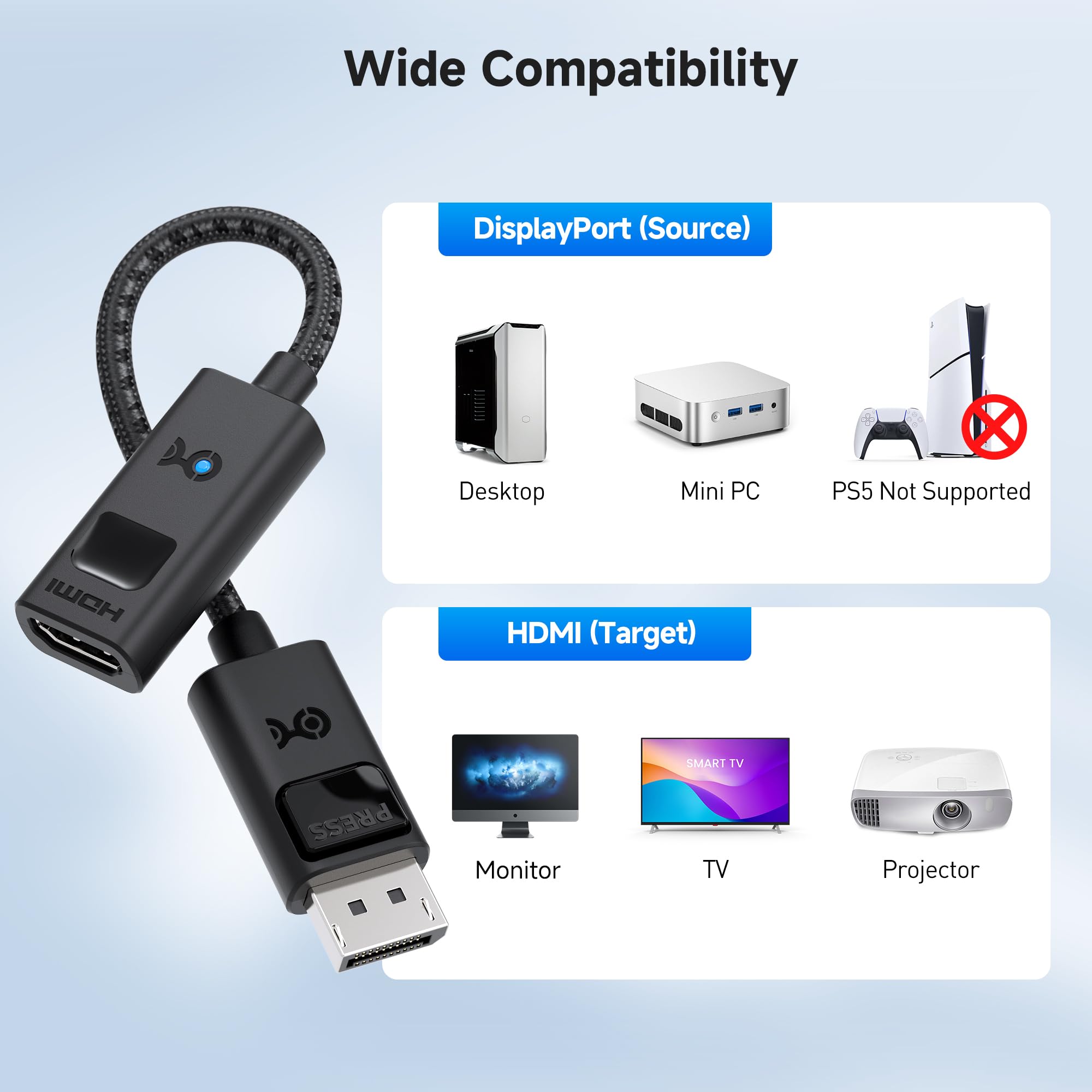
🚀 Elevate your display game with 8K clarity and 240Hz speed — don’t get left behind!
The Cable Matters 8K DisplayPort 1.4 to HDMI 2.1 adapter enables unidirectional connection from DisplayPort-equipped PCs to HDMI 2.1 displays, supporting up to 8K at 60Hz and 4K at 240Hz. Designed for high-end GPUs like NVIDIA RTX 4080 and AMD RX 7900, it delivers HDR and surround sound with a durable braided cable and LED connection indicator. Ideal for gamers and professionals seeking ultra-high resolution and refresh rates on HDMI 2.1 monitors and TVs.


| ASIN | B08XFSLWQF |
| Best Sellers Rank | #58 in Audio & Video Connectors & Adapters |
| Brand | Cable Matters |
| Color | Black |
| Compatible Devices | Laptop |
| Connector Type | HDMI |
| Current Rating | 3 Amps |
| Customer Reviews | 4.1 out of 5 stars 1,006 Reviews |
| Finish | Matte |
| Item Dimensions | 4.17 x 2.76 x 0.59 inches |
| Item dimensions L x W x H | 4.17 x 2.76 x 0.59 inches |
| Manufacturer | Cable Matters |
| Model Number | 102101-BLK |
| Nominal Power | 720 Watts |
| Number of Items | 1 |
| Number of Ports | 1 |
| Package Quantity | 1 |
| Power Plug Type | No Plug |
| Specific Uses For Product | High-resolution display connectivity in various settings, such as gaming, multimedia systems, and home theaters. |
| UPC | 818707029954 |
| Unit Count | 1.0 Count |
| Warranty Type | Limited |
A**S
Flawless VRR and 4K120 HDR on LG OLED—Now Planning Triple Monitor Setup
I bought three of these Cable Matters DisplayPort 1.4 to HDMI 2.1 adapters to drive my LG OLED TVs as monitors from an RTX 5080, and they’ve been absolutely flawless. The biggest win? They fully support VRR—and all three arrived preloaded with the 7.02.120_forVRR firmware. I had downloaded the firmware ahead of time expecting to flash them manually, but Windows immediately showed a VRR notification for each one. I verified with the Cable Matters firmware utility that all three adapters already had the correct version installed. The tool is simple and well-designed, so even if I’d needed to update them, it would’ve been easy. I’m running them at 2160p120 HDR RGB 10-bit, and they also handle YCC 4:4:4 perfectly. Since DisplayPort 1.4 is bandwidth-limited, it’s great to see the adapter properly passing through DSC (Display Stream Compression) from the 5080 to the 42" LG C2 without any glitches or image degradation. I’ve paired each adapter with Zeskit 48Gbps HDMI cables, which I highly recommend—this ensures stable bandwidth for 4K120 HDR with RGB 10-bit and VRR without signal drops or handshake issues. Over the past few days of testing, they've been rock solid—no flickering, no handshake delays, and no stability issues through reboots, resolution changes, or long sessions. HDR signal passthrough works flawlessly, with accurate color, proper contrast levels, and clean gradients—no banding or chroma issues observed. These adapters also run cool and feel well-built, with a compact and flexible design that makes them easy to route even in tighter setups without crowding nearby ports. Now that I know these work reliably, I’m planning to expand to a triple OLED setup using three 42" LG C4 TVs as monitors. These adapters are perfect for unlocking full-feature HDMI outputs on NVIDIA cards that typically only offer a single HDMI port—now I can run four displays at full 4K120 HDR with RGB 10-bit and VRR. Can’t recommend these enough.
D**L
Black screen and Flickering ( SOLVED )
( Previous review ) After I searched about a solution to use an old GPU with a new LG C2 TV/Monitor I found this adapter and after I read other reviews I bought it right away with HDMI 2.1 cable as well to try it but unfortunately it doesn't work for me. I have ASUS 2070 Mini OC edition GPU and recently I bought LG C2 48" to use it as a monitor for my PC. Yes I can choose from 30hz to 120hz and HDR (8-10-12) and I thought that's it just plug and play but this is not the case. When I try to play any games ( eg. Hearthstone / Dying Light 2 / The witcher 3 ) the TV start flickering and after a few seconds it turns black then disconnect. Some times I need to disconnect HDMI cable and reconnect it again or doing a force quit from the game to get it back to normal. When it start flickering I switch to my second monitor and click on desktop in this weird situation the LG C2 shows the game running without sound and once I click on main screen it start to flicker again. I tried everything from update Windows and NVIDIA card to trying another HDMI cable to ON/OFF HDR to change resolution and even reduced the Refresh Rate to 60hz but all gave me same result. I really wish this adapter works as intended to enjoy my LG C2 TV without the needs to upgrade GPU but unfortunately for some reason it doesn't. Maybe I got a faulty one or it's not working as advertised as a simple plug and play solution. ( UPDATE ) Customer service team reached out to me regarding this issue and resolved the problem with there excellent knowledge and experience. If you experience the same problem like me simply open the GPU control panel and go to Setup G-SYNC, untick the option “Enable settings for the selected display model” this should resolve the problem. I have noticed a cut off of sound from the TV every once a while for split of seconds and come back when I play games or on a normal activities such as watching a YouTube video and I change some cables and reconnect it and it's gone now and the sound works great w/o any problem. Definitely I recommend this adapter. It'll well increase your enjoyment of your games especially with HDR and 120Hz.
J**F
Solid Adapter with Great Features, but Specs Can Be Misleading
I picked up this Cable Matters 8K DisplayPort 1.4 to HDMI 2.1 adapter to connect my DisplayPort-equipped GPU to my HDMI 2.1 TV, and for the most part, it works as advertised. Build quality is excellent — the braided cable feels durable, the molded strain relief should help it last, and the LED connection indicator is a nice touch. It supports high resolutions and refresh rates, HDR, and surround sound, making it a great option for gaming or 4K/8K media. However, there’s one important technical caveat that isn’t clearly explained in the product specs. While the adapter claims HDMI 2.1 support (8K@60Hz, 4K@120/240Hz), it’s still limited by the DisplayPort 1.4 bandwidth on the source side. That means those higher refresh rates and resolutions often rely on heavy DSC (Display Stream Compression), which can noticeably reduce visual quality, especially in fast-moving content. If you expect full uncompressed HDMI 2.1 performance, this limitation may be disappointing. For reference, my monitor is a Asus 42" 120Hz 4K OLED with HDR and full 10-bit color. On a display of this caliber, DSC would be a gross degradation of quality, introducing artifacts and compression that completely defeat the purpose of such premium image fidelity. Because of that, I will never enable DSC and expect uncompressed signal quality whenever possible. For most users connecting a modern GPU to a high-refresh-rate monitor or TV, it’s still a solid and reliable adapter — just go in knowing that the bottleneck is DisplayPort 1.4, not HDMI 2.1.
T**K
This works, unlike cheap alternatives
I did buy this adapter after failing to connect things with ”DPort to HDMI cable”. The cable apparently did not adapt any signals at all (assumes the connected devices can somehow figure it out), but this little device worked perfectly and handles all the signals required, it even has a small LED to tell it is operational - and no external power is required which is a big plus
T**M
Doesn't work as advertised. Check the reviews.
This is a very simple review: this adapter is exceptionally glitchy, unstable, and simply doesn't work as advertised. Use case: MSI GTX 1060 6GB Gaming X that I simply wanted to get a 4k@120Hz signal out of. The DP version for this card is 1.4; the required version for this adapter. I used both a certified 8K/4K@120Hz HDMI 2.1 cable and the cable from the Xbox Series X (also 8k/4K@120Hz certified.) Finally, I have a 77" LG C3 with a 4K@120Hz-enabled HDMI 2.1 ports. Expectation: the computer turns on and displays the option to set it to 120Hz mode. Reality: it turns on and Windows 11 Pro gives you the option to set to 120Hz, at which point the TV freaks out and displays horrible "snow" like it's CRT trying to tune into an non-existent VHF signal. Fine, turn it off and back to 60Hz. It works fine at 60Hz. (So does HDMI 1.4...), let's try to restart the computer. Oh, now the computer hangs and has absolutely no display output on HDMI or DP on this or a Viewsonic (blah blah blah irrelevant 27" 1440P monitor.) Cool. Remove the adapter and restart, now it displays on both, unplug the monitor, set back to 120Hz, and still distortion. Google: "Firmware update to enable DP 1.2 and 1.4 features on Pascal-generation cards (10xx): "Some... 1030 [Doesn't support DP, LOL Nvidia], 1050, 1060, 1070, and 1080 and all variants, i.e. 1080ti cards might not support 1.2 and 1.4 features until this firmware update is applied." Okay, let's install that. Computer restarted and hung again, restart again with no adapter plugged in, comes up fine. Annnd it still goes snow mode when you set it to 120Hz mode. Re-running the firmware update tells me it's on the correct version. Other suggested resolutions from other reviewers: turn off G-sync in Nvida Control Panel, enable HDMI Deep Color on the TV, try Game Mode, latest drivers, etc. It simply doesn't perform the advertised task of converting a DP 1.4 port into a HDMI 2.1 port, despite all other pieces supporting the signal. My Series X runs at 4K120 all day long. My TV reports all of the checkboxes work with the system. (The LG C3 has 3 identical inputs with the remaining one simply supporting eARC, they all support the same inputs. For grins, I did try all 4.) Nvidia control panel didn't let me see or set set anything above 60Hz. I made a custom resolution and the TV freaked out when I applied it. I did try changing RGB/YCb Cr4:2:0, and 4:2:2 but it didn't like any of them. Also, as reported by others, even at 4K 60, the audio drops out randomly with 5.1, Dolby, and DTS content. This seems to be a bug as well.) Cable Matters states on their website: For dedicated graphics, an Nvidia RTX 2060/3060 or an AMD Radeon RX 6000 Series or newer graphics are required to achieve 8K@60Hz video. 4K@120Hz and 8K support may require a firmware update on some 8K TVs. 4K@120Hz and 8K support must be manually enabled on some 8K TVs. VRR/G-Sync/FreeSync are not supported. (The first statement is false, as you can easily get 8K60 working on 10000-series cards over DP 1.4 when it's true DP -> DP.) Now, Cable Matters' website has a firmware update option for the 102101, but mine is already on the latest 7.02.120 version available. The specs, asterisks, and warnings all pertain to: requiring DP 1.4 and requiring a 2000 or 3000 series card for this to work at 8K. They all say you might need to update the software on your card, TV, and adapter. That's all done. It doesn't work An adapter shouldn't hang a computer when it starts up... ever. I'm officially out of ideas and patience. It's going back to Amazon.
S**H
Works as expected
I’ve been looking for a way to connect my PC (which only has DisplayPort 1.4 available) to my LG C3 OLED TV to take advantage of HDMI 2.1 features. Most adapters claim to be 4K, but they cap out at 60Hz. This one is the real deal. I’m successfully getting 4K at 120Hz with HDR enabled. The build quality feels premium with the braided cable and aluminum housing. It’s plug-and-play with no flickering or signal drops so far. If you're trying to bridge the gap between a high-end GPU and a modern 4K TV, this is exactly what you need.
M**O
Works well with a triple 4k setup for a sim rig + PC
I built a race/trucking/flight simulator with three 4k 120hz Tv's. Since the TV's do not have a displayport output, I picked these up and they work great. I am able to do 11520x2160 @120hz while playing my sims. Its been going strong for over a year now.
S**T
Worth it!
This adapter replaced an older version with 2.0 HDMI specs and I saw an immediate difference. The older adapter didn't want to play HDR and I had to use HDMI to HDMI to do so, but the Displayport adapt had a slight edge in the way the screen looked. However, the HDMI to HDMI didn't like playing a higher bit depth with frequent horizontal color bars using anything higher than 8 bit. Once the new one was installed the new default bit depth was 10 with 12 being selectable without the color bars of the double HDMI connection. I can also tell an improvement in screen response even though the refresh rate is still at 60 Hz. Nice to get better color saturation and smoother response for such a cheap price.
Trustpilot
3 days ago
1 month ago