
DOWNLOAD THE APP


Customer Services
Copyright © 2025 Desertcart Holdings Limited
DOWNLOAD THE APP


🔥 Dominate the game, own the moment.
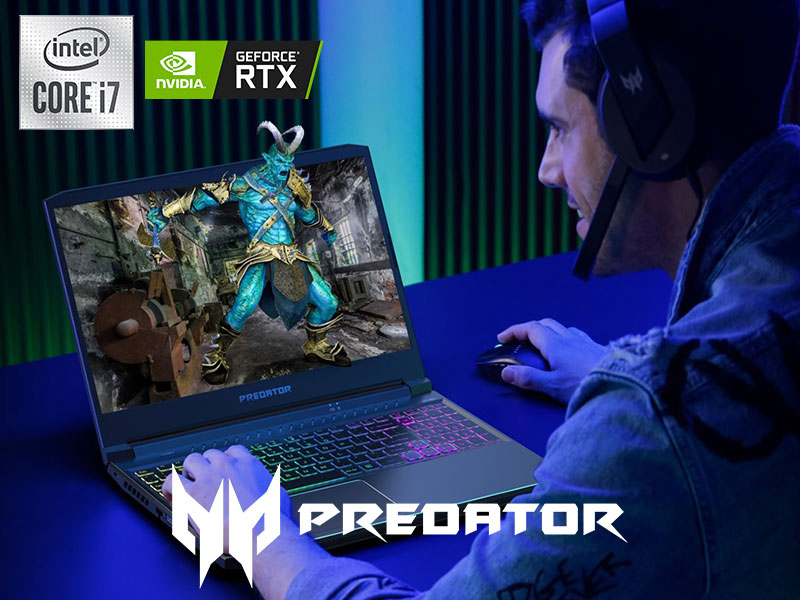
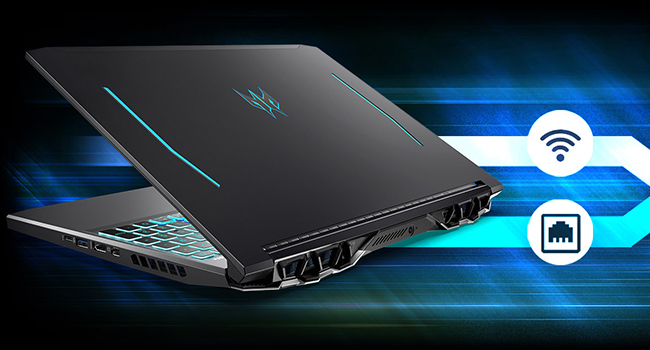
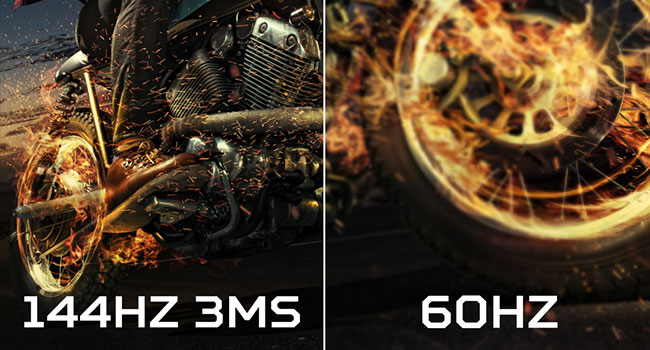
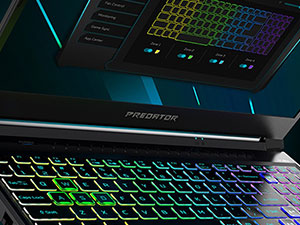
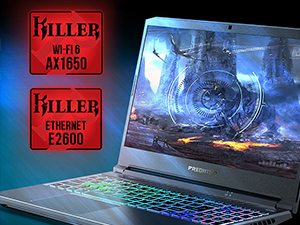
The Acer Predator Helios 300 PH315-53-71HN is a powerhouse gaming laptop featuring a 10th Gen Intel Core i7-10750H 6-core processor, an overclockable NVIDIA GeForce RTX 3060 GPU with 6GB GDDR6 VRAM, and a 15.6-inch Full HD IPS display with a 144Hz refresh rate and 3ms response time. Equipped with 16GB DDR4 RAM and a 512GB NVMe SSD, it offers fast load times and smooth multitasking. Advanced Killer Double Shot Pro networking ensures lag-free online play, while the customizable 4-zone RGB keyboard adds flair. Despite its premium performance, users should note the limited battery life and potential fan noise during intense sessions.








| ASIN | B08VKV5WQ1 |
| Are Batteries Included | Yes |
| Audio Details | Speakers |
| Average Battery Life (in hours) | 6 Hours |
| Average Battery Standby Life (in hours) | 6 Hours |
| Batteries | 1 Lithium Ion batteries required. (included) |
| Best Sellers Rank | 105,816 in Computers & Accessories ( See Top 100 in Computers & Accessories ) 1,993 in Traditional Laptops |
| Brand | acer |
| Colour | Black |
| Computer Memory Type | DDR4 SDRAM |
| Connectivity Type | wifi 6 |
| Customer Reviews | 4.4 4.4 out of 5 stars (475) |
| Date First Available | 7 Mar. 2021 |
| Delivery information | We cannot deliver certain products outside mainland UK ( Details ). We will only be able to confirm if this product can be delivered to your chosen address when you enter your delivery address at checkout. |
| Form Factor | Laptop |
| Graphics Card Description | Dedicated |
| Graphics Card Interface | Integrated |
| Graphics Card Ram Size | 6 GB |
| Graphics Chipset Brand | NVIDIA |
| Graphics Coprocessor | NVIDIA GeForce RTX 3060 |
| Graphics RAM Type | GDDR6 |
| Guaranteed software updates until | unknown |
| Hard Disk Description | SSD |
| Hard Disk Rotational Speed | 7200 RPM |
| Hard Drive Interface | Solid State |
| Hard Drive Size | 512 GB |
| Hardware Platform | PC |
| Item Weight | 2.5 kg |
| Item model number | PH315-53-71HN |
| Lithium Battery Energy Content | 57 Watt Hours |
| Lithium Battery Packaging | Batteries contained in equipment |
| Lithium Battery Weight | 6 Grams |
| Manufacturer | Acer |
| Maximum Memory Supported | 64 GB |
| Memory Clock Speed | 2933 MHz |
| Memory Technology | DDR4 |
| Number Of Lithium Ion Cells | 4 |
| Number of Ethernet Ports | 1 |
| Number of HDMI Ports | 1 |
| Number of Lithium Metal Cells | 2 |
| Number of USB 3.0 Ports | 3 |
| Operating System | Windows 10 Home |
| Optical Drive Type | No Optical Drive |
| Power Source | Battery Powered |
| Processor Brand | Intel |
| Processor Count | 6 |
| Processor Speed | 2.6 GHz |
| Processor Type | Corei7-10750H |
| Product Dimensions | 36.35 x 25.5 x 2.29 cm; 2.5 kg |
| RAM Size | 16 GB |
| Resolution | 1920x1080 Pixels |
| Screen Resolution | 1920 x 1080 pixels |
| Series | Predator |
| Speaker Description | Stereo Speakers |
| Standing screen display size | 15.6 Inches |
| Voltage | 230 Volts |
| Wattage | 230 watts |
| Wireless Type | 5 GHz Radio Frequency |
E**T
My name is Commander Shepard, and this is my favourite laptop in the Citadel
I spent a long time searching the Internet for a good gaming laptop, and after much delegation I decided on this; I made the right choice! I've tried to simply the computer jargon in the review for those who aren't all knowing about computers. The Good - GPU: Graphics card is RTX ready, and can easily handle games like Cyberpunk 2077 (which I highly recommend) on the highest settings. FPS (how smooth a game runs) can dip when the screen gets too busy, so I knocked it down everything to High and had a more consistent experience. Gaming: Runs every modern game in my Steam and GOG library, including the Mass Effect Legendary Edition the Master Chief Collection and Sunset Overdrive SSD: 512GB SSD is as listed, SSD is superior to hard drives as it is noticeably faster to read/write to memory; meaning faster loading and downloading times. 512GB is a good amount, but the option to upgrade and add another is there, should you be inclined. SCREEN: Screen is quality with 144Hz refresh rate and 3ms delay, no complaints there. (Refresh Rate means how fast the screen updates within a time period, the higher the better; although realistically you won't need more than 144Hz) OVERCLOCKING: Comes with a handy button to overclock (run it faster than intended) your CPU should you need a boost to processing power. I don't use the feature, but it may help you reach a more consistent 60-120FPS on more intensive games, on high settings. DESIGN: The laptop looks great, and the RGB settings can be customised through the in-house software. Has a good weight, and the keyboard is decent; add your own keyboard if you want the click-clack of mechanical keys, these are nice and quiet. SOFTWARE: Comes with Windows 10, and a free 'upgrade' to a worse OS Win 11. I wouldn't recommend doing that, but you can do your own research on the matter, it might be better for you. The Bad - Just to note: most of these issues are apparent throughout most gaming laptops not just this one, but it is important you're aware nonetheless. BATTERY: Obviously, when you put a fat CPU and GPU in a laptop custom tuned to play games, you're going to make sacrifices somewhere; the battery is the first to bite this bullet. Battery life can be extended through the settings by a small margin, but ultimately you're looking at 1-2Hrs idle, easily 1Hr or less when gaming. Just don't use it when it's not on charge. Some people have noted that the battery flat out dies when not plugged in, not happened to me but it is something to consider. OVERHEATING: Look, I'll be real with you, the biggest thing that's going to kill your laptop early is the overheating. You can put the most powerful CPU and GPU, along with the most expensive motherboard together and it won't mean shit if you don't have a good cooling system because otherwise you could fry and egg on that CPU Laptops suffer the most from this, just not enough space to put in good cooling systems when the main pull of a laptop is how portable it is; classic catch-22. The laptop is marketed with the overclocking feature a mere button press away, but lacks any warning on the damage it can do. Overclocking can give you a boost to processing power, at the cost of cooking your balls should you be utilising the 'lap' part of the laptop. This, more importantly, can also eventually damage your hardware should you use it often. I can't tell you what to do, just do your own research and decide if the gains outweigh the costs, I believe this isn't needed, but that might not apply to you. I counter this by using a cooling pad for the laptop, which drops the temp a good 3-5°, not much in the grand scheme but does help when I use this on my lap. PRICE: This is just something to be aware of, but this is pretty expensive to some people like myself, that is just the cost of a gaming rig. You're getting a great GPU for the price with a great product, but if you're planning on just using it like a regular laptop there are better, more affordable options. Just be realistic with your intentions. The Ugly- NOISE: I have one gripe with this product and it is probably the only thing I dislike about it; the noise. Again, this is something that all gaming laptops suffer from. This thing sounds like a Space X launch right in your living room, and god forbid you max out the fans when overclocking because this thing will actually take off. Also, the speakers are quite possibly the worst I have ever heard. Sounds like you're eavesdropping on a conversation in a language you don't understand, in a different country through a tin can and wire set-up. Thankfully these can both be bypassed by having a decent headset, which is basically required for gaming anyway, but you're going to have to outsource a speaker if that's what you need. The headset works great, but that doesn't stop other people from hearing it, so I imagine this could easily spark a domestic situation in a busy household. Roll the credits- Good Shit, not gonna lie, if this is within your budget and the downsides don't bother you then buy this thing, I've got no regrets with this purchase and have recommended it to friends.
V**L
Quality issue - dead battery or missing battery
I received a faulty item with a dead battery, making it unusable unless connected to a charger. The delivery was delayed by more than three weeks, and even after I requested to cancel the order, the item was still delivered after four weeks.
N**R
Good with (unfortunate) Right HDMI & USB C Inputs
I have been using this laptop for a few years now ever since my Birthday and it is still functioning well today. ------------------------- Good Battery Lifespan: If you play on the laptop for hours, it's battery may lose power after around 2 hours so bring a charger with you. If you are using the laptop for a long time let's say a few years, the battery lifespan will be low to the point that the battery notification will warn you seconds before the laptop automatically sleeps. Only to be activated again after a small sufficient recharge. Solution: That situation can be resolved by manually replacing a battery with another which is worth around £30. I suggest looking for people who can help you if you don't understand how. ------------------------- Left Handed Inputs: I have to say that the designers of the laptop did not put their inputs into consideration, mainly the HDMI and USB C inputs. If you are left-handed with the mouse then you won't experience the issue but if you are right-handed who uses these inputs, its a different story. The location of the HDMI and USB C inputs are on the right center of the side of the keyboard. What this means is that when you connect your laptop to a device that relies on the said inputs such as a monitor, the wire could obstruct some of your mouse movement. This will obstruct the users game experience, especially when they want it go smooth when needed. This is especially true for combat and time-based games. If your right-handed mouse user who uses one or both of these inputs, I recommend you look else where. Solution: If you already have the laptop and don't like the location of the inputs and can't replace it. My best suggestion is to replace the HDMI cable that is designed to bend. This will give your hand and mouse more space which can be enough to avoid touching the cable. ------------------------- This review won't prevent your purchase, it is there to give you some consideration before buying it. I hope this will be enough help to understand if this is what you want or not. Thanks for reading.
C**L
Very disappointing laptop.
I have had an Acer Aspire 5750 plugged in and turned on for a decade, using Windows 7. No exaggerating at all. I've only had to change the fuse in the plug twice over those years. It's slow now, but still works great. I thought if I forked out more money for the same seemingly reliable brand that I'd get the same level of usefulness. I bought an Acer Predator Helios 300, and what a disappointment it is has been. The backlit keyboard is great, especially at night, but after a while the keys have to be pressed very, very hard to actually register as having been pressed. I'm not sure if the overheating causes it, but I've checked under the keys for debris, and it's clean. I've had it freeze on me several times too, requiring a hard reboot and loss of open files. I never wanted it for gaming, only for 4k video playback. It overheats often, even with the TurboBoost fan being turned on. Which is great in winter, but the in the summer barely makes a dent. I also have extra fans inside the raised pad underneath the laptop. Makes a difference, but not much. The worst thing I ever did with it is upgrade to Windows 11. All of the problems above got worse afterwards. Overall I feel very let down by Acer with this model, and am unlikely to spend over a thousand pounds on a future one. They're in such a rush to compete with rising specs that they've sacrificed quality over excuses to make higher profits.
E**Y
Worthless
Don't buy this if you want to don't lose money and after few months to but another leptop.
H**M
Excellent
M**.
Lieferung war super. Gerät ist für die nächsten Jahre 1. Liga reif. Leicht zu reinigen und super Leistung. Vielleicht beim Zocken zu laut, aber irgendwie muss die heiße Luft vom Inneren ja raus und kalte Luft rein. Stört nicht wenn man es ignoriert, oder Kopfhörer benutzt.
M**N
Arrived in good condition. Powerful machine and good value
A**A
Well for starters this device is great , well except for thermal performence . When im gaming this laptop run over 90c . So at this level of heat it is very uncomfortable (painful) to touch the upper part of the laptop . And mostly the cpu is the one gives you most troubles with heat. So only solution so far i found was to use throttlestop software to turn off turbo boost of the cpu and then the laptop runs even the hardcore games at around 70c. But im pretty bummed about that because as you can see one of the most famous marketing point about this laptop is its so called "4th gen aero blade fans" . And even when i turn on the max fan mode it doesnt reduce much heat when gaming (or heavy work). Mostly you can expect is one or two degrees of temperature difference. Other than that overall performence is great. As i said before if you turn off turbo mode (using throttlestop) laptop runs under 45 degrees in normal use. And you need to uninstall the pre installed predatorsense app and reinstall the new version yourself if you need the new features like predatorsense mobile connect support. And more storage would have been better but we can't complain about that at this price point. Display is gorgeous and super accurate. And no backlight bleeding at all . Color accuracy is great and good for content creation . (Only lacks G-sync ) And built design is excellent. I love it .Good job acer !!! (Even though , metal corners are sharp) *Dont keep the fans at max for long periods of time cuz this could reduce their lifespan . So I recommend undervolting the cpu a bit Turning off turbo boost And buying a cooling pad Keyboard is great , but lot dimmer than expected . especially around arrow keys it is much noticable. I also recommend locking your battery max charging limit to 80% (in acer care app) to prolong battery life. Speakers are very weak compared to the laptop. I can barely hear it from few meters away at 50% sound level . So you have to use a headphone . Specially when gaming or when your fans are at max you can't hear anything at all but the sound of two jet engines going off. So my only complains are about, 1. Good thermals for daily use but lousy for gaming (even though this is a gaming laptop). 2. Dim keyboard ( I've seen dell student laptops with brighter keyboards). 3. And Speakers are hopeless. (Use then in auto profile , cuz RPG,shooter profiles are horrible ). Other than that if you want a high end hardware enabled laptop for an acceptable price go for it . *Benchmark results were way better than I expected.
P**O
Sin duda el mejor equipo que he adquirido, lo único detalle que le encuentro es el rendimiento de la batería, la carga completa me dura 4-5 aprx, de ahí en fuera, vale mucho la pena, va super rápido con programas, soy Arquitecto y uso programas que demandan buen procesador y tarjeta gráfica, la predator Helios me va de lujo 100%
Trustpilot
3 weeks ago
5 days ago