
DOWNLOAD THE APP


Customer Services
Copyright © 2025 Desertcart Holdings Limited
DOWNLOAD THE APP
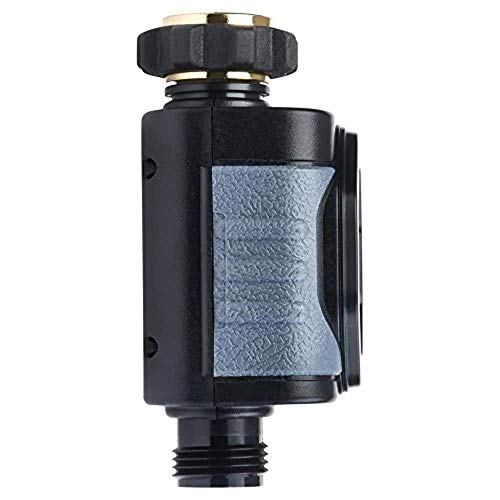


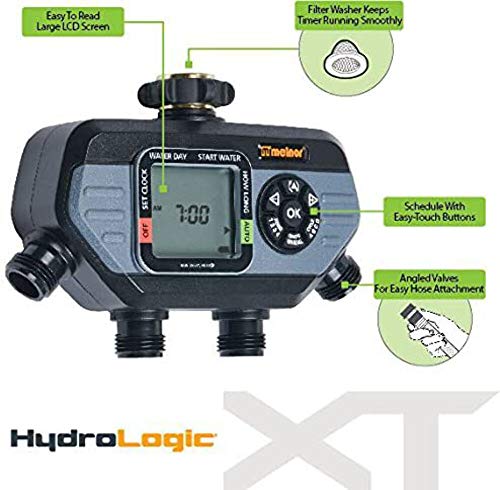

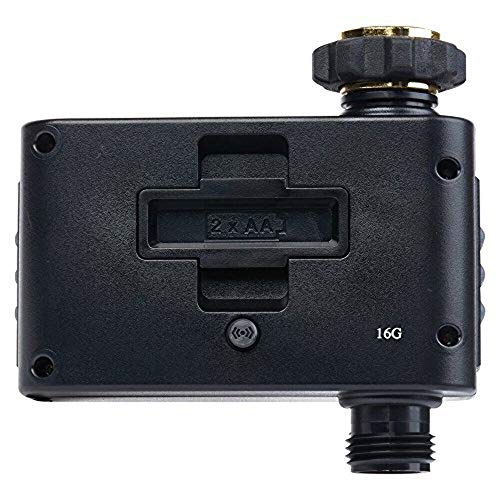


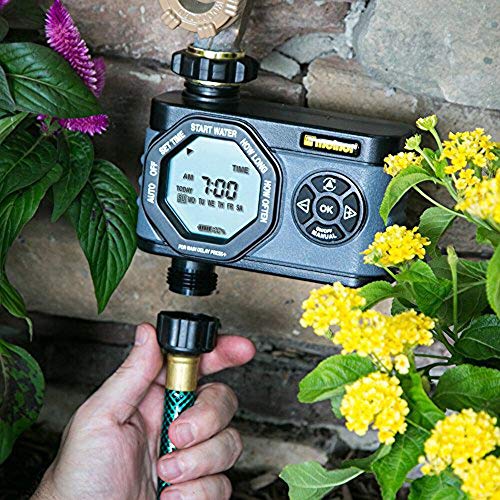

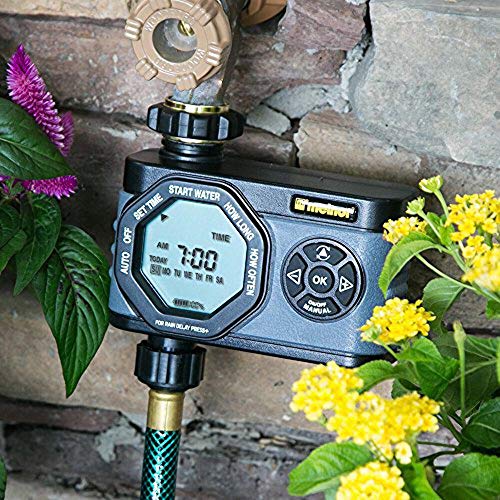


💦 Master your garden’s thirst with smart, hands-free watering!
The Melnor Hydrologic 4-Zone Digital Water Timer offers flexible, independent scheduling for four watering zones with up to 24 cycles per day. Featuring a detachable large LCD screen for convenient remote programming, a rain delay function that pauses watering for up to 7 days, and low battery consumption with 6-month battery life, it ensures efficient irrigation management. Designed for durability and ease of use, it’s the perfect solution for busy professionals seeking smart garden care.


| ASIN | B01E0LONN4 |
| Batteries | 2 AA batteries required. |
| Best Sellers Rank | #782,705 in Patio, Lawn & Garden ( See Top 100 in Patio, Lawn & Garden ) #726 in Watering Timers |
| Brand | Melnor |
| Color | Black |
| Customer Reviews | 3.9 3.9 out of 5 stars (933) |
| Global Trade Identification Number | 00042206532800 |
| Is Discontinued By Manufacturer | No |
| Item Weight | 1.28 pounds |
| Item model number | 53280 |
| Manufacturer | Melnor |
| Material | Plastic |
| Number of settings | 3 |
| Product Dimensions | 3.07"D x 7.91"W x 7.2"H |
| UPC | 042206532800 |
M**N
Decent, simple low cost timer
Update 5/30/20, had this product going on 3 years now and it still works like it did day one. I have been doing a new set of batteries at the start of the growing season and have not had a single issue in the time that I have owned it. I purchased this timer because I was having a darndest time trying to remember to water and shut off my irrigation system that waters my drip irrigation for my vegetable garden. I purchased the 4 zone timer. The overall packaging seemed less than normal, it did not have the air filled bags that seem to be the shipping rage. I don't surmise that it would have suffered any damage as it was in its own hermetically sealed package for retail sale. I found the package that housed the timer to be on the thicker side so there was some hulking out to extricate the timer. I would guess with the plastic welds and the plastic thickness that there is a strong possibility of cutting yourself if you are not too careful. I purchased heavy duty 45 degree shut-off valves because I wanted to reduce the flow rate to different hoses. For the setup it was very simple, first you add 2 AA batteries, flip it over and it's on. I noticed the display gives you a battery charge status so you can know when the batteries are due for replacing soon. Once you add batteries you set the clock, when to water, how long, and how often (either specific days or regular intervals like every 2 days). On the manifold you can manually engage a specific zone with the dial selector. I set my timer and then attached it to the bracket, it easily slides into place and clicks into specific positions and has a 180 degree range, 90 degrees from the center to the left or right. If you are looking for a low cost hose bib mounted timer this is a good choice, because of how much space it takes up I would not recommend it for tight spaces. Check out the photos they should help your decision.
J**.
Time saver, keeps trees watered
This works like a charm. Set the timer and it delivers water when you need it. The manufacturer back this up, we've had to replace it and the manufacturer honored the warranty. Very happy!
K**R
Probably the best 4-zone timer, but has its quirks!
There are 3 ways to control the water. 1) You can set an automatic schedule for each zone to automatically turn water on and off at set times (with some restrictions, see below) 2) You can set a manual schedule for each zone to start water immediately and turn off at a set time (up to 360 minutes duration) 3) You can turn a manual valve to force each zone to turn on. As other reviewers mentioned, each of these has quirks. However, nobody mentioned exactly what the quirks are. The quirks are not a show-stopper for me personally, but they are annoying enough that they ought to be disclosed clearly. There are also a number of restrictions that aren't mentioned anywhere. The rest of this review will discuss how each mode works and what the quirks/restrictions are. ------------------------------------------------- #1: Automatic scheduling Each of the 4 zones are programmed completely independently. You create an automatic schedule for each zone separately by following these steps in order: - Set a time and day of the week to start. If you want to water once per hour on every day of the week, you need to select the current day of the week and the exact time to start. If it is 6:59am Monday, and you set it to start at 7:00am Monday but it takes you 1 minute to program the schedule, then it will wait 1 week to start watering. If you turn the automatic scheduling off for some reason and then enable it again, it will wait for the next Monday at 7:00am before it resumes hourly watering. You could always change the start time for all of the zones you're using, but that's not very quick. To set the start time you have to scroll minute by minute through every possible time of day until you get to the time you want. You can't set the hour or AM/PM parts separately. - Set the watering duration in minutes. You can select 1-360 minutes (6 hours). Again, you have to scroll minute by minute through every possible option. If you select 0 minutes here, the schedule for that zone is disabled. Programming a duration of 0 minutes is the only way to turn off the automatic schedule for an individual zone. There is a separate mode to suspend the automatic schedule for all zones. - Set the watering interval. You can set intervals of 1hr, 2hr, 4hr, 6hr, 12hr, 24hr, 1 day, 2 day, 3 day, 4 day, 5 day, 6 day, 7 day. You have to cycle through each option to pick the one you want, but that's not a big deal here since there are only 13 options. Here's where some of the quirkiness comes in. Notice the 24 hr and 1 day options are two separate settings. That's because the hour options and the day options are treated very differently. If you select an interval in units of days, then you are finished programming that zone. If you select an interval in units of hours, there is an extra step: select which days of the week to water. This step seems like it was added as an afterthought. As far as I can tell, this is the only place where the OK button actually works or does anything. The + and - buttons also change and work differently here than in any other part of the programming. Instead of incrementing or decrementing a number, they scroll left and right. If you go too far, they also move you to the previous and next steps in the programming (for every other part of the menu system, you use the triangle button to do this). If you do not select any days with the OK button, it will automatically reset the interval to 1 day and take you back to the interval selection step. Was any of that confusing? It's not much clearer with the device sitting in front of you. The manual doesn't explain any of this, so you're on your own to figure it out. It's actually not too hard once you figure it out, but it is definitely quirky and annoying. So what does all this mean for automatic scheduling? You have to think a little more about how to program what you want. If you want to water every 2 days, select "2 days" and you're done. If you want to water one time a day every Mon, Tues, Fri, then select "24 hours" (NOT "1 day") and check off Mon, Tues, Fri. If you want to water every 6 hours but only on Mon, Tues, then select "6 hours" and check off Mon, Tues. You can't set irregular schedules, like watering every 6 hours during the daytime and not during nighttime. You can't set it to water every day at arbitrary times like once at 10am and again at 5pm. The closest you could get is to set it to water at 10am and 4pm (a 6 hour interval) AND at 10pm and 4am overnight. The independent programming for each zone is good and bad. It's very flexible, but it can be annoying as it takes a lot longer to program everything. Instead of telling it to automatically start the next zone every 30 minutes, you have to manually program a separate schedule for each zone. Set 4 different start times 30 minutes apart, set each of the 4 zones separately to have a 30 minute duration, and set a repeat interval of 2 hours for each zone separately. My sprinklers don't work properly if I run more than one at a time, so I need to be careful that every part of the program for all 4 zones is correct. Otherwise I could get more than one zone turned on at once, resulting in neither zone being watered properly (yes I learned this mistake the hard way). ------------------------------------------------- #2: Manual scheduling - This mode let's you select which zones to turn on immediately, and set a duration for each zone. Unlike the automatic mode above, this mode turns the selected zones on immediately and will not automatically water again until you tell it to. - You cannot enter this mode if the automatic schedule is currently watering any zone. It doesn't matter if the automatic schedule is for zone 1 and you just want to manually turn on zone 4 for 10 minutes. Turning off the automatic schedule and re-enabling it later is not as simple as it sounds because there are side-effects as mentioned above. If it is set to water every hour, and the start time is 7am Monday, then it will wait for 7am Monday. It's not smart enough to realize it's set to water every single hour of every day and start at the top of the next hour. - This mode will automatically turn off when the duration is over, but the program won't reset itself automatically. It remembers previous manual setting independently for all zones. This is why the previously reviewer recommended manually resetting the manual schedule every time you use it. If you set zone 4 to run for 10 minutes, then come back the next day and set zone 1 to run for 10 minutes, it will remember the previous manual schedule and it will start both zone 1 and zone 4 for 10 minutes. Stopping the manual mode and manually resetting all the zones to 0 is a bit of a pain, but definitely possible if you remember and have the patience. ------------------------------------------------- #3: Turning the manual valve - Each zone has a valve has two positions: "Auto" and "On". You can force the water on, but you can't force it off by using the valve if mode #1 or #2 is using it. - If you turn the valve on, the water will stay on until you turn the valve again. ------------------------------------------------- It's also worth noting that the first time I used this, Zone 4 poured out water like it was permanently on. I tried manually turning it on and off, tried setting an automatic program to cycle it on and off, etc.. Nothing worked. I was convinced it was broken until I found the troubleshooting guide. Apparently this is a common problem during shipment. You need to remove batteries for 30 seconds, reinsert, set the manual timer for the problemmatic zone to start now and turn off in one minute. That seemed to do the trick. Hope this helps! Although there are some restrictions that I didn't see mentioned anywhere, it does pretty much everything I need. The only feature I really wish I could replicate somehow is automatic watering during the day but not at night (or at least less frequently during night). It's still the best timer I've seen!
W**R
This thing makes me feel like an idiot
I own 5 Orbits, but since the 4 station Melnor is so much cheaper than the 4 station Orbit, I bought this one. It's easy enough to program and set up but after a day or 2 the first one starting reseting itself, so I would have to reprogram it almost daily. I obviously sent it back. I contacted Melnor to see if I was doing something wrong, and they said it was defective and to send it back. Now on the 2nd one, it worked fine for a week. I thought I was out of the woods but then it starts doing something similar. This time it keeps the correct time but goes into some kind of sleep mode I can't wake it out of. It won't let me move the cursor or set a manual timer, or anything. The irrigation timer isn't going off either so it's basically a clock. I tried putting new batteries in but it still went into that forever sleep a few days again later. The batteries are also brand new but the device says they are only 20% charged. Frustrating. I guess I'm to have to bite the bullet and get the more expensive Orbit.
M**I
Llego rápido, igual que en la imagen, aun no lo he probado, pero se ve de buena calidad
P**N
Funciona muy bien, la entrega fue muy rapida
S**Y
Solid product works well. I would have liked to have a locking connector for the wires in the back. The manual valves by the hose connectors seem to not work properly, opening one valve seems to trigger multiple valves. This seems to be something that multiple people have mentioned. I use the manual watering function on the timer portion instead and that works well. For the price it is a very good value and it is easy to program. I added the water sensor and it works well but the lack of a locking connection for the wire has meant that a few times the wire had come out of the timer unit.
J**.
I have. Even using for a month now and so far it is working great. It was pretty easy to figure out how to set it, and the options allowed work very well with watering restrictions. The only tricky bit for me was the manual setting. I realized. That once I had set a zone for a manual time, it was stored. Then when I went to do manual on a second line they both came on. You have to clear the previous one by selecting it on manual then decreasing the time to zero. Now your new line works fully. I have given high ratings on all aspects but will modify if it fails. As for value for money I would expect to get 3-4 summers out of it at the price I paid. $114. Melnor is really good company and very responsive if you have questions or a problem. I trust them to deliver.
A**M
Producto de excelente calidad; funciona a la perfección. Aunque el precio se me hizo un poco alto, el mantenimiento automatizado del riego de mi jardín y tenerlo en óptimas condiciones lo valen.
Trustpilot
2 weeks ago
1 month ago