We remain fully operational. Our teams are working around the clock to ensure your deliveries continue safely.

DOWNLOAD THE APP


Customer Services
Copyright © 2025 Desertcart Holdings Limited
DOWNLOAD THE APP

🚀 Elevate your home network to pro-level speed and coverage—because buffering is so last decade.
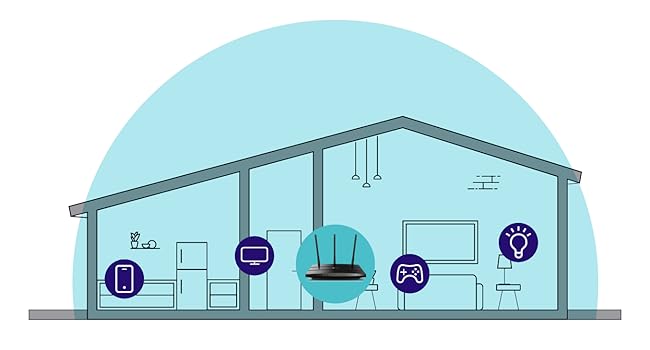
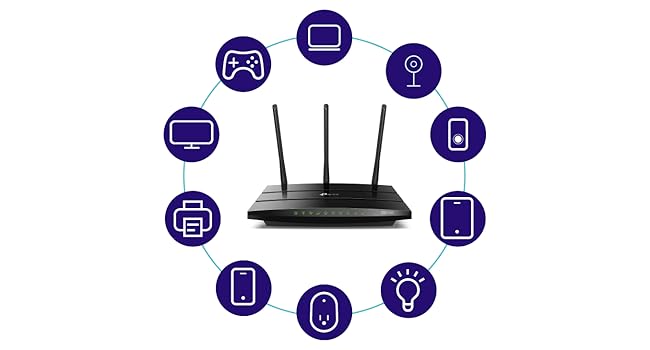
The TP-Link AC1750 Archer A7 is a dual-band Wi-Fi router and repeater delivering up to 1750 Mbps combined speed. Featuring OneMesh compatibility for seamless whole-home WiFi, 3 external antennas for extended range, and 4 gigabit LAN ports for high-speed wired connections, it supports all Wi-Fi devices and works with major ISPs. With an integrated USB port for media sharing and easy remote management via the TP-Link Tether app, it’s designed to keep your smart home connected and streaming flawlessly.

| ASIN | B079JD7F7G |
| Are Batteries Included | No |
| Best Sellers Rank | #49,110 in Computers ( See Top 100 in Computers ) #233 in Network Repeaters |
| Brand | TP-Link |
| Color | black |
| Connectivity Type | Wi-Fi |
| Customer Reviews | 4.3 4.3 out of 5 stars (92,482) |
| Date First Available | 5 May 2024 |
| Hardware Platform | Windows;Mac;Linux-based;iOS;Android |
| Item Weight | 422 g |
| Item model number | Archer A7 |
| Lithium Battery Energy Content | 4.9 Watt Hours |
| Lithium Battery Packaging | Batteries contained in equipment |
| Lithium Battery Weight | 0.8 Grams |
| Manufacturer | TP-Link |
| Number of Ethernet Ports | 4 |
| Number of USB 2.0 Ports | 1 |
| Operating System | Microsoft Windows 98SE, NT, 2000, XP, Vista or Windows 7, Windows 8/8.1/10, MAC OS, NetWare, UNIX or Linux |
| Product Dimensions | 24.36 x 16.05 x 3.28 cm; 421.84 g |
| Series | Archer A7 |
| Voltage | 120240 Volts |
| Wireless Type | 802.11ac, 802.11b, 802.11g, 802.11n |
M**A
Perfect
Works so well 👌🏻
S**K
Best speed & cover
If you do this, you will get a lot of good performance. High speed is very good
S**H
Not good
Dont buy this very slow
R**T
Average device...not a great product
Its been a couple of weeks since I set up the Wi-fi range extender. I would say this is an average device and doesn't provide the extended range as much as I expected and what is written on the product description. The device is installed 4 meters away from the main router and near the bedroom door and yet it doesn't provide the full signals inside the room and it keeps disconnecting and reconnecting. With the overall performance of this device... I am not satisfied.
C**.
Work well. Satisfied
Product works well. I'm satisfied
N**M
Delivered on time. Good product
Very usefull utility
R**Z
Tp link
Work properly
H**M
حلو
K**R
I just finished installing the A7 TCP-Link 1750AC router replacing a 6 year old Linksys E2500--having had to replace my modem earlier in the week after it failed and went into a reboot loop. The Linksys worked but not reliably of late and it was slow for a dual band router. I opted to use the quick install and then tweak later using the full featured web interface. The install using TP's Tether app from my iPhone worked but not without a few missteps--a failure to connect to the router at first using the 5G SSID worked once I tried with the 2.4G. A second hiccup occurred when binding the router--it froze and I had to go back and repeat the step. I could have just logged in to the router from a laptop but wanted to see how well the app worked. I highly recommend this approach for newbies--as the steps involved and required knowledge of how routers work could prove a bit daunting for a total novice. That said, once installed and configured with the same SSID and password as my old router to save having to reconfigure a lot of devices (including a Netgear extender) everything worked and the entire process took less than 45 minutes. Once I had everything working I logged in to the full web app giving me access to the router through a thoughtfully designed interface . I made my security tweaks, set up a guest network, enabled Alexa control and tested every device to be sure all was in good order and then made a backup of the configuration--having been forewarned that a firmware upgrade would cause me to lose what I had just done. As it happened a firmware upgrade was indicated so I chose the automatic upgrade option but to my surprise everything stayed intact iso I did not have to resort to a restore from the backup--still I am a belt and suspender guy having sent too many years in IT and learning the lesson early on that what can go wrong will. So--the big payoff was the throughput. I used an app called Speedtest and was a very pleased to see a 3x improvement in download-regardless of which server I selected. Upload was slightly better but that is not generally an issue. My TV, Sonos products, 2 iPhones, extender, 2 computers and 2 Kindles all worked without any changes needed ( the virtue of keeping my SSID and passwords the same as before). Performance is obviously much improved. I would have given this a 5 star but for the two hiccups and a little more clarity in the basic quick setup about a few functions. Otherwise as the title say it was a near perfect install and if this router lasts as long as the linksys. Range has also improved greatly and I may not need the extender to get from the router to the most distant room but as the router is in a utility closet where the modem, Sonos bridge and a few other devices live I'll keep it up. Our house is about 2,500 sq. ft if that gives you an idea of range. The signal is robust from every room.
S**M
Purchased this Wi-Fi Extender as I need to extend my exiting network and cover all the dead areas of my house. It is doing a great job till date. I was able to extend the network and all the dead spot vanished. The coverage has been wonderful and with both the 2.4 GHZ and 5 GHz channels, it covers all the devices providing them with optimum speed and bandwidth. The installation has been an easy one as I have followed the steps to install it as per the instruction manual. Even when ever it's been switched off by mistake it takes just a few minutes to come up to speed and start's providing great network connectivity. It's a great product and would not hesitate to recommend it to anyone who want's a quick, easy and cheap way to extend their current network area.
M**H
I bought this to add to another TP-Link Archer C7 I bought a couple of years ago with the aim of putting OpenWRT on it. I discovered this model was now no longer made but ordered it anyway since OpenWRT is known to work on it. However, it is an American model with a USA power supply (it came from Florida) but that is no problem with a UK adapter. The router is also an Archer A7 which apparently is identical to the Archer C7 according to the OpenWRT site. Seems to be working fine.
K**A
I've become a fan of TP-Link in recent months. I install internet for a living right now and I've been looking for a simpler solution to recommend folks. You can go blow huge money on mediocre mesh systems like the Orbi which will set you back $500 for a 3-pack these days, or you can buy a TP-Link router and buy a couple of these extenders and create a smooth mesh system that's low-profile and can get you up to 3,000-4,000 sq ft of coverage without breaking a sweat or spending all afternoon getting it squared away. If you download the Tether App from TP-Link, it's easy to get these extenders setup. Right now I'm not connected to a TP-Link router but eventually I'll probably replace my modem/router combo from my ISP with a TP-Link A7 or whatever their AX/WIFI-6 setup is because I like the idea of a mesh network but I don't like the restrictive nature of some of the ones out there. All that being said, this extender seems to get the job done. I still get hiccups and packet loss but I'm starting to think it has everything to do with my ISP's modem/router unit or my ISP specifically and less-so the equipment in my home. I have a 3 level home (2 main floors and a bonus room/attic at the top) and want quality wireless connections on every floor. I sat this extender on the 2nd floor and game and use my PC on the 3rd floor. I initially used the 5G band for the better speed but as I sorted through the settings on TP-Link's Tether app, I found that there's a "high speed mode" available. What I quickly found is that you can choose 1 of 2 things here: use the 2.4 GHz WIFI band from your internet source broadcast as a dedicated communication channel or a 5 GHz WIFI band dedicated to communicating with your internet source broadcast and then use the other band to connect your devices to. What that does (I happen to be familiar with this process - there's no real instructions) is create a finite connection over one band and throttle-up the other band for your devices to connect to. I used the 5 GHz band to create the modem/router > extender pairing for maximum performance between those two devices (they aren't that far away from each other so the 5 GHz band is fairly strong where the extender is) then I use the 2.4 GHz band to connect my Xbox One X and my PC. The results are fantastic for the price I paid for the extender. I ran a speed test on my Xbox One X and got 105 Mbps down, 10 Mbps up, 100% wireless connection strength, 0% packet loss, and 24 ms ping. That's solid performance given that my maximum download speed is 150 Mbps if the network is completely free of other users. You may or may not need to use the "high speed" setting and dedicate bands like I did, but I wanted my connection to be as solid as I could make it so I used the faster band to connect my extender to the internet and the "slower" band (2.4 GHz is slower most of the time) to establish high quality connections with my devices so I can move around more. I'm very pleased so-far. If anything changes I'll report back but I spent a couple hours testing out online gaming with my Xbox and it seems to work pretty well. A couple hiccups at first but the experience smoothed out quite a bit as time went on.
Trustpilot
1 month ago
2 weeks ago