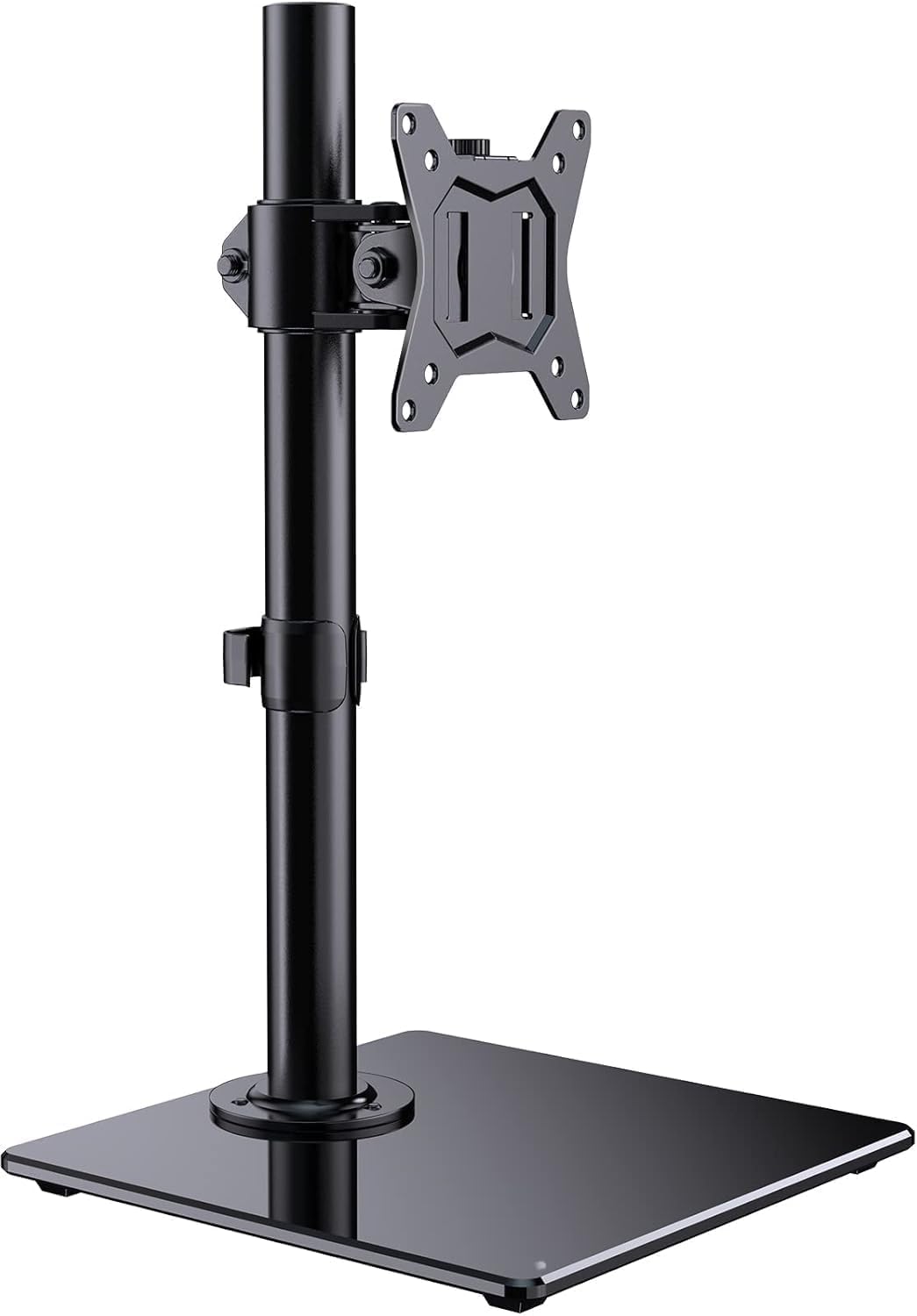
🖥️ Elevate your workspace, own your view, and never settle for less!
The ErGear Single Monitor Stand is a premium freestanding mount designed for 13-32 inch monitors weighing up to 8kg. Crafted from durable alloy steel with a tempered glass base, it offers flexible height, tilt, swivel, and 360° rotation adjustments. Its freestanding design maximizes desk space and supports VESA 75x75 and 100x100 mounts, making it ideal for professional setups seeking ergonomic comfort and sleek aesthetics.


| ASIN | B089GW8YJK |
| Best Sellers Rank | 4,926 in Computers & Accessories ( See Top 100 in Computers & Accessories ) 47 in Computer Monitor Arms |
| Brand | ErGear |
| Brand Name | ErGear |
| Colour | Black |
| Compatible Devices | Television, Monitor |
| Compatible devices | Television, Monitor |
| Country of Origin | China |
| Customer Reviews | 4.4 out of 5 stars 4,888 Reviews |
| Enclosure Material | Alloy Steel |
| Item height | 41.6 centimetres |
| Manufacturer | ErGear |
| Material | Alloy Steel |
| Maximum Tilt Angle | 45 Degrees |
| Maximum-Supported Screen Size | 32 Inches |
| Minimum-Supported Screen Size | 13 Inches |
| Mounting Type | Tabletop Mount, Floor Mount |
| Mounting type | Tabletop Mount, Floor Mount |
| Movement Type | Rotate, Swivel, Tilt |
| Movement type | Rotate, Swivel , Tilt |
| Product Warranty | 90 days from purchase date |
C**S
Very sturdy and nice base.
I brought this to use with my LG27GL850 monitor, the LG monitors come with a ugly base that is 19 inches wide taking up far too much desk space. I carefully went through various products, which most had bad reports of not been able to hold the panels properly due to been too weakly built, and this one took my fancy because it doesnt hold onto edge of desk, has its own base instead, and the reviews were much more solid. I agree with the reviews, this very sturdy, I have no fear of it suddenly falling over or losing its tilt/height adjustment. Installation is documented very well and not overly difficult, the part you may have concern with is fitting onto the back of the display as I did it on my own I had it face down in the foam that the monitor was shipped in whilst putting on the mount. I didnt use that little plastic thing with the stars on, thats the only part of this product that looked cheap, it seems out of the place, as without it, the base looks clean. The swivel works without anything needing adjusting, so easy to push screen left and right, height and tilt do require you to loosen with alan key, make the adjustment, then retighten again, which is a bit awkward, and needs to be really tight. However those 2 adjustments I wont be making very often if at all now, the swivel is the one that I might use now and again, and thats easy, most monitors now days dont support swivel at all, so this is a vast improvement. The space I saved? LG stock base is a massive 19 inches wide, this one is 9 inches.
A**R
Monitor stand
Well made and holds my 27" gaming monitor perfectly. Free standing too so easy to move around.
E**S
Straightforward simple stand for screens and TVs up to 32 inches
I eventually bought this stand after many frustrations with a "universal" stand that supported screens up to 52 inches. I expect it did, but it wasn't very suitable for my 32 inch TV - mostly because its larger components covered up the TV's connectors! It was also very complicated (many parts) and I didn't like the TV was left hanging off a rail. Anyway... I bought this ErGear Single Monitor Stand for my 32 inch TV, despite the name. All you really need is VESA standard mounting sockets (screw holes) on the back of your screen with 75mm or 100mm spacing. INSTALLING Not much to this. The instruction sheet is OK: 1: Stick the self-adhesive rubber feet to the underside of the base 2: Stick the self-adhesive circle of felt to the underside of the upright pole 3: Screw the base to the upright 4: Loose the mounting bracket so it will slide onto the pole, position it at the right height and tighten the screws 5: Screw the VESA mounting plate to the back of your screen 6: Attach the TV to the stand - by dropping the mounting plate into the V-shaped docking area on the mounting bracket 7: Attach the knurled locking screw to hold the mounting plate to the mounting bracket 8: Make any final adjustments and tighten the screws ASSEMBLY HINTS To fit the base to the upright, you need to pass 3 short Allen screws through a washer, the base, a plastic spacer, and into the threaded holes in the upright. It's hard to keep all those components lined up! My solution was to turn the base upside down, put the screw + washer into each hole, then hold it in place with sticky tape. Now you can turn the base the right way up, add the spacers, and sit the upright with the threaded holes over the screws, and (finally) start screwing it together. It would be a lot easier if the manufacturer used longer screws and nuts. Ah well. BEST BITS + Simple, robust design + Just a few parts to assemble - quite quick and intuitive + Good range of adjustments available (height, horizontal angle, vertical angle) WORST BITS - The self-adhesive feet weren't. I had to use glue - Attaching the base to the upright was really awkward (see ASSEMBLY HINTS above) - The adjustments are all friction-based. If your screen is heavy these need to be quite tight - The stand is very adjustable, but you won't want to adjust it often - A bit wobbly, my 32 inch TV is probably a bit too heavy CONCLUSION A good stand, but assembly is a bit awkward, the adhesives had dried out, and adjustments could be easier. Four stars.
C**B
Excellent product good price
I’ve used this stand with the Toshiba 24WK3C63DB 24-inch, HD Ready, Freeview Play, Smart TV, Alexa Built-in (2021 Model) The stand is absolutely fantastic and was very easy to build myself and 9yr old daughter did it together. Very good quality, heavy and solid and easily attached the tv. A good price very pleased. Does have good swivel capability and it’s versatile as well.
J**R
Sturdy and inexpensive
Brilliant stand. Easy to assemble and very sturdy. Have mounted a 24 inch monitor in portrait as a second screen and is easy to adjust angles to get it just right.
C**Y
Great stand! Using it with Echo Show 15!
Great stand. My second one! First one I used with a monitor. The second one I used for an Echo show 15. This stand cost £20.... no need to buy any more expensive ones like the recommended one which costs £100! Ensure you attach power cable first and push cable into bottom vertical channel groove for the cable then install the mount. If you install mount first, there's no space to then attach the power cable. Black glass base looks great. Height adjustable, swivel and tilt too!
M**D
Fair to Middling
So just popping this here, if this is 75cm then i'm 12 foot as there's no way this is 3/4 of a metre. It's taller than the stand that came with the monitor which is the main thing for me Other than that it's easy enough to put together but be aware that when the pole is screwed to the base you have 2 options : 1) Bolt from the top where you can see the top of the bolt and base is very loose 2) Bolt from below as designed but the top of the screw poke out about 2mm
J**S
Worth the price.
This product is slightly heavy but is pretty much sturdy, and the glass base gives it a premium feel. It holds the monitor very well and it has holder for your cables. You can easily swivel the monitor to your liking so this is worth your money.
Trustpilot
1 month ago
1 month ago


