
DOWNLOAD THE APP


Customer Services
Copyright © 2025 Desertcart Holdings Limited
DOWNLOAD THE APP
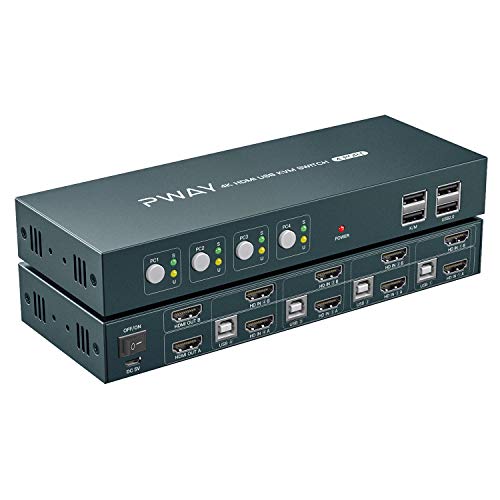




Buy 4 Port KVM Switch HDMI Dual Monitor Extended Display, 4K@30Hz 2 USB 2.0 Hub, Wireless Keyboard & Mouse and Hotkey Switch Supported, 4 in 2 Out, Powered by USB: KVM Switches - desertcart.com ✓ FREE DELIVERY possible on eligible purchases Review: 3 PCs, 2 monitors, 1 wireless KB/mouse + webcam all play nice together - I needed a device to connect a menagerie of computer equipment, and be able to switch between multiple PCs while using one set of peripherals. This switch is performing the task very well, calling it 4-1/2 stars overall. Tight spacing between cable connections made initial install a bit tough, it's a compact box. Also, if using DP to HDMI adapter cables, make sure to use the proper directional type of good quality, I had to try a couple different brands. There is a delay when hot switching, but not enough to be an issue. Also, having the wireless KB/mouse dongle plugged directly into the KVM resulted in a lag, was solved by using a USB extension cable to get the dongle away from the electronics. At first I was having troubles getting two monitors to work and reached out to the seller for suggestions. They advised to try a better brand, which worked. The seller responded within 24 hours and followed up afterwards to make sure I was happy. 5 star support. Review: Works fine but... No virtual connection and it will wipe any drive you stack on top. - I was able to plug my 2 monitors, Keyboard and Mouse and then to the computers (3 in my case) and after rebooting Windows seems to have collected the appropriate drivers because the switch works fine. The only thing is that every time I switch from one computer to the next I hear the Window's sound of plugging and unplugging peripherals, which leads me to believe the switch doesn't keep a virtual connection between the monitors, keyboard and mouse. NOTE: I have not yet contacted tech support *** which I know is decent because I had to contact them on another 2 computer KVM switch from the same company. ANOTHER NOTE: I have not tried it on this 4 computer switch but on the 2 computer switch if you put any storage device on top of the KVM switch it will erase your data just as if you had place the storage on a strong magnet. My external 1TB drive got wiped out after placing it on top of the KVM switch. So be careful there. ================ January 2023 Update. This is a work horse as I've had no performance issue except for When using a "Microsoft Natural Keyboard Elite" the keyboard hot key (Hit Ctrl 2 times and then 1, 2, 3 or 4 to select computer) switch doesn't work. I have changed the keyboard back to the "Microsoft Natural Ergonomic Keyboard 4000" and the hot key switch works like a charm. Also, Customer Service has gone down. I tried requesting help for Driver information as I upgraded one of the computers but they are nowhere to be found. So, WARNING... If it doesn't work right off the bat (it probably will) and you need help, you are on your own. I won't downgrade the star rating because of this customer support issue because the unit works well and it is unstoppable. Just be careful with the magnetic field as it will erase any drive you lay on top of the KVM switch.
| ASIN | B088LW1RJ3 |
| Actuator Type | Push Button |
| Brand | AAO |
| Circuit Type | 4-way |
| Connectivity Protocol | Hdmi |
| Connector Type | Usb 2.0 |
| Contact Material | Copper |
| Contact Type | Normally Open |
| Control Method | Touch |
| Controller Type | Push Button |
| Date First Available | May 14, 2020 |
| International Protection Rating | IP54 |
| Item Weight | 3.62 pounds |
| Item dimensions L x W x H | 8 x 3 x 1.1 inches |
| Item model number | 4*1 |
| Manufacturer | PWAY |
| Mounting Type | Plug In Mount |
| Number of Items | 1 |
| Number of Positions | 4 |
| Operation Mode | manual |
| Product Dimensions | 8 x 3 x 1.1 inches |
| Terminal | Blade |
| UPC | 782910318085 |
| Unit Count | 1 Count |
| Wattage | 7 watts |
D**A
3 PCs, 2 monitors, 1 wireless KB/mouse + webcam all play nice together
I needed a device to connect a menagerie of computer equipment, and be able to switch between multiple PCs while using one set of peripherals. This switch is performing the task very well, calling it 4-1/2 stars overall. Tight spacing between cable connections made initial install a bit tough, it's a compact box. Also, if using DP to HDMI adapter cables, make sure to use the proper directional type of good quality, I had to try a couple different brands. There is a delay when hot switching, but not enough to be an issue. Also, having the wireless KB/mouse dongle plugged directly into the KVM resulted in a lag, was solved by using a USB extension cable to get the dongle away from the electronics. At first I was having troubles getting two monitors to work and reached out to the seller for suggestions. They advised to try a better brand, which worked. The seller responded within 24 hours and followed up afterwards to make sure I was happy. 5 star support.
L**N
Works fine but... No virtual connection and it will wipe any drive you stack on top.
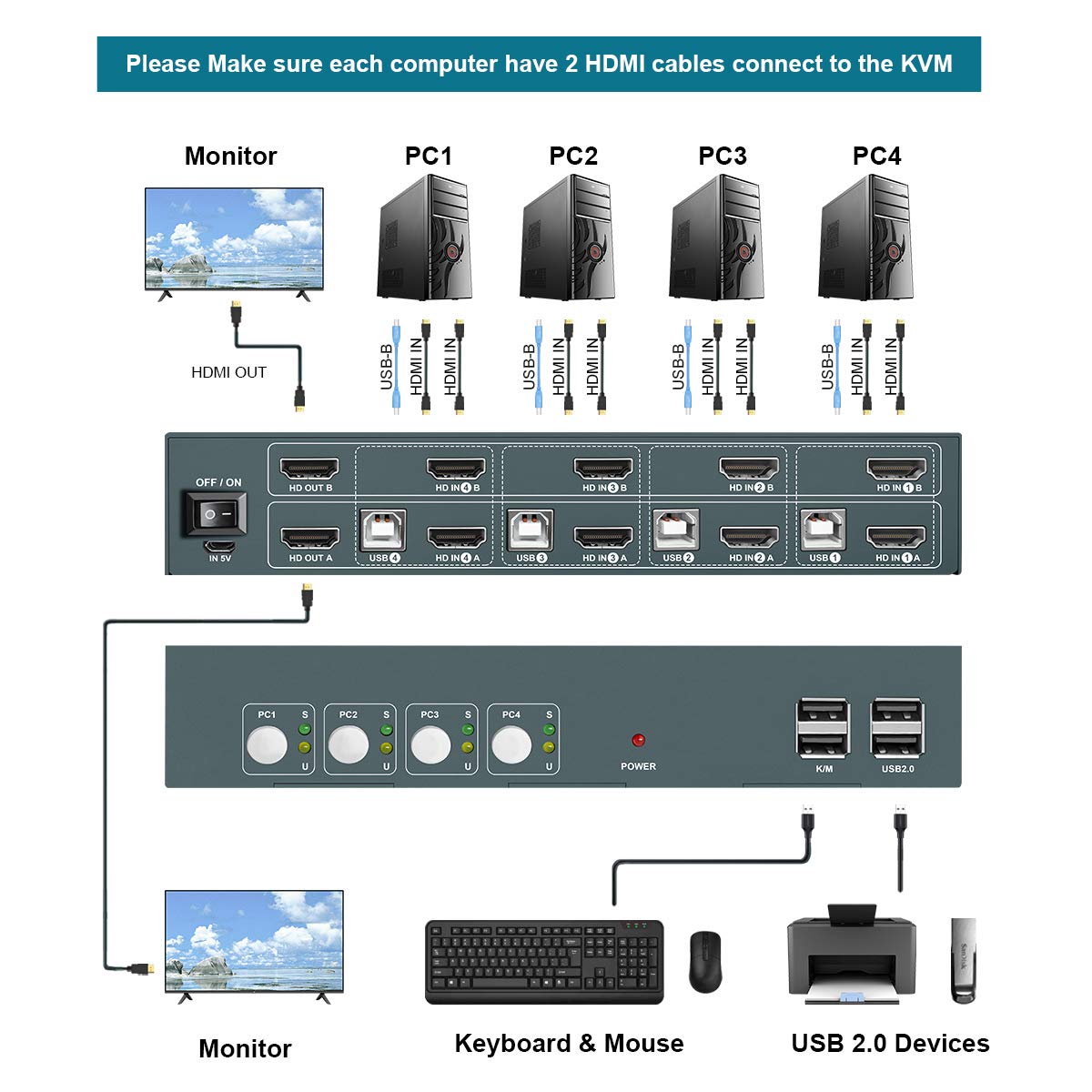
I was able to plug my 2 monitors, Keyboard and Mouse and then to the computers (3 in my case) and after rebooting Windows seems to have collected the appropriate drivers because the switch works fine. The only thing is that every time I switch from one computer to the next I hear the Window's sound of plugging and unplugging peripherals, which leads me to believe the switch doesn't keep a virtual connection between the monitors, keyboard and mouse. NOTE: I have not yet contacted tech support *** which I know is decent because I had to contact them on another 2 computer KVM switch from the same company. ANOTHER NOTE: I have not tried it on this 4 computer switch but on the 2 computer switch if you put any storage device on top of the KVM switch it will erase your data just as if you had place the storage on a strong magnet. My external 1TB drive got wiped out after placing it on top of the KVM switch. So be careful there. ================ January 2023 Update. This is a work horse as I've had no performance issue except for When using a "Microsoft Natural Keyboard Elite" the keyboard hot key (Hit Ctrl 2 times and then 1, 2, 3 or 4 to select computer) switch doesn't work. I have changed the keyboard back to the "Microsoft Natural Ergonomic Keyboard 4000" and the hot key switch works like a charm. Also, Customer Service has gone down. I tried requesting help for Driver information as I upgraded one of the computers but they are nowhere to be found. So, WARNING... If it doesn't work right off the bat (it probably will) and you need help, you are on your own. I won't downgrade the star rating because of this customer support issue because the unit works well and it is unstoppable. Just be careful with the magnetic field as it will erase any drive you lay on top of the KVM switch.
J**S
Check your cables
When I first set up my system I was having some trouble. My computers were recognizing that there was a monitor but would not extend. It was very frustrating. I reached out to product support and received a very prompt and helpful response in order to help me trouble shoot. I’m my case, it was my cables. In my haste to set to set things up, I forgot a very simple rule. One of my monitors only has DP and DVI ports (no hdmi) so I had an extra HDMI to DP cable laying around. When I took a minute to review I remembered that those cables are uni-directional. It is actually only DP to HDMI (not the reverse). Once I set it up properly (I ended up using HDMI to DVI on that monitor), everything works great. I have 3 computers running on it without trouble. It does make a little bit of clutter with all of the cables but I will soon relocate the unit under the desk as the hotkeys work great. I rated the value 4of 5 as it is among the most affordable options but was at the high end of what I would be willing to pay for the convenience. For support 4 of 5 as I ended up solving my own problem but they were prompt and willing to assist.
C**A
UPDATE! Still DO NOT BUY. The USB Ports fail immediately, device fails entirely in ~ 3 months
Update. (8/5/2022) DO NOT BUY! The company has contacted me and is being nasty about my negative review. That should tell you all you need to know about this company and their product. DO NOT BUY. I bought this initially in early March. The USB ports on the front failed in weeks. I returned it, the return went smooth and bought a replacement. On the second one two of the four USB ports failed immediately, two continued to work. I (stupidly) decided to keep it. Now less than 3 months later, the entire unit quit functioning. I blame it on build quality.
Trustpilot
1 month ago
3 weeks ago