We remain fully operational. Our teams are working around the clock to ensure your deliveries continue safely.

DOWNLOAD THE APP


Customer Services
Copyright © 2025 Desertcart Holdings Limited
DOWNLOAD THE APP

🌟 Illuminate your security with smart color night vision!
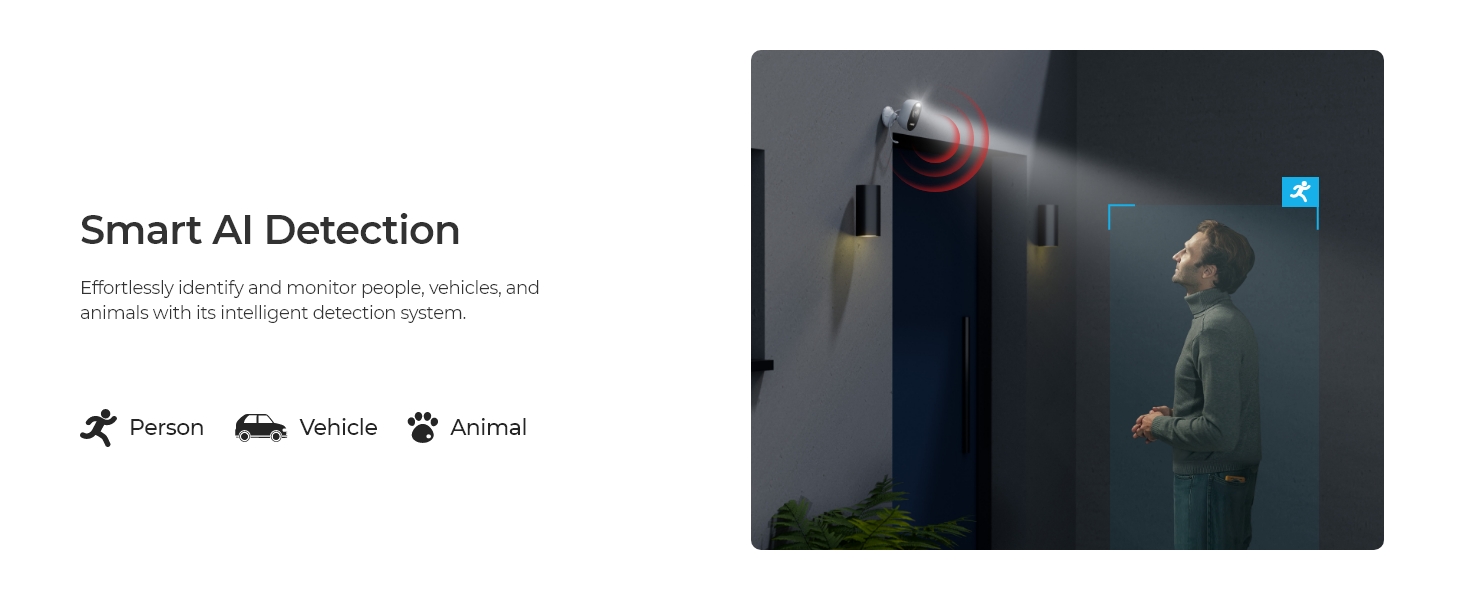
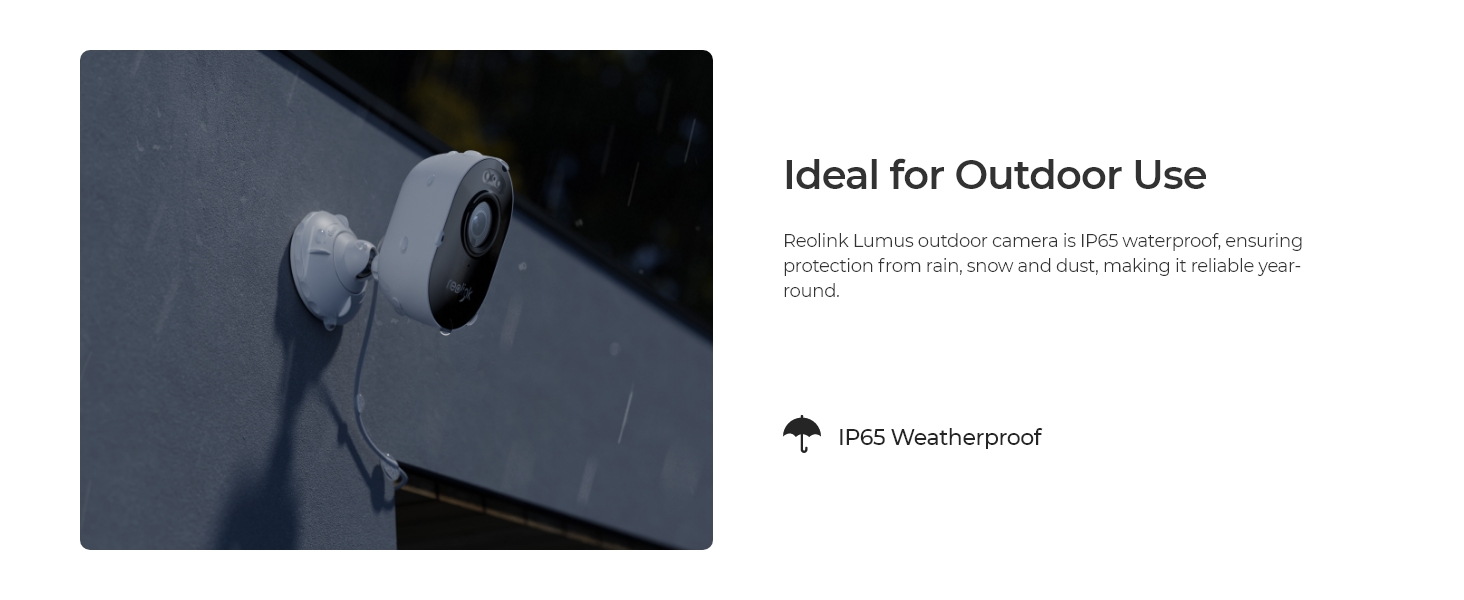
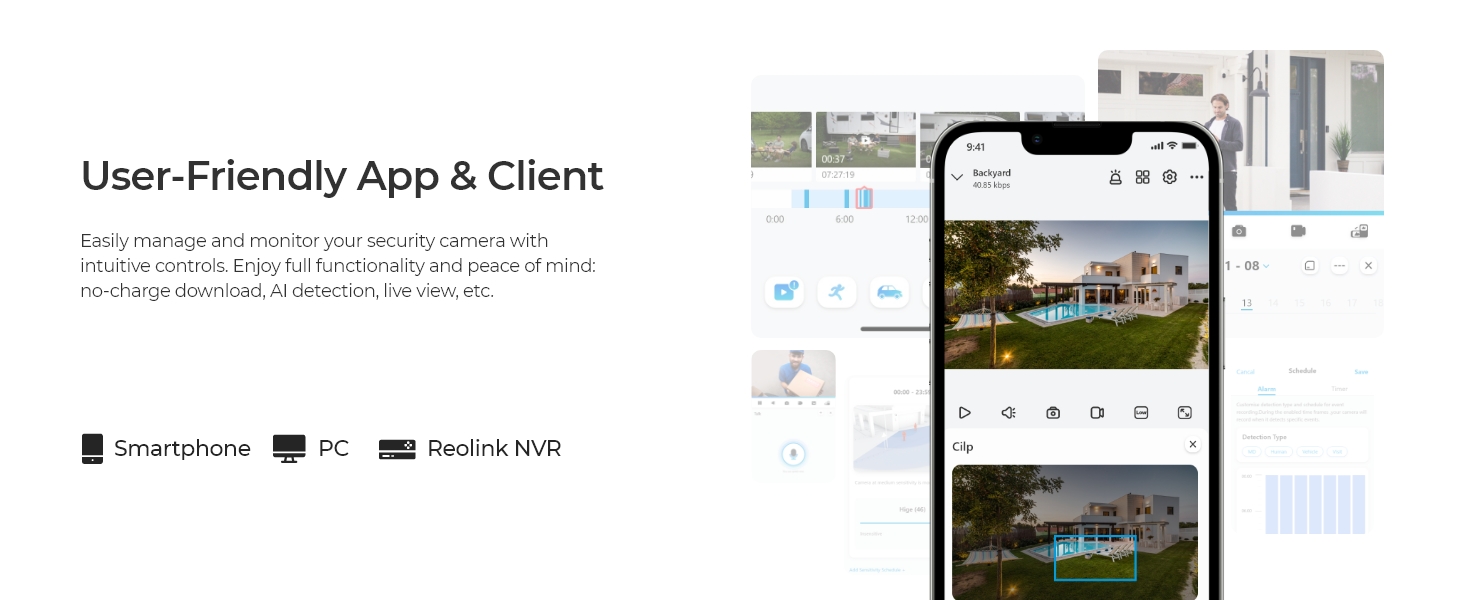
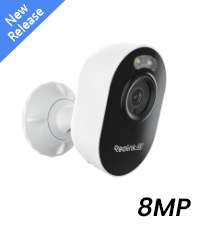
The REOLINK Lumus 2K Wireless Outdoor Security Camera combines advanced 4MP resolution with vibrant color night vision enabled by built-in spotlights. Its dual-band WiFi (2.4/5GHz) ensures reliable connectivity, while AI-driven person, vehicle, and animal detection minimizes false alerts. Featuring two-way audio and versatile local storage options, this IP65-rated weatherproof camera offers professional-grade surveillance with easy app control and no subscription fees.





| ASIN | B08628J862 |
| Alert Type | Motion Only |
| Batteries Required? | No |
| Best Sellers Rank | #63 in Dome Surveillance Cameras |
| Color | White |
| Compatible Devices | Reolink Home Hub, Reolink Home Hub Pro, Reolink PoE NVR, Reolink WiFi NVR |
| Connectivity Protocol | Wi-Fi |
| Control Method | App |
| Controller Type | App Control |
| Customer Reviews | 4.2 4.2 out of 5 stars (4,757) |
| Date First Available | March 17, 2020 |
| Effective Still Resolution | 4 MP |
| Focus Type | Auto Focus |
| Form Factor | Bullet |
| Frame Rate | 15fps |
| Included Components | Camera*1; Bracket*1; Power Adapter*1; Quick Start Guide*1 |
| Indoor/Outdoor Usage | Indoor, Outdoor |
| Installation Type | Screw In |
| International Protection Rating | IP65 |
| Is Discontinued By Manufacturer | No |
| Item Weight | 6.5 ounces |
| Item dimensions L x W x H | 3.9 x 3.58 x 2.36 inches |
| Item model number | Reolink Lumus |
| Light Source Type | Infrared |
| Low light technology | Night Color |
| Manufacturer | Reolink Digital |
| Material | Metal |
| Maximum Webcam Image Resolution | 4 MP |
| Mounting Type | Wall Mount |
| Night Vision Range | 33 Feet |
| Number of Channels | 1 |
| Number of IR LEDs | 6 |
| Number of Items | 1 |
| Photo Sensor Technology | CMOS |
| Power Source | Corded Electric |
| Product Dimensions | 3.9 x 3.58 x 2.36 inches |
| Room Type | Back Door, Driveway, Garage, Hallway |
| Shape | Bullet |
| Smart Home Compatibility | Smart Home Compatible |
| Specific Uses For Product | Surveillance |
| Unit Count | 1 Count |
| Video Capture Format | MP4 |
| Video Capture Resolution | 2k |
| Viewing Angle | 100 Degrees |
| Voltage | 5 Volts |
| Water Resistance Level | Waterproof |
| Wattage | 6 watts |
| Wireless Communication Technology | Wi-Fi |
| Zoom Type | Digital Zoom |
S**.
Easy setup, extra features, and good video quality
Update: Now that we've had it a minute, we're still pleased. It is a little hiccupy on Google home, but we're pretty ok with that. To be fair, it interrupts the music streaming to display the camera anyway, so we haven't done it that way much at all. The notifications are usually prompt on both of our android phones. When there is a delay, I'm pretty sure it has to due with the sleep status of the phone and not with the camera, though that's really just my theory. The picture quality is great. Being able to block sections out of the motion detection has worked nearly perfectly - the angle of the sun does affect some shadows stretching farther than what i have blocked in the morning, but I haven't decided whether to draw over that part, leave it be, or set up times when notifications are off. It's obviously not a big problem or I would have fixed it. So anyway, that's the update. We haven't needed to use the speaker or microphone, but we did test them. Neat things...you have to have the volume on your phone on to be able to hear the person! (Duh, I know. I always have mine turned off, though, so I just didn't think about it at first). Also downloaded the PC version, which was easy to set up and streams perfectly with no hiccups. Very handy while working, since I can pull the camera up that way and not interrupt my streaming music. And the light is very bright, according to my husband, who has to leave super early in the am for work each day. ;) Original review: Snagged this camera on a flash sale, but I had already mostly decided on this brand for good reviews, reasonable pricing, storage options, and Google compatibility. Before installing it, I plugged it in and set it up to make sure everything would work. No need to drill holes in the house until you verify it's not DOA! Setup if the camera and app was super easy, though there wasn't really anything in the instructions about it. The hard part was belly crawling through our super tiny attic multiple times to map, plan, and fish wires. The plug doesn't appear outdoor rated, but it didn't make sense to us to plug it in outside, anyway. I mean, then someone could just unplug it, duh. So in the teeny tiny attic I went. After several trips and most of the afternoon, we finally got the wires where we wanted. Since I had already set it up to test, all that was left was to mount the camera, plug it in, take a ton of tylenol, have some beer, and wait until the next day to aim it. As far as mounting, it's a nice and easy base, and they even include a little paper template to drill the holes for anchors. The night picture is before going back out to aim the camera, but you get the idea. The field of view is great. The motion detection is adjustable. Neat feature in there, too- you can mark off areas where you don't want it to detect motion. I've marked off the top right corner where it's still picking up the edge of the road and the paw print dangling toward the top left. Turned the motion detection down a few times to eliminate notifications for shadows, etc. Less than a day in and I think I've just about got it fine tuned to pick up a car in the driveway or a person walking up to the house, but to ignore headlights passing, leaves moving, etc. Picture quality seems great to me. I haven't viewed it on the TV yet, but it's more than enough resolution on a phone or Google hub display. I've played with saving pictures and videos. I've seen plenty of screenshots taken from a variety of other camera which were grainy, poorly lit, etc, and you wouldn't be able to identify anyone. These are much more clear than most I've seen, in case we were to need to ID a person or anything. Also, motion push notifications are prompt. The spotlight is plenty bright enough. The night vision is clear, both in grayscale and when it automatically switches to color. Pleased with all aspects.
C**C
Fantastic Camera. Great for Indoors. Almost Perfect.
Every year I look around to find the best wireless indoor/outdoor camera. Up until now my favorite indoor wifi cameras were the TPLink Tapo C125 2K and the Eufy Indoorcam C120 2K. For years I've been waiting for a 4K Wifi camera that has RTSP and 5Ghz Wifi. Well this is one of the very few cameras that looked like it would work and so far it's been fantastic. It has pretty much everything I could ask for. It's compact, it has 4K resolution, night vision, 2-way audio, built-in person/animal detection, and a true 4K image when streamed live, recorded, or viewed/recorded via RTSP. The only thing missing is an ethernet port, but with 5Ghz wifi I can live with out. IMAGE QUALITY The image quality from this camera is great. The image is sharp with very few compression artifacts. The bitrate is much higher than the average wifi camera thanks to the camera have Wifi6 and 5Ghz compatibility and you can even increase the bitrate to 5120kbps. It even provides a sub-stream. This means it won't hog up the 2.4Ghz airtime if you have lots of wireless cameras. The default framerate is 15fps but it does have the option to up this to 20fps. The night vision performance is also good. Image sharpness does suffer a bit when using infrared night vision so if you want the best image you may want to rely on the built-in LED spotlights. The spotlights are much brighter than I expected and they seem to be good for about 20ft or so. FIELD OF VIEW Another huge benefit of this camera is its wide viewing angle. Most Reolink cameras have a very narrow field of view so I was surprised to see a 106° Horizontal and 56° vertical field of view. That' almost the same as the Eufy indoorcam but not quite as wide as my Tapo C125. But considering this is technically an outdoor camera, you don't want to the field of view to be too wide in case you need to capture something far away. Either way I think it has a nice wide angle. RTSP/NVR COMPATIBILITY I use Blue Iris and I don't want my cameras to be accessed outside of my home over the internet so RTSP was a big requirement. I purchased 4 of these cameras (so far) and all 4 of them work well (albeit not perfect) in Blue Iris. You do have to use the Reolink app to initially set them up as they don't have a built-in web server interface like some other Reolink cameras, but they were super easy to setup and once they're setup and RTSP is turned on, they can be disconnected from the internet and still viewed via RTSP over your wifi network. You also can't use 2-way audio in Blue Iris so you have to also use the Reolink app for that but that's typical of most cameras. I've had them up for a few days now and they've been rock solid. CAVEATS As far as the downsides, I only have a couple of very minor complaints. The first thing is that the camera doesn't appear to have an HDR mode. HDR mode works great indoors as there can be a lot of contrast in certain situations where HDR will flatten the image and brighten up shadowy areas. It does have Brightness and Shadows settings and I boosted the shadows as high as they'll go and it's still bit too dark in some areas for my personal taste. Another downside is that uses a barrel plug instead of a basic USB connector. Most people probably don't care about this but if you want to run a shorter or longer cable, you'd need to buy a compatible barrel plug extension wire. However, considering it's 5V, you can technically still use USB if you're brave enough to cut the wire and splice a USB connector to it and use a USB power brick. Another downside, which is very common with some cheaper cameras, is that there is no i-frame setting. You can change the framerate, set it to a constant bitrate, but you can't change the i-frame, so NVR software such as Blue Iris will occasionally complain about the stream stability. This isn't a big deal but just something to note. Overall I think this is a great camera at a great price. I've replaced several of my 2.4Ghz 2K cameras with this one and plan to continue switching them out and my 2.4Ghz wireless band is thanking me for it. I can't really speak to its outdoor performance but it does have an IP65 weatherproof rating so it shouldn't be a problem.
B**4
Works well, motion detection is good and motion spotlight is a great addition
Works well over the garage door. This h/w version takes 128GB mini SD card, the newer versions take up to 256GB. It has plenty of room to record at the highest resolution setting. No issues. Picture is pretty good and night vision is good to 20-30 feet though the spotlight helps with this of course. WIll be getting the newer 4K version to swap it out if any issues. I had an issue with 24/7 recording and Reolink tech support has been pretty good via email.
S**A
crystal clear picture quality and user friendly application features
G**N
This completes the protection of all around my home as well as the street. We have had people on the early hours trying car doors and checking out homes and caravans. So now i can get great pics and videos next time they are in the street. Highly recommend renolink cameras.
D**L
This is an excellent product that provides excellent motion detectors & super clear picture. It’s super easy to mount & comes with a drilling template. Just be very careful where you mount it & at what height as there is no side to side or up and down rotation. Once it’s mounted it’s a static view. I initially mounted it too high, so if I had advice it would be to set the camera up via the app & your phone FIRST - so you can see the picture & then you can mount it in the perfect spot. You can set the sensitivity, which is very handy. It also has a sensor light & there is an option to have a blue power light on all the time, which is a great deterrent as people can immediately see there’s a camera. It captures excellent picture & also records & streams sound. You can also talk through it. For the money, this is a fantastic product that does what it says. I would definitely recommend it - especially as a quality alternative to some other much more expensive products.
A**N
Got two of these from wharehouse deals. One came repackaged but both appeared brand new. They seem well made and the mount is easy to install/adjust. Set up was easy aside from needing to reset my router for them to recognize my wifi. The app does all the work, just scan the QR code and follow the prompts. Video quality is quite good when you set it to the highest setting. I am using 64gb SD cards and they record a few days worth. You can set them to always record, record certain time frames or only record motion. The motion detection works well just make sure to set your detection zones. Car headlights will set it off at night from time to time but not enough to be annoying. Audio quality is fantastic. I can hear people talking across the road. You can toggle audio on or off. All in all they were a great value and easy to use.
P**A
レオリンク3台所持していますが、便利なので2台を追加購入しました。 暗闇の動物もしっかり録画できてるし、動きを感知してライトと録画をしてくれます。 携帯にも通知が来るので安心です。 アプリも使いやすく、外からお互い話せるのでお勧めです。携帯はアプリさえ入れれば複数台共有して視られます。
Trustpilot
1 week ago
1 month ago