![WARRKY Displayport To Hdmi Adapter (4K,Uhd), [24K Gold-Plated,Slim Aluminum Shell] Display Port To Hdmi/Dp To Hdmi Adapter Compatible For Lenovo,Dell,Hp,Thinkpad,Gpu,Amd,Nvidia,And More](https://m.media-amazon.com/images/I/41DloKP+uVL.jpg)

🔌 Unlock your DisplayPort’s hidden HDMI power — don’t get left behind in 1080p!
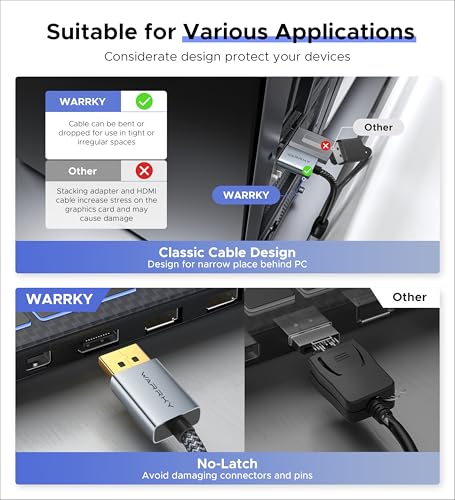
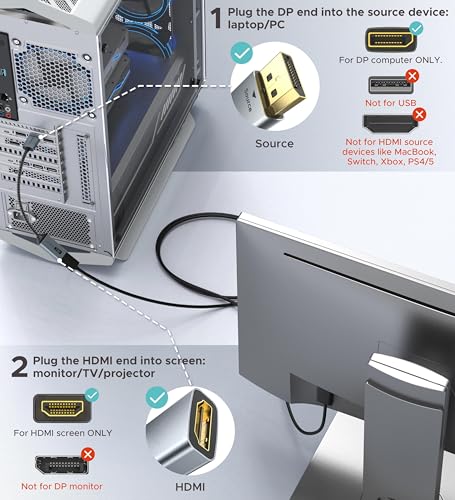
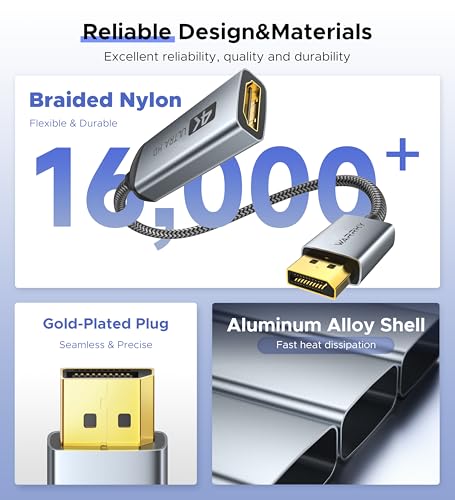
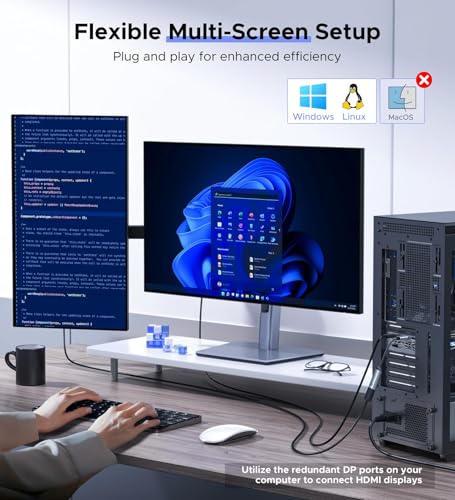
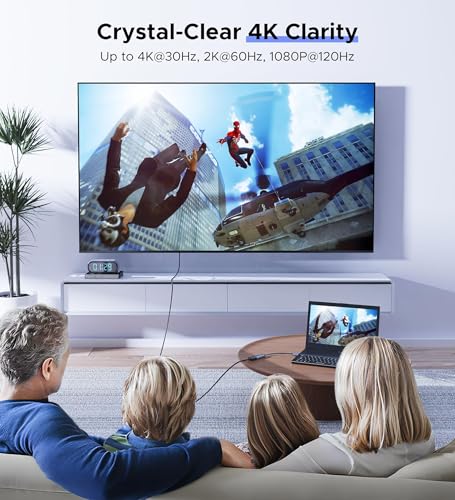
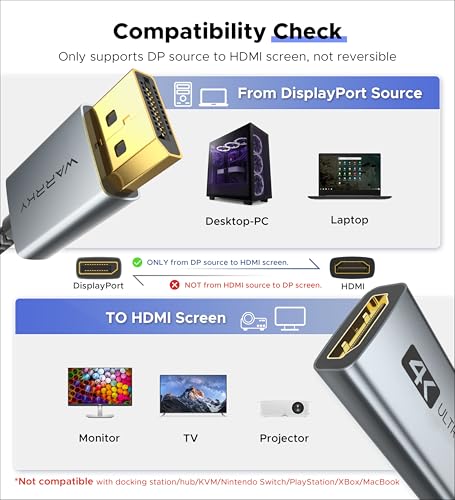
The WARRKY DisplayPort to HDMI adapter transforms your DisplayPort output into stunning 4K UHD visuals at 30Hz with full audio pass-through and HDCP 2.2 support. Featuring a durable 24K gold-plated connector and a sleek aluminum shell, it offers robust, corrosion-resistant performance ideal for professional and gaming setups. Compatible with a wide range of laptops, GPUs, and monitors, this passive uni-directional adapter is your essential tool for seamless multi-display productivity and entertainment.


| ASIN | B081GMCNNF |
| Batteries Included | No |
| Batteries Required | No |
| Best Sellers Rank | #452,327 in Electronics ( See Top 100 in Electronics ) #107 in DVI-HDMI Adapters |
| Brand | WARRKY |
| Compatible Devices | Laptop, Virtual Reality Headset |
| Customer Reviews | 4.6 4.6 out of 5 stars (18,062) |
| Date First Available | 14 December 2019 |
| Does it contain liquid? | No |
| Item Weight | 40 g |
| Item model number | WARRKY-AV-DH01 |
| Manufacturer | WARRKY |
| Model | WARRKY-AV-DH01 |
| Net Quantity | 1.0 Count |
| Number of Ports | 2 |
| Number of items | 1 |
| Package Dimensions | 11.9 x 8.9 x 1.6 cm; 40 g |
K**A
The back of my PC has just two HDMI ports, and one of them is blocked off due to the metal plate, you can't quite fit a HDMI cable through it. I needed access to it, but then had an idea. My PC has three different display ports. I figured a converter like these would exist, and they do. My PC is hooked up to my monitor through the HDMI that is accessible. I wanted to be able to stream things through my PC and display them on my TV as well as play games through my TV, too. I can turn on my monitor & TV and have them both on simultaneously, as seen in the uploaded video. Also, I can simply just have my TV on, though, it works just like a normal HDMI cable. However, if you do buy this product, make sure you select the correct settings for your monitor. At first, I didn't think it worked, but my setting were not correct. If you use this item, you can also use it to have two monitors operate as one, so there's more room to work with (like 2 monitors in one, when you have two monitors next to each other and you want to turn the two of them into one display), or you can do what I do, and simply duplicate what is on each monitor. If you want to make two monitors into one, you select "extend" (I believe). There are only 4 options, so it's easy to work out. To do this, you have to hold the windows key and then P (Win+P). Then, a menu will pop up (seen in the image I uploaded). From there, select the setting you wish to use. In my case, I selected "duplicate." This allowed the screen to be duplicated onto my TV and it works just like a normal HDMI cable now. This item is great as it is very flexible and gives you multiple different things you can do, not just one. You can see in the image I uploaded, there is the menu I am talking about. That is the menu you'll want to use when you get this product, to make sure you have everything set up correctly. The cable itself is braided and sturdy and each end is metal instead of plastic, so it's very robust and unlikely to break. I've had absolutely zero issues with latency, too. I tried a cheaper one, but it's worth spending a little bit more to get a good one like this one. Does exactly what you need it to do and it works well, too. In the video, you can see that both my monitor and PC are displaying the same thing. That is just to illustate how it works/how well it works. Both display the same exact thing with no latency. So, if you have any display ports, consider them HDMI ports as well, as this device can turn them into just that👍 I usually have at least one con with things I I buy, but not here. I can't find any faults with this item, it is really good, hence 5 stars!
A**者
メイン:ROG XG27UQ(4K144hz) サブ:GH-ELCG238A(FullHD120hz) グラボ交換に伴いHDMIポートが1個になってしまったものの 使用中のHDMIケーブルをそのまま使えるようサブ用にこの変換アダプタを購入。 しかし、映りはしたもののタイトル通り120hzだと暗転しては復帰してを繰り返したので サブ側を60hzにしたところ症状が収まりました。 海外のレビューでは普通に使えている人もいるようなので 解像度やリフレッシュレートが混在していたり マルチディスプレイにしていたりの環境が悪いのかもしれません。 私はサブ側でゲームをすることはないので問題ないですが やはり横着せずに変換をかまさない構成にした方が安定するでしょう。
G**N
Utilisé pour connecter un PC de bureau à un écran HDMI, cet adaptateur fait exactement ce qu’on lui demande. La construction en nylon tressé inspire confiance, le connecteur est bien ajusté, et la qualité de signal est au rendez-vous jusqu’en 1440p sans aucune latence ou artefact. Le boîtier est compact et sobre, facile à intégrer à un setup, et aucun driver à installer : c’est du plug-and-play total. Il tient bien en place, ne chauffe pas, et semble conçu pour durer. Parfait pour bureautique, multimédia ou jeu léger, et compatible avec les grandes marques (HP, Dell, etc.). Un accessoire indispensable à garder dans sa trousse tech.
E**L
Very good quality, and only after it arrived did i realise that it has lifetime warranty. Would recomend it for anyone needing a hdmi to dp adaptor.
M**S
Im always on the search for affordable a s practical tech. This device works very well, is plug and play, great braided cable quality, and is easy to use. I have no complaints about this product and I highly recommend it.
Trustpilot
5 days ago
3 weeks ago


