




🚀 Elevate your home network game with speed and coverage that keeps you connected and ahead!
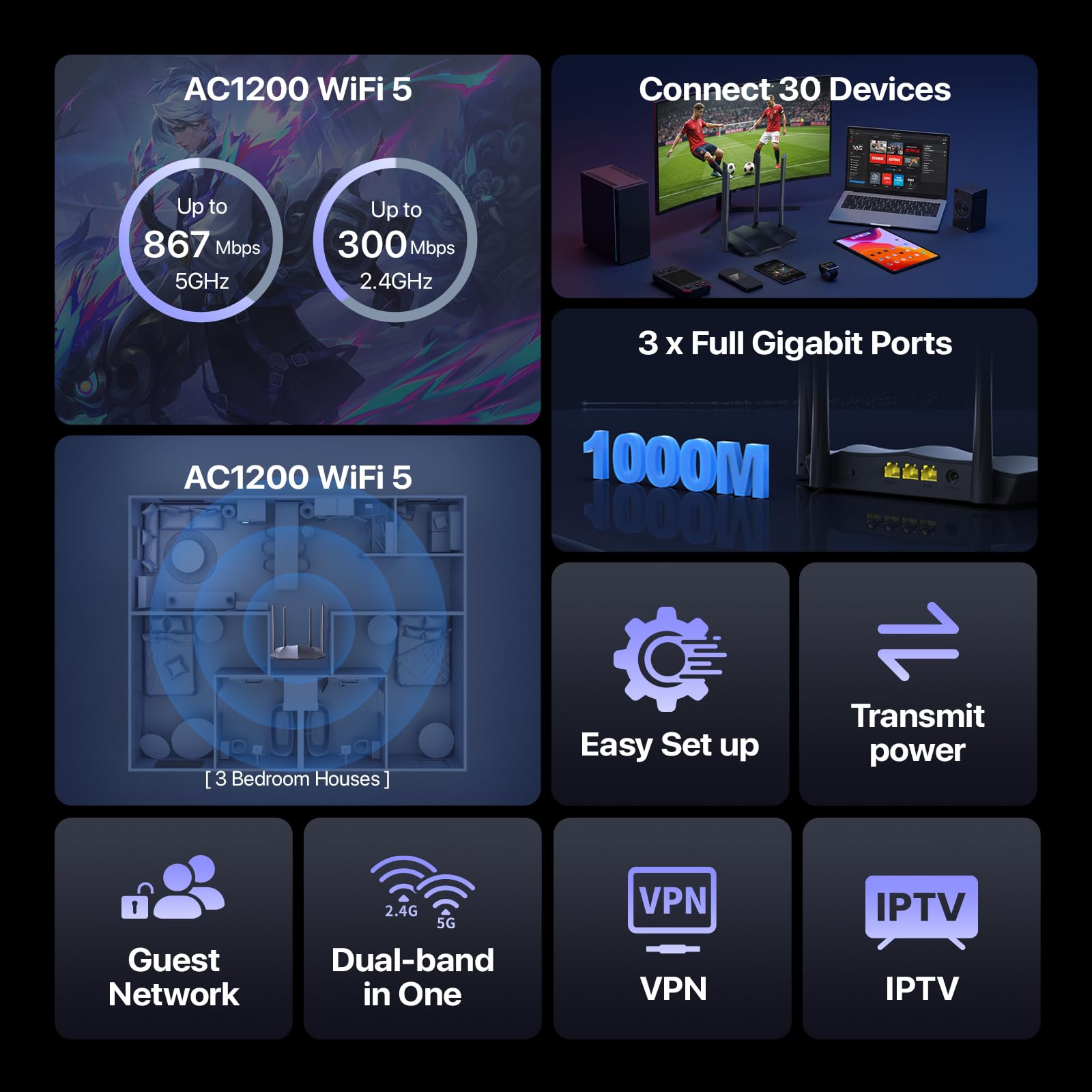
The Tenda AC1200 Dual-Band Gigabit WiFi Router (AC8) delivers up to 1.2 Gbps wireless speeds across 2.4 GHz and 5 GHz bands, supported by 3 Gigabit WAN/LAN ports for high-speed wired connections. Equipped with four 6dBi antennas and Beamforming technology, it ensures robust WiFi coverage throughout your home. Easy to set up and manage via the Tenda WiFi app, it also features guest WiFi, parental controls, and an Access Point mode for versatile networking solutions.


| ASIN | B00GYVBFHG |
| Antenna Location | Home |
| Antenna Type | Fixed |
| Best Sellers Rank | #3,372 in Electronics ( See Top 100 in Electronics ) #27 in Computer Routers |
| Brand | Tenda |
| Built-In Media | 1 x Gigabit Ethernet Cable, 1 x Installation Guide, 1 x Power Adapter, AC1200 Dual-band Gigabit Wireless Router |
| Color | Black |
| Compatible Devices | Smartphone |
| Connectivity Technology | Wi-Fi |
| Control Method | App |
| Coverage | Home-wide coverage |
| Customer Reviews | 4.0 out of 5 stars 18,842 Reviews |
| Data Transfer Rate | 1 Gigabits Per Second |
| Frequency | 2.4 GHz |
| Frequency Band Class | Dual-Band |
| Has Internet Connectivity | Yes |
| Is Modem Compatible | No |
| Item Dimensions L x W x H | 7.9"L x 5"W x 1.3"H |
| Item Height | 33.6 millimeters |
| LAN Port Bandwidth | Gigabit Ethernet |
| Manufacturer | Tenda |
| Maximum Upstream Data Transfer Rate | 867 Megabits Per Second |
| Model Name | AC1200 Dual-band Gigabit Wireless Router |
| Model Number | AC8 |
| Number of Antennas | 4 |
| Number of Ports | 4 |
| Operating System | RouterOS |
| Other Special Features of the Product | Access Point Mode |
| Router Firewall Security Level | basic |
| Router Network Type | dual-band |
| Security Protocol | WPS |
| UPC | 885397272076 |
| Unit Count | 1.0 Count |
| Voltage | 12 Volts |
| Warranty Description | Information Not Available |
| Wireless Compability | 802.11ac |
D**S
GOOD BUY WORKS VERY WELL
First the item arrived within 2 days from the date of purchase I have to give them a thumbs up on that. The item was very easy to set up I have MoCA adapters around my house and this device is on one side of the house and the modem is on the other complete separate ends the modem provides signal and power for me to watch high-definition streaming in PlayStation 4 gaming I also watched most of my nudes through YouTube TV or YouTube also use Netflix Vudu Amazon prime and most other streaming sites. I first put the router in the basement it had the modem in my bedroom but because I had the cable company run a direct line to the side of the house where my entertainment system is in the basement I decided to switch the modem and put it directly on the direct line and put the router in the bedroom where is Powers the TV for streaming in the bathroom where it Powers TV for streaming So far after about two weeks or should I say a week and a half and I must say this router worked very well this router has really giving my Wi-Fi signal throughout my house stability and speed it is currently connected to a CCTV camera system a Blu-ray DVD player laptop computer two Chromecast and one Roku and I must say it is really doing a fantastic great job Hope this helps anyone in consideration a purchasing one also the app which allows you to monitor and control the system is very very user-friendly and very good I highly recommend this product happy shopping
M**D
Very basic but does the job.
At first I was going to return this as it was not getting link on any of the LAN ports. Note that only 2 pairs are active on these ports which is fine for 100mbs connections. Keep that in mind that it won't auto-sense between A and B cable types. I have a PoE switch and extender and my other router did not need a PoE splitter to work. This one will require a splitter. Other than the additional PoE splitter needed, this router does what is needed.
C**R
This is worth a serious look.
To start I would like to say that I almost returned this product before I even opened the box. The box was covered in Chinese lettering and not a word of english was on the package. I thought that maybe I was sent the incorrect unit. I ended up taking a gamble though and opened it up. Yes, the directions were also in Chinese. At this point I was laughing as I was making sure the serial numbers were the product I ordered and not something else. Sure enough it was the correct product. So how does it hold up? Let's find out! I'm pretty tech savvy, so even though everything was in Chinese it was pretty self explanatory. Set up was easy. Plug in ethernet from modem and power adapter and boom! I was off to the races. Luckily I knew this router had an app to control it on my phone, so set up was even easier since that was in english. The process was simple after making an account. It walks you through step by step on setting both your 5g and 2.4g network. I think it took me less than 5 minutes to do so. I currently have 9 devices set up on it. From computers to smart TVs to xboxes they are all on. This router is no slouch. It will run all 9 devices at the same time without a hitch. (I should mention that my internet is 400 down and 100 up). Signal strength is great. I currently live in a 1400 sq. ft. home and I have full bars in every room I stand in from upstairs to basement. I get some signal loss when I step outside, but I was also expecting that to happen. Either way, two thumbs up here. The ease of use of the app is really nice. My wife is not tech savvy at all. I showed her the app and the simple controls to regulate the kids internet and she was loving it. So even if you're not that great with computers or routers this unit makes it easy. Want to restrict the amount of data a particular device uses? Simple setting for that. Want to shut off service altogether to a particular device? It's easy with the push of a button. This is by far the easiest router I have ever used. So this gets a recommendation right? Easy buy? Well that depends. Are you wanting to hook up multiple devices to this using ethernet cables and not use wireless? You may be disappointed here then. You get two ports... That's it. Most give you 4. Then again for 36 bucks what do you expect. Just keep this in mind as make your purchase. I didn't need them, so I wasn't worried about it. To conclude I really like what I have here. So far it's great. I will come back after 6 months and give an update, but I think that this is going to work really well. Just be warned!!!! The box may not be what you're expecting...
B**D
Nice router for such a cheap price
Just received this yesterday and delivered on time as promised. I have AT&T and with the BGW210-700 RG we kept having problems with wifi dropping and signal strength throughout the house and outside. It took a whole whopping 2 minutes to get this connected to router quite easily. I can say that the signal has improved greatly. Before we were only getting 29-30 out of 50mb throughout the house and outside. Now we get full speeds throughout house and outside and signal hasn't dropped once in the 3 hours it has been connected. Another reason for getting this was due to smart led wifi bulbs only being able to use 2.4ghz and not the 5ghz. I simply set this router up with the same SSID as the main router with _ext added to it. I then went into the main RG (modem) and changed the 2.4ghz SSID to _24ghz extension and was able to keep the smart bulbs connected to the main RG and still have 2.4 or 5ghz available on the Tenda router. During purchase I said what the heck and got the 4 yrs protection plan for the cheap price that it was. So far so good and loving this router. I also like the remote monitoring features as well as the other features inside. Too bad it doesn't have the USB storage port but I have servers at home so that doesn't matter. As for tech support... haven't needed any yet. Hopefully if, and when, that time comes they are there. UPDATE: well it kinda stinks that I didn’t pay attention to the Ethernet ports being 10/100 instead of 10/100/1000. No problems though. Simply moved our smart TVs, etc that don’t require a 1000 connection over to it. Just simply put the router as access point mode and was able to get it setup fairly simple. UPDATE 2: AT&T 50mbps internet worked fine with the 100mb ethernet ports until we upgraded to Charter 200mbps internet. Kept wondering why speeds plugged in would not hit above 90 until I remembered why with the ports only being 100mbps. Oh well. Had to buy a new router that supports 1000mb speeds and relocated this to the other part of the house closer to patio so the wifi extends further out.
J**7
DO NOT buy this brand. Seriously. MAJOR security holes
I won't even lie. This router worked great for me - strong signal, fairly insane speeds; I was getting 75mbps down (5GHz channel) and I'm pretty sure I only have a 30mbps Comcast plan. Good admin interface, everything checks out, and the price sure was right. But some vulnerability/backdoor (specifically something IPV6-related, as I noticed lots of strange traffic through that, and I normally never used ipv6 previously) got my ENTIRE house full of computers infected with a Windows Management Instrumentation (WMI) related malware, where the attacker remotely modified my Windows installation to be set up as an Active Directory client, as if my PC thought it was on a corporate network, beholden to the IT administration's control. So my group policies almost all set themselves to "Managed", and I couldn't change them myself. It also spread itself to any new USB media I made with windows' official Media Creation Tool, I believe through auto-generated malicious autorun.inf's under invalid pathnames, like D:\System Volume Information\:\:autorun.inf (windows doesn't allow colons in pathnames), among many other weird and not-easily-detectable signs of tampering in my machine. Before I even noticed something was amiss, it had taken control of all the other PCs in the house including my girlfriend's. Even after a full drive wipe on any given computer, the malicious presence remained in the background. Just google "Tenda vulnerability", specifically Loki Labs' article "Tenda, is this a bad design or a backdoor?" to see what I'm talking about. Also read up on WMI malware, such as the recent Astaroth malware which I think might've been part of the type of virus I acquired, and how notorious and ancient it is as a method to compromise computers remotely. If you buy+use this router for a few days it's likely you'll even pick up a remote attacker on your network and not be able to notice it, except for some innocent-looking COM Surrogate Provider, rundll.32, Font Caching etc. (the list goes on and on) processes that blend in entirely with the operating system, because they are built-in to it. You'd be surprised just how insidious this type of infection can be, especially if you try to remove it without locking down your home network security impeccably before starting the reinstalls and everything. I've been tinkering with computers since I was almost a baby; develop software for a living and I've never seen anything quite like this until now. I'm still trying to get rid of it completely, after 2+ weeks of late nights and headaches, thinking I might've vanquished it this time only to find another subtle but unmistakable sign of infection. I've obviously ripped this router out and am preparing to return it, using my old wireless-N router for the moment, but even still this stupid attack seems to persist on all my computers, even on Ubuntu/linux (!!!), as I believe it got access to some of my laptops' UEFI firmware somewhere along the way... it's terrible, trust me, just don't mess with the Chinese brands if you value your time and privacy. I never cared either until this incident but you can bet your butt I have learned my lesson, firmly.
L**U
It just works, very well -- security is a question
This is my THIRD version, see below. What has come up is that this router apparently provides minimal or no security. The admin address can only be reached via http:// and not https://, while the admin interface shows no firewall or similar provision for network security. Although in terms of function and quality of local wifi service it is excellent, anyone considering this product may want to take this factor into account. I decided it would not be acceptable in light of the types of traffic I utilize over wifi. This is my second review attempt. Amazon bounced my first try but the only thing I can see that may have triggered that rejection may have been a mistaken concern that I had discussed the seller in the review. In fact, however, my commentary was regarding Tenda's excellent tech support. Amazon's clumsiness in its moderation is unfortunate -- if a real person had read my first version I am certain they would have understood what I was driving at and left things alone. So. The router works very well. The Wifi is absolutely solid. The MIMO beamforming feature must be effective also. I am no expert, but the reach of these added wifi points through the house is excellent. Setup was a breeze. Out of the box, plug in to the WAN ethernet cable from an upstream router, tun on, and bam. Full coverage. Not much more to say on that. Where I did encounter difficulty had to do with enabling printing over the network. This was because of my poor understanding of network mechanics, and no fault of the router. I had to call Tenda tech support and had two long conferences with the same person. It turned out that the default configuration for this and most routers is 'bridge' mode which wasn't talking the right way to the upstream router and so printing was blocked. The tech support agent (whose patience was legion) put his finger on the problem and instantly it was eliminated by setting the new router to AP mode. I had not understood any of that and the reason it took two calls was simply because it took awhile for me to describe the problem in terms that gave the tech fellow, Subham, enough to go on. I repeat that the availability of that assistance -- I waited for the live person less than 15 seconds on both calls -- and the agent's expertise were excellent. I hope this much will be clear to Amazon: I am praising the product, AND in this case the support the manufacturer provides. To me, this support IS PART OF the product, as my experience well illustrates. It would be very problematic to acquire such products, for which glitches such as this are pretty common, without having a solid back-up in tech help. Tenda gets A+ in my book. I highly recommend this router.
J**E
Easy to set up
working very good easy to set up
T**N
Works well easy to install
Great for the price
Trustpilot
2 weeks ago
2 weeks ago


