We remain fully operational. Our teams are working around the clock to ensure your deliveries continue safely.

DOWNLOAD THE APP


Customer Services
Copyright © 2025 Desertcart Holdings Limited
DOWNLOAD THE APP


🚀 Print smarter, faster, and safer—because your office deserves the best.
The HP LaserJet Pro M477fdw is a wireless all-in-one color laser printer designed for small businesses and workgroups up to 10 users. It delivers fast printing speeds of up to 28 ppm with duplex capability, features a 50-sheet auto document feeder, and supports versatile connectivity including Wi-Fi Direct and NFC. Enhanced by HP JetIntelligence toner for longer-lasting prints and equipped with robust security features, it streamlines office workflows while safeguarding sensitive information. Its 4.3-inch color touchscreen and automatic toner replenishment add convenience, making it a reliable, multifunctional centerpiece for professional environments.


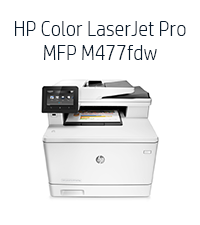


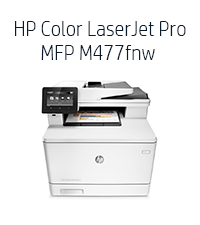


| ASIN | B014CSKE7E |
| Additional Printer Functions | All In One |
| B&W Pages per Minute | 28 ppm |
| Best Sellers Rank | #126,139 in Office Products ( See Top 100 in Office Products ) #132 in Laser Computer Printers |
| Brand | HP |
| Built-In Media | Printer |
| Color | White/Grey |
| Color Pages per Minute | 28 ppm |
| Compatible Cartridge | Arthur Imaging compatible HP Color LaserJet Pro M477fdw Toner Cartridges |
| Compatible Devices | Laptops, PC |
| Connectivity Technology | USB |
| Control Method | App |
| Controller Type | Vera |
| Customer Reviews | 3.7 out of 5 stars 1,006 Reviews |
| Display Type | LCD |
| Dual-sided printing | Yes |
| Duplex | Automatic |
| Global Trade Identification Number | 00888793383582, 00888793833582 |
| Hardware Interface | Ethernet, USB |
| Ink Color | black, cyan, magenta, yellow |
| Item Dimensions D x W x H | 18.6"D x 16.4"W x 15.7"H |
| Item Type Name | HP Laserjet Pro M477fdw Wireless All-in-One Color Printer, (CF379A) |
| Item Weight | 51.2 Pounds |
| Manufacturer | HP |
| Maximum Copy Resolution Black and White | 600 dpi |
| Maximum Copy Resolution Color | 38,400 x 600 dpi |
| Maximum Copy Speed Black and White | 28 ppm |
| Maximum Media Size | 8.5 x 14 inch |
| Maximum Print Resolution Black and White | 600 x 600 dpi |
| Maximum Sheet Capacity | 250 |
| Maximum print Resolution Color | 38,400 x 600 dpi |
| Model Name | M477fdw |
| Model Number | M477fdw |
| Model Series | M477 |
| Number of Drivers | 1 |
| Number of Trays | 1 |
| Other Special Features of the Product | Auto Document Feeder |
| Output sheet capacity | 250 |
| Paper Size | 8.5 X 14 |
| Print media | Envelopes, Fabric, Glossy photo paper, Labels, Paper (plain) |
| Printer Connectivity Type | USB |
| Printer Output Type | Color |
| Printer Type | Laser |
| Printing Technology | Laser |
| Processor Count | 1 |
| Resolution | 600 x 600 |
| Scanner Type | Sheetfed |
| Series Number | 477 |
| Special Feature | Auto Document Feeder |
| Specific Uses For Product | Office |
| Total USB 2.0 Ports | 1 |
| Total Usb Ports | 1 |
| UPC | 888793383582 779177501336 888793833582 |
| Unit Count | 1.0 Count |
| Warranty Description | One-year limited hardware warranty |
| Warranty Type | Limited warranty |
| Wattage | 570 watts |
K**R
HP - Major Fail corrected - Excellent all in one!
(Review update 2 7/12/2016) - Updated star rating from 3 stars to 5 stars. Replacement printer received in January 2016 has worked great for the last 6 months. (As I had originally planned after reading the printer specs prior to purchasing the unit in 2015). I can easily recommend this printer for uses in a SoHo environment. Has worked well connected into a network supporting multiple Mac's and wireless devices, plus fax. Very pleased since correcting the initial problem. (Review update 1//11/2016) - Updated star rating to 3 stars from 1. The printer when it works is excellent. Service is playing catch up. Since initial review had 2 visits from HP On-site support. Very pleasant service technician. Although I was told by HP Tech Support that there is a 2 day onsite service warranty on this product, the service tech did not arrive until January 5...14 days after the original service schedule date. Tech was very apologetic. Said where it was a new product that there were not enough people familiar with it to service it in my area (plausible comment). The first onsite visit did not fix the product. The next day, the tech returned. Upon examination of the printers controller board, the tech asked me if I had purchased a new or refurb product... as it looked like a refurbished controller. (I had purchased a new printer from Amazon... more on that later). The tech got the product mostly working... but some features would not work. The tech suggested a call to tech support as she thought it might be software related. The tech also suggested a conversation with Amazon about the "new" status of my printer. I spoke with Amazon customer service directly. They confirmed that I had ordered a new printer. The Amazon customer service rep immediately ordered a replacement printer for me with expedited shipment. I have since installed the printer and it appears to be totally working (like the original printer when I first received it.) I was definitely taken aback by the HP Tech's comment on the original unit being a refurb, but Amazon instantly corrected that problem (to their credit). I updated my review to 3 stars from 1 star. The last printer functioned for 45 days... so we have a way to go before I can say we are without further problem. This printer when working is excellent. The form, fit, and function are very good. Assuming this is just an early adoption problem (the printer was just released in September 2015), and no further problems develop, I would be able to recommend this printer. (Original review) Installed printer November 7. Ethernet connection died 45 days later on December 21. Tried to get Wifi working but product would reset every time it went to sleep, erasing all of the program parameters. Contacted HP support. Tech could not trouble shoot over phone. Was told would have onsite warranty service within 2 days. Service call scheduled for December 23. Service was no call - no show. Escalated problem... Now told that because the product is new that it will be December 31 before any parts are shipped and some time in January before onsite service will repair. Totally unacceptable for a new product that is not supposed to be disposable and costs so much. Will create major headaches for my business during the holiday season. On the flip side... when the product was working it was great.... however if this is the level of support it gets, I am very concerned about its use in the future. Big HP Fail
R**S
Scanning and HP Support Kill this product
it is tough to give this product any stars. The good. It is compact, engine is fast, it is quiet and the output is good. The bad. The scanner driver is trash and DOES NOT work with Windows 10. I called up support and they told me that this has been a known issue for 6 - 7 months and that they have no idea if they will fix this. this is 25% of the functionality of the machine that they are not prioritizing the patch. I have no idea, based upon my conversation with HP, if they ever will fix this. Their work around is to scan to network. I am doing that and have done the scan to email, but you have to be in front of the printer to scan. While this says it supports legal scanning, it does not have legal size glass. I had some bound legal documents that could not go through the ADF and could not scan it because the glass is only A4 size. Updated 9/19 - Spoke to HP Support. We are supposed to get ReadIrisPro for free with the purchase of the scanner. It states that on their website. I download it from HP and then go to install it. The program asks for the CD Key that is on the HP utility install disk. Well, there was none. When asking the technician about it he said that they don't ship with a CD. I tried to explain that I got one and had it in hand. That the HP site said that it would support the ReadIris Pro. Eventually he just said call ReadIrisPro and let them handle it. What a huge disappointment with the product and the service. I am going to live without the ReadIrisPro and the Legal scanner with the hope that one day they at least get the scanner driver to work for Windows 10.
B**E
HP Laserjet Pro M477fdw Awesome SOHO Laserjet Printer!
Awesome product! For home use, had a HP OfficeJet Pro 8500A Inkjet for years and was happy with that. But got tired of constantly changing out cartridges (heavy use) and adjusting the paper-tray to work even though full. The Laserjet Pro M477fdw quality is better than other Laserjets with higher specs, outputting exceptionally crisp letters and bright colors with no smearing or lines in pictures. It warms up and prints fast. It is full duplex, able to automatically print both sides. And wireless network capable. Set up on the home wireless network quickly with no problems. Having used it for a couple of months, the only negative is that the paper-tray is too small. Okay for Small Office Home Office use, but you would definitely want a larger capacity for full time Office use. Caution: With the Inkjet printers, you can get by with Multipurpose paper, but not with a Laserjet.. for long anyway. At work we have both color and monochrome Laserjets. Multipurpose paper is used and color Laserjets have constant problems with color runs, unwanted lines, etc. I've read the chemicals in the multipurpose paper (intended for copy machines) cause problems with Laserjets. I've confirmed it at the local Staples store, the Manager explaining they have to use Laserjet paper with their Laserjet printers or it will void their repair contract. Maybe it takes longer for problems to manifest in the monochrome printers. In either case, I'm not going to chance it at home, and use only Laserjet quality paper. It is more expensive, and heavier weight. The lightest weight paper I can find is 24 lb. which is comparable with the multipurpose 20 lb paper. Any more than 24 lb seems too thick and doesn't feel right. With that in mind, any money you may save in price per print with a Laserjet versus Inkjet, will be offset by the added expensive of quality Laserjet paper. In all, I think the professional quality of prints and ease of use is worth switching from Inkjet to Laserjet. Update on printer cartridge refill 19 Mar 2016: Get the CF410 series of cartridges and Not the CE410 (for 300 & 400 series laserjets) as Amazon shows both compatible for the M477fdw, but they are not.
J**W
HP Pro MFP M477fdw Printer - Excellent but not perfect
Overall, I love my HP Color Laser Jet Pro MFP M477fdw multifunction printer. It prints, scans, faxes, copies, and can do it all in duplex* (front/back). It prints charts/graphs/spreadsheets/word processing/powerpoint etc. beautifully. I haven't used it to print photos so I can't comment on that. I can say that it's a nearly perfect office machine though (see good/bad below). It uses HP print cartridges CF412A (yellow), CF413A (magenta), CF411A (cyan) and CF410A (black). Here are the good and bad as I experienced it: Good 1. It does everything I need and does it well - prints, scans, faxes, copies, with duplex functionality* (front/back). 2. Does it all - both WIRELESSLY and directly connected to your computer.* 3. Somewhat quiet. On a 1-10 scale, with 10 being VERY loud, I'd say it is a 4. 4. Very good AFTERMARKET print cartridges are available and are around $80 each (one color) - a little expensive but not as expensive as genuine HP. I used only genuine HP and was very satisfied with them. 5. HP Smart software is available from HP to allow printing of photos and scanning from the desktop/laptop. For printing of documents, you would do so through your specific app (Word, Excel, Powerpoint, etc.). Bad 1. Genuine HP print cartridges are somewhat expensive - a 4-pack (all colors) is running around $409 at the time of this review. The original HP ink lasted nearly a couple of years for me. Of course, your mileage may differ depending upon how much printing you actually do. I have been using my HP Pro MFP M477fdw at home going on 4 years now. 2. Scanning in Duplex. The M477fdw won't scan to a computer/network folder IN DUPLEX FROM THE PRINTER CONSOLE but it WILL scan in duplex to a computer/network folder through the HP Smart desktop app! It will scan in duplex from the PRINTER CONSOLE to an email address though - what's up with that HP? Not being able to scan in duplex from the console will be either a minuscule problem or a significant problem depending upon whether the MFP is in the same room with you as your desktop or it isn’t, respectively. If the MFP is not in the same room as your desktop, you may be doing a lot running back and forth between them. NOTE: the M477fdw WILL scan a one-sided page from either the HP Smart app (or some other 3rd party scanning app, maybe) or the printer console to a computer/network folder or to email - wirelessly or directly connected. The problem occurs only with DUPLEX scanning to a computer/network folder and only from the printer console. 3. The Automatic Document Feeder (ADF) on top of the MFP cannot be fully trusted to scan multiple pages (in a stack) without supervision. Sometimes it will pull in just one page at a time but, for me, it pulls in 2 or more simultaneously more often than not when I have more than 5 or so pages. Often, I would just stand there and feed it one page at a time to be sure it got all the pages. Fortunately, the HP Smart program allows you to see screenshots of each page scanned and you can see the number of pages that printed and compare that to the number of pages in the stack. Once you become familiar with HP Smart, you would be able to scan any missing pages at the end of the process and drag it to the proper location amongst all the other pages shown on the screen within the app - but that’s a bit tedious. Having stated all this, most ADF feeders from most MFP brands also can’t be completely trusted to pull in just one page at a time. The HP Smart app is definitely the way to go for scanning with this MFP though and I’d say it scans about as well as most. 4. Windows found and installed automatically most everything I needed to print from Excel, Word, Powerpoint, etc. but I found that HP Smart was the best app to use for scanning. Some HP drivers available for downloading are either finicky about downloading/installing or both. HP Smart downloaded and installed well for me but the HP Universal Fax driver wouldn't even download. Eventually, I decided to use RingCentral (a 3rd party fax agent) for faxing from the M477fdw and it did just fine. 5. If you’re not connecting the MFP directly to your computer and/or you plan to scan from the MFP to a folder on your hard drive/network and you’re not familiar with networking, you’ll likely need a networking/computer guru to set that up for you. That likely would be true for most, if not all, wireless MFP’s though so maybe this comment shouldn’t be in the “Bad” section. All in all, I'm very happy with my M477fdw after I got it and the apps set up the way I wanted. I hope this review was helpful to you. If so, please give me a thumbs up! *see “Bad” item 2 above.
R**7
HP Laserjet Pro M477fdw Wireless All-in-One...
Excellent !!!! Printer. The first one I received from Amazon was defective and Amazon was very quick to send out a replacement at no charge and they sent me a prepaid UPS label to send the defective printer back. Since receiving the new printer setup was flawslessly and everything just worked fine. I had a earlier version of this model and it worked perfect it and still working perfect so I decided to upgrade to a newer model and chose this one and I am glad that I did. I ordered the 550 page Tray 3 for $150..00 and now I have a total of 850 pages for my new HP Laserjet Pro M477fdw Wireless All-in-One...printer for my SOHO. I say go for it if your in need of a good quality color laser jet printer. You may get a defective one, however don't worry about send it back and get replacement and hope you get a good one like I did. This printer does work outstanding and it's very fast. PROS Fast. Very good graphics quality. PCL and PostScript drivers. Wi-Fi, wireless direct, and NFC connectivity. 50-sheet ADF supports single-pass two-sided scanning. 850 page capacity if you buy the $150.00 Tray 3 which holds 550 sheets of paper. CONS Subpar photo quality. Running costs, particularly for color pages, is on the high side. Low paper capacity for an MFP of its price. BOTTOM LINE The HP Color LaserJet Pro MFP M477fdw is a compact color multifunction printer whose speed, strong feature set, and beautiful graphics make it an appealing choice to anchor a small office home office or workgroup. Update: if you get waiting for update after your update on your thermostat no problem there is a quick fix. Log into your TotalConnectComfort website, then select the "My Locations" portion of the drill-down link toward the top of the page. Then click the gear settings button on the right. Next click "delete Location" in the lower left and confirm on the next screen. Finally, set up a new location and add your zip code and re-add your device to the account. Save and it should come back up quick
L**S
Printer is pretty slick!
I spent a good amount of research trying to find the right printer for my home office (I work from home when I am not traveling) and based on personal recommendations and the right price point, I am very satisfied with this printer. Granted, it has only been 2 days since I received it, but it has all the bells and whistles I was looking for! I can print from my iphone and ipad, as well as from my laptop with ease. I love the fact that it provides the ability to send stuff to the printer via email (email your printer) so that when I am traveling for work and don't want to forget something, I can print directly to the printer from wherever I am. The quality of the printouts are awesome. Colors are vibrant. It's very quick to print, scan (can scan directly to my laptop or to my email address). I wouldn't say this thing is quiet by any stretch, but after about 20 minutes of no use, it does go to sleep and you can't hear anything. Yet another cool feature this offers, which came as a surprise, is the ability to print photos or documents directly from Google Drive and/or Facebook Messenger. It has a ton of configuration preferences so as to customize it to your liking. Overall, thus far, pretty satisfied with it. The only cons I see are: cost of toner (yikes! hope I can find them cheap somewhere when the time comes) and its weight (about 60 pounds!). In reality, it's probably best suited for a very small office, but I like it enough to warrant it for my home office use and personal use.
D**E
Prints fast, flawless wireless, scanner is somewhat finicky, prints yellow tracking dots
*Printing Comments* -Faint print when just delivered When it was just delivered and first installed, it's probably having a bit of condensation inside as it's pretty cold out there. The prints came out really faint (image 1), like it's completely out of toner. After shaking the cartridges a bit and doing a few more prints, it just suddenly went back to normal (image 3). -Speed It prints really fast. Didn't measure but I think it matches the given specification. -Quality Color prints do have the typical moire screen pattern since it's a laser printer. It isn't very obvious unless you look at it closely. Photo printouts does look a bit darker than the image displayed on my mobile phone's screen, especially for dark areas. From the looks at the edge of prints of pictures, it might be slightly misaligned by 0.3 mm or so, as there are non-overlapping colors at the edge. But might also be just how laser printer works. There are no settings for color alignment. Solid region edges and text edges are smooth and solid. Overall the print quality is pretty good. -Alignment There are settings for aligning where on the page it prints (to center the print). I think you should adjust the setting if you want the front and back to match when printing duplex, as the front and back of the alignment page that came out was off by about a few mms both vertically and horizontally(image 5). ================== *Scanning Issues* -Banding: Scans have vertical banding(parallel to the direction the scan head is moving and perpendicular to the scan head), which is pretty visible on scans of solid/similar colors(image 2). It's like the scan head isn't calibrated right or is defective. -Skew: Also, image from ADF comes out skewed by about 5 degrees or less(images 1, 2, 3, 5), even though I've pushed in the limiters/paper clamps just right. The feeder might have shifted the paper and pushed the clamps outward. Flatbed scan comes out maybe skewed by 1 degree or so, or they didn't stick the white backdrop pad on straight (see the 4th blank scan image). Almost like they've got a skew preset in the scanner... *Scanning comments* -Do not remove the plastic film There is a yellow warning sticker to the left of the ADF scan window that tells you not to remove the plastic film on the ADF scan window. I didn't get what it meant at first and only realized after pondering a bit, and almost went ahead to remove the film. So take note of that. I think documents are probably going to get stuck on the plastic ledge if you remove the film. -Resolution Scan resolution is at a maximum of 300 dpi for both flatbed and feeder if you use windows auto installed driver after discovering network printers. The maximum flatbed resolution increases to 1200dpi after you install the HP driver package, but maximum feeder resolution remains at 300dpi. -Scan area About 1cm of content from the left edge of the scan bed is cut off. MIght be the case in all flatbed scanner though. Need to move borderless photo to the center more when scanning to obtain the full picture. Also, anything beyond the A4 size marker to the right is cut off. -Scan output file format The HP scan software can scan from ADF to pdf files, while the windows fax and scan utility can only scan into separate images. However, the HP scan software cannot scan into PNG or BMP (uncompressed or lossless compressed image) from the flatbed, while the windows utility can. Use a combination of both for different tasks. -Software installation and minor issues After installing the software package for the first time, scan resolution stayed at 300dpi, and the HP scan software can't be opened as it reported an error. Might be because that when I clicked finish and checked print demo page, the printer is out of paper. After that, I opened the reconfiguration shortcut in the HP folder on the desktop, and after its automatic reconfiguration, everything began working as expected. So try doing reconfiguration if you are encountering issues. -Scan to computer First time powering it on, the option was there in the scanning menu. However, it only worked one time, right after I set up the network folder for scanning. After that, it never worked and only prompted me to set it up properly on the computer. I tried restarting the printer and found the option missing after restarting it. Pretty creepy. Scan to network folder doesn't allow you to scan the whole region of the scan bed, and I won't be able to press down on the scanner lid if I scan from the computer as my printer is located somewhat far away from the computer, so this option is quite useful. Hope HP can either make the scan to computer option work or allow scanning the whole area in the scan to network folder option. Also, it would be good if the all in one can scan into PNG format. =================================== *Wireless comments* Very smooth operation. Quick and no fuss connection, everything worked right from the first time on both computer and phone (need to install HP print service plugin for Android phones). Didn't use the USB connection at all as it is not practical to place it near my computer. Only supports 2.4GHz though. -Shutoff Didn't encounter it shutting off. The power light stays blinking after two days not touching it. Probably because I set a fixed IP address for the printer in my router's DHCP settings. ============================================== *Tracking dots* While using a jeweler's loupe magnifying glass to check if the black text is printed with black toner or color toner in a colored document, I realized that there are tiny yellow dots which I had known from before that are for the government to track you in case you leak something confidential or make counterfeits. If you are bothered by this, don't get this printer. Or print in black and white, as pure black and white documents don't seem to cause the printer to print yellow dots(then why not just get a monochrome printer). You can get more information by googling for "Machine Identification Code", or by going to the seeing yellow website. (Using college ruled writing paper to print since I don't have any other printer paper on hand at the moment)
G**Y
Beware of 59.F0 Error
UPDATE: The printer is now rendered unusable; cannot clear the 59.F0 error. So, yay, the printer lasted just over a year, just beyond the warranty period. That's $430 down the toilet... and just bought new toner for it (or should I say the printer ordered it)... which cost more than the printer. I guess it's time to rip the printer open, since it's out of warranty anyway... This is clearly a design flaw, HP... a "sensor can get stuck" ... really!? This should be a FREE repair for a DESIGN DEFECT. The printer itself prints great, and I'm overall happy with it... until it started getting a "59.F0 Error", frequently enough to be extremely annoying. From my research, it appears to be caused by a sensor "getting stuck". Sometimes turning the printer off and back on (as the error display instructs you to do) works, but many times not. Opening the front, and sliding the toner cartridges out and in sometimes helps. What usually works is lifting the front of the print up about an inch and dropping it (presumably to dislodge the stuck sensor switch). I am very disappointed that in less than a year, the printer has this issue due to a poorly designed sensor. I would not recommend this model printer unless the issue has been addressed.
Trustpilot
4 days ago
2 weeks ago