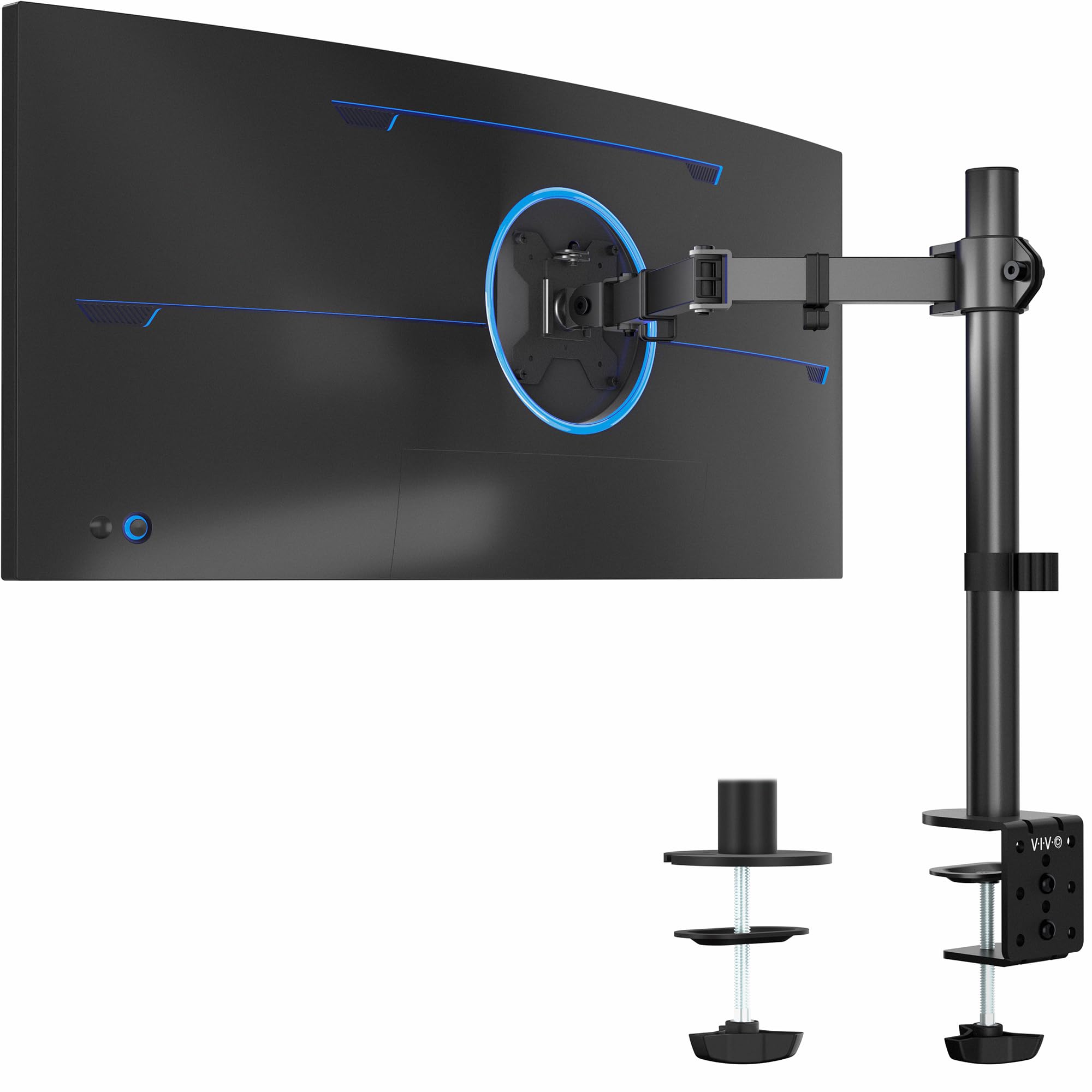
🖥️ Elevate your workspace, own your view — because your monitor deserves the best seat in the house.
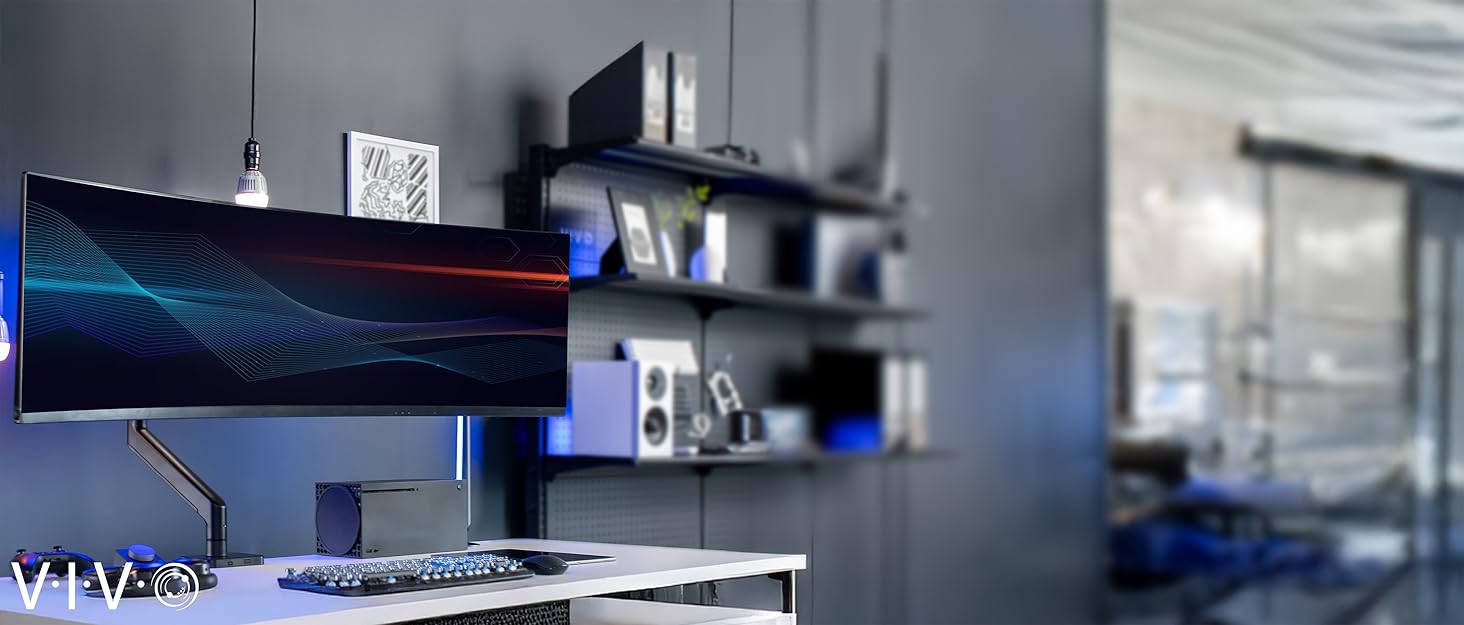
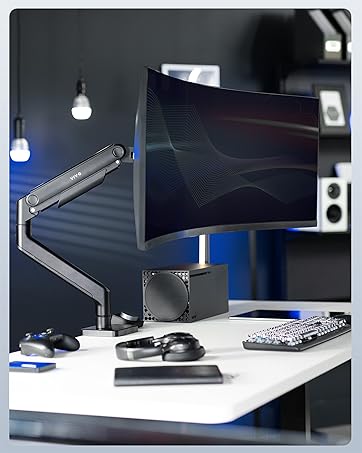
The VIVO Single Ultrawide Monitor Arm STAND-V001 is a versatile, heavy-duty desk mount designed for monitors between 13" and 38" (up to 22 lbs). Featuring full articulation with 360° swivel, ±90° tilt, and 16" height adjustment, it offers ergonomic customization for professional setups. Its robust steel frame secures firmly via a C-clamp or grommet base, while integrated cable management keeps your workspace tidy. Easy to install with a detachable VESA plate, this mount is a top choice for millennial professionals seeking a sleek, stable, and adaptable monitor solution.





| ASIN | B00B21TLQU |
| Best Sellers Rank | #10 in Computer Monitor Arms |
| Customer Reviews | 4.4 4.4 out of 5 stars (19,861) |
| Date First Available | January 15, 2013 |
| Department | All Ages/Unisex |
| Is Discontinued By Manufacturer | No |
| Item Weight | 6.16 pounds |
| Item model number | STAND-V001 |
| Manufacturer | VIVO |
| Product Dimensions | 16.54 x 4.33 x 5.91 inches |
E**S
Tall and Sturdy! The only monitor mounts I trust.
Picked up the extra tall mount so that I could mount another 32" monitor above my primary 32" and it works flawlessly. I also have two other VIVO mounts for a 3rd and 4th monitor for this system, as well as 3 other single VIVO mounts and a dual VIVO mount for other systems. I've completely fallen in love with the ease of setup and quality of VIVO mounts, across them all I've not had any sort of issues or complaints. They are easy to assemble, easy to mount, super stable, and easy to adjust.
R**.
Sturdy...and moddable!
For the past few years I've been on a quest to find the perfect mount for my preferred triple-27-inch-monitor setup. The first was a cheap unit from a fly-by-night drop shipper, 'nuff said about that. The second carried the monitors on a massive cross-beam that worked well in and of itself, but the outboard monitors could not be slanted inward enough to avoid straining my unfortunately aging eyes. (The setup is fully six feet wide with all monitors flat to the wall.) The third had gas-charged arms, and was recommended by several tech sites. I have no idea what people see in gas-charged mounts. This one (also a VIVO) was finicky as heck to get positioned, you still have to tighten a bunch of screws HARD to get everything to stay in place, and the slightest bump to the desk makes it wobble to an almost dangerous degree and knocks the outboard monitors way out of alignment. So I was browsing the other day looking for ideas for a way out of my dilemma; a stand that (1) lets the left and right monitors tilt inward about 20 degrees so I'm not constantly craning my neck back and forth to see everything, and (2) would allow you to sneeze without one or more monitors dropping and/or tilting. I was growing discouraged. Then, in the middle of a thread on reddit, it was like a heavenly beacon of light sprang up to highlight a comment reading, simply, "The best triple-monitor mount is three single mounts." And so here we are. Vivo's mounts are nothing if not complete. You have your choice of clamp-on or through-hole mounts. There are plenty of fasteners, cable clips, and such to do just about anything you'd want to do. Instructions are simple and clear. The units are also quite sturdy; heavy-gauge steel with serious hex bolts at all the pivot points. It takes some doing to get the arm set the way you want it, but once in place and tight it does not move. A smack on the edge of my desk that made the previous gas-charged mount nearly bounce the outboard monitors' edges off the desktop just makes these wiggle about 1/8 inch for a couple seconds. The only thing I would change is to beef up the desk clamp, maybe with two side-by-side screws instead of the one, to prevent what little side-to-side motion they have. (This was the issue with the gas mount as well - it was simply too heavy for a single clamp.) Assembly was straightforward. As noted above, I used the edge clamps instead of through-hole, of which my desk has none. Getting the three monitors to sit side-by-side on their three stands was, as you might expect, rather more involved than positioning gas-sprung arms. I had a real problem at first with all three, owning to the limited range of motion of that jointed arm. The arm will not fold flat on itself, or even close to flat. No matter how I positioned it, I could not get the outboard monitors to sit up against the center one at the right angle and tilt. The center monitor also sat too far out over my desk for comfort. But, Vivo's apparent preference for using a limited number of robust parts came to my rescue. It turned out that I was able to remove the part of that jointed arm closest to the vertical tube on all three. It takes some muscle, but it can be done without breaking or stripping anything. With that limited center joint out of the picture, I was able to get everything positioned where I needed it to be. As a bonus, the center monitor sits even closer to the wall than it did with the gas-spring mount, putting it at just the right distance for me. Bottom line: Whomever posted that comment on reddit is a genius. This setup Just Works, due in no small part to Vivo's quality and modular design. And, as icing on the proverbial cake, the three stands together cost a little less than that gas-sprung octopus. Five stars.
B**S
Solid once it is set up
It took me a bit to get this working with my desk specifically, but once it was mounted properly it has been very solid. It holds my 27-inch monitor securely and stays exactly where I place it. If your desk setup works with it, it does the job well. The hardware is included, its easy to adjust, and the height feels great. Its Vesa mount so like, it'll work with pretty much everything. I also think it looks nice and doesn't have one of those crazy thick Z arms some of these have.
C**R
Sturdy mount at a good value
TLDR: Experienced installer, and I chose this mount for my personal office for its ease of installation and its sturdiness. For any monitor mounting operation, careful thought and planning is required, and this mount solves more headaches than is causes. I read over several reviews of this product prior to purchase. I've seen many that offer criticism of their sturdiness and various other features, but I feel most of them are unfounded. My first purchase was for work... about 20 of the shorter dual monitor mount by the same company. When we installed them, they easily held the 32 and 27 inch monitor pairs we were attaching to them. Mounting any monitor of this size can be difficult, but with a little patience, all 40 monitors were mounted, aligned and ready to go. After installation, they were quite well fixed in place, and we have had no problems in the year since we bought them. No signs of joints getting weaker, or mounts leaning over or any of that in all that time. Of course, when it came time to by for my home setup, I looked for the same company. I bought 2 of these mounts, which are higher, so that I could elevate 2 heavier 24 inch monitors above an ultra-wide monitor which will reside below. Even at their highest setting, which provides the most stress to the mount, I found them to be quite firm in their support. When I wiggle my desk (within reason) I get no more than 1/4th to 1/2 of an inch in deflection; nothing that appears dangerous. And trust me, there is no way I would mount 2 cheap monitors over my quite expensive ultra wide monitor if I did not feel they were sturdy enough. A couple tips on setting them up. Do NOT place anything in the clamp other than the surface of your desk. If you are worried about marring your desk, you likely should be looking for a floor or wall mount. The rubber grommet included for inside the clamp is not meant to protect your desk, but rather to act as a shock absorber to the system. It will provide some protection to the top surface, but do you really want to be clamping something to a really expensive desk? If you install it, and your mount is leaning, you either did not tighten it enough (this one will squeeze to nothing if adjusted right) or your desk is not sturdy enough to hold the mount. When properly adjusted, a gentle shake of the desk should cause a slight rocking, but nothing should be out of place when they stop. Attach the monitor to the mounting plate, but do not attach the mounting plate to the extension arm until after the extension arm is attached to the vertical support. It says the opposite in the instructions, but if you lock the extension arm in place firmly, it is safer and easier to do it my way. I did knock off one star on the range of movement. Each joint allows only a 90 degree bend. This somewhat limits some of your options, but should not preclude any use case you might have in mind. It just means you might have to think about it a bit as you install it. I did not feel this affects the use of the mount enough to have it affect the overall rating. In fact, it likely is a trade off which contributes to the sturdiness of the mount. This mount does provide a reasonable throw, which is the length of the extension arm in this case. If you need more than this one provides, you likely need to look at a spring loaded mount. Throw in this case is the horizontal distance a mount can place the center of the monitor from the mounting location. Besides sturdiness, the ease of installation is of note. I've mounted hundreds of monitors and this one is quite strait forward. You have enough factors going for an installation, and extra doodads that provide little function are not appreciated. This one fits the bill nicely. This extends to the cable control devices, which are critical if you don't want to slice a cable in half. All in all, a good, but simple mount with reasonable throw and good sturdy construction. A++
T**S
Strong, Easy to Set Up, and Holds My Monitor Perfectly!
This VIVO monitor arm is very sturdy and easy to install — took less than 15 minutes with clear instructions. It holds my 32” screen solidly with no sag or wobble, and the tilt and swivel adjustments make it super easy to find the perfect viewing angle. Great size range, smooth movement, and excellent build quality for the price!
R**T
terrible, came broken, literally made me cry
D**3
działa dobrze z monitorem lg-38wn95cp-w mogłoby być wyższe o 10cm
S**R
This stand was relatively easy to assemble and mount to the edge of my desk with the clamp. It's a very well-made device and holds my 32-inch monitor firmly in the position I set it. The range of motion is adequate for swiveling and tilting the monitor. The short arms attaching the monitor to the upright pole don't have a lot of range so you have to be OK with limited movement away from the pole. The arm clamp does require a bit of loosening to raise or lower the monitor, so it's not ideal for moving from sit to stand positions on a regular basis. The extra cable clips were handy. It was exactly what I wanted at a good price, shipped fast, and will last a long time.
R**N
Excelente producto! Estoy muy satisfecho, muy resistente, fácil de armar y estético. Buena compra, sobre todo considerando el precio.
H**R
Ottimo supporto Vesa per monitor, esteticamente molto gradevole, solido ed efficace. Facile da assemblare, permette di guadagnare molto spazio poichè il monitor appare sospeso sulla scrivania e si sfrutta tutto lo spazio. Usato con LG 27GP850 dopo un mese di utilizzo regge perfettamente senza dover mai fare correzioni, tutti gli accessori per il montaggio inclusi nella confezione risultano efficaci e privi di problemi. Non è un supporto per chi ha continuamente bisogno di alzare o abbassare il monitor ma per il resto è perfetto.
Trustpilot
2 weeks ago
1 day ago


