


🌡️ Stay ahead of the curve with precision you can feel!
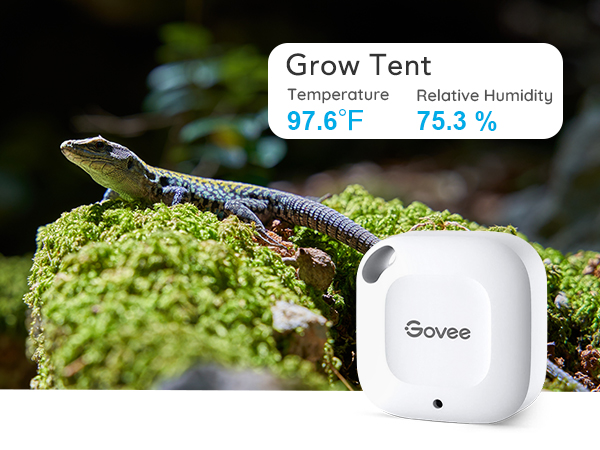
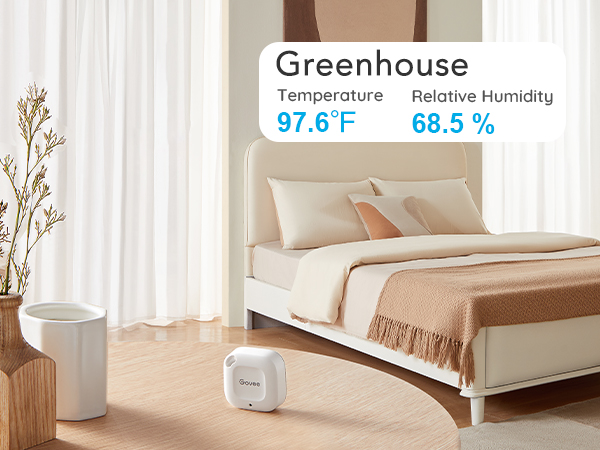
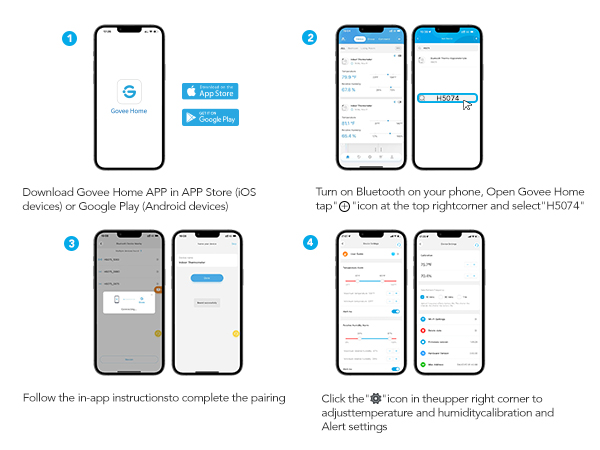
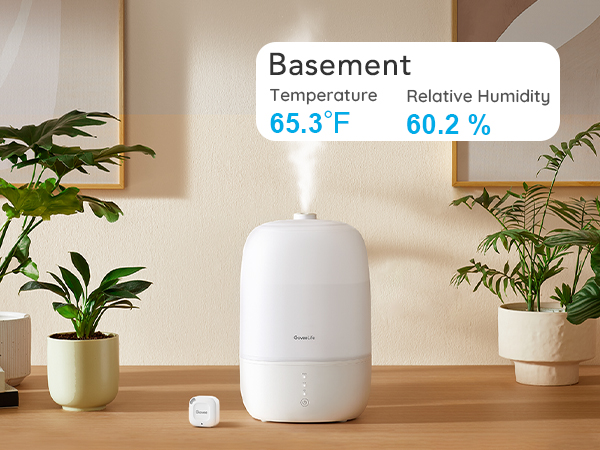
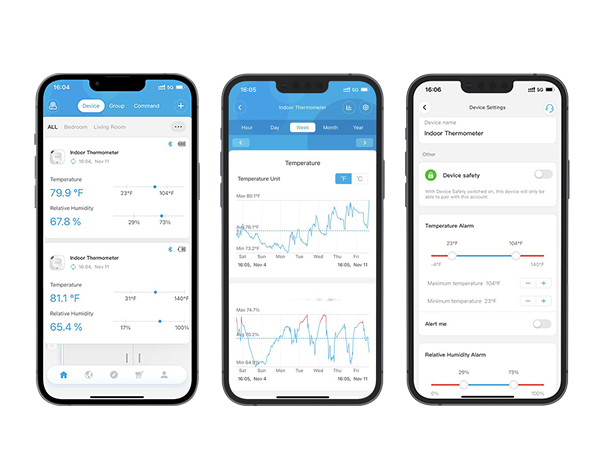
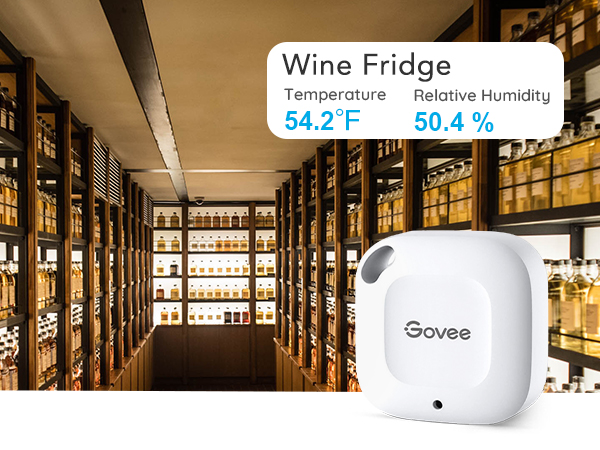
The Govee Bluetooth Hygrometer Thermometer is a compact, highly accurate sensor featuring a Swiss-made sensor with ±0.54°F and ±3%RH precision. It offers a robust 262-foot Bluetooth range for remote monitoring via the Govee app, real-time alerts, 20-day onboard data storage, and the ability to export up to 2 years of environmental data. Designed for seamless integration in any space, it empowers professionals to maintain ideal indoor conditions with ease and confidence.









| ASIN | B07R586J37 |
| Battery Description | No batteries required |
| Best Sellers Rank | #381 in Patio, Lawn & Garden ( See Top 100 in Patio, Lawn & Garden ) #10 in Indoor Thermometers |
| Brand | Govee |
| Brand Name | Govee |
| Color | White |
| Customer Reviews | 4.3 out of 5 stars 12,910 Reviews |
| Included Components | 1 x Govee Thermometer and Hygrometer,1 x Hanging String,1 x User Manual, |
| Item Dimensions W x H | 1.57"W x 1.57"H |
| Item Height | 0.67 inches |
| Item Length | 4 Inches |
| Item Weight | 0.37 Ounces |
| Manufacturer | Govee |
| Mounting Type | Wall Mount |
| Operating Humidity | 20% - 80% |
| Product Dimensions | 1.57"W x 1.57"H |
| Temperature Accuracy | 0.54 Degrees Fahrenheit |
| UPC | 739929049813 741663591770 |
| Unit Count | 1 Count |
| Upper Temperature Range | 60 Degrees Celsius |
R**N
Accurate and Easy to Use
We love this Govee thermometer and hygrometer. It works great and provides accurate temperature and humidity readings through the app with no issues. The Bluetooth range is more than enough for our needs, and the alerts are very useful for keeping an eye on conditions. The small size makes it easy to place anywhere. Definitely a great purchase.
J**S
Reliable Humidity Monitor – Great Value, Safe Battery Design, Accurate Readings
We purchased three of these mini Govee Bluetooth hygrometers to monitor humidity while running the air-conditioning, which had been drying out my husband’s skin. Our target is around 48% humidity, and these sensors have been spot-on across multiple rooms. Setup was simple since we already use the Govee App. This model connects via Bluetooth only, which works well for our home layout. At the time of writing, the product listing incorrectly says no battery required - it actually takes a CR2477 battery, which is included. The battery compartment is secured with three small screws, a thoughtful safety feature that prevents children or pets from accessing the button cell. Performance has been reliable and consistent. The temperature and humidity history in the app makes it easy to spot trends and adjust the environment. For the price, it’s excellent value+ simple, safe, and accurate.
Z**I
Home Info Center: a great option, though not perfect
I got this sensor to create a simple "information center" out of an old iPad, for use in my RV. This just involves setting up the "home screen" of the pad with widgets from various apps like weather, calendar, etc. Using iOS widgets lets me make a flexible, easy-to-read display that's user friendly without any special software or setup. Importantly, it uses BT instead of WiFi, since I don't have a router in my RV. It mostly gets the job done and for the money it's hard to complain. It could be a little better, though. WIDGETS I chose the Govee over all others because it was the only option I found that offered iOS widgets. The widget has Dark and Light mode versions, which is nice. There are small, medium, and large sizes. The small can display one sensor; the other two display multiple sensors. You get sensor name, date and time, picture of the device, temp readout, and humidity readout...which is actually too much. This does meet my needs, but I'm disappointed that the most important info -- the temp and humidity -- are very small and hard to see due to sharing space with all that extra info, and especially the picture of the device, which is *pointless since it never changes*. Widgets should display whatever the app specializes in ONLY, not a whole cluster of the same redundant info I can get anywhere else. It's like having the clock on the wall, on the microwave, on the DVD player, on the coffee maker... I'd prefer to see only device name and measurements. The smallest widget would ideally (for me) show just one user-chosen measurement, allowing very customizable and easy-to-read layouts. The other widget sizes are better suited to fitting in more measurements and/or more sensors. I hope Govee will add easier-to-read widget options in a future app update. PERFORMANCE Aside from this, the device itself performs fine. I have no "calibrated" thermometer to compare it with, but the numbers agree with various other devices and they update often. If I pick it up in my hand I see the temp go up pretty much right away. I'm happy with how compact it is. Setup was fast and easy. No registration or signup required to add the device to the app, and connecting to the sensor went smoothly. I The instructions are written in a way that seems like you can add a sensor directly from the app, but in iOS at least you need to pair to the sensor in Settings (the conventional way) before the app will see it. This is plenty easy. I have my sensor in an exterior compartment that's enclosed in metal. It's only about 10 feet from my pad but there's quite a lot of obstructions between them, and I have no trouble with the connection. INSTALLATION The device itself is surprisingly small; only a little larger than its widget displaying on my iPad! This makes it easy to slip into just about any spot. The only physical change I suggest to the case is a second mounting hole, which would make it much easier to secure against movement and vibration. The hole is located on a face that's angled so if you try to (lightly) secure it with a screw, it doesn't sit flat - the beveled edges of the case make it "wheelie". A second hole (or simpler case design) would help with that. BATTERY The batteries are CR2477 coin cells, which are a rather large and totally unfamiliar size of coin cell for me in the US. One cell is about the size of 4 US quarters stacked up. These are tough to find in local stores (though of course AMZ has them) but their energy capacity is almost 5 times that of a common CR2032 so I expect they will last quite a while -- though I haven't had it long enough to say. I don't know if it sends a "low batt" message to the app/widget (but that'd be a nice feature).
S**O
very COOL thermometer
Highly recommend. I'll start off with noting one of the most useful things that happened within a month of owning this freezer thermometer. The power went out but it happened while we were not home. I was able to look at the temperature readings to get an estimate of how long the outage lasted and if any food was affected. I love having the temperature graph to see if the temps dipped higher or lower than they should. It's very easy to read and keep track of. It also shows you the battery life which is great. Not a product issue but a phone issue is that my widget for the Govee Home App displays an outdated temperature and to get a current accurate reading you do have to open the app to update. I've had no issues with connecting to the app from any location thus far. I had bought a different brand before but didn't realize it required a hub to function. Not the case with this freezer thermometer. It is a small cute size so doesn't take up much space and has worked well. I do have a manual thermometer to compare against for temperature accuracy. It says it handles down to -4 degrees Farenheit which is true. My freezer dips below that frequently maybe up to -9 degrees and the thermometer is still kicking. But again it's only been a month so we shall see how long the battery lasts being pushed.
T**X
Delbert McClinton
I bought this thermometer with a single purpose in mind - to alert me in the middle of a winter night whenever the temperature dips below freezing, so that I can activate some outdoor heating elements from my iPhone. I hung the Govee under an eave outside my bedroom window, and paired it with my iPhone, and it works perfectly. The only problem was that I could not get it to work with Siri to announce temperature alerts in a woman's voice that would be sure to wake me up; all I got was a single "drip" sound for an alert. After a long while I finally remembered there are other iOS alert sounds, and I found a couple with multi-note alerts that would stand a better chance of waking me up. Then I remembered that I had recorded some 15-20 second ringtones years ago that I use for various everyday calendar alerts and alarms. Now I have my Govee temperature alerts set up to play Delbert McClinton singing, "Here come ol' Flat-top, He come groovin' up slowly, He got..." For $11 I think I got an excellent bargain.
#**E
Survived a crazy cat experience
Bought a few more to put on all floors including the attic and basement. Easy to set up without signing on. Work fantastic. Helping me keep the house thought evenly warm and perfectly humid throughout the year. Easy to set and adjust preferences in the app, too. Very happy ⭐️⭐️⭐️⭐️⭐️💯 /\ update again Repurchased a two-pack because the first detector has worked so great. These dual additions are working as well. Quick set up in the app without signing in. Mentioning this because of complaints about personal info. It's very easy to name each device depending on the room. Once set up it's very simple to set the temperature and humidity range alert. Meaning the blue numbers mean desired and the red beware. This is important to me for guitar management and pet support. Plus, maintaining humidity helps deter dry lips and skin in colder months. Warmer help me set safe humidity for daytime animals inside and sleep temp and humidity. Because we're outdoors often like more humidity and higher temp indoors during summer and cooler in winter. Makes adjusting outdoors easier. But always require a higher humidity in winter for the guitars. These help me know when to turn on the ac for the pets or individual room heaters. A few have temp guides so this helps. In a house from 1900 central air doesn't work because the house isn't designed for it. Or heat. It’s cold in the summer in most rooms due to the design pre ac. But the humidity is a pain to follow. If I'm out for the day want to ensure it's safe for the fur farm. Like, when to set the portable ac in each room to maintain 75% humidity. I'm adding details to emphasize how these little detectors can help in large older vintage houses that aren't built for modern equipment. This modestly priced device makes ensuring comfortable humidity for instruments to animals and plants plus people perfect, in my opinion. These device readings all in one app for me are very helpful in this larger house four-story building to maintain ideal humidity and temp any time of the year. /\ update I've used this detector for a few years. It works very well. Back to buy more for other rooms. There are more expensive versions. For me, find this works just fine. As long as it's not attacked as a toy by the cat 😁 Even so it reassembled and kept working. As long as it isn't hanging where a playful kitten can access it all will be well. In regards to the security comments, I use the detector with the app but do not have it set for a location unless I'm checking the humidity. It works fine to get a reading on the app. Go to settings on the phone and click while using the app. See pic for what I mean if you're tech-challenged. For those concerned my encouragement is don't be in Amazon either. Have no email or any online accounts. Close the bank accounts, house payments, and stop visiting the doctor. Etc etc. Unless you're John Connor from Terminator your info is accessible. Is accessed. Amazon kicks back reviews when I pitch other recommendations. So all I can say is there's a book by a guy that talked about the art of invisibility. The way to set up without being hacked or tracked. Using this all isn't going to end the world as you know it. Adjust the location setting and minimally you'll get a temp and humidity reading. For me, this is important for guitars and to maintain comfort especially in winter. Of warmer months for the pets. Helps me know when to use the air for them. Plus close the windows for better sleep if it's too humid. Works great while traveling, too. Humidity or lack there up isn’t easy to detect naturally, but when it’s absent or higher then is comfortable could hurt guitars and fur fam when I’m gone for the day or were traveling and the instruments are home. Enjoying the outdoors prefer natural weather vibes inside. Except when it’s too much or too little. This little priced right device is just right, in my opinion ⭐️⭐️⭐️⭐️⭐️💯
M**.
Scores a ZERO on SECURITY OF YOUR DATA!
This device is easy to use, accurate and convenient. It is however, not built with your security in mind. This is the reason for one star. First, it requires the use of their "Govee Home" app, and only their app. This would be fine if the app provided some semblance of being secure, but it does not. First, it wants to know your location, the app will not start without that "vital" connection. Why? Who knows for sure, but the second requirement is the kicker. Even though this device is a Bluetooth transmitter, THE APP WILL NOT RETRIEVE THE BLUETOOTH TEMPERATURE DATA UNLESS YOU ARE CONNECTED TO THE INTERNET via WiFi or cell data connection! That's right, a BlueTooth-only device - that only transmits temperature and humidity readings, that's it - needs to talk to the internet through your device for some odd reason. This is without signing up for an account on their system, which they want you to do to get the CSV data for a spreadsheet. If you have one of these little gems, you can test this requirement by using a tablet for the app and turning off your WiFi connection for an hour or so, then try refreshing the temperature data. It will give various errors including "Network not available...". Upon turning your WiFi connection back on, refreshing the graph in the app will *instantly* show all the data since you turned it off, up to the minute you turned it on. Yes, BT was on the entire time, and other devices could be seen over that BT while the WiFi was off. So what is it that is so important for the app to do that it needs to talk to the mothership before I can get a temperature reading from my attic, which is all I bought the device for? Thankfully I use this app on a cheap, old factory-wiped tablet with a dummy account, that has no other uses anymore. I suggest that if you, like me, decide to keep this device, and thus are forced to use their app, you should do something similar with an old (factory wiped) phone, etc.
Y**I
Functional, with limitations and rough software issues.
I currently have 9 of these sensors (H5074); I should've stopped at 4. I also have a Govee humidifier H7140. The integration is satisfactory. If all you want is some temperature based automation for other Govee products, getting a limited number of these will work pretty well for you. If all you care is the current temperature in multiple locations, this system works fine. It also has integration with some open-source smart-home software, but it will only be able to track current temperature, and (while I haven't really dived deep into the issue) has some issues being registered with both the smart-home service as well as the Govee Home app. I would guess that this is probably a Bluetooth issue, and not specific to Govee. My primary issue is with the measurement history. As I feel like my use case with the history is not the most common usage, I've let it affect 2 stars. TLDR - invest in the SensorPush system if you want temperature history. 1. If you don't refresh or fetch the data periodically (I've found every 5 days to be somewhat of a maximum), some data seems permanently lost. I've attached a photo showing time gaps in exported CSV data. 2. Even if you do refresh data periodically, the data will sporadically have gaps, unless you explicitly refresh again. This means, if you want to avoid having any data gaps, that every few days, you will need to open your Govee app, then for each sensor you have, wait for the initial refresh to finish, manually refresh the data, wait for the data to be fetched to your phone, then refresh the data again. This also sometimes fails to work; luckily you can just back out of the sensor's view and back in and continue the data refresh. It can take up 30 seconds for the first refresh, then another 15 seconds for the manual refresh, then another 10 seconds for to wrap any any potentially missed data points. This means in the best case, it's something like 30 seconds per sensor, worst case, maybe up to 2 minutes (due to retries). That means with 9 sensor, it can take anywhere from 5 minutes to 20 minutes to fetch all the information from the devices to the phone. Also, most of the time is just waiting; in terms of interaction, it's about a total of 20 seconds of interaction but dotted throughout many periods of waiting. Compared to the SensorPush system, which requires just a one-time sync (that is also more performant) that maybe takes about 5 seconds total to refresh 7 sensors, at best, the Govee system is 5900% slower to fetch data. There is a clear price difference; however, as you scale up on sensors, the SensorPush system becomes a much better value proposition (at least for your sanity). 3. Exporting data is janky at worst. Specifically, there is an option "Export data of all other devices," which sometimes works if the data exported is small enough; otherwise, even though the option is checked, only the data from the sensor which you are viewing will be exported. I haven't experimented with exactly where the "Export data of all other devices" stops behaving as expected, but I have not been able to export weekly 1-minute data using this option. This means, to export my 9 sensors of data, I need to go to the select the sensor, scroll down to "Export Data", select the "Send to account email" checkbox, set the "Start time" (which is a custom time selector, and doesn't support direct typing, so I have scroll the year, month, day, hour, and seconds to the desired value), set the "End time" (which has the same issues as the "Start time"). Then I contemplate my life and whether the "Export data of all other devices" button will work (which it has not so I usually don't check it), then export the file. Then I need back out twice then repeat this for the remaining devices. One minor nitpick is that, if you export enough data, the file is compressed using ZIP; the name of the compressed file is "export.zip" which is a bit less convenient than the uncompressed filename, which contain the sensor name. There is documentation stating that deleting and reinstalling the app, then refreshing the data will fix this... This seems like an unacceptable solution, and even if reinstallation fixed the data issues, it wouldn't change my opinion. Unrelated to measurement, there is a feature called "Timed Export" in the device export view; but I have yet to understand what qualifies as a "gateway" in the "Pair with a gateway first" message. There is a built-in support chat in the app. This works OK, but when I used it, it was a bit marred by mild UX issues and what seemed like a language barrier. I've only used it once; I decided to just use SensorPush instead. Last minor gripe, is they tend to advertise their own products a lot on the app. This is fine, as it is their app, but it seems a bit excessive. Lastly, even though they do advertise their own products in the app, I have yet to understand exactly what a "gateway" is. I haven't used other temperature systems, like Ecobee's, so I can't compare there.
Trustpilot
5 days ago
3 weeks ago


