
DOWNLOAD THE APP


Customer Services
Copyright © 2025 Desertcart Holdings Limited
DOWNLOAD THE APP

⏳ Master your time, save your energy, secure your space!
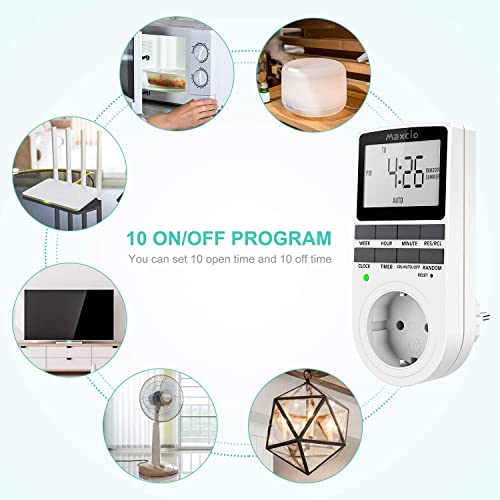
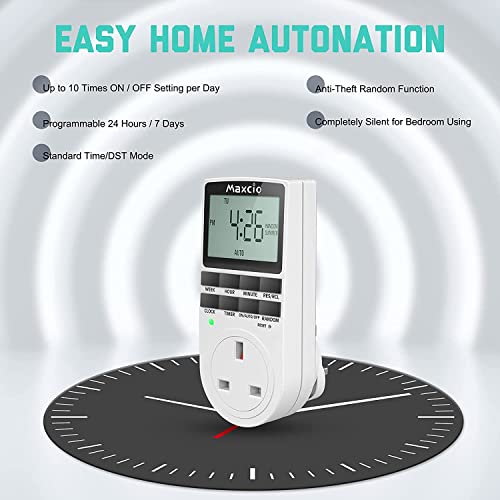
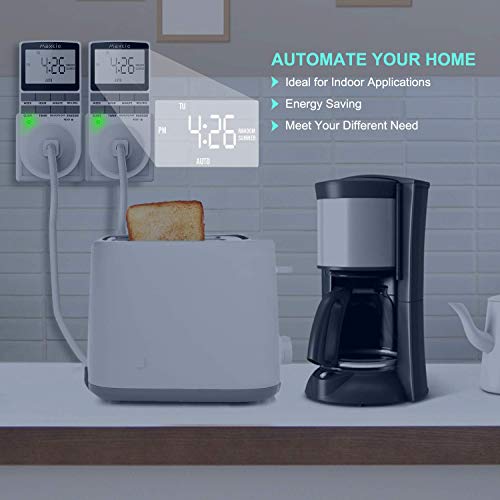
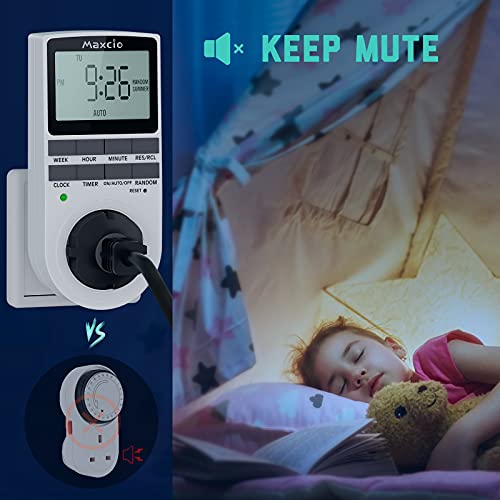
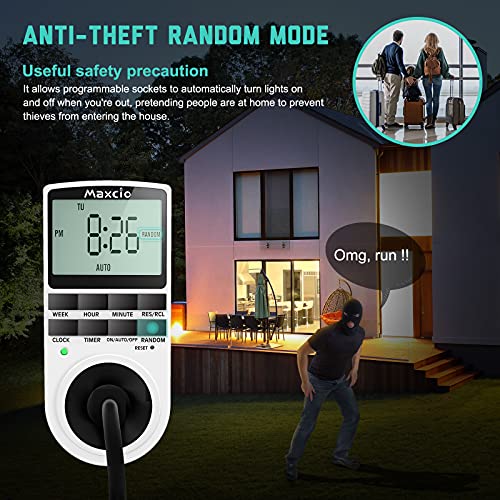
The Maxcio Digital Timer Plug is a sleek, programmable switch designed for professional-grade home automation. Supporting up to 2900W and 13A, it offers 10 flexible timer programs with daily and weekly options, plus a random anti-theft function. Its large LCD display and built-in battery ensure user-friendly operation and reliable memory retention during outages, making it an essential smart device for energy-conscious, security-savvy millennials.


| ASIN | B07PWWG3HZ |
| Batteries Required? | No |
| Batteries included? | No |
| Certification | energy |
| Colour | 1 Pack |
| Customer Reviews | 4.2 4.2 out of 5 stars (1,610) |
| Date First Available | 25 Mar. 2019 |
| Included Components | Batteries |
| Item Package Quantity | 1 |
| Item Weight | 200 g |
| Item model number | 1 |
| Manufacturer | Maxcio |
| Material | Plastic |
| Part Number | 1 |
| Plug profile | Wall Mount |
| Power Source | AC/Built-in NIMH Battery |
| Product Dimensions | 5.4 x 3.9 x 13.4 cm; 200 g |
| Shape | Rectangle |
| Switch Type | 1 way |
| Usage | Automate your appliance on/off as programmed |
| Voltage | 230 Volts |
| Wattage | 2900 watts |
R**N
Now I can reboot stuff overnight
I followed the example in the booklet so I could reboot my wireless router overnight, as it was playing up, and I find that switching things off for a few seconds and restarting them (rebooting) often solves a myriad of problems. This approach works for my PC too. So, as per the example, on program 1, I left the switch ON time as --:-- and the OFF time as 00:01. On program 2, I set the ON time as 00:02 and left the ON time as --:-- This means that 1 minute after midnight my router switches OFF. One minute later, at 00:02, it switches back on again until the next cycle. No fuss. To test all this, I didn't get up at midnight, I set another cycle up with program 3 and 4 for 10:01 and 10:02 and it all worked just as expected. I even left this program running just so I could always check it again. And so far, my WiFi is now behaving as expected. I'll have to get another for the DigiBox, that also needs a daily reboot to sort it out. Tip: if you accidentally change the --:-- time to anything, and you didn't mean to, you must reset the device by pushing in the reset pin into the small hole. This does a factory reset, so don't get it wrong just as you set the 10th on/off period as you will have re-input all the programs again!
A**L
Good product
Happy with the product, works very well, easy to set and no errors at all. I use it to control the light for my fish tank.
D**)
A very versatile and easy to use timer and very accurate
This is a great product very easy to use and great accuracy in the timer, it’s very versatile giving ample control over the multiple switching times and simple to reset or remove / change the switching times, I have used them on heaters and also on Christmas lights and the ability to add devices up to 3000w is a great bonus for safety using high consumption devices, Five stars all round ...
P**L
great customer service
Timer is getting "stuck" after a few days of working. Edit: The customer service contacted me and offered full refund or replacement item. Big star ⭐ for them.
R**R
Effective timer
We have a small wattage immersion heater that goes on whilst on the cheap economy 7 rate and this timer is very good as it takes more than 10 amps. Most others do not. I've only had it a month or so and it's working well. The blue light that comes on when it's operating is brighter than I expected. I found it easy to set once I had used the pointer provided to reset it. I recommend anyone setting this for the first time does a reset first.
K**R
Good product but bad user intructions
I managed to get the power timer plug to work but the user instructions are really bad. 1. Press & hold down the clock button and press the hour and minutes to set the actual time and then press the week button to set the correct day of the week. 2. To set a program. Press the timer button and set the on time using the hour & minute buttons. Then pressing the week button to set which day or the entire week that you want the device to switch on. Then press the timer button to set the off time and day or entire week again. 3. For the device to work and the program to run it must set on auto so press the Auto button. Auto should appear on the screen. I hope this helps
K**.
Timer unreliable and keeps resetting
I made the classic mistake of seeing lots of reviews and a high overall rating. I should have checked out some of the one star reviews. It seems there are a reasonable proportion who have bought these and found the clock and timer randomly resets itself just like if there has been a power cut. Well it did it to me twice in two weeks. The one thing you want is reliability for a programmed timer and this isn’t. I sent back and Amazon very quickly refunded. Far better option as I have found out is to get a cheaper smart plug which is working faultlessly and was much easier to set up. These may work fine for a lot of people but if you don’t want to take the risk look for an alternative.
A**R
Effective plug and good value for money.
Bought this plug to control my outdoor Christmas lights. Easy to set up and install. Don’t forget to put function on auto to use the timings set. Only thing missing is backlight but for price is good value.
Trustpilot
3 days ago
2 months ago