🚀 Print smarter, faster, greener — your office’s productivity powerhouse!
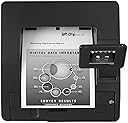
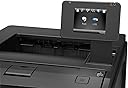
The HP Laserjet Pro M401dw (CF285A) is a monochrome laser printer engineered for professional environments demanding speed, quality, and wireless convenience. With 35 ppm print speed, automatic duplexing, and a 3.5-inch color touchscreen, it supports seamless mobile and network printing. Its energy-saving features and high monthly duty cycle make it an eco-conscious, reliable choice for busy offices.
| ASIN | B007ED7S4M |
| Additional Printer Functions | Print Only |
| B&W Pages per Minute | 35 ppm |
| Best Sellers Rank | #1,524,522 in Office Products ( See Top 100 in Office Products ) #2,569 in Laser Computer Printers |
| Brand | HP |
| Built-In Media | Printer |
| Color | Black |
| Color Pages per Minute | 35 |
| Compatible Devices | Smartphones |
| Connectivity Technology | USB |
| Control Method | Voice |
| Controller Type | Amazon Alexa |
| Customer Reviews | 3.5 out of 5 stars 106 Reviews |
| Display Type | LCD |
| Dual-sided printing | Yes |
| Duplex | Automatic |
| Global Trade Identification Number | 00886112363192 |
| Hardware Interface | USB |
| Ink Color | black |
| Item Weight | 24.2 Pounds |
| Manufacturer | HP |
| Maximum Copies Per Run | 250 |
| Maximum Copy Resolution Black and White | 1200 dpi |
| Maximum Copy Speed Black and White | 33 ppm |
| Maximum Media Size | 8.5 x 14 inch |
| Maximum Print Resolution Black and White | 1200 dpi |
| Maximum Sheet Capacity | 250 |
| Model Name | CF285A |
| Model Number | M401DW |
| Model Series | M401 |
| Number of Trays | 1 |
| Other Special Features of the Product | Auto Document Feeder |
| Output sheet capacity | 150 |
| Paper Size | 8.5 inches |
| Power Consumption | 570 Watts |
| Print media | Paper (plain) |
| Printer Connectivity Type | USB |
| Printer Output Type | Monochrome |
| Printer Type | Laser |
| Printing Technology | Laser |
| Resolution | 1200 x 1200 |
| Special Feature | Auto Document Feeder |
| Specific Uses For Product | Office |
| Total Usb Ports | 1 |
| UPC | 778888972008 804066541701 886112363192 |
| Warranty Description | One-year limited warranty |
| Warranty Type | limited warranty |
| Wattage | 570 watts |
P**L
Great to Setup and Get Printing
Took the LJ Pro 400M401dw printer out of the box, powered it up, and connected it via RJ45 cable to my wireless router. It pulled an IP address automatically with no problem. Then I went to my desktop, an older Dell XP box and added it as a printer. This box is cable-connected to my wireless router. I used the "local printer attached to this computer" option with "automatically detect and install my PNP printer". Worked great. Told it I had the disk. Gave it the disk drive letter and it quickly installed. I installed it as "shared" on my network. First test page was fast and accurate. Then I went to my iPad, went into my word processing program, opened a file and selected print. The iPad saw the printer, I selected it, and again a nice fast print. Wife did the same thing with her Mac laptop. Lastly, I tried it with a Win 8 laptop. It found the printer immediately and didn't need to download a driver for it. Worked great. The iPad, Mac laptop, and Win 8 Laptop all connect to my home network using wireless. I am very impressed with how easy this went. Follow up Review: I've had this printer for a year now. I'm very happy with it. Put about 5 reams of paper through it and am still on the original cartridge. Prints clear and crisp images. I really love the quick start up time. I've replaced my old WinXP box with a Mac Desktop. It picked the printer right up with no problem. It handles envelopes much better than my inkjet printer ever did. I've had no problems doing double-sided print either. What's really nice is that when visitors come over, they can pick it up on my home network and use it. HP may not know how to run a PC business but they sure do know how to make printers.
A**L
Fraudulant Product Listing
When I finally received the printer, I immediately noticed that the serial number on the rear machine tag had been obliterated (both the alphanumeric string and the Code_39 bar code). Additionally, I saw that the product code (advertised as being a CF285A) was also obliterated, although there was enough of the Code_39 barcode left to reconstruct the bar code and read the data from it. I was able to find additional serial number evidence in the machine to use, on the HP web site, along with the true product code, to discover that this printer started life, in 2012, as an HP Laserjet Pro M401dn (CF278A), and showed a service incident at some 38000 impressions. How odd, since the impression count maintained in the printer memory showed only 2 impressions. It is obvious to me that either the main PC Board has been replaced on this printer, or the impressions count has been cleared, to make this printer appear to be virtually unused. In addition, the printer has been re-configured from a 401dn to a 401dw compliment. In aggregate, this is a substantial misrepresentation of the printer, as a saleable unit, and merits consideration for prosecution as a case of interstate mail fraud. While the machine is clean, functions well (at least at this moment), and is representative of a competent re-cert process,, I do note that the 256MB memory DIMM card was held-back from inclusion in the machine--something that will be very difficult to source on todays market; and assert that there was no need to misrepresent the product in the blatant way that has been done with this product listing--although, a true representation of the total impressions that have been handled by this chassis would have pushed the sale price downward significantly. All in all, this is unethical conduct on the part of the seller, and should never be permitted on the Amazon sales platform. I continue my search for a memory module for this printer, and count this as a lesson learned at a time when money is a scarcity in my home, yet printing is a necessity.
E**N
So Far, So Good
We bought a couple of these to replace our 2055dn HP Printers, which were discontinued. Refurbished 2055's were selling for almost $700, and the 3015dn Enterprise lasers (which looked identical to the 2055's) were selling for even more new. These were under $300, which allowed us to buy two for less than one new 3015 enterprise (which seemed to receive poor reviews). That being said, these printers look much nicer, have the same features, and seem to work very well. They're as quiet as the 2055's and much quieter than the 4050's and 2015's we had previously. They start up and print very fast. Only gripe is that windows 7 doesn't recognize the driver, and HP won't just provide the driver without the 43mb software pack. Makes setup more difficult than need be, we ended up using the 2050 driver which is working so far, even with the duplexer. Print quality is excellent and these seem better built than the 2055's. The screen is adequate for setup, working better than the one line screens on other HP printers. The size is more compact than any of our hp printers we've had so far, and even with the screen up, fits well in a deep shelving unit, or cart. Haven't used the wireless, but wired networking was a cinch, and the online interface works like a breeze. We were even able to customize the form length and default font which is an issue other brand printers have with our billing system. Bottom line: for the price, there isn't a better printer out there.
A**D
Great printer, bad interface.
I love this printer. It is very fast (except when printing with an adobe software product like Reader). NOt sure why that it. If I email a pdf document to myself, open it, and then print from the open screen online this thing flies like the wind. However, when I open a pdf document on my computer using Adobe Reader or Acrobat it is as slow as mollasks. I think that is a software issue and not a printer issue. The print is a little darker than I like, but I can live with it. I use only HP inks and the newest one I installed looks great on good paper. The HP interface for warnings (low ink etc.) is clunky and really sucks. You can turn it off. The little arm that sticks up is weak, and feels like it is going to break off if you push it too hard. Other than that software glitch with Adobe Reader and the clunky interface on your computer screen this is a good printer. UPDATE: very odd but it prints very fast when you upload an adobe pdf file to the internet and then print it. When you print it directly from the computer adobe file to the printer it is slow as molasses. UPDATE: August 2013: downloaded new drivers directly from HP and it is better with printing directly from laptop. Still has clumsy interface.
A**R
BEWARE - Will not print from sleep mode unless unplugged and replugged to reset
Bought this computer to be a workhorse for basic black and white printing, and it does do a decent job of printing, hence 2 stars. Unfortunately the folks at HP can't get their software right and the printer won't wake to print jobs, there's no way to disable the sleep mode and it's a pain in the neck to have to unplug and replug the printer (that's right, just switching the power on and off isn't enough) to reset and get it to print anytime it's gone to sleep. After purchasing and finding this problem I did see posts to update the firmware to address this issue, which seemed to work for some folks. I updated the firmware but no luck on eliminating the print from sleep mode issue. Bottom line, this is a network printer and should work correctly right out of the box. This issue is truly a basic flaw and HP should be ashamed to have a product out that requires such clunky manipulation to achieve basic functionality.
P**Y
Almost Perfect & Update
Update: Oct 1, 2014 I have access to 2 printers of this model: One at home and one in office. I played my home network computer, exploring the Network Sharing Files. I did not realized that my share network HP printer was affected. It printed in-queue only but no physical printing. After 2 days of investigating, I gave-up and call HP support. I talked to Anthony, a software engineer in HP Global Support Dept. located in Texas. In few minutes, I'm back in action. For that specific case alone, I received follow-up phone call and more emails from that Dept. asking my satisfaction level about their assistance. Wow... I did not expect how excellent HP support service. ---------------------------------------------------------------------------------------------------------------------- This printer is a replacement of 8 years old HP LaserJet stand alone printer. For its price and performance, it is almost a perfect device. My tech skills level, is barely above average. The printer comes with CD installation disk, 1 piece of paper with multiple language instructions, power cord, aluminum like cheap USB cable which is poor signal conductor to me, teaser toner cartridge good for 500 to 600 prints, and made in Mexico. It will be installed as a network sharing printer for 2 PC desktops using Windows 7 (both 64 bits), 1 PC using XP, and 1 wireless Laptop using Windows 7 (64 bits). I did the following preparations: 1) delete the old HP printer setup in 4 machines, 2) Reboot all 4 machines, 3) Make sure all 4 machines are "On", and 4) Make sure the router is "ON". There are only 3 printer installation options available namely: a) USB, b) Cable network, c) Apple IOS system install. First, I put the installation CD in the Network (host) PC. I follow the screen instructions and choose Network installation by wire. I also choose able to see "Update on-line". Then I created a necessary HP account for ePrint. Second, I inserted the CD in another Win7 PC as Network installation by wire. Immediately, the 2nd PC was able to see said printer. Again, choose "update on-line" and I log-in to ePrint newly created account. Third, I inserted the CD to XP machine and it see the printer instantly, choose network wire install, choose update on-line, and I log-in to ePrint new account. Network printer wire-installation for 3 machines is done and working in less than 30 minutes. By mistake, I inserted the install CD in the laptop which it system aborted the installation. I repeated the install 3 times and was system aborted 3 times too. No manual instruction help available that comes in the box. I played the "Control Panel" or "Devices and Printers" and discovered that said printer is wirelessly ready for installation which I did. It allowed me to choose HP but the specific model is not available. Then I choose "have disk", inserted, and was system aborted. Redo above steps, choose HP, and choose model M4345 MFP PCL6 (the "4" series). Then the installation options available were 1.) HP M4345 MFP PCL6; or 2.) "http///: 192. 168...on-line". By elimination process, I choose the on-line but did not work. Then choose the other and the installation was completed. In short, this is a tricky wireless installation technique which I did not able to install a specific printer model I have. There is only one thing I do not like: Manual duplex. Amazon ads says it is an automatic duplex - which is WRONG. In my case, it does NOT do automatic duplex printing both in desktops and laptop machines. Other than that, I highly recommend such printer. There are so many features in this printer that exceeds my expectations namely: strong wireless signal printing, quick print, wake-up instantly, long distance email printing direct from house to office (I have not tried this option yet), direct USB storage printing, intelligent small screen monitor not dependent on any PC (it can swing any angle but strongly attach),90% heavy as the old one it replaced but around 70% cheaper.
J**I
Very quick, both in setup and performance
This printer has worked out fantastically with regards to being a wireless laser printer. Setup was a dream, and network integration is a cinch. I do agree with the review above about the screen being fragile (very accurate, a misguided swing of the hand will have it cracked no problem). Honestly, though, once you get it set up the screen becomes rather useless, so folding it down is no big deal for me, as long as pages come out I am content. It has been difficult to find a decent laser printer that supports wireless encryption, but this is an excellent choice if you want an uncomplicated, straightforward install. *** Technical Note for Business / IT Users*** Our Sonicwall TZ 215 splits IP ranges for the wired (192.168.X.X) and wireless (172.16.X.X) ranges, the printer driver DID fail to detect the printer across ranges automatically (Computer was 192.168.168.13, printer 172.16.31.178), but if you instead search for a "Wired" printer and enter the IP address of the printer, it will accept it. Additionally, the CD drivers are a heavy on your hard drive, if you have a copy of their PCL 5 or 6 driver installed already, save yourself the effort and just add a new printer with a TCP/IP Port of the printer. My system automatically applied the drivers to it and life was good.
C**G
Paper jams cannot be cleared since the entire path of the paper is not accessible to the user.
The HP-M401dw Laserjet Pro is a piece of junk. When we first opened the HP-M401dw we noticed its flimsy construction. Some of its plastic components were both lightweight and quite thin. Nevertheless, once it was put into use, we were thrilled by the speed with which it printed our reports. The major problem occurred on the second day that we used the printer. Unlike the horizontal manual feed of the HP2300d, which we were replacing, the manual feed of the HP-M401dw is angled downward. Since I was sitting down at the computer, I could not see the entire paper feeder. Needless to say, the paper was incorrectly fed causing a paper jam. Although I was able to retrieve some of the paper from the front, a sheet was stuck, forcing me to attempt to retrieve it from the back. The rollers in the back held the paper tightly as if it were in the jaws of an alligator. The paper tore because the rollers would not move. This left some of the paper in the midsection of the printer behind the rollers. Although I and a fellow coworker attempted to remove the paper with long tweezers, a small piece was left. The printer flagged the problem as a "fuser error". Neither HP Telephone Support nor the HP website could provide instructions as to how to remove the paper. The entire path of the paper is not accessible to the user. This is a MAJOR design flaw!! At the advice of HP Support, I took the printer to an Authorized HP Service Center. According to the service center, retrieving paper from inaccessible parts of the printer is a problem not covered by the warranty. The service center wanted $80/hr to remove the paper and ignored my request for them to show me how to remove the paper myself. Since the printer was to be used by a business and would periodically have paper jams, I simply repackaged the printer and sent it back for a full refund.
Trustpilot
1 month ago
2 weeks ago