
DOWNLOAD THE APP


Customer Services
Copyright © 2025 Desertcart Holdings Limited
DOWNLOAD THE APP



🚀 Upgrade to the future of WiFi — don’t let slow speeds hold you back!
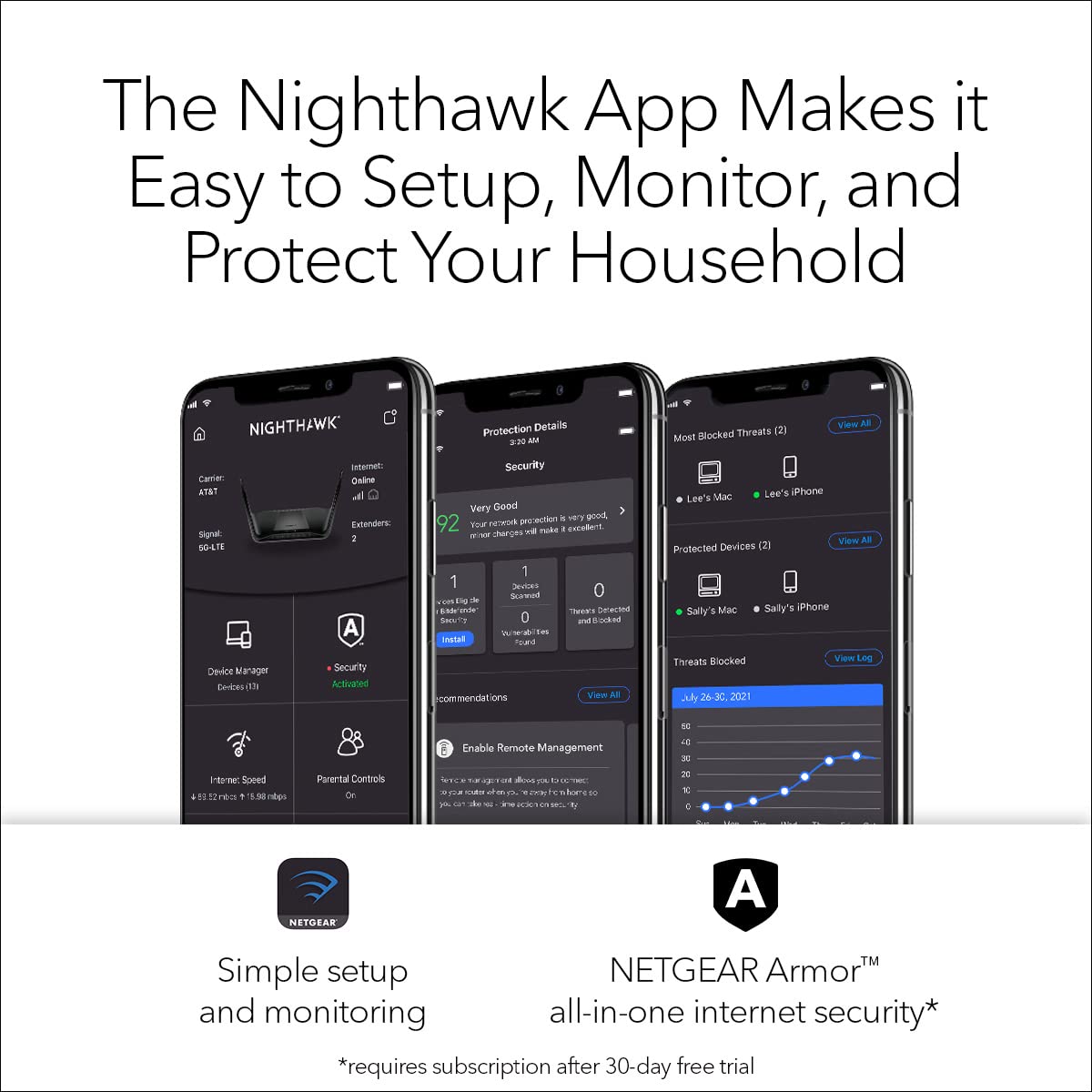
The NETGEAR Nighthawk RAX120-100EUS is a premium WiFi 6 router delivering blazing speeds up to 6.6Gbps and supporting over 30 devices simultaneously. Equipped with a powerful 1.8GHz triple-core processor, advanced technologies like OFDMA, MU-MIMO, and Beamforming, it ensures ultra-reliable coverage across large homes. The router includes 3 years of NETGEAR Armor security for comprehensive network protection and is easily managed via the Nighthawk app. Compatible with all major ISPs and multi-gig internet plans up to 2Gbps, it’s designed for professionals and tech-savvy millennials who demand fast, secure, and seamless connectivity.


| ASIN | B07P3FGKYD |
| Are Batteries Included | No |
| Best Sellers Rank | 128,754 in Computers & Accessories ( See Top 100 in Computers & Accessories ) 945 in Routers |
| Brand | NETGEAR |
| Colour | Black |
| Connectivity Type | Wi-Fi |
| Customer Reviews | 3.6 3.6 out of 5 stars (3,531) |
| Date First Available | 9 April 2019 |
| Guaranteed software updates until | unknown |
| Item Weight | 2.1 kg |
| Item model number | RAX120 |
| Lithium Battery Energy Content | 5 Watt Hours |
| Lithium Battery Packaging | Batteries contained in equipment |
| Manufacturer | NETGEAR |
| Number of Ethernet Ports | 6 |
| Operating System | Netgear Genie |
| Product Dimensions | 30.99 x 19 x 4.5 cm; 2.1 kg |
| Series | Netgear Nighthawk AX12 |
| Voltage | 110 Volts |
| Wireless Type | 802.11ax |
C**L
FANTASTIC | Solved My Virgin Super Hub 3 Slow WiFi Issues
This review is for the Netgear Nighthawk AX12 12 Steam AX WiFi Router (Model Number: RAx120) MY BROADBAND PACKAGE: Virgin Media Fibre Optic Cable. 220MB Download and 20MB upload broadband plan. Using Virgin SuperHub 3. MY HOME SETUP: Large 4 bedroom detached property (very wide) over 2 floors (No brick internal walls). Furthest internal point in house, from the router is approx 15 meters. I have approx 15 devices connecting to the WiFi network. THE VIRGIN SUPER HUB 3: The only time I ever received Virgin’s advertised upload and download speeds was when I connected my MacBook Pro directly to the router using an Ethernet cable. Great - if you don't mind cables running all over your house. The WiFi was horrendously slow 90% of the time - I was often getting download speeds of just 20MB and that was in the same room as the router. In other rooms or upstairs the WiFi signal would degrade further still, to the point that it was often unusable - frequently I would get faster downloads using 4G (on my iPhone Pro Max). I tried all the usual stuff - turning the router off and back on again - turning off the mobile devices and laptops - and resetting the router back to factory settings. Even resorted to tweaking the router settings, to no avail. Occasionally, the router would give me a faster WiFi connection when turned off and back on again (maybe reaching 70MB) and then within minutes or a couple of hours it was back to the usual slow speed connection. I tried WiFi extenders etc.. nothing seemed to work, and as I work from home, I would end up using ethernet cable during the day to ensure I had a fast and constant reliable connection. Fed up with the slow WiFi and having an ethernet cable running over 10 metres to the study I started to research the Virgin Super Hub 3 router online. If only I had done it sooner. The reviews for it are terrible (and that's from official reviewers - not your average lay person). In view of this and already have spent a small fortune on other devices (extenders etc) I started to look at reviews for the NETGEAR Nighthawk router. Initial reaction was expensive, but the reviews for it were generally very good. Having had enough of my current unworkable setup, I decided to purchase the router. THE NIGHTHAWK NETGEAR ROUTER REVIEW: Arrived within a couple of days via Amazon Prime. Downloaded the app to my iPhone, launched it and followed the step-by-step instructions to complete the router setup. It was an absolute breeze. I had the new router up and running within half an hour of getting it out of the box. Note: If you're using the Virgin Super Hub 3, you will need to change the Super Hub 3 from "WiFi Mode" to "Modem Mode", before you start setting up the Nighthawk router, which can easily be done within the router's settings. During the set-up, you're asked if you want to keep your existing Network SSID and Password... Select "YES" as this means all of your existing devices will automatically connect to the new router (once set-up), otherwise you'll have a New SSID and Password, which you’ll have to set-up on every device you wish to connect to the WiFi. This worked perfectly for me. Post setup, all of my existing devices connected perfectly. Note: The 5G network has shorter range but faster connection, whereas the 2G network has further range but slower speed connection. I managed to get all of my smart devices (TV's, mobile phones, iPads) to connect to the 5G Wi-Fi network without any issues or signal drops anywhere in the house. There are 5 ethernet ports on the back of the router, which I also used to connect some devices (e.g Lounge TV, and PS4). Here's THE BEST BIT ... THE SPEED... WOW - this has totally blown my socks off!!! Most of the devices are connecting to the WiFi at almost full speed (220MB download) most of the time. In the furthest corners of the house I can still gets signals as fast as 210MB. I'm totally impressed and wish I'd bought this sooner. The Nighthawk Phone App is great. It allows you to see all of the devices connecting to the network either via WiFi or wired connection. You can 'pause' internet to individual devices if you like. You can also check the internet upload and download speed between your Router and ISP, which is handy. You can also turn on a "Guest WiFi" network if you wish to give house gets access to WiFi but not 'your' personal WiFi. There is also a traffic meter, if you wish to track how much data you're using . IN CONCLUSION: This router isn't cheap, in fact it's one of Netgear's most expensive. It does however have the latest WiFi standard (WiFi 6 aka "AX") which the latest iPhones, Samsung Devices, iPads can make use off. It is also backward compatible with all previous WiFi standards. It is quick and easy to setup and doesn't require any technical knowledge. Most importantly is the WiFi speed which I've been completely amazed with. You might also be able to get great results with other cheaper Netgear Routers (I didn't want to take the chance based on the amount I'd spent cumulatively on other products trying to sort my poor WiFi signal), however, I can wholly recommend this router if you have the budget, want ultra-fast WiFi speeds, and are looking to ensure any new smart device purchases can make use of the very latest and fastest WiFi.
S**M
RAX120v2 router cutting off frequently
I got this Netgear router RAX120 v2 in Jan 2023. After a few weeks I noticed the WiFi cutting off and reconnecting more frequently. My Ring devices and Blink camera devices were also not responding well to the Netgear router in general. So I contacted Netgear support and they assisted in resetting the whole thing, including the service provider modem. The process took several hours to complete. It seemed to work for a few days but then the problem started happening again, in fact worse than before. Netgear support told me to contact Amazon to request return of the router and request a refund. I have requested this now and awaiting Amazon response. I have packed up the Netgear router and now I'm using the default router given by my service provider and WiFi is working perfectly now. All my devices like Ring and Blink respond really well to the service provider's router. Also my internet speed results goes up to 1.2 Gbps which is really high - but I was getting 700-800mbps via Netgear router (even through wired connection using cat 8 ethernet cable). Now I expect Amazon will take back the Netgear router and refund me.
S**T
Good router showing off the latest Wi-fi spec
This router replaces a Nighthawk XR500 that’s being sent back for replacement after it went faulty. I’ve been watching this router for a while and it’s firmware updates and when the XR500 gave up I thought it’s time to move on. Very easy to set up with either the app or web page, I entered the same credentials and everything connected straight away. The XR was different as it was constant messing to get even Echo devices to connect. The web page and app are basic and not complicated and within 10mins it was up and running after the firmware updated. I turned off AX mode as I have no AX devices and it’s very stable so far. Wi-fi coverage is excellent, way better than the XR. I have 2 NETGEAR Ex8000 extenders as I had dead areas but now it just covers the property but I’m using one extender as it has some wired connections from other devices. I noticed too the extender now connects at max strength. For example my Arlo security cameras connect to extender and streaming is now butter smooth with their app and Apples HomeKit. I’m also on BT and there is no issue but I’m running a HG612 modem and not a home hub which I prefer. The specs are impressive, 64bit with good ram and cpu power as indicated in the spec. Perfect for streaming and gaming without the complex software many gaming routers supply. It’s a set and forget device. QoS is basic and I’ve left it off and have streamed and gamed at the same time without any issues so far. A very capable router thanks to its spec. I’ve also noticed as I’m using smart connect it’s working well at roaming and allocating devices to different channels ie. 2.4 or 5Ghz. Both web page and app show what’s connected to what channels and you can turn off devices if need be. Again this is a vast improvement and does the work for you. I’ve in total 15 devices connect to the network and it’s not even pushing it. There is a small fan to keep the temp down, it’s not come on yet and the case is slightly warm to touch, not surprising with the cpu power this router has. To round up if you want a Wi-fi 6 router or just a good modern up-to date router you can’t go wrong. Set it up and forget it’s there, perfect.
W**W
Good when it’s good, bad when it’s bad.
I must have bought this too early as it is in need of a few more firmware updates. Initial setup was hit and miss, I had to try 3 times. The netgear app was part of the problem and I highly recommend you set this up through your browser for an easy, user friendly time. Over the first few days the RAX120 devices like my iPhone 11 Pro Max would freeze when trying to load websites and I would have to turn Wi-Fi on the phone off then on to get it to work. In the router settings OFDMA is off by default, enabling this seemed to resolve this issue. I’m not sure why something like this was off by default and I had to google what the setting meant as the interface doesn’t give any guidance. Next up was game streaming via steam link and PS4 remote play. They both performed like a slide show which was a surprise taking into account my older nighthawk R8000P could run both these services flawlessly from the same location as the RAX120. This was harder to resolve but it seemed to help when I enabled upstream QOS and set the bandwidth randomly to 60mbps. Again there was little guidance on how to use this feature so it was on me to play battleships with the settings, knowing I can always factory reset the router with a pin should I ruin it. This did seem to help mainly with the steam link app where games become fully playable with no lag. PS4 remote play did improve but would still lag momentarily every 10 - 20 seconds. I’ve reported all the issues I had to netgear who tried to help, they will take you back to basics with their advice and will gradually go into more detail so do use them. If you need a new router you may as well buy a WiFi 6 one but no matter which you buy there will be some issues, for example the RAX120 supports 160mhz out of the box while certain others need a future firmware update to enable this. In my experience the RAX120 needs an update to be more gamer friendly. Apart from the faults I mentioned this router does a lot very well. It’s signal strength over long range is seriously impressive. I live in a large house where the router is set at the front entrance and I can get a strong signal at the far end of my back garden, good if I want to stream music outside or for outdoor wireless security cameras etc. This is a good stand alone alternative to a mesh set up. It looks to have a good cooling system, there is a quiet fan on the top which I’ve never turn on but under heavy load it should help keep it cool. Most importantly it looks like a spaceship which I believe means it is the best router available. It’s worth mentioning I almost bought the RAX200, thinking it was better because of the higher model number. The difference is the RAX200 is tri band and the RAX is dual band, however the RAX120 has a much longer range and different chipset with a faster CPU at a lower price. I personally value range and performance more than the extra band and overall I’m happy with my choice. Update: I can get a decent 80-100 Mbps connection on my phone, at about 50ft away from the router at the far end of my back garden. That’s really good and shows me how strong and reliable the signal is. My R8000P router could not achieve the same result. Sometimes I find I’m still getting random drops and stutter. The cause is unclear, I suspect it’s a firmware issue from various support pages I’ve visited trying to get this to work consistently.
J**S
Interesting experience...
So, to start, this is a two-pronged review... the router itself is decent, not what it says on the box, but it is still particularly good. The installation did take a while and was quite the journey but if you are used to setting up routers you will easily be able to navigate your way through it, once you can get into the setting there is a wizard which was brilliant and selected all the best settings/channels for you. Overall, I am happy with the router... Now for the second part of the review... (if you made it this far read all as the last bit is ESPECIALLY important!). The buying experience was challenging, this was partly due to the Royal Mail’s exquisite services where they lost the item between 2 distributions and neither could locate it, so it turned up almost a week later than anticipated (obviously not the seller’s fault). The next part however was not what you would expect for a £300+ purchase… The router did not come with a UK power supply and when raising this with the seller I was asked to take it to a shop and ask them to find a 3rd party power supply as the one they had provided was the only one they supplied. They did offer a “generous” £10 refund for this issue or I could have sent the unit back for a full refund. I managed to find a 3rd party power supply that works perfectly with the router (I won’t say the name here but if you search on MyVolts they had one there. Needless to say, I was not over the moon with the purchase which is a shame because the router itself is currently running at 300mbps in the rain (450mbps in the sun), through 2 external walls (1 concrete) at an approximate distance of 30m on a 1gbps line. Which is far better than anything else I have tried for the price.
M**R
Cuts through WiFi Interference and Brick Walls Like a Hot Knife through Butter
I tuned the frequencies of my old WiFi router to find the lowest congested frequencies that I could identify using the NetSpot app. The wifi network still performed poorly, never approaching the full speed of my internet connection. It also constantly dropped the throughput to near zero on both the 2.5 and 5 GHz frequencies. It randomly dropped Internet calls and internet browsing would freeze due to loss of signal because of interference. I put the Nighthawk RAX120s into the same physical locations of my previous routers configured to exactly the same frequencies and transmit power levels. One as the Wireless Router and the second 2 stories up in my 200+-year-old home as an access point. Now I get full internet speed in every nook and cranny in the house. The connection is stable with none of the dropouts nor near zero throughput experiences. I get full speed in the cellar and in the room that has brick walls around where the signal has to travel through another brick wall with a fireplace in it to get to the router. Even my AC only (non-AX standard) devices enjoy full-speed performance. I can see over 25 networks from my house. Even with my computer in the same room as the previous wifi router, I couldn't get full speeds. After replacing it with the Nighthawk I instantly saw full internet speeds on my wifi network, just as if I was wired to the Internet Modem directly. I used Orbi in my last house which was a craftsman made of wood. I had to put an extender in every room to get this level of performance. I should have gone with the Nighthawk.
G**R
A substantial improvement in wifi coverage and speed over my BT Smarthub 2
I purchased the RAX120 to obtain better wifi compared to my BT Smarthub 2 router which was OK, but patchy at longer distances to the router. First the aesthetics: it is quite a big router and does look like something out of Star Wars. But it is well put together and the lights aren't too intrusive (although you can turn them off). The 'wings' do contribute to its wifi performance, but not everyone will like the design, or want it on full parade in the middle of their lounge. Onto the setup: I have a BT G.Fast connection which limits what I can use as a modem. My BT Smarthub 2 is a combined modem router so I wanted to use the BT Smarthub 2 as a modem and the Netgear as my router. Unfortunately the BT Smarthub 2 cannot work in modem only mode which I thought would mean a bit more manual setup in the RAX120 to sync the gateways, but the Netgear wizard was quick to identify a potential clash of IP addresses on the original BT network and automatically setup a new network passing the internet traffic through automatically - great job and no more than about 5 minutes to setup. Then it was another quick job to change the wifi security on the RAX120 before switching off the BT Smarthub 2 wifi. All done in about 30 mins. I didn't really get on with the Nighthawk App; the web interface for setting up the router is much better IMHO. YMMV. So how does it compare? At close range, my original BT router and the RAX120 were both good - I would have to be moving large files to really notice the difference. However the Netgear starts to show its real strength at range, both in the house, or out in the garden. Mine hasn't put a foot wrong since I initially switched it on. I can only assume that some of the poor experiences of the RAX120 you can read on the internet are down to early firmware, defective items, or user error. Would I recommend it? Yes - but there are some caveats. If you have a smaller home or flat, or a good Mesh network already, this may be overkill for you needs. Likewise it works well with devices that support wifi 6 (such as newer Android or iPhones) but if you have older devices, then its like having a sports car but never getting out of third gear. Finally, my understanding is that there is a newer version of the RAX120 on the way with a different (improved?) chipset. To be clear, mine is the V1 which works great. As a consequence I got it at a slightly reduced price - still not the cheapest, but quality rarely is.
A**S
Keeps disconnecting
This installed OK at first and the speed was fantastic but after a short time the speed kept going up and down. Then it kept rebooting itself every few minutes. Tried updating it but that didn't help. Had to return it.
Trustpilot
1 week ago
2 weeks ago