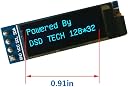
🔷 Small Screen, Big Impact: Elevate your Arduino projects with clarity and ease!
The DSD TECH 0.91 inch OLED Display features a sharp 128x32 blue-on-black screen driven by the SSD1306 chip, using a simple 4-pin I2C interface compatible with Arduino, ARM, and AVR boards. It supports 3.3V to 5V power and operates reliably between -30°C and 70°C. With comprehensive sample code and dedicated technical support, this compact display is ideal for professionals seeking efficient, high-visibility output in tight spaces.
| ASIN | B07D9H83R4 |
| Best Sellers Rank | #80 in Desktop Barebones |
| Brand | DSD TECH |
| Card Description | Integrated |
| Chipset Brand | arm |
| Color | Black |
| Computer Memory Type | DDR SDRAM |
| Customer Reviews | 4.4 4.4 out of 5 stars (314) |
| Date First Available | May 18, 2018 |
| Hard Drive | HDD |
| Item Dimensions LxWxH | 1.2 x 1 x 0.2 inches |
| Item Weight | 0.704 ounces |
| Item model number | 8541612462 |
| Max Screen Resolution | 128x32 |
| Number of Processors | 1 |
| Power Source | DC |
| Processor Brand | ARM |
| Product Dimensions | 1.2 x 1 x 0.2 inches |
| Screen Resolution | 128 x 32 |
| Series | SH-S091 |
| Standing screen display size | 0.91 Inches |
V**O
Great little OLED display
If you are looking for a small, bright, 2-line OLED display to use in your Arduino, etc. projects, you have found it. This 0.91" OLED display from DSD Tech is well made, has only 4 pins to connect (GRD, VCC, SCL and SDA), and is very easy to incorporate into your Arduino, etc. projects. There is a library in the Arduino repo for this (and other DSD Tech displays), and DSD Tech has a sketch on their website that you can download, enter the info you want to show on the two-line display, then upload it to your Arduino. This is my first time using a DSD Tech product, but with the look, performance and low price of this 0.91" OLED display, I'll be looking to them in the future for more of this and other products they offer. I highly recommend this product.
J**.
Cheap, useful, great view
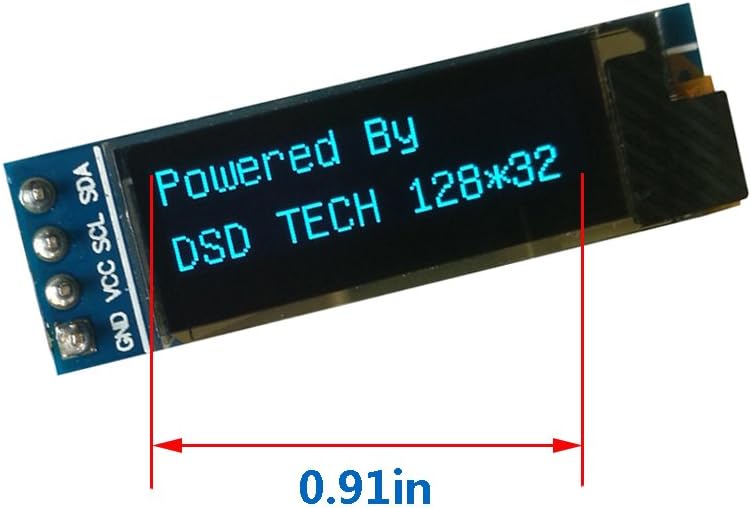
I've used this as part of my smart car project, connected to Arduino through I2C. It works beautifully! It offers a crisp easy to read display, even under the Texas Sun! You can find ready made libraries for Arduino too for several different boards, including original arduino and ESP32 boards. For the price, I would not mind having a few of these in my drawer just for future projects. Beware though, this is a "small" screen (which is why bought this one in the first place) so don't expect a large screen. But let me tell you this, it fits really nicely inside my dashboard button cluster! This thing can fit into very small places! Strongly recommended!
A**R
High refresh rate, great product
Although the documentation is not immediate, there are directions to the git library which is easy to work with. In fact, there is even a wiki for this library. One key feature for my project was the refresh rate (i.e. characters change quickly without previously one fading slowly) and can push up to about 1200 wpm. However, the display is small but this was advertised as such.
F**R
Quick and easy to install, does its job and very cost-effective.
I use them on a raspberry pi cluster to run some quick system monitor info. Does the job its meant for, and it was quite easy to install. There are way too many of these same OLED displays, and it gets hard to decide which one to buy, they all look the same. Glad to say my random picking of this item turned out to be a safe decision.
P**M
Nice display, hard to mount
I bought this for use with a Particle Photon controller. The recommended libraries don't work for the Photon, but I was able to use the Adafruit libraries and it worked beautifully. The only problem I have is the physical install. With just the pins on one side of the board, its a big cantilever and doesn't seal against an enclosure well. I really need to print some sort of flange mount, but its tough since there is so little room between the top pixels on the display and the edge of the display. The included cut sheet doesn't provide adequate mechanical drawings either. I wish these companies would think about how this will be installed in a project box. The electronics are good, but the mechanics are a pain to work out. Here is the sample code in case anyone wants a quick start: #include <Adafruit_GFX_RK.h> #include <Adafruit_SSD1306_RK.h> Adafruit_SSD1306 display = Adafruit_SSD1306(128, 32); void setup() { // SSD1306_SWITCHCAPVCC = generate display voltage from 3.3V internally display.begin(SSD1306_SWITCHCAPVCC, 0x3C); // Address 0x3C for 128x32 // Show image buffer on the display hardware. // Since the buffer is intialized with an Adafruit splashscreen // internally, this will display the splashscreen. display.display(); delay(1000); display.clearDisplay(); display.display(); txtsize=3; display.setTextSize(3); display.setTextColor(WHITE); display.setCursor(0,7); display.print("Working"); display.setCursor(0,0); display.display(); // actually display all of the above }
M**K
THEESE THINGS ARE SMALLER THAN YOU EXPECT!
Im fine with it because I should have looked at the measurements on the seller page. but despite that these are really good quality and are grate at displaying text info on small devices. they are super bring and the oled panel makes them amaing at low power displays.
R**R
Easy! All you need is some Python, C++, or Arduino experience.
The device was safely packaged and arrived intact. I had a Yahboom! RGB cooling hat for my Raspberry Pi 4 whose I2C display WASN'T packaged as well as the DSD Tech displays were and arrived DOA, so I ordered these as a replacement. I already had the software installed on the RPi4, and the display worked immediately upon installation. I am very pleased with the purchase, and intend to use the additional I2C display on one of my Arduino projects!
E**T
Excellent screen!
Worked perfectly for a Gotek installed into an Atari ST. Screen is bright and crisp and the color is perfect. Excellent product and packaging. Highly recommended!
飼**主
小さく、きれいに見える表示器として重宝しています。 Arduino互換機の Seeeduino XIAOでも問題なく使えています。 ライブラリ U8g2lib.hから、以下を使って動作できています。 U8G2_SSD1306_128X32_UNIVISION_F_HW_I2C
S**R
looks good no time to do hands on today 11/02/2021 i tested there is 2 display in box one is working but one is not working
V**R
I placed my order back on Jan 29 2020. The package arrived in just 4 days but I decided to let the items age in a drawer like a fine wine. I finally got around to opening them nearly 6 years later. Mathematically speaking it took me about 530 times longer to test this product than it took to arrive. I hooked both modules up to an Arduino Uno R3 today and they fired up instantly. Very Nice. Borat Approves.
M**E
Its a good LITTLE screen, emphasis on the size. It works as advertised. I downloaded the library frog GitHub and had is working in short order. It is much smaller than I thought it would be, but that is my bad. The ad clearly states that it is 0.91 inches in length. The documentation is difficult to find, but you can find it by opening the source code .cpp and .h files in an IDE like Visual Studio. The .h file is a THOUSAND lines of code. This little screen is capable of a vast amount text and graphical display options.
F**Z
Esta es una pieza muy facil de utilizar y muy practica.
Trustpilot
2 weeks ago
2 days ago