


Desertcart purchases this item on your behalf and handles shipping, customs, and support to Denmark.
🖨️ Elevate your home office with vibrant prints and wireless freedom—because your creativity deserves premium.
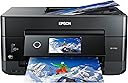
The Epson Expression Premium XP-7100 is a wireless all-in-one inkjet printer designed for home use, featuring a 30-page auto document feeder, automatic two-sided printing, and a 4.3-inch touchscreen. It delivers ultra-high 4800 dpi print resolution for sharp text and vivid, borderless photos up to 8x10 inches. With Wi-Fi Direct and Ethernet connectivity, it enables seamless printing from smartphones, tablets, USB drives, and SD cards, making it a versatile and efficient choice for creative professionals and families alike.
| Additional Printer Functions | All In One |
| Asin | B07FN93WW7 |
| B W Pages Per Minute | 15.8 pages_per_minute |
| Best Sellers Rank | #7,084 in Office Products (See Top 100 in Office Products) #4 in Desktop Photo Printers |
| Brand | Epson |
| Built In Media | 5 Claria Premium ink cartridges: 1x 410 Black ink cartridge, 3x 410 color ink cartridges: Cyan, Magenta and Yellow, 1x 410 Photo Black ink cartridge, CD-ROM containing software and drivers (Windows and Mac), Expression Premium XP-7100 color inkjet printer, Power Cord, Setup and instruction manuals |
| Color | Black |
| Color Depth | 24 bpp |
| Color Pages Per Minute | 1 pages_per_minute |
| Compatible Cartridge | Epson Genuine Ink Cartridges designed for XP-7100 model |
| Compatible Devices | Laptops, PC, Smartphones |
| Control Method | Voice |
| Controller Type | Amazon Alexa, Vera |
| Customer Reviews | 4.1 4.1 out of 5 stars (3,937) 4.1 out of 5 stars |
| Display Type | LCD |
| Duplex | Automatic |
| Global Trade Identification Number | 00010343922693, 00010343937697, 00010343942622, 00010343943674 |
| Hardware Interface | Ethernet, Secure Digital Card, USB |
| Ink Color | Black, Cyan, Magenta, Yellow |
| Item Dimensions D X W X H | 17.2"D x 23.5"W x 8.1"H |
| Item Type Name | Epson Expression Premium XP-7100 Wireless Color Photo Printer with ADF, Scanner and Copier |
| Item Weight | 21.5 pounds |
| Manufacturer | Epson |
| Maximum Copies Per Run | 60 |
| Maximum Copy Resolution Black And White | 4800 dpi |
| Maximum Copy Resolution Color | 4800 dpi |
| Maximum Copy Speed Black And White | 15.8 pages_per_minute |
| Maximum Media Size | 8.5 x 11 inch |
| Maximum Print Resolution Black And White | 4800 dpi |
| Maximum Print Resolution Color | 4800 dpi |
| Maximum Sheet Capacity | 30 |
| Model Name | XP Expression Premium XP-7100 |
| Model Number | C11CH03201 |
| Model Series | XP |
| Number Of Ethernet Ports | 1 |
| Number Of Trays | 1 |
| Other Special Features Of The Product | Auto Document Feeder, Borderless Printing, Memory Card Slot, Touch ScreenCD Printing, Two Sided Printing |
| Output Sheet Capacity | 30 |
| Paper Size | 4 inch x 6 inches |
| Power Consumption | 13 watts |
| Print Media | Paper (plain) |
| Printer Connectivity Type | Wireless |
| Printer Output Type | Color |
| Printer Type | Inkjet |
| Resolution | 4800 |
| Scanner Type | Photo |
| Series Number | 11 |
| Specific Uses For Product | Home |
| Total Usb Ports | 1 |
| Unit Count | 1 Count |
| Upc | 010343937697 010343943674 010343922693 010343942622 |
| Warranty Description | Warranty |
| Warranty Type | Limited Warranty |
| Wattage | 13 watts |
User
Best of the best
I have had one of these printers for a couple of years and printed possibly 1000's of projects. Even after all of that time the quality of the images is still true. The "High" quality setting is as sharp and vibrant as a photograph. Remanufactured inks are inexpensive and the printer is frugal, not gobbling them up. Inexpensive, long-lasting, and reliable.
User
🙂 Great printer with an even better price.
I just happened to stumble across the Epson XP-7100 while looking for a small photo printer capable of using Letter size paper. The store did not have print samples and I knew nothing about it so I put off the purchase to do some more research. I came across a PC Magazine article titled The Best Photo Printers for 2019. The XP-7100 was listed a one of seven listed as an Editors' Choice, but the 7100 was the only Legal size printer with 2 others not fitting the bill and the remaining 4 being large formats costing 2-10 times as much. With a price of $129, I decided to take a chance.The XP-7100 arrived well packaged and heavier than expected (usually a good sign). It is a elegant contemporary design which takes up very little space and looks good anywhere. No ADF or trays sticking out. Setup was easy and straight forward with the quick setup sheet. The 4.3 inch control screen is a delight with its intuitive interface and bright touch screen. Once the ink cartridges are installed, just push the power button (the only button) and the control panels automatically tilts outward for a better viewing angle. After printing a few test sheets for printer head alignment, it was time to set up WiFi (unless you go with USB). WiFi setup was easy. Just select your network and enter its password (if secured). Last step is to install the software and driver on the computer. The CD did not auto run as it was supposed to so I manually opened the CD in File Explorer. At the root level are two app files. EPWizard.exe and Setup.exe. I ran the EPWizard.exe and everything installed fine. WiFi tried to locate the printer and it failed. This was resolved with a simple Restart of the computer.My first few prints were to test different papers and quality setting. The printer has 2 trays supporting cards, photos, envelops and basically anything A4 or Letter size and smaller. It even includes a CD tray to print on CDs. A motorized output tray retracts back into the printer (along with the control panel) when you power off. As far as construction, the port for the power cable is a little wobbly. I do not know what that is about. Some reviewers wrote the printer is flimsy. The trays do not have rollers or bearing, so yes they are a little flimsy to reduce friction, but tighten into place once fully extended. This is common among printers and helps keep cost down. As for the body, it does have thin panels (available in different colors) which are simply not acceptable for a laptop. Oh wait, this is a non-portable printer meant to, at most, be moved from place to place a few times. Remove from box and place on desk.I purchased the printer mainly for its photographic printing abilities. My first real print was a Student of the Month article (about my daughter) from the website of the local newspaper. The photo and text would be a great test of the printers capabilities so I imported the article at 300 dpi with vector text. I printed it with high quality settings and used Epson Ultra-Premium Glossy Photo Paper. The results were phenomenal. The color photo was vibrant and the blending of the 4 photo colors was seamless. Text (some of it 5pt in size) was very crisp and could rival laser printers. The printer is fast for an inkjet on high settings. I estimate around 35 seconds for the 8.5 x 11 print.I’ll add a follow up on the scanner, ADF, and media ports but for now the 7100 is a very impressive photo printer which can be had as low as $99. Of course they will make up for the losses, and then some, with ink and paper sales.
User
The Good, the Bad, but it's not Ugly.
I bought this XP 7100 to replace my Artisan 730, which had become cranky lately after working great for 11 years.Overall I am well pleased. Despite what some reviews say, this Will print full borderless prints on 8.5 X 11 paper. I don’t know why the web site only says 8 X 10 max size for borderless photo, nor why some people say it will leave a white border on the 8.5X11. It prints full borderless.I had no problem connecting with the Wifi. I just turned it on, put in my password, and it did the rest. My Macbook and two iphones also auto connected to the printer automatically without me doing anything.I love the ADF and having two trays plus the slot in back for feeding odd paper. (Yes, you can still put photo paper in tray 2, that’s the way I used to do in my Artisan730. The back feed just makes it easier.On the down side, I have not been able to copy and print old faded photographs with the automatic color adjustment like I did in the Artisan. They still come out faded and brown where the Artisan converted them to look like new. But I’ll work with that more.Also it is difficult to get used to the on screen instructions.However, the reason I am not giving this 5 stars is the photo printing. It prints photos sharp and clear, but the color is bland. I printed the same photo on both my printers. The Artisan came out bright colors where the 7100 seemed faded and dull. Very easy to notice just by looking.Yes, I know the Artisan had 5 colors where this has only 3. But it is touted as a “Photo” printer and I had assumed it would print close to the same results. It doesn’t.Other than that, so far I am pleased with it. I love the automatic stuff that my older one didn’t have. Especially the tray that slides out to catch the printed paper. I often forgot when printing from my laptop then came in to find pages all over the floor.I’ll keep it. Just disappointed in the colors and not correcting photos in the scan.Update: I think I will increase my rating a star. I have had it three weeks now and have printed numerous HIgh quality photos on photo paper, plus other projects. Some reviews have complained about the ink not lasting. I still have over 3/4 ink in all the Cartridges. It does NOT use ink fast, it is normal compared to my other printers.
User
BROKEN UPON OPENING IT
If I could give this printer ZERO stars, I would.Let me be clear. The print quality itself isn’t the main issue. It’s decent. But that’s about the only thing that works, and even that doesn’t last long.I’ve bought this same model multiple times over the past two years, and every single one has been a complete nightmare. The most recent one started scratching and ripping every single sheet of paper I tried to print. So I disassembled the entire thing to remove the printhead, only to find that the metal bracket that surrounds the printhead the protective piece was installed bent and protruding inside the machine. That damaged part is what shredded every sheet of paper I tried to use, wasting my time, materials, and money.Thinking maybe I just got unlucky before, I bought yet another one -which is the one I’m making the review about . Well That was an even bigger mistake.The moment I turned it on and tried to print, it made loud banging noises, jammed constantly, and not a single page printed correctly. After inspecting it, I saw that the printer was visibly damaged and cracked, like it had been dropped before it was even shipped to me.This is completely unacceptable. They are selling damaged or poorly assembled units as if they’re brand new, and people are getting ripped off.Do not buy this printer without a warranty. Actually, just don’t buy it at all. I’ve wasted enough money and patience on this trash, and I won’t be giving this company another cent.
User
A great multi-purpose printer.
This is my third Epson printer. (XP-7100).I ran the first one until end of life.You must use Epson brand ink. At least that is what it says.It prints beautiful photos on glossy or matte photo paper. I love the scans. You can feed it into the multi-purpose feeder or put it on the scanner glass.You can print directly from your phone to the printer without the computer and also can print to the printer from anywhere in the works from your phone.You can scan to a thumb drive and also to the computer directly. (Computer has to be powered on).I’m happy with my Epson printer and when this one hits end of life I'll buy another one. I’m not sure what the parameters are to end of life but it’s a long time and many many prints!
User
So far, so good; prints well, scans well
I replaced an Epson XP-830 with this machine because this was the newest model and would use the same ink cartridges. It prints well and scans well. Unlike my previous machine, it does not have fax capability. It does, like its predecessor, print on CD/DVDs and has a back feed slot for heavier media, like card stock or envelopes, though only one at a time. I have not printed photos yet.I am able to reuse the partly used cartridges from my previous machine. However, in setting up the machine for the first time, you are advised by Epson to use the cartridges in the box first because they're designed for a first priming of the ink system. It recognized the used cartridges and the amount left when the initial ones ran out. I highly recommend buying the 410XL cartridges instead of the standard 410's; they cost a bit more, but you get more than twice the ink for a bit less than twice the price. The mixed box set contains an XL black cartridge but only standard color cartridges. The XL colors have to be bought individually, but they're worth it. There are third-party inks out there that cost much less than brand name, and you use them at your own risk. Many people say they're just as good and that the Epson inks are a ripoff; I'll only say that I have tried third-party inks and have definitely had problems more than once.My two criticisms of the machine: one, the main paper tray is low-capacity, extremely flimsy, and sometimes difficult to remove; if you want high-capacity printing, this printer is probably not for you. Second, the display icons are irritating, and the system will not stay in home display mode after printing, you have to hit a cancel button. Still, I will not hesitate to buy this printer again so long as it lasts out its warranty period and a little more. I've been far happier with Epson photo printers than HP, Canon, or Brother.I would also check the paper specs carefully. I wanted to do some printing on 3X5 sheets, but paper will not feed properly on any size less than 3.5" width. Not their fault that I didn't notice.
User
Worth it!
Very easy to set up if you follow the instructions. Great print quality!
User
Excellent photo quality
it's lsess than a year and I'm aving trouble with printing photos. I can no longer print photos. I am going to have to replace it to print photos That's the reason I will get a new one. It prints excellent photos. color is excellent and sharp I won't buy a different one. had an HD and didn't compare with epson at all. I am disappointed that i have to buy another epson to get my photo quality. it Will be my third one.
User
Excellent printer
Got a great deal on this printer. The setup process was so easy, light years ahead of the HP, Lexmark and Brother printers I've had over the past few years.Print quality is excellent, and it's fast. My HP printer over-inked the pages at high quality and made the page warp, this has no problem at high quality settings, even small text looks great. Has an ADF and auto duplexing which is rare at this price point.A bit confusing with the remote printing options and setup. Overlapping functionality that wasn't very clearly explained, and it installed 2 versions of the printer intiially, a Network version and the regular one, that both functioned exactly the same from what I could tell. So I just deleted the extra Network one and I can print remotely and directly just fine to the other one.Overall an amazing purchase and I'm now sold on Epson printers going forward.
User
Nice printer!
Prints fine, and it prints quietly. Hoping that the ink will last long.
User
Does everyone
A lot of negative reviews. Even then I think it’s due to unrealistic expectations. Here’s what I like: prints are of exceptional quality. I’ve always liked Epson for that. I’ve started to print Audio CD’s and Blue ray as well. Great prints! Only printer in this price range that can do that. And do it well.Don’t like: it’s terribly slow. The internal software needs patience. Print costs are high. Then again which ink jet printer isn’t?All in all well worth it and a bargain if on sale!
User
Would not buy again
Have yet to print one nice photo on photo paper. I’ve tried every setting, different photo papers. Nothing worked. Always blurry. Bought it solely to print photos and they all turn out awful. I’ve ran every test, cleaning procedure etc. Hasn’t made a difference. Have a 40$ printer for 4x6 that plugs directly into my phone I’ve been using as it is somehow better to then this.Update. Kept using it to print normal printer paper. It no longer will connect to any wifi sources. Absolute waste of money
User
Great printer!
This is the perfect printer! Like how the tray automatically comes out when you submit a print, no more papers all over the floor
Trustpilot
1 day ago
3 days ago