


⌨️🔇 Elevate your workspace with silent precision and seamless multi-device flow!
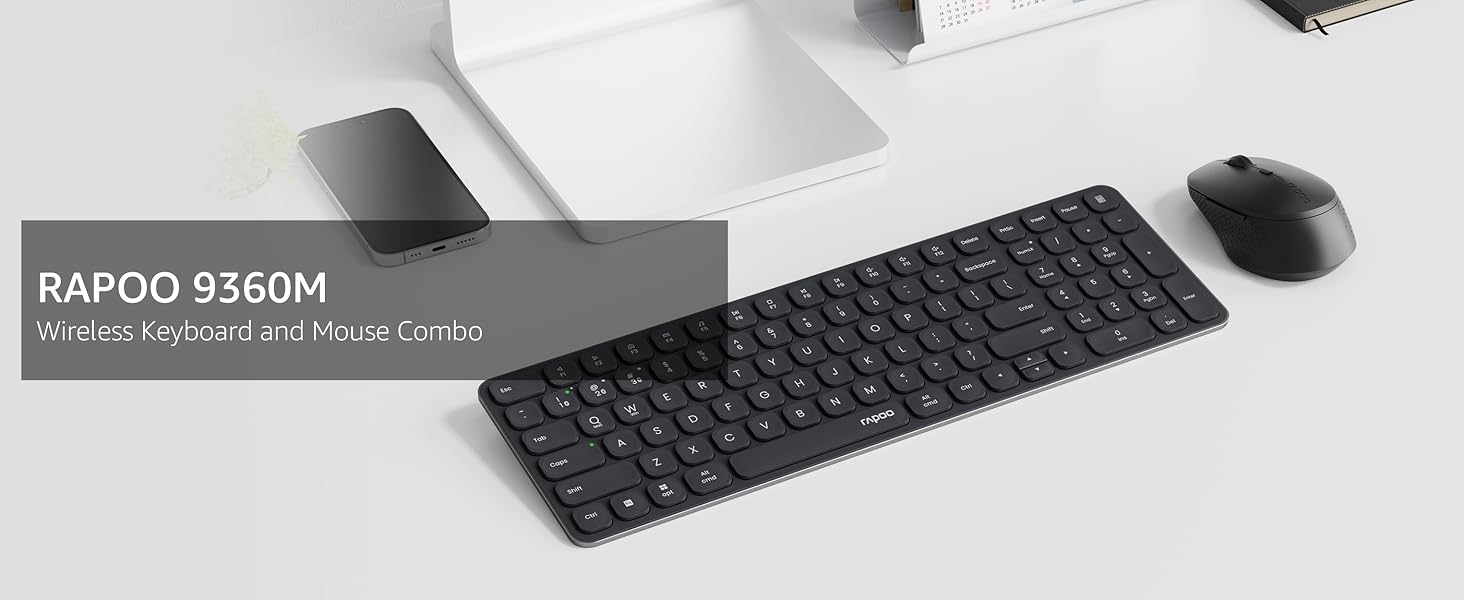
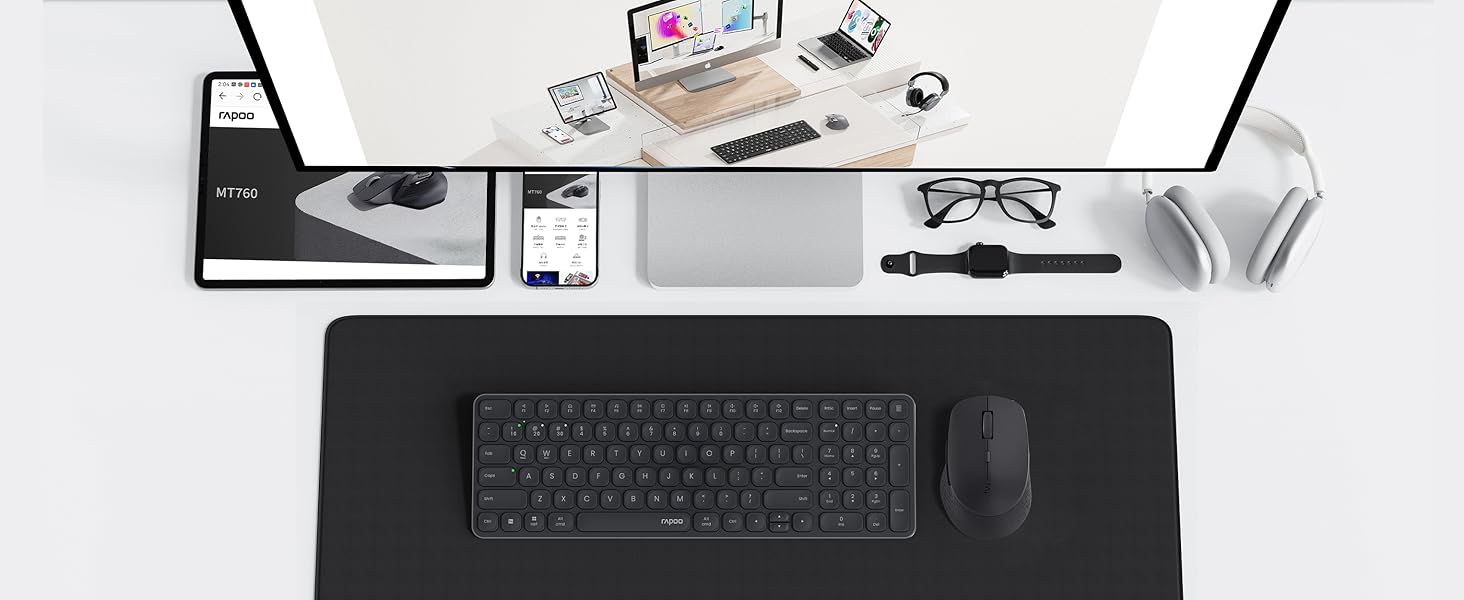
The Rapoo9360M Blade-Series combo features a 99-key ultra-thin keyboard and a silent mouse with 5 adjustable DPI levels. It supports up to 4 devices simultaneously via Bluetooth 5.0/4.0 or USB receiver, compatible with Windows, Mac, Linux, and Chrome OS. Designed with a compact footprint and premium aluminum alloy frame, it delivers a quiet, fluid typing experience ideal for multitasking professionals.





| ASIN | B0F5W2RL25 |
| Antenna Location | Business, Education, Everyday Use, Multimedia, Office |
| Are Batteries Required | Yes |
| Best Sellers Rank | #1,334 in Computer Keyboard & Mouse Combos |
| Brand | Rapoo |
| Color | White |
| Compatible Devices | Laptop, Personal Computer |
| Compatible Operating System Family | Windows |
| Connectivity Technology | Bluetooth, Radio Frequency |
| Customer Reviews | 4.2 out of 5 stars 43 Reviews |
| Keyboard Description | Multimedia |
| Keyboard Layout | QWERTY |
| Manufacturer | Shenzhen Rapoo Technology Co., Ltd. |
| Model Number | 9360M |
| Movement Detection | Optical |
| Number of Batteries | 2 AAA batteries required. (included) |
| Number of Keys | 99 |
| Operating System | Mac OS, Windows 10, Windows 7, Windows 8, Windows XP |
| Other Special Features of the Product | Adjustable DPI, Battery Powered, Multimedia Control, Portable, Ultra-Thin Keyboard and Silent Mouse |
| Power Source | Battery Powered |
| Special Feature | Adjustable DPI, Battery Powered, Multimedia Control, Portable, Ultra-Thin Keyboard and Silent Mouse |
| Warranty Description | 1 year warranty |
R**N
Sleek design, quiet keys
I am a Mac user and have been looking for a friendly-budget keyboard&mouse combo. These Rapoo do the job well: keys are not noisy, easy to connect via Bluetooth so it doesnt take your usb-c outlets. I've been using for a month and the batteries life seem to be still fine. I am impressed with the sleek and thin design along with the nice white color. It does take some time to change from Macbook keyboard to this keyboard though. However, I love the separate number keys which my Mac Air does not provide.
M**O
Good!
I loved that it already comes with batteries for both the mouse and the keyboard! I was really surprised. Keyboard it’s cute and instructions easy to understand. You can connect mouse and keyboard using bluetooth or USB receiver. Color it’s pretty and the keyboard isn’t completely silent when typing, but the noise isn’t unbearable either.
F**N
Mine didn't lay flat on the desk.
I like this keyboard and mouse. Keyboard is very thin, takes AA batteries and works just fine. My only complaint is that I have to add a shim to one corner of the keyboard to make it lay flat and not rock on the desktop.
S**B
Love, love, love!
This might be my favorite keyboard ever!! I work from home and like to change out my keyboards often when I choose different color mats and mouse pads. I decided to try this one because it says you can connect multiple devices at once. Well, it certainly does offer that ability, and it's just so smooth when typing. It's literally my favorite and I have several at this point.
M**O
Works great with M1 MacBook
Bluetooth worked perfectly with M1 MacBook Pro
S**Y
Poor Quality
Poor Quality. Connection is inconsistent and mouse stopped working completely after 3 months.
J**K
Responsive wireless connection for several screens
I use this setup to jump between my personal computer and my work tablet throughout the day. In addition, the keys are very quiet and have a low profile that makes typing for long periods comfortable. The mouse moves smoothly across my desk, and I can adjust how fast the pointer travels to suit my different monitors. On the other hand, the new indicator lights are very helpful for knowing when Caps Lock is on or which screen I am currently controlling. The battery lasts a long time, and I do not have to worry about looking for spare AA batteries since I can just plug it in. Overall, it keeps my workspace organised by letting me use one set of tools for all my different gadgets.
P**R
Works. Layout is a bit different and sometimes a letter is missed when the keyboard wakes up
Great for work from home. Stylish and comes with everything you need. I just have two issues that affect my rating. The first is the keyboard layout is slightly different to a conventional keyboard and takes a bit of getting used to. I find when I go from the office to home, I inadvertently press the wrong key because of the change in layout and takes me a few minutes to adjust. The second issue is when the keyboard goes to sleep through lack of use and I begin typing again, sometimes it misses the first letter of the word when it wakes. None of these issues are massive issues and I’m still using this on WFH days. It works and was at a price I was happy with.
W**L
A Multi-Device Dream Team for Your Desk ⌨️
This keyboard and mouse combo comes with the keyboard, mouse, a user manual, two AAA batteries for the keyboard, and one AA battery for the mouse 📋. Right off the bat, the keyboard impressed me with its sleek design. Popping open the back cover to insert the included batteries—yep, they throw those in for free!—was a breeze, and the unique battery setup is oddly satisfying and memorable. Flip the switch to Bluetooth, pair it with my phone, and it’s ready to roll. If the typing feel is a bit off, a quick tweak in your device settings should sort it out, no biggie 😎. Holding FN plus a number key lets you pair other devices, so I’m effortlessly switching between two phones and my computer like a tech wizard 🥳. The mouse is just as slick. It comes with its own battery and a handy USB receiver tucked inside, perfect for plugging into unfamiliar devices without the hassle of pairing. It’s a total lifesaver for on-the-go setups 😊. I’ve been hunting for a way to juggle multiple devices without a mess, and this combo is an absolute gem. I’m typing this review on it right now, and it’s smooth sailing. Strongly recommend for anyone needing a compact, versatile setup 👍.
I**C
First few keystrokes not being recorded. Sticky spacebar joining words.
Look, it's comfortable to type. BUT it tries to conserve battery by putting the mouse and keyboard into "sleep" and then it takes a couple of presses of a key or shakes of the mouse for it to wake up. And if you forget, you just ended typing with the first 2-3 letters missing. also, it could be just mine, but the space bar doesn't register a press sometimes, so you get run-on rods which are combined (even though you pressed the space bar).
K**A
This one's a keeper
Lovely crisp white keyboard. At just the right angle for typing. My wife used to be a checkout chick and she loves the numeric keypad, she often amazes people when she's punching numbers in. Nice action, tactile, a nice feel every time you depress a key. Better action than her laptop, and definitely better than the old-fashioned clunky mechanical keyboards that gather dust and dirt in their inner recesses <<shudder>>. Bluetooth connection, really easy to connect (and wireless too). There's also a mouse, but we haven't tried it yet (she prefers her own mouse which has a pink flower on it). But if the mouse is up to the same standard as the keyboard, it will be fine.
Trustpilot
2 weeks ago
2 days ago