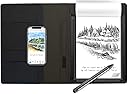
🖋️ Elevate your notes from paper to pixel—because your ideas deserve to be legendary.
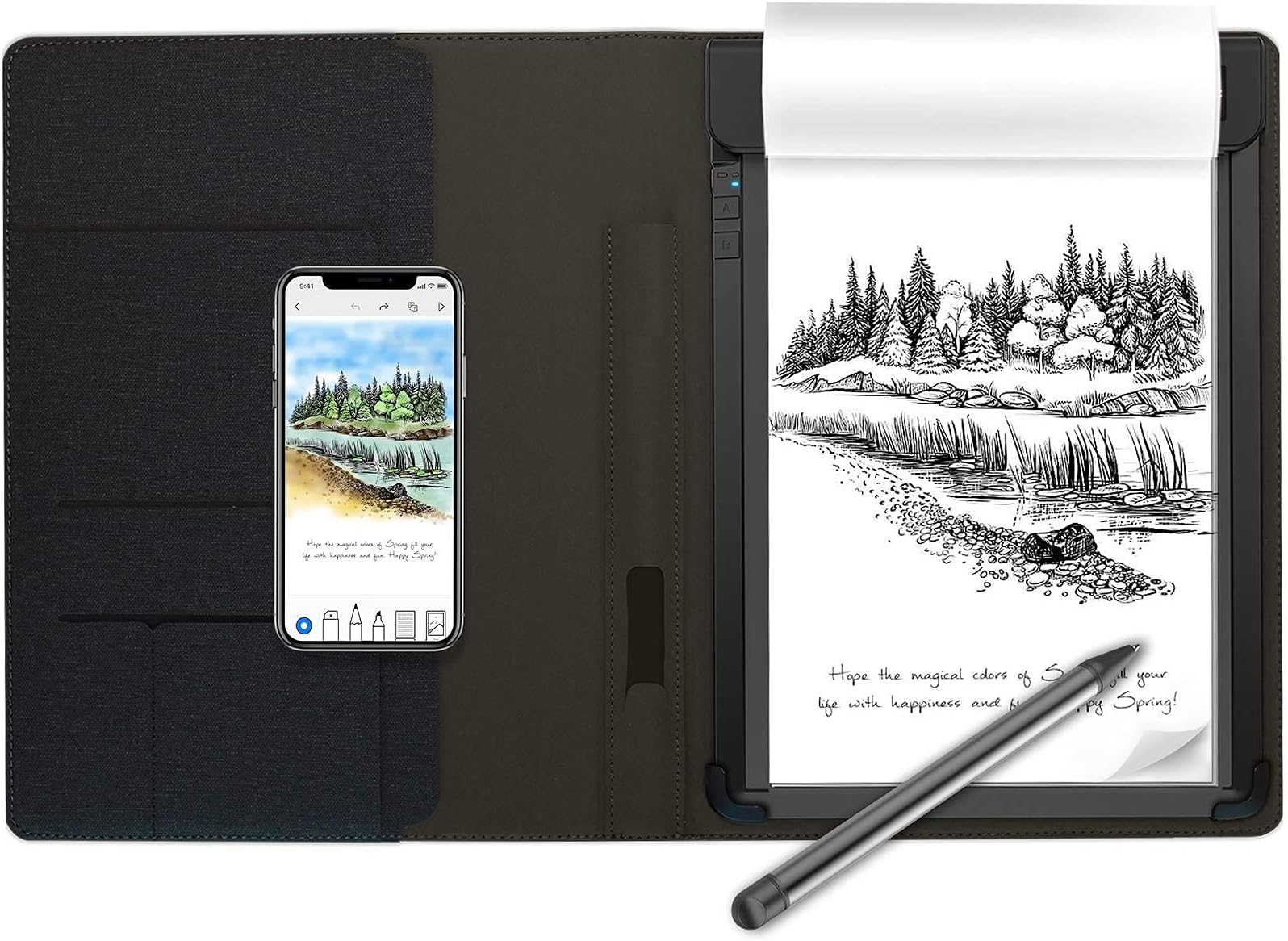
The RoWrite Smart Writing Pad (RY0201-CF5NA) revolutionizes note-taking by combining traditional pen-and-paper writing with advanced digital capture technology. Using a pressure-sensitive pen and standard A5 paper, it records every stroke with 2048 pressure levels, converting handwritten notes and sketches into editable digital files via the free RoWrite app. Features include real-time editing, over 80 color options, stroke video capture, and one-touch text conversion. Packaged with a stylish folio, ink refills, and powered by a lithium polymer battery, RoWrite offers a seamless analog-to-digital experience tailored for professionals seeking precision, creativity, and productivity on the go.


| ASIN | B07D1C34G6 |
| Active Surface Area | 51.75 square inches |
| Additional Features | Pen |
| Best Sellers Rank | #242,909 in Office Products ( See Top 100 in Office Products ) #3,124 in Hardcover Executive Notebooks |
| Brand | Royole |
| Built-In Media | rowrite. rowrite folio, 2 A5 note pads, smart pen, 1 pen refill, cartridge extractor, micro-usb cable, documents |
| Color | Black |
| Compatible Devices | Desktop, Smartphone, Tablet, Laptop |
| Connectivity Technology | USB |
| Customer Reviews | 3.0 out of 5 stars 343 Reviews |
| Display Type | LCD |
| External Testing Certification | Não aplicável |
| Global Trade Identification Number | 00191354010040 |
| Item Dimensions L x W | 8"L x 1.2"W |
| Item Height | 11.1 inches |
| Item Type Name | Royole Smart Writing Pad (RY0201-CF5NA) |
| Item Weight | 2 Pounds |
| Manufacturer | Royole Corporation (Mobile Electronics) |
| Model Name | RY0201-CF5NA |
| Model Number | RY0201-CF5NA |
| Native Resolution | 2048x2048 |
| Operating System | Windows |
| Pressure Sensitivity | 2048 Levels |
| Special Feature | Pen |
| Specific Uses For Product | personal, gaming, business |
| Target Audience | Teacher |
| UPC | 191354010040 |
| Unit Count | 1 Count |
| Warranty Description | no warranty |
N**E
App not available and Bluetooth not connecting
This is disappointing. Received today and was so excited only to be disappointed that the app or Bluetooth both not connecting or available. About to send it right back. Been trying to call the number provided and no answer. Do not waste your money and time
K**H
Comparing RoWrite1 and RoWrite2
My aim with this review is mostly to compare the RoWrite1 to the RoWrite2 and give people resources for deciding which of the two is a better buy for them. For those looking for only a review on the RoWrite1, I’ll just state up front that I think it is a great device and well worth the asking price. But since there are two RoWrite models on Amazon and not a lot of resources for deciding between the two, this review will aim to help people with making that decision. I think both devices are great, but I think that which one you get, should depend upon your projected use expectations. (I originally bought the RoWrite2 and loved it. I decided to pick up the RoWrite1, so that I would have one of these to keep at my office, since I plan to use that one much less.) This review will first give a short version of the review. Then it will cover the aesthetic issues, functionality, and budgetary issues, that should inform your decision, and give an overall recommendation. Finally, I cover some things you should know, no matter which device you get. Short Version: RoWrite1: Get this one if you are a low-mileage user and save the money on the original purchase. RoWrite2: Get this one if you are a high-mileage user and save money in the long run. Aesthetic issues The RoWrite1 is huge in comparison to the RoWrite2. I have included pics which I hope will drive home the difference in size. The RoWrite1 is roughly twice as thick as the RoWrite2. The RoWrite1 is much heavier too. Neither is so heavy that it will bother you carrying it under your arm. But if you are dealing with an already overheavy bag, there’s no question that you’ll prefer adding the RoWrite2 over the RoWrite1 to that weight. The look of the two is quite different. As far as the cover is concerned, I actually like the RoWrite1 considerably more. To just look at the two, I don’t have a strong preference. But the feel of each is quite different. I don’t have the vocabulary to articulate how the feel is different. But there is no question that everywhere you touch the RoWrite1, it just FEELS nicer. It is pleasant to touch this thing. Like, they really have put a lot of thought into the fact that you are going to have this thing in your hands quite a bit, and they ensured that it is always pleasant to do so. I am not sure how else to describe it. But I suspect that anyone who gets a hands on experience with both of these devices will come away with a preference for the RoWrite1 to be in their hands. That is not to say that RoWrite2 is unpleasant to handle. Rather, RoWrite2 just doesn’t leave much of an impression at all in this respect. Functionality As far as the function of the device is concerned, I haven’t noticed much that should cause anyone to prefer one device to another. Both will give you digital copies of your handwritten work, with accuracy. There is something more sleek about the RoWrite2’s design. It has only one button, for doing everything. The RoWrite1 has multiple buttons. I find using the RoWrite2’s single button nice, but there’s honestly not enough different in functionality to cause me to recommend one over the other on this issue. Budgetary issues This is where you might initially think that the RoWrite1 is going to be the clear winner, since it costs less, but for most users the matter is quite the opposite. As of the time of writing this, RoWrite1 retails for $89 and the RoWrite2 retails for $129, a $40 difference. While the initial cost speaks in favor of the RoWrite1, RoWrite2 is going to be way cheaper over the long run. The reason is paper and batteries. The RoWrite1 pen uses a AAAA battery. This means that when it runs out, you’ll need to replace it. And I suspect that for most people, they don’t have any other use for AAAA batteries than this. The RoWrite2 pen has a rechargeable battery. The downside is that if it goes, you’ll have to replace the pen itself, which probably will cost way more. But so long as the pen holds up, which I suspect will be quite a while, the RoWrite2 is going to be cheaper here. The second issue here is paper. RoWrite2 allows you a great deal of flexibility in what paper you get and it uses a style of notebook that is commonly available from other retailers on the cheap. RoWrite1 uses a style of paper that is unique to the RoWrite1 and is fifteen dollars for 200 sheets. (I suspect that if the RoWrite1 goes out of production, this paper will go out of production as well.) If you are planning on using a lot of paper, purchasing this paper will eat up the cost difference between the two devices in no time. (You may be able to make up the difference in cost by getting a whole puncher and making your own RoWrite1 paper, so as to not have to purchase any. But the useability of that paper will depend on the accuracy of your whole punching.) Overall recommendations Both the RoWrite1 and RoWrite2 are great devices. If you are not planning on using the device very much, saving $40 on the original purchase and getting the RoWrite1 may well be your best option. You’ll get a device that is much more pleasant to have in your hands (not that there is anything particularly wrong with the experience of having the RoWrite2 in your hands) and save that money on the initial purchase. But if you plan on using your RoWrite daily, the RoWrite2 is going to be the only cost-effective option. A few final things to know The RoWrite software is only really supported on phones and tablets at this point. While Mac and PC versions of the software are available from the retailer’s website, I wouldn’t hold your breath on them working with your computer. The company has stopped working on these versions of the software, and is only focusing on the apps on iOS and Android. I’ve used both the iOS and Android version and they both work great. But the Mac software doesn’t work at all on my MacBook Air. So, it is worth stressing that while you might be able to use this on your computer, you should not purchase this with the expectation that you will be able to do so. The other thing to note, which is probably obvious, but is still worth calling attention to, is the fact that you have to use the RoWrite pens to use these devices. One thing people like about writing by hand is often the feel of using certain styles of pen. And you don’t have that flexibility here. Both devices have pens that write just fine. But neither will feel comparable to the experience of using a really nice pen or a pen of a different style. So if the handfeel of writing is something that matters to you, it is worth giving some thought to just how much it matters to you. (BTW, I prefer the RoWrite1 pen, because it is thicker, but the preference isn’t particularly strong.)
C**G
Product does not work and can't work.
DO NOT BUY THIS! This product is completely defunct. It literally cannot work. This pad's entire functionality is tied to an app that does not exist. The company that made this product went bankrupt in 2024. The line that says "app fixed" int the product's title is completely false. Without the app, this is an expensive notepad and nothing else. I now have to return it and get my wife a new Christmas gift. You've been warned. Do not purchase.
A**R
Overall exceeded my expectation
I have been using this kind of device since Wacom bamboo fun about 10 years ago. At the time, there was no good solution to record writing on actual regular papers. Recent years technology has certainly progressed to enable recording of handwriting directly on paper. I got a Wacom bamboo folio about a year ago. By allowing writing on paper and pack it with a business-friendly, it delivers a decent experience. The problem I had with the device was on the software side, the interface looks very old fashion, the sync process was not smooth, OCR is very basic (at least for me). Then it comes to the RoWrite. I bought the product in the hope of getting some improvements over Wacom in areas I don't like. Overall, I think the device exceeded my expectation. The actual experience is much of the same with Wacom. In terms of sensitivity and accuracy, at least so far it delivers what it promised. The software is fun to use in particular. In addition to simply adding the sync function and basic OCR, it offers more options like pen color change, pen type, replaying writing pattern, etc. Some of the extra functions beyond what traditional writing pads of such kind offer, require an active connection between the device and phones, because the control is done on the app. Since I use this mostly for business meeting, I ended up using the device as a regular paper notebook most of the time and later sync and play around with the recordings on phones, which is still cool and fun. OCR works better for me at least and it allows direct copy for further editing. Not sure if the software used some kind of vector data to run pattern recognition. Since it actually records each stroke, in theory, I think it is possible to use more sophisticated recognition. I would hope the pen could be a little thinner though not too big a deal. The cover offers slots for name cards etc. useful for business. Overall, I have had good experience over the past one to two weeks, would recommend this one.
M**E
Perfect for what I need!
I purchased the RoWrite 1 and I find it fits exactly what I need it for. I do small graphic records of meetings in church and I don't need a large surface. But I do need a way to get it captured quickly and share it instantly. The RoWrite works great for that purpose. Plus, my handwriting can be bad, so some text recognition is really useful. There is some amount of pressure sensitivity, but It isn't really helpful for me. Of course, I've only used the first pages from the pad, so maybe it will prove more useful as the pen gets closer to the digitizer surface. I don't know. It was really easy to setup, so anyone with some mild tech skills who is over 8 yrs old could probably handle it. I'm going to give it a try with the nieces and nephews next week. I suspect they'll get a charge out of seeing their drawing on the big screen tv, and being able to send it to mom right away.
I**T
It wasn't as good as I had hoped
When I bought this, I had read many of the reviews and the entire description and it seemed like a good solution for my needs. One of the selling points for me was that you could use any paper with it and didn't have to buy anything special to go with it. Immediately though upon opening it and reading the pamphlets that come with it, you find out this isn't true. They recommend that you use the special paper their company makes or the device may not work as well as it would otherwise. That was only problem number one. The app you have to use with it is the only way to make changes and it is a pain to get the documents to go where you want them to go. Sometimes the app wouldn't connect at all and the blue tooth refused to even try to connect. The battery life is not nearly as good as advertised and I was only able to find a mobile app to use, not a pc app, which makes it hard to edit the document, since everything is so small. The text conversion is a nightmare. You would pretty much have to write all in block letters for it to understand what you wrote, being extremely careful of the pressure you are putting on the pen in order for it to recognise what you have written. Truly, it was worth a laugh, but not much else. I bought this in order to save time, but it ended up just wasting time instead. It was a good idea in theory, but not so much in practise. I was glad Amazon allowed me to return it.
S**R
Dont buy
Would be no stars if would let me do it.This is useless bought it for my daughter for Christmas and we went to set up and register it on website it says to do to and it has gone out of business. Dont buy it.
J**U
Easy to use, pretty happy with the purchase!
I recently purchased this RoWrite smart writing pad after comparing with other products and thought it could fit my needs. I've tested around with the writing pad and the app, it does not disappoint me! So the product came in with a nice package with all the accessories I need - two notepads, pen, and pen refills and a pen refill extractor. The folio has a nice fabric feeling and it certainly does not feel cheap. It is quite easy to put the device into use, but before that you will need to download their app called RoWrite from the app stores. I paired my device with the app via Bluetooth, and it connects fast and easy. The app provides many functions by glance, so it may take a while to get fully acquainted to all of them , but overall it is easy to understand and play around. The content I write on the paper will appear on the app, and I can choose different pen style, stroke thickness and colors on the app to make notes or drawings. So far I haven't encountered problems with the device or the app, and I am giving it a five star.
Trustpilot
3 days ago
3 weeks ago