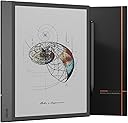
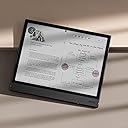
📝 The ultimate ePaper notebook for pros who demand more than just reading.
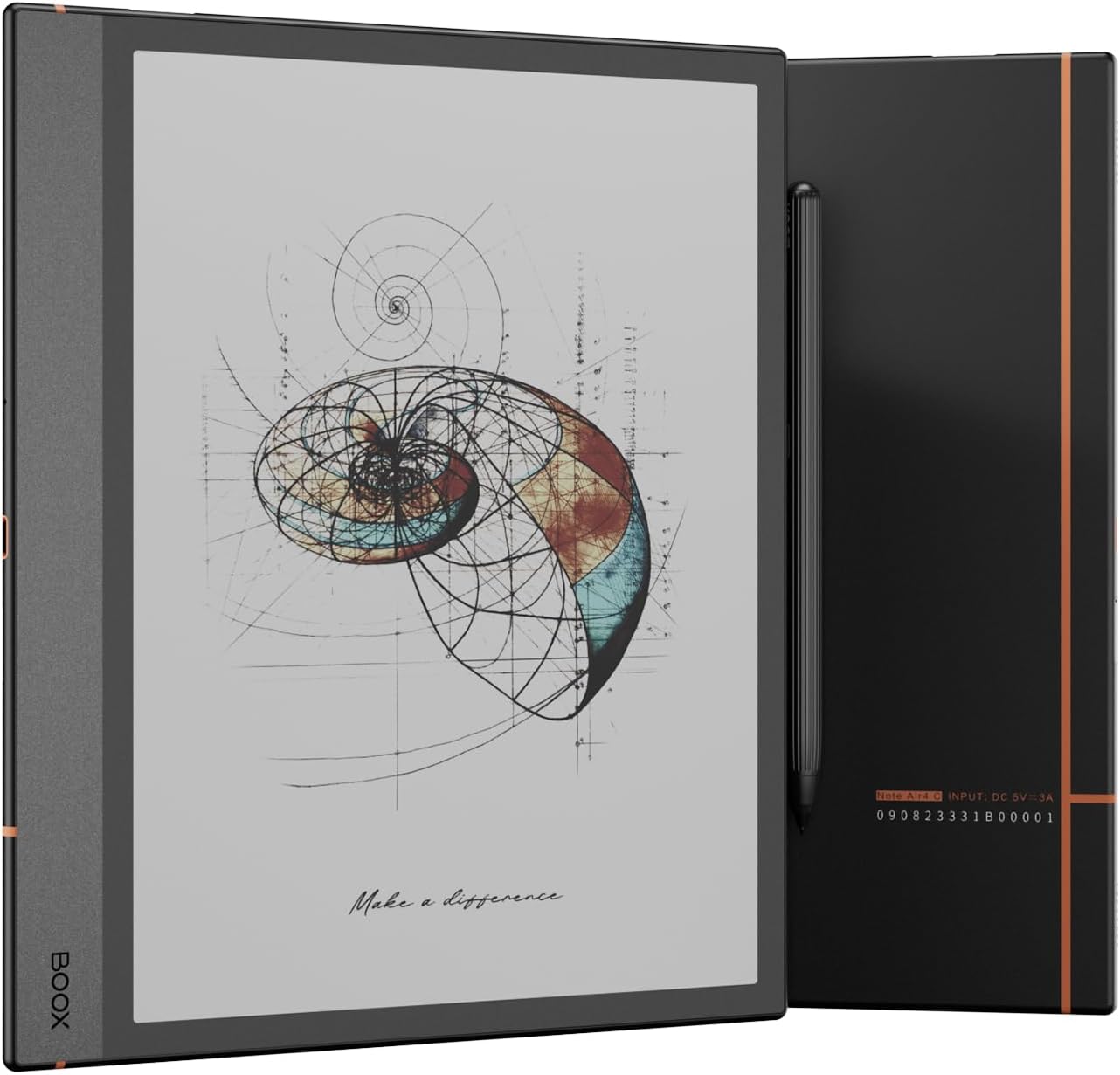
The BOOX Note Air 4C is a 10.3-inch color E Ink tablet featuring a high-resolution Kaleido 3 display with 4,096 colors, a passive Wacom-compatible stylus with 4096 pressure sensitivity levels, and runs Android 13 for versatile app use. It offers 6GB RAM, 64GB storage, Wi-Fi and Bluetooth 5.1 connectivity, and a 3700mAh battery that supports multi-day use. Designed for professionals and students, it excels in note-taking, document annotation, and reading with customizable refresh modes to reduce ghosting. Lightweight and portable, it integrates calendar-linked notes and supports a wide range of document formats, making it a powerful digital notebook and eReader hybrid.


| ASIN | B0DT3Q52PN |
| Best Sellers Rank | #67,393 in Electronics ( See Top 100 in Electronics ) #1,035 in Computer Tablets |
| Brand | BOOX |
| Built-In Media | Device |
| Color | black |
| Compatible Devices | Desktop, Laptop, Smartphone, Tablet |
| Connectivity Technology | Wi-Fi |
| Customer Reviews | 4.3 out of 5 stars 239 Reviews |
| Display resolution | 300 dpi IN BLACK 150 dpi IN COLOR |
| Human-Interface Input | Touchscreen with Stylus Support |
| Item Dimensions L x W x Thickness | 8"L x 7"W x 0.1"Th |
| Manufacturer | BOOX |
| Memory Storage Capacity | 64 GB |
| Mfr Part Number | 4C |
| Model Name | 4C |
| Model Number | 4C |
| Native Resolution | 300 dpi IN BLACK 150 dpi IN COLOR |
| Other Special Features of the Product | E INK |
| RAM Memory Installed | 6 GB |
| Screen Size | 10.3 Inches |
| Warranty Description | 1-Year non-hardware warranty |
J**N
One of the best purchases I've made in years
I'm extremely happy with the BOOX tablet. I find this much more comfortable to look at at the end of the day (after a day of work staring at a computer screen). I can write notes very naturally (almost as if on paper) and easily keep many notes organized. For me there are benefits to handwritten notes vs typed ones that make it easier to retain and organize my thoughts (the act of writing itself, the free layout, drawing shapes and pictures, etc). It's great for reading (ebooks, manuals, PDFs, etc). I use the native book reader app, KOReader and also installed the Kindle android app, and they all work very well. It's also good for reading text-heavy documents on the browser (and I prefer it to a regular tablet for this). I really appreciate the fact that it has a color display. Even though the amount of colors it can reproduce is limited, I enjoy reading comics and color manuals on it, and also find it very useful for note-taking. The front light is very useful, since it allows to compensate for the fact that the screen is darker than a monochrome e-ink display. And the capability of changing the color temperature (I use warmer temperature color at the end of the day) is great. For my usage battery life is more than adequate. If the image is mostly static in general it should last several days. I typically charge it from 50% to 80% and it can take two days to drain 30% of the battery. But note that if you're using CPU-heavy apps and apps that refresh the screen frequently the battery will drain much faster.
F**O
Great reading and note taking experience
I absolutely love it. Before buying I wanted a kindle reader to improve my reading habits and a remarkable to help me think and organize my thoughts. This tablet gave me both capabilities. I am journaling more, reading more and having more focused time consistently. For a mac/iPhone user the OS is a bit quirky but after a few days of use I felt at ease with it. I can read using the kindle app and I also have other pdfs and epubs that I got from other sources. I also appreciate that the native note taker has no lag to render the colors like I saw in a borrowed remarkable. Battery goes for days under heavy use. The hardware feels sturdy and elegant. I would recommend this to anyone looking for an eink device.
B**G
Very good but with software quirks
It's for people who struggle with light sensitivity (It has its own flavor of Android with Google Play Store, rare for eInk) Want very good battery life Want a paper-like feel with tablet convenience (The stylus and tips used change the feel a lot, try a few different tips and brands if you're not happy with the out-of-the-box feel. You will need to check compatibility, as tablets use a variety of technologies and might not work. Some, like ceramic tips, will damage the screen, so be careful) Do not get this if you're expecting a standard tablet and are not prepared for the different screen behavior of an E-Ink display. My thoughts: I love this device. It is the most affordable e-ink tablet with a full-featured Android. There are some quirks in the software that prevent it from earning 5 stars. The good is the battery. With Wi-Fi off and battery saver on, taking notes for a few hours a day, I only need to charge it once a week. If used for browsing the internet or running intensive tasks, it lasts 6-8 hours. The color is nice to have compared to other E-Ink tablets, which are mostly grayscale. The colors appear pastel but are very useful for notes and are close enough for me (Non-artist). It has the screen quirks that are standard with e-ink displays. Pictures can sometimes render funny, particularly in fast-refresh mode, not in quality mode. The screen can be a little sluggish when navigating the interface, especially in quality mode. Writing is great and feels much better than an iPad. The biggest difference between this and the paper is the scale. A standard note screen feels much smaller than a sheet of normal paper. I also tend to write larger on the tablet. The first stroke occasionally doesn't register after a period of inactivity. I think the device goes into sleep mode and takes a second to wake up. The accidental touch and palm rejection detection has been okay and has improved dramatically over the year I have used it. It is now the best I have experienced. The software is the biggest issue: manual backups take hours, and sometimes the device skips a full-screen refresh, leaving ghosting on the screen. Fixed by hitting full refresh in the control center, but it is annoying. There were other issues, but they released 3 or 4 new firmware updates that have fixed or improved the device's functionality over the year I have had it.
P**E
A niche device, but it dominates the niche it's in.
First, it's a bit of a stretch to call this a "tablet". Yes, it runs Android. Yes, it's the size of a tablet. But if you buy this thing hoping to watch Youtube videos, you'll be sadly mistaken. However, if you're looking for a device that works as an eBook reader, note-taking device, and news/email reader, you'll wonder how you ever got along without it. I come to the Books Note from the Kobo Elipsa. Both were bought for the same reason. I wanted a large screen book reader that would also allow me to take notes for work in PDF format that could then be uploaded to my work computer. The Elipsa was a good ebook reader, but the note-taking functionality was painful. There was a significant amount of lag in the stylus while writing, and the stylus was battery powered (and required "AAAA" batteries, which can be challenging to find). Let me preface this by saying that, yes, the Note Air is at least one (or maybe two) generations newer with its e-ink technology. Which leads to smaller/thinner screens, performance enhancements, etc. It feels surprisingly thin in the hand, but it has a good heft to it, and the "build quality feel" (highly subjective), "feels good." Even though the screen sizes are similar, the Note Air feels significantly less bulky. The screen pixel size spec is identical to the Elipsa when in black-and-white mode, and is twice the size of Elipsa pixels when in color mode. In most ways that's where the direct comparison ends. The Note Air gives you so much more control over how the screen operates that it's almost scary. As we noted above, since the Note Air runs a modified Android, you can actually go to the Play store and download apps. The Note Air allows you to individually configure how the screen works with each app, how frequently it refereshes, etc. You can also force an immediate refresh if you're seeing ghosting. The eBook reader app works very well. I left it on default settings and the font was easy to read, linespacing did not appear cluttered and refresh going from page to page was NOTICEABLY faster than the Elipsa. The one gotcha is DRM. I'd expect most people reading this to know, but the built-in eReader app for the Note Air doesn't work with DRM'ed epubs. There are multiple ways around this, however: 1. You can go to the App Store and download the Kindle, Nook, or Barnes & Noble reader of your choice, synchronize all of your books, and away you go. 2. As the wise say, you can become familiar with Apprentice Harper and his facinating work. The note-taking app, on the other hand was just out-and-out phenomenal. When I first opened the stylus that came with the Note Air, I looked for a battery level, couldn't find one, and hoped that it had enough battery left to let me test. And then I found out that the stylus was Wacom-compatible and was completely passive. No need to charge the stylus. Having used active styluses on iPads and Pixel tablets, this was more of an earthshattering revelation than it should have been. The digitizer on the Note Air is FAST and accurate, and it feels like I really am writing on paper. The only gotcha with the stylus is that, since it's passive and requires neither circuitry nor battery, it's very light, and I dislike the longitudinal lines or ribs they put on it. They reduce comfort in long writing sessions. Battery life is great - I use the thing probably 3 - 4 hours a day as either an eReader or a note taking device, and I can comfortably get 3-4 days out of a battery charge. I know some have complained about the Boox cover/sleeve/case, as it does not have a hole in front of the charging port. This means you need to either leave your case open (or remove it altogether) for charging. I expect they did that to prevent accidental damage to the USB4 port, but regardless, it's not a big deal to me. Last, color - the color accuracy/saturation is very good for an eink device, but that's damning it with faint praise. When it comes to eink technology, we're still in the 1990's dithered era of digital images. Even though I'll freely admit that a picture on my Note 4 doesn't hold a candle to the same picture on my Pixel Tablet, it's better than any color picture I've ever seen on any other eink devices. However, when it comes to things like cover art for my library, things look perfectly fine. Last thing is synchronizing content to and from the Note Air. The easy path is to go to the referenced boox website and set up an account. You only need either a cell number or an email. It wants you to give both, but one or the other will work. Once that is done, you can open your Note Air on your home's wifi system, and drag-and-drop content to or from the tablet to your desktop. Note that this is browser-based, so it works on all operating systems (Windows, MacOS, and Linux). Supposedly, there's a better synchronization app available for Windows only, but that's not an option for me. Bottom line: if you want an ebook reader that you can take notes on (and can annotate books), this is the device you've been waiting for. If you want a regular tablet, you'll hate this device.
C**S
Better than I want to admit
I hate that I like this devise as much as I do. It is an EXCELLENT digital notebook that enables me to upload digital notes to many of these new AI note taking platforms through Google Drive (NotebookLM). Furthermore, with the fingerprint reader, it is very easy to open on a whim without needing to punch in my pin. The battery life is not too bad given the technology. If you want better you'll need to make some concession. The screen and color are actually not bad at all. It doesn't have the flicker of the Remarkable and it easy to see. The main con for me is that is periodically restarts if hasn't been used for awhile and sometimes after it has just been charged. Nothing flow breaking as it starts quickly but it is a little off putting.
G**F
I wish I had this in college
I am extremely happy with this device there is no regret in my purchase. I seriously considered the Boox Go Color 7, but it uses a different pen, and the pen cannot be found and is not shipped with the device. I also considered the Boox Go 10, it lacks the front light and at the last minute I decided to give the 4C a try. I know the price feels high for a reading device – but the note taking ability is a feature not to be missed. You can have all your notes in one place. Any student should be using something like this. The Calendar shows what notes you took on a given day and what you read. There is a calendar memo that can be used much like a journal. I find it extremely functional. I imported most of my technical books in epub format. You can then open them and use the side-by-side mode - and your notes will be stored in a manner that ties them to the document. You can do something similar in Kindle, but it can be done in Boox as handwritten notes and you can copy relevant text (and more) with your note. The ability to add apps to the device is something that you shouldn’t overlook. I have generally kept this to things I truly need and have left time wasting, interrupting apps like email for my phone. Add Google’s Gboard and you can use handwriting recognition in apps that expect you to type text. I don’t understand the comment about not supporting Office apps. I installed OneDrive early on to get to files store there. I just installed Word and it seems to function without issue. It might be more challenging to write a Word document without a keyboard, but with Gboard and handwriting recognition, it could be done. I see no issue with Office applications – other than input issues. I installed ToDo early on and use it often on the Boox device. You should not buy this if you want vivid color. But the color is good enough for those with less demanding expectations. You can have ghosting, frankly I have gotten to the point where I look past the ghosting. But you can set up a gesture to force a refresh in the apps where this occurs. The apps themselves can be configured for a full refresh on change – but there is a slight performance hit, and a battery hit. The Kindle app allows continuous scrolling – something I truly appreciate. Thei e-ink Kindle does not do that. If you are reading something technical or with diagrams that is being explained, I find having to flip back and forth to be a problem. Battery life is quite good. It depends on how you use it. I am sure some will be critical that it doesn’t last longer, but I really think that you will get hours and hours of use with little interruption for charging. The weight is good, and the device is solid. I have not tried carrying it unprotected as the e-ink technology is more fragile than others. They have made another update to the app since I got it and I have only had it a couple of weeks. More features. Using the Boox pen probably provides a sense that you are writing on paper. I got another pen that has a button than notes recognizes as the lasso erase function – and it seems to be harder, and the sensation is less like writing on paper. Still, it is more satisfying that writing on my Surface. They should put something with more friction on the back as it can be slippery on some surfaces. The pen does not attach as firmly as I would prefer - you should plan to find a way to handle that.
I**K
Good but dissapointing battery life
On a positive side, beautifuly designed product, perfect for reading. Being slower with limited colour repreduction is actually a benefit as I'm less tempted to get distracted. But it also means that if I have to use it to check my mail or read the news, I still can and I don't have to carry another device with me. For some reasons however I'm unable to find and install Amazon app on this device so I suppose it will save me plenty of money in long run! :-) On not-so-good side... I had BOOX Tab Ultra B/W (10.3") for two years and it was perfect for reading but I decided to "upgrade" and I regret it. On one hand the tablet feels more responsive, build quality is good. But after using BOOX Tab Ultra B/W, the battery life in this tablet is so much poorer. I got used to battery lasting for weeks but with this tablet I have to charge it on a weekly basis and quite often when I want to use it, the battery is flat, typically losing 10% of battery every 24h, battery gets drained even if tablet is not in use, and this is with bluetooth and wifi OFF, I also very seldom use the front light. Don't get me wrong, the battery is still miles ahead of battery in ny OLED tablet but I got used to much better battery life in B/W tablet I had before so I'm not too happy about it. One star less. The other aspect is that description of resulution is a bit misleading, as it creates impression you can chose between B&W, high resolution or colour at lower resolution. In practice this is not the case as the two modes are always combined. BOOX CUSTOMER SUPPORT appears nonexistant, asked them for assiatnce/support, received a confirmation if my email but no response. Very dissapointing and it seems poor battery life is a widespread issue with many questions on their discussion forum from unhappy customers. Another star less Without backlight, screen is also much darker in daylight than competing products (see the picture of two devices I own, Boox on the left), not only darker but also of lower contrast. So that's the 3rd star less.
J**E
Great device, but the durability worries me, but mine failed in under 2 months
I really enjoyed using my Boox. The writing experience is excellent, the features are solid, and it quickly became one of my favorite tools for note-taking. For the time it worked, it honestly felt like the perfect distraction-free workflow. I actually miss using it, because the experience itself is that good. But here’s what surprised me: I’ve had it for less than two months, and while I was writing like normal, the screen suddenly froze. A section of the display became completely unresponsive and wouldn’t refresh or accept writing, and the device wouldn’t even shut off. There was no drop or accident, it just stopped working during everyday use. What makes this even more unexpected is that I still have a working first-generation iPad and old iPods that have survived for years. I’m also using an iPad I bought five years ago that’s still flawless. I’m careful with my electronics, so having something fail this quickly makes me question the durability of the Boox line compared to other devices I’ve owned. I love what Boox offers and how it feels to use, but this experience makes me unsure about the long-term reliability. If the durability improves, it would easily be a 5-star device.
C**N
Buen dispositivo para leer
Es excelente para leer cómic, manga y libros ya sea literatura o técnicos
D**.
No extra nibs and replacements are impossible to find
Tablet works great. Unfortunately the Pen Plus comes with one nib.. wore out in a week and it is impossible to find replacements that fit the pen. I think it would be beneficial to purchase this through Boox, and you get 4 replacement nibs in the pkg.
J**.
Muy buen dispositivo
Muy buen equipo. Vale la pena el costo. El lapiz muy muy deficiente, apenas si se golpeó un poco se daño deberían ofrecer una garantía o algo, apenas duró un par de días de lo demás excelente producto
Trustpilot
3 weeks ago
2 months ago