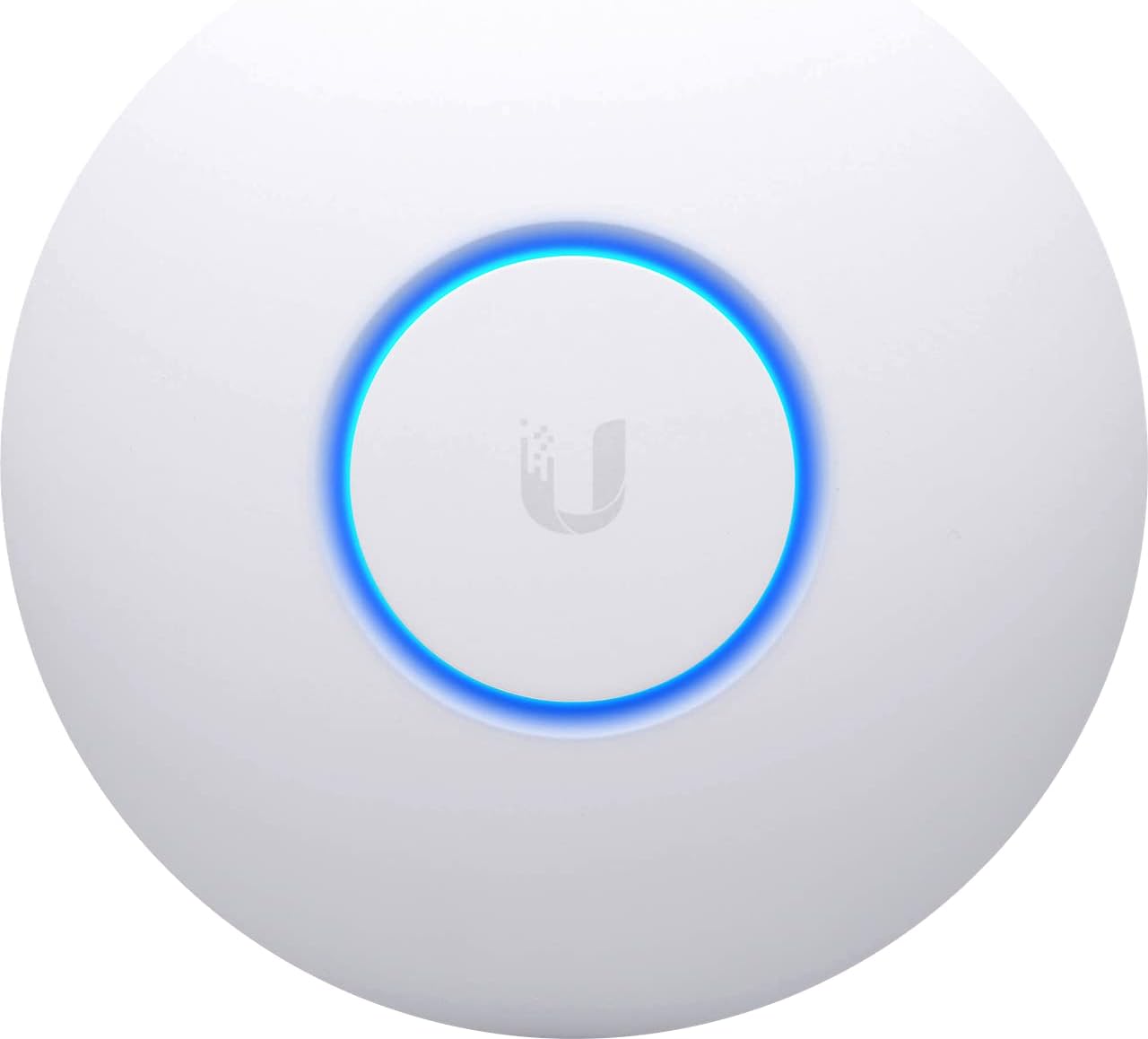


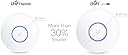
UbiQuiti UAP-NANOHD
Product ID: 68506138
⚡PoE support for clean, single-cable power & data
📶4x4 MU-MIMO for ultra-fast multi-device streaming
🛠️UniFi Controller for pro-level network management
Desertcart purchases this item on your behalf and handles shipping, customs, and support to Denmark.
📡 Elevate your Wi-Fi game with sleek, powerful coverage that keeps you connected and ahead.
The UbiQuiti UAP-NANOHD is a compact, high-performance wireless access point featuring 4x4 MU-MIMO technology for robust multi-device connectivity. Designed for small to medium spaces, it supports Power over Ethernet for streamlined installation and is managed via the intuitive UniFi Controller software, delivering professional-grade network control and reliable, stable Wi-Fi coverage.
| ASIN | B07BYR6XDW |
| Best Sellers Rank | 53,777 in Computers & Accessories ( See Top 100 in Computers & Accessories ) 151 in Wireless Access Points |
| Guaranteed software updates until | unknown |
| Item model number | UAP-NANOHD |
| Language | English, English, English, English, English |
| Manufacturer | Ubiquiti |
| Product Dimensions | 16 x 16 x 3.26 cm; 300 g |
P**0
Excellent APs
These are great APs, but you have to research which AP(s) suit your needs best, as there are APs in the range for all different scenarios. I went for the NanoHD as I didn't need the range of some of the other APs, I am using 1 downstairs and 1 upstairs and as I don't have a large house, I knew this would be more than sufficient. The Unifi software is generally easy to use and setup, however, some of the options do need a bit of researching, but thankfully there is a good community forum and there are a lot of answers on there. Part of my reason for purchasing these was to start learning a bit more about deploying/using APs with more advanced options than you can get on your standard routers and the Ubiquiti range seemed to fit the bill as a quality, cost effective solution. So far, I have found the APs to be excellent and reliable. I have not had any issues with connectivity with any of my devices and I have quite a few different smart home devices, amongst other things. Everything has just worked, which is exactly how you want it to be.
L**S
Excellent performance in a small, discreet package
This access point has been a great addition to my home network. Despite its compact size, the Wi-Fi coverage is excellent and stable throughout the house. Even with multiple devices connected, streaming and video calls stay smooth without drops. Setup through the UniFi Controller was straightforward, and the interface makes it easy to monitor and tweak settings. The unit is low-profile and blends into the ceiling, so it doesn’t stand out in the room. PoE support keeps the installation tidy with just a single cable needed, and the build quality feels solid. If you want strong, reliable wireless performance with professional-level control in a home or office, this is a great choice.
J**D
Decent upgrade from Airport Extreme Wifi to UniFi Mesh Wifi
After putting in time researching the best options for upgrading from Airport Extreme network to a more up to date high speed network I eventually settled on a pair of UniFi NanoHD AP's. Part of the reason for selecting the UniFi NanoHD AP's is that they could be configured to use the Gigabit interface for a Wired backhaul. I already have multiple drops of gigabit ethernet running to each room in the house so it made sense to utilise it rather then spend money on a triple radio Mesh network where one of the 5GHz radios gets used for backhaul. I'd been happy from a personal perspective before the lockdown with the home network, but since then I've been spending more time working from home and I don't see that changing even after lockdown has been eased. Working from home so much has made me realise that the home WiFi could and should be better. 1st world problems I know. The Airport Extreme setup had lasted a good few years and had been 100% reliable over that time, the only reason for replacement was the fact that as my home internet connection has been upgraded (currently 500Mb/s), the speeds I'm getting via Wifi have not kept up. With the Airport Extreme setup my work laptop was getting on average around 70Mb/s on downloads and 36Mb/s on uploads, which isn't bad for WiFi, however I know that the internet connection will support higher speeds than that and that I needed to do something about the AP's to get any decent increase. I already use a Synology NAS for storage and decided to use that to host the UniFi Controller via a docker package. Once that was setup, the new AP's were adopted into the management system, firmware upgraded to the latest versions and then provisioned. At that point I turned off the Wifi on the Airport Extremes and joined the new network on my work laptop. Carrying out the first speedtest wasn't that impressive, it topped out around 90Mb/s which concerned me initially. However, I repeated the test a few times over the course of 30 mins and started to observe an upward increase in speed. Currently I'm getting around 290Mb/s from the WiFi connection now which is a little over a 3.5 times increase on the Airport Extreme setup. Using the UniFi Controller application I'm going to do some fine tuning and see if I can improve on the speeds as contrary to what some people believe, turning up the WiFi signal to maximum output does not make things faster, it can sometimes make things slower for yourself and everyone around you. It sometimes pays to dial down the signal strength so that covers the areas you need. The advantage with UniFi AP's is that if you identify a blackspot that isn't receiving any coverage you can resolve it by adding another AP. The UniFi Controller software will take care of configuring/provisioning it once the AP has been adopted.
J**S
My WIFI is now LOUD and CLEAR
I had been using my Virgin Hub for wifi and thought it was normal for the microwave oven to knock out the wifi in the kitchen. This plug and play device is wonderful! No more interference knocking out my favourite tunes on my Echo speaker whilst cooking! It's fabulous. So far so good! I highly recommend it. I can even get my Wifi up the road on my phone with 4 out of 5 bars.
I**N
I've wifi everywhere now!
What can i say! This AP is super powerful. Got this to replace an old(ish) Meraki MR33 AP, which was struggling to get wifi everywhere in the house. This blows it out the water! So setup can be a bit challenging so you need to know up front if you want to run this via a controller or standalone. If you want a controller you have more choices, VM with the software installed, dedicated PC/Laptop with the software installed or standalone CloudKey. My suggestion would be in you want to see you AP and manage it from anywhere get the CloudKey (ok it's going to cost you extra), it's the least complex setup. If you're more into IT then you could install on a VM or on a laptop/desktop. Note, that once installed you can't install the controller software on another device, it's a one install only. If all you plan on having is one AP, and you don't want to make use of any of the more complex features, then you can configure and setup via an app on a mobile device. This does restrict what you can do, but for the basic setup it's all you'll need. Coverage and speed on the new AP is fantastic, with the MU-MIMO it's great for shifting slower devices over to the 2.4Ghz band while keeping the hi-speed stuff into the 5Ghz. All in all, if you're in the market for a some better wifi coverage, and were on the fence with mesh stuff, this did the trick for me!
A**T
Needed upgrade to my Wireless Network!
This is a great AP with lots of functions and has instantly improved the rubbish Wireless Network I had on my router. A standard user may struggle to get it set up but an IT Professional should get it up and running in no time like I did. In my house I’ve got it with 11 devices constantly connected most of those devices being Smart Home products and I’ve noticed that my main devices like phone and tablet run smoother and my TV streaming has much improved.
R**D
Good AP, rubbish support from Ubiquiti
The device is a good access point and works well at its job, unfortunately I've had quite a few issues with the controller software which Ubiquiti as a company don't seem to care about. Instead they just bounce you to the community forums and try to get issues sorted out for free by members of the forums. A recent botched software upgrade killed the controller for a lot of people but Ubiquiti didn't release any real info and their support was really slow and didn't acknowledge the issue till really pressed about it.
M**N
Works better than consumer routers WiFi but some options not available in standalone mode
Devices connect to this much faster than any of the consumer routers WiFi I have used. The real drawback is 160Mhz channel width is only able to be turned on by connecting the unit to a Unifi Controller, either via the cloud, a PC or a dedicated controller. Its rather annoying to use the controller software when you only have a single Unifi device, as it bundles in a lot of functionality that requires using their router and switch. I'd much rather have had full Access Point functionality in the standalone mode. Also, strangely my Galaxy S10 can do 700Mbit at 80Mhz channel width, but I have to enable 160Mhz for my laptops to reach those speeds - even though all clients are 2x2 MU-MIMO. I'd rather expected those laptops to be closer to 800 or even 900Mbit using 160Mhz channel width, but they only connect at 1300Mbit when 1733Mbit link rate is required to hit the top speeds. Its hard to ascertain if this is a nanoHD problem, or the Intel AX200 cards in the laptops. Overall it performs satisfactory, although the speed isn't quite where I had hoped it would be. I'll probably choose a different manufacturer when I upgrade to WiFi 6E as I'm not happy with some functionality not being supported without connecting to the cloud or a separate controller software.
S**.
Sehr schöner AP mit hohem Leistungsvermögen
Dieser Access Post von Ubiquiti entspricht in allen Punkten meinen Erwartungen. Das Gerät kam in hervorragender Verpackung mit sämtlichem Montagebedarf für Wand- oder Deckenmontage. Das Gerät selbst ist unscheinbar, weiß mit einem hellblau leuchtenden Mittelkreis, der ein ästhetisches Bild macht. Die Wandmontage des Gerätes selbst ist unproblematisch, gut beschrieben und leicht auch von Laien zu bewerkstelligen. Die Einrichtung der Software erfolgt über PC, Laptop oder Tablett und lässt sich gut vornehmen. Nach der Inbetriebnahme, welche durch dauerhaftes Leuchten des hellblauen Mittelkreises signalisiert wird, habe ich zur Überprüfung des besten Montageortes den AP an einem langen LAN-Kabel an verschiedenen möglichen Montagepunkten aufgestellt und die Leistung anhand von Speed-Messungen kontrolliert Grundsätzlich ist zu sagen, dass dieser AP im Gegensatz zu Routern oder zu Lösungen wie dem D-Lan die volle Leistung der durch den Provider angelieferten Übertragungsrate auch umsetzt. Messungen direkt am Router per LAN-Kabel und WLan Messungen des Ubiquiti ergaben keine nennenswerten Differenzen - dagegen sind die Durchsatzleistungen des Routers im WLan oder auch verschiedener DLan-Systeme nur Bruchteile gewesen. Die Montage konnte nach Überprüfung der Signalstärken bei mir an einer entfernten Wand erfolgen, der gesamte Wohnbereich wird vollkommen ausreichend abgedeckt. In meine Augen ist die Montage eines AP weitaus sinnbringender, als der Versuch ein WLan-Signal eines Routers zum Beispiel mittels Repeater nur zu verlängern - da der Filter für die Signalstärke und auch die Geschwindigkeit im Router selbst sitzt. Ein Repeater kann nur maximal das empfangene Signal verstärken, nicht verbessern. Der AP hingegen bringt die volle Lan-Leistung in das WLan ein und hält diese Leistung auch konstant aufrecht. Die Erfahrungen der letzten beiden Monate, seit ich diesen AP in Betrieb habe, sind ausschließlich positiv; wertvoll ist bei dem Ubiquiti auch die Kontrollmöglichkeit über das Leistungsverhalten samt einer Nachvollziehbarkeit sämtlicher Anmeldungen, die auf dem Netzwerk erfolgt sind. Aus meiner hat dieses Gerät eine absolute Kaufempfehlung verdient.
J**T
Epatant
Excellent spot wifi! ça permet de rester sous le même réseau que le modem fournisseur en gardant la même structure IP L'application est facile et intuitive. La portée du wifi est surprenante et passe partout! Je pensais devoir en mettre deux avec les hourdis, mais non. Je suis à peine devant la maison en voiture que mon smartphone passe de la data au wifi :) Et que ce soit POE c'est juste magnifique, pas de transformateur à planqué. Et mes invités sont intrigués par cette soucoupe sur le mur :D
K**3
Reichweite nicht wie erwartet
Optisch in Ordnung, Anbringung und Installation einfach. Reichweite nicht so wie erwartet.
Trustpilot
1 month ago
1 month ago