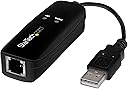

📠 Stay connected to the essentials, even in a high-speed world!
The StarTech.com 56K USB Dial-up & Fax Modem is a hardware-based external modem delivering up to 56Kbps data and 14.4Kbps fax speeds via USB 2.0. Compatible with Windows, macOS, and Linux, it supports voice calls, caller ID, and a wide range of fax/data protocols, making it the ideal compact solution for legacy faxing, rural internet access, and secure communications.


| ASIN | B01MYLE06I |
| Batteries | 1 AAAA batteries required. |
| Best Sellers Rank | #3,060 in Computers & Accessories ( See Top 100 in Computers & Accessories ) #26 in Computer Networking Modems |
| Brand | StarTech.com |
| Color | Black |
| Customer Reviews | 4.0 4.0 out of 5 stars (463) |
| Date First Available | February 8, 2017 |
| Is Discontinued By Manufacturer | No |
| Item Dimensions LxWxH | 3 x 1.1 x 0.8 inches |
| Item Weight | 0.986 ounces |
| Item model number | USB56KEMH2 |
| Language | Italian |
| Manufacturer | StarTech.com |
| National Stock Number | 0 |
| Operating System | Windows 8 Windows 7 Linux Windows 10 Mac OS X Yosemite (10.10) Mac OS X Mavericks (10.9) Windows Server 2016 Windows Server 2019 |
| Product Dimensions | 3 x 1.1 x 0.8 inches |
| Series | 56K USB Dial-Up and Fax Modem,V.92,External |
| Wireless Type | 802.11n |
D**.
The perfect old tech Windows-based solution to send faxes
Yes, hard to believe, but even in this high-tech age, we still need to fax some people. Fortunately, for a miniscule investment, you can get this StarTech 56K USB Fax Modem that installs easily and works perfectly using the Windows Fax and Scan that's native to Windows 10. I downloaded and installed the driver and had it sending faxes flawlessly in about 10 minutes. You can send a totally free test fax to FaxBeep.com to prove it. Works perfectly on AT&T's VoIP phone service. It's the perfect brain-dead answer for your few remaining old school faxing needs.
W**D
Windows 11 security problem fix
Just a heads up! This modem has always worked great, but in June of 2025, it stopped working with a Windows 11 security problem. I did the optional Windows update with no luck. I just fixed it by moving the USB plug from a USB hub to an empty USB on the PC. Works great again!!!
J**.
Wouldn't Work
I have a Windows 11 laptop. I plugged the Fax Modem into the USB port and the phone wire into the RJ-11 port and the product wouldn't work. After an endless and fruitless search for a driver, I found one on Driver Fusion, but it was only listed to trick you into a subscription to download a driver that doesn't exist: hsf2014w.inf If you can find that driver, the StarTech modem might work. Amazon advertises that the Stargate modem works for Windows 11 to trick you into buying one, only to discover it doesn't work either. These false advertisers scam you out of your money because they know you're searching for them and they bait you in.
P**R
Works with MacOS 10.8.5 (Mountain Lion)
The documentation is a bit sketchy one location says it works for 10.6 and below, other location says it works for 10.9 through 10.12. I had 10.8.5 installed on an old Mac and it just works fine. Note - it will not appear in the list of printers when you open the printer setup - click the add printer and it will show up there as "fax". I tested it with dropbox service (hellofax) and the resolution is quite high - both ways. The Mac can also receive faxes, save them, print them or email them automatically. One thing that is missing - it does not generates and official receipt as paper fax machines do (but there is a list of sent faxes if you click the fax "printer" icon (with the print queue etc.) Overall create value for Money. I can also see it appearing as /dev/ttyACM0 dialout without installing any drivers (Ububtu 22.04) but have tested it yet - would also be nice to see if it works on the Raspberry Pi Note - it will not work with IP phone - but it does work with Vonage phone to IP adapter (no sure if they still make those) as it emulates analog phone, and does not filter out too much of the signal -- speed may be affected though.
E**N
Install Windows 8 drivers for use with a Windows 10 computer
I purchased this device in order to be able to send FAXs securely and w/o charge or subscription. Installation was easy once I figured out which driver to install on my wife's Windows 10 computer. Select "Windows 8" from the menu offerings on the installation utility (which should auto-run from the install CD that comes with the unit). Once the drivers were installed, Windows seemed to know how to connect to the device. We had a ten page PDF document that we needed to FAX. While viewing the document inside the PDF viewer, I just selected "File," "Print" and then selected "Fax" from the available printers. A new dialog box popped up where I was able to enter the telephone number to send the fax to. I entered the number (digits only, no separating dashes) and pressed the "Send" button in the dialog box. After a few seconds a new box appeared on the screen where progress of the call and fax transmission was shown. The LEDs on the device also light up and the "Data" LED flashes to indicate when data is being transmitted. I saw it mentioned in some reviews that the sound of the handshake and/or the FAX transmission can be heard through the computer's speaker(s). This does not seem to be the case for our installation, or at least not so far. I suppose it's possible that I overlooked a setting to enable sound somewhere in the setup but, now that I know the thing works, I'm not really interested in hearing this anyway. I can't comment on the dial-up modem capability of this unit because I no longer subscribe to any dial-up provider but this is a nice compact little device that would be easy to include in most laptop or netbook carry bags and it seems to work just fine for the purpose of sending documents by way of FAX and an analog telephone line. I also can't comment (at least not so far) on this device's capability of receiving FAXs. It's doubtful we will ever need to use it for that purpose so that's not something I'm interested in exploring at this time. If I ever have occassion to use it (or attempt to us it) for that purpose, I might post an update explaining how that went. I knock off one star because the installation program didn't show a driver selection for Windows 10 and the printed instructions that came with the device didn't explain which driver to select when installing on a Windows 10 machine either. It was only after visiting the support page on the StarTech website and seeing a driver there listed as "Windows 8/10" that I realized I should try selecting the Windows 8 driver in the install program. Had I not bothered to check further, I might have concluded from the supplied documentation and installer package options, that this device would not work with Windows 10 and would have returned it. StarTech would do well to update their install program or at least the printed instructions that they are packaging with this device. I hope this review is helpful.
A**R
Works with Windows 11
Works with Windows 11, but had to disable core isolation in Windows security.
M**.
Quick and easy install!
Downloaded the drivers per instructions; installed them. Plugged in the device and the phone line. Every thing worked!
C**N
Dreampi Works! (Dreamcast and Raspberry Pi 4)
Dreampi compatible, I used a Pi 4 and built my own line voltage inducer cable. Now I’m playing Quake on a Dreamcast online.
S**R
Funktioniert problemlos mit Windows 11 und Windows Fax and Scan. Einfach in die USB-Buchse einstecken; Modem wird sofort erkannt. Was fehlt, ist eine Wiedergabe der Faxtöne. Aber darauf kann man gut verzichten. Für die seltenen Anwendungsfälle, in denen man noch ein Fax braucht, leistet das Modem gute Dienste.
M**E
Driver install failure window 10 Ended up in the rubbish bin
E**H
Came on time. Excellent bran. Worked fine and easy with Fax talk Software. It is Plug and Play. You do not need to install its driver from the CD which came with it
J**M
Je l'utilise pour connecter ma Dreamcast via Dreampi et il fonctionne impeccable.
O**O
The price maybe high but you also get a robust customer service. You can use this to work on a dreampi set up straight out of the box without needing to update to the latest firmware, watch out for a sticker with rev 2, and you're good to go. Despite having the modem and raspberry pi, you still need a line voltage inducer. To get your dreamcast online.
Trustpilot
2 days ago
1 day ago