Buy anything from 5,000+ international stores. One checkout price. No surprise fees. Join 2M+ shoppers on Desertcart.
Desertcart purchases this item on your behalf and handles shipping, customs, and support to Denmark.
🚀 Unlock your PC’s true potential with the i5-4690K powerhouse!
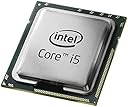
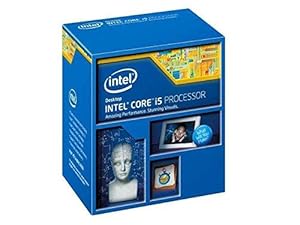
The Intel Core i5-4690K is a 4th generation quad-core processor running at 3.5 GHz with 6MB cache and integrated Intel HD 4600 graphics. Featuring Turbo Boost 2.0 and unlocked architecture, it delivers exceptional multitasking, smooth visuals, and easy overclocking. Designed for Socket LGA-1150 motherboards and DDR3 memory, it balances performance, efficiency, and security for professional and gaming use.

| ASIN | B00KPRWB9G |
| Best Sellers Rank | 211,147 in Computers & Accessories ( See Top 100 in Computers & Accessories ) 724 in CPUs |
| Box Contents | Computer Central Processing Units |
| Brand | Intel |
| Brand Name | Intel |
| CPU manufacturer | Intel |
| CPU model | Core i5 |
| CPU socket | LGA 1150 |
| CPU speed | 3.5 GHz |
| Cache Memory Installed Size | 8 |
| Customer Reviews | 4.7 out of 5 stars 2,304 Reviews |
| Global Trade Identification Number | 00675901296571, 00735858286022, 00807320184775, 05032037066013, 05054230893418 |
| Item Part Number | BX80646I54690K |
| Item Type Name | Intel Corp. BX80646I54690K Core i5 4690K Processor |
| Item Weight | 0.05 Kilograms |
| Manufacturer | Intel |
| Manufacturer Part Number | BX80646I54690K |
| Model Number | BX80646I54690K |
| Platform | Windows |
| Processor Brand | Intel |
| Processor Core Count | 4 |
| Processor Count | 4 |
| Processor Number of Concurrent Threads | 4 |
| Processor Series | Core i5 |
| Processor Socket | LGA 1150 |
| Processor Speed | 3.5 GHz |
| Product Warranty | 12 months |
| Secondary Cache | 6 MB |
| Secondary cache | 6 MB |
| UPC | 743054999233 034284305292 809394439720 807320201373 703120234293 807320184775 735858286022 675901296571 803983043220 735858286039 803983046160 014444444160 807320225317 012305001811 012300274845 846830016701 787861936654 801940123299 |
| Unit Count | 1.0 count |
| Wattage | 88 watts |
L**H
Amazing processor!
As per most Intel products, this processor is fantastic, even now - more than a year after its release date. The processor arrives in a very small box, with just the processor, a basic heatsink and some instructional booklets. - Oh a cool intel sticker Once in the box the processor can be removed from it's protective plastic casing along with the heatsink. Installing the processor is a simple affair, just stick it into a compatible motherboard, lower the cover and bam! It's installed. If you use the stock cooler, then you just fasten that over the top, depress the clips, plug in and you're done! Otherwise, it's best to follow your cooler's instructions. You will most likely need some thermal paste, this stuff is great: Arctic Silver 5 Thermal Compound 3.5g Tube . The processor is fast and efficient. It barely generates any heat for how hard it clearly works. It multi-tasks like a dream and will never really lag. It works well for more processor intensive applications too! If you are looking to overclock, I'm sure you already have an idea on how to do so. This processor is perfect for overclocking. It's easy and really simple to do as this is an unlocked processor. Overall, a fantastic product suited to general use of computers with a spot of gaming or photo-shopping etc. Thumbs up!
M**!
Good processor that can punch above its weight if required!!!!
After a few weeks of research i kept coming back to this processor for many reasons, quality, price and ability to overclock. I am by no means an expert and as this is my first pc build it was partly risk versus reward if everything went wrong:) My son and i spent four hours on Christmas day building this pc and i must say it was simple but i still needed a few glasses of Bucks Fizz. My son generally plays games like Minecraft and surfs the net so a super high end beast was not needed. I paired this chip with a Gigabyte Z97 Gaming 5 motherboard and it was seem-less and its pretty nippy. I am safe in the knowledge that i can upgrade as required and overclock if needed but ill have to learn how to do it. :) I utilised the standard heat sink but contemplated water cooling but so far it has not been a drama with the temps keeping low and would be easy to upgrade as required. All in all a great processor which suits my needs, is quick and looks to punch well above its weight if needed. 5 Stars.
E**J
The perfect compliment to any gaming system.
I bought this CPU to upgrade my console killer setup, originally using an air cooled Intel G3258 Dual Core 3.2GHz OCd to 4.1GHz. Was it worth the upgrade to this? Absolutely. Games certainly vary with how much they utilise CPU and GPU and found that this struggled when it come to Fallout 4. Personally I’ve found this is quite CPU intensive even with a GTX 960 4GB with a 200MHz core OC gameplay wasn’t as smooth as I’d have liked. Upgrading to the i5 paired with the H55 liquid cooler was quite a pain although this was more to do with my ITX case not really being compatible with a liquid cooler in push pull. In your more run of the mill full/mid tower cases this would have been an absolute breeze. Once installed I did some benchmarks at stock speeds 3.5GHz and set about overclocking it. Managed a stable 600MHz OC on all 4 cores validated using Prime95 small FFT for max heat for 2hrs. Max Temps did not go above 72 degrees which I am comfortable with ideally the farther away you are from T junction max the better. Please note other peoples mileage with OCing may vary significantly but I have seen higher than 4.1GHz using this CPU. In conclusion this is a great CPU for gamers and has tonnes of over-clocking potential. The extra cores really help bring those frame rates up especially if you are moving from a dual core setup. Here are the only metrics I noted down using fraps Fallout 4 on G3258 @ 4.1GHz = 20-37 FPS average versus the i5 @ 4.1GHz averaging 40-60 FPS It went from playable to silky smooth in one upgrade. Highly recommended.
J**S
THE CPU I WOULD RECOMMEND FOR THE NEAR FUTURE
OK first of all why the four stars? Well its a good above average CPU that is more than adequate for most people to use in a PC without going overboard. There are several CPU's which are more powerful and a little faster hence the 4 stars. This is a perfectly capable and functional CPU. It runs quick enough and retains temperatures at a reasonable level, however I did not use the stock cooler that comes with the CPU though it is probably adequate but if you are going to over clock I suggest that for the I5 you use the cooler master hyper 212 or something better. I have just started the computer so I have not had the time to monitor the temperature but it does appear to be maintaining a reasonable temperature. For most people you really do not need the I7 CPU. For those that are doing some serious video editing or functions that chew multi thread or hyper threading power may require one. Those that go gaming crazy may need one but for the casual gamer this is perfectly fine and the system is quick. The box comes with a thermal paste, small manual and a cooler. I only used the CPU from the box and bought an arctic silver 5 thermal paste, but really you do not need that as the one with the CPU is more than adequate but if you do want a better quality than go for the arctic silver. Again the CPU cooler is adequate but I chose to purchase the Cooler master Hyper 212 EVO. It provides better cooling and this computer is going to be active for at least 14 hours a day. If your are casual user you can go with the stock cooler. We started the computer a few days ago and it really flies. I would suggest first time builders also use a SSD as your boot disk as this makes mince meat of starting up the computer as mechanical drives will take a longer period of time to start up windows. As you note putting in a bigger CPU will not make windows run faster. Get a good SSD like the kingston 120GB SSD. It will help. Conclusion: I would recommend the I5 -4690K for anyone whether it's a gamer or a casual user. This is the minimum standard required now for your computer to be able to cope with the new software that will come out now and in the near future. You do not need to purchase a more powerful one unless you are doing some very heavy workloads or require it for some very serious gaming.
M**J
Fantastic little processor with plenty of power under the bonnet
If you want a 1080p 60fps gaming experience using a processor that really fits the term "bang for your buck" then this is the one to look at. I have this processor running along with the fantastic MSI GTX 970. This processor will do very well using the stock clock of 3.5ghz but being the k model it means it can be overclocked and you can get more power from this wonderful little processor without forking out more cash. I recommend using another CPU cooler like the Hyper 212 Evo instead of the stock cooler if you are going to overclock as it won't do the job very well and the fan on the stock cooler can get quite noisy. I have managed to overclock this processor to 4.4Ghz, I can get more out of it and it will run quite happily at 4.6Ghz but the temperatures will get quite high so I am happy with the 4.4Ghz. Gaming wise, I mainly play Project Cars and Battlefield 4. Both games average out at 90fps with everything turned up to the max. This little gem copes with both (especially Battlefield 4 which is very CPU heavy) with ease and I have no problems even after 3 - 4 hours of solid gaming. If you want a processor that packs a punch but doesn't pack a punch in your wallet. Then go for this beauty.
C**W
erm...buy it, it's quite good, really, it is.
To say I'm impressed with this chip is stretching the definition of understatement. Previously I've used E350/E450 setups as media players with an old AMD 3ghz dual core as a workhorse. Recently my needs changed to require something with a little more grunt as I need to do some CAD work. As I've said i am used to low power (electrically wise) setups. This chip uses less power in normal usage than an E350. For media, downloading and web use it consumes only 10.5w and runs only 1-2C above case ambient temperature (system is fitted with a small corsair H75 watercooling setup - chosen for size reasons not cooling, as watercooling setups go it's not supposed to be very good, barely better than a good air cooler), compared with 10-25C above ambient exhibited by an E350. Although I normally have it running at only 800Mhz (variable dependant on system load) it will happily run at 4400Mhz sustained at only 4-5C above ambient case temp - in fact it took me a while to figure out how to stop it running overclocked to 3900Mhz (it's a 3500Mhz chip), it automatically clocks itself. This something of a revelation given ever since I started building HTPC setups the major problem I've had has been cooling them. To have a setup with this amount of power, using so little power in normal use, but without having to compromise on processor grunt when needed - fantastic.
S**S
it was great and really did wonders for me but multi tasking ...
I haven't overclocked this, all I can say is, I can multitask and actually use it to render videos because it's really fast. My last cpu was an i3 dual core - 4 threads (2.9ghz), it was great and really did wonders for me but multi tasking with the i5 is amazing, I like to have chrome and firefox open with tabs galore with a game and other software open, obviously ram plays a huge part here but cpu power is important too. ... also I forgot, I have a cheap heatsink and fan combo - a Cooler Master Hyper TX3 Evo Tower Cooler, which is currently under £17. My cpu under extreme strain never goes over 55 C, it idles around 34. I stress it out with so many things just because it's never gave me any worries. This thing is a bargain, it's a bit pricey.. my two brother both have i7's one of them has one that cost him over £400 and I bet I get more use out of mine and won't notice any difference in reality. Top notch.
B**Z
performance in games and applications to choose the best CPU I can
I spent few weeks on reading reviews, comparing benchmarks, performance in games and applications to choose the best CPU I can. I compared AMD processors and Intel i7, i5, i3 because I don't like waste money on expensive processor which I will use in 20% or less. After so many reviews I decided to look closer on Intel brand. Maybe you can buy 8 core AMD in the same price as 4 core Intel but in my opinion Intel performing better in overall use and that is what I needed. I'm using my PC mainly as a developing machine (as I am a programmer) and every second really matter to me in everyday work. I also have a small collections of games (older, newer) I often plays and I really likes to run it smooth. The i5 4690K CPU fits perfect to my needs. It runs really fast and I know it was the best choice so far. It comes with a fan which is quiet and efficient. The highest temperature I noticed was 41C. Installation was easy but you have to push the fan firmly to click in the motherboard and there is no need to use a screwdriver.
S**S
Mi primera compra en AMAZON
Quedé fascinado con esta pagina Amazon, a pesar de que es mi primera compra aqui, lo pedi un lunes y el miercoles estaba en la puerta de mi casa. Buen procesador!!! y sobre todo estamos comprando ala marca en directo que es lo que me hizo confiar aun mas en amazon y no por terceros que quedan mal o algo por el estilo. Lo elegí comprarlo aqui en realidad por el precio que tiene (accesible), sin embargo habian lugares en mi estado donde rondaban 2mil pesos mas y pues la elección se inclinó con amazon. Saludos desde Tabasco, Mexico... Recomendado al 100% compren con las marcas directas es mejor y confiable !!!
ぽ**ぽ
とても良いCPUです&i7-4790Kと比較
お金が貯まったので、ようやく「Pentium G3258」から乗り換えました。 マルチタスクでの作業や、動画のエンコードをはじめとした高負荷な作業で、その性能を思う存分に発揮してくれます。さすがは4コアCPUですね。 CPUのオーバークロックについてですが、マザーボードは「ASUS Z87-PRO」を、CPUクーラーとCPUグリスは付属のリテール品を使用していますが、4.2GHzで常用安定です。動画のエンコード中もエラーを吐いたり、落ちることもありません。もう少し良いクーラーなら他の方のレビュー通り、さらに高クロックで常用できるのでしょうが、リテール品でここまでできれば私には事足ります。 ・・・せっかく手に入れたのだから、クーラー買って少し遊んでみたくはなりますねw ここからは上位CPUであるi7-4790Kとの私の主観による比較です。偉そうに語っていますが、許してください。 あくまで参考までにどうぞ。 【動作周波数】 i5-4690Kは3.5GHz(TB時3.9GHz)、i7-4790Kは4.0GHz(TB時4.4GHz)とi7-4790Kのほうが動作周波数が高い。ただし、両者とも4GHz近くであり昔ほど動作周波数の差にこだわる必要は無くなってきているし、もしも通常の動作周波数で低性能だと考えるならばオーバークロックでどうにでもなる。人によってはオーバースペックでもありますしね。 【スレッド数】 両者ともコア数は4である。しかしi7-4790Kはハイパースレッディングテクノロジーにより、スレッド数は8であり、物理的に存在するコアは4であることに間違いはないものの、PCはあたかもコアが8個あるかのように作業をするため、4スレッドCPUに比べ作業効率が120%であるという。ただ、この差は人により大きく違ってくると私は考えている。実際はもう少し複雑なのだろうが、難しいところを省いて簡単に説明すると、同時に多くの作業をPCにさせる用途を考えている人はi7-4790Kを使ったほうが良いし、そうでない人はi5-4690Kを使えば良い、となるのだ。 【キャッシュ】 L3キャッシュにはi5-4690Kは6MB、i7-4790Kは8MBと両者には2MBの差がある。そもそもCPUキャッシュにおけるL1・L2・L3とは、マルチコア技術に密接に関連するのだが、例えば、CPUの内部にコアが4つあるのに、キャッシュの数が少ない場合、いくらそのキャッシュの容量が大きくても、CPUの計算が交錯してしまうため、作業にもたつきが出る。 逆に、4コアの内、1コアだけが、ある程度以上大きな情報を扱う場合は、大きなキャッシュが1つあるという方がうまく出来る場合も考えられる。 こういった作業を効率よく行なう目的で、最近では、キャッシュにL1・L2・L3と手元に近い順にレベルを設け、それぞれに最適な大きさを確保するようになったのだ。 ゆえに、両者ともL1~L3までキャッシュが設けられている点では、どちらも良いCPUといえる。 6MBと8MBという点では、これもやはり用途によって異なってくる(体感的に違いを感じる保証はない)。 とにかくキャッシュがたくさんあって、そのサイズも大きいほど、多くのデータを早く出し入れ出来るのでCPUの計算速度は高速化される。キャッシュが特に影響するのは、同じような計算をひたすら繰り返すような処理の場合で、例えばゲームや高度なグラフィックの表示、動画のエンコードなどだ。基本的には、こうした負荷が高い処理ではキャッシュが多いCPUの方が、動きが早く安定して動作すると言われているので、自分の使用用途をよく考えて選択すると良い。 【内蔵グラフィック】 両者とも「Intel HD Graphics 4600」が採用されているが、きっとこういったレベルのCPUを選択する人はグラフィックボードの導入も検討されているだろうから、多くを語る必要はないと思う。 【消費電力(TDP)】 両者ともオーバークロックモデルのため、TDPを気にする人は少ないと思うが、一応比較しておこう。 i5-4690Kは88W、i7-4790Kは88W。同じであるが、先程も言ったとおり、このCPUを選択するような私たちには、関係のない話だ。 【総評】 結局は「使用用途」によって変わるのだ。 主観的になってしまうが、正直私はi7-4790Kはいらないと思う。本当にプロとして専門的な仕事をする人や、ベンチマークテストを走らせてその結果にニヤニヤするような人以外には、オーバースペックすぎるからだ。 もちろん、i5-4690Kでは事足りないという人にはi7-4790Kは最高の選択であるが、そこは冷静に考えて、かつ自分の財布と相談して決めると良いのかもしれない。 長くなって申し訳ありませんでした。このレビューが商品選択の手助けとなれば嬉しいです。ここまで読んでくださり、ありがとうございました。
M**E
Sehr solider Gamer (Einsteiger) CPU für den Sockel 1150 in dieser Preisklasse.
Ich habe mir den i5 4690k hier bei Amazon.de bestellt und möchte hier nun meine Meinung zu diesem Produkt beschreiben. Der Versand lief über DHL und erfolgte mehr als schnell! Die maximale Verlustleistung TDP gibt Intel mit 84 Watt an. Nun zum CPU selbst. Der i5 4690k gehört zum "Devil's Canyon" von Intels Haswell-CPU Reihe, welcher jedoch Upgrades zu gerade dieser besitzt. Der Chip selbst ist auf 3,5 GHz getaktet und besitzt eine Boostclock von 3,9 GHz. OK für alle Spiele momentan, auch ohne übertakten. Der CPU besitzt 4 physiaklische Kerne, jedoch kein Hyperthreading, welche selbst unter 100% Last angenehm kühl laufen. Dieses verdanken wir dem "Devil's Canyon" Upgrade des Heatspreaders und der Wärmeleitpaste auf dem Chip selbst. An sich ist der CPU ein sehr guter Deal für diejenigen, die einen Gaming-PC basteln wollen und auf die Hyperthreadingtechnologie eines i7's verzichten können, da weitere virtuelle Kerne nicht viel unterschied beim spielen selbst bringt. Jedenfalls nicht mit den nun aktuellen Spielen. Der CPU kam mit dem üblichen Intel Stock Kühler, welcher schon von Intel mit Wärmeleitpaste versehen wurde. Wer diesen CPU nicht übertakten möchte sollte mit diesem auch schon ausgesorgt haben. Ich habe jedoch sofort einen anderen Kühler eingebaut. Sicher ist sicher! ;) Fazit: In meinen Augen ein extrem solider CPU in diesem Preispunkt den jeder Gamer in seinem PC haben sollte! Falls Euch meine Rezension gefällt würde ich mich über ein "hilfreich" freuen.
R**N
Highly recommended CPU for gaming!
This is the best CPU for your high-end gaming needs. This CPU has the power equal to the i7-4790K but the i7 comes with Hyper threading which is not utilized by games yet and it's not expected to be used for the foreseeable future. Get the i5-4690K if: 1)You have a GTX 900 series GPU or any AMD equivalent of it 2) If you don't need the Hyper threading features of the i7-4790K. Get the i7-4790K if: 1) You have the most powerful GPU made till date (GTX 980 TI/ R9 390X) 2) You're a power user and render videos and stream a lot of your games to Twitch which uses the hyper threading feature of the i7 i7 being better for gaming than i5 is just a myth. i7 is definitely better than i5 but for reasons mentioned above which you may or may not use. i7 is right now, only useful for power users. So save your money and get the i5
A**R
Great CPU for overclocking - check out these specs for the new gaming rig we built! Wow!
Hi guys I normally don't write too many reviews for lack of time, but felt compelled to share about this hardware and the system my son and I built after seeing the result! This review was written on 02/21/2015... We bought the MSI Z 97 gaming motherboard to be the foundation of a new gaming platform for my son using an older Antec full tower case to house it all in. Anyone thinking of building a new system should consider the components listed below. After building the computer and turning on the hardware overclocking feature on the motherboard (OC Genie), loading all the drivers and updating using the MSI updating software, the system is stable, hasn't crashed once, and runs games at blazing speeds. My son says he is getting 100 fps plus from every game he has, while running them at max graphics settings, including a popular new title called "Evolve", where the graphics are just stunning. Some games he is getting over 200fps, wow. I went in and looked at Windows performance module, the 3.5 GHZ CPU we put on the motherboard is overclocked by the hardware to 3.95 GHZ with no stability issues. I have watched him play some of his newer games and the system just makes them look gorgeous, amazing processing power! Be sure to hook up dedicated 4-pin power from your power supply to the corresponding audio power jumper on the motherboard, lights up red when you start the system and looks really cool, supplies dedicated power to the rear audio jacks. One thing to note in the motherboard installation book it does not tell you which position to set the DIP switch to enable powered audio rear jacks until four pages later than where it tells/shows you which jumper to plug in dedicated power, that info should be on same page in manual. Remember the graphics card listed below recommends a minimum 750 watt power supply due to the high wattage of the card. I replace my older 500W power supply just to be safe. This is a huge graphics card so make sure you have a full size case to start your build. Another thing make sure you don't have any power cables in the way of the graphics card fans at startup, double check, the fans most be running. At initial startup we had a power cable that that got in the way of one of the fans, but we caught it right away and re-routed it so the fan would spin. Please note this motherboard does not have any IDE bus ports to support legacy drives, so all your drives must be SATA bus (the modern current bus) to run. On the motherboard there is a handy jumper connector for the front case wires that comes with the motherboard, you just plug the wires into the connector where labeled and then plug the connector into the jumper set on the motherboard, thank you MSI. Also this was the first computer I have built with a Solid State Drive and the data read/write speeds are indeed impressive. We splurged and bought the keyboard listed below, what can I say I never seen such a cool looking and well built keyboard, the colors and feel of the keys is impressive. This was a great project for me and my son, and the result was a screaming fast new computer which he loves, and was allot cheaper than buying complete from a regular vendor! Total cost was around 1400.00 if I remember right. [email protected] - MSI ATX DDR3 2600 LGA 1150 Motherboards Z97 - Samsung 840 EVO 500GB 2.5-Inch SATA III Internal SSD (MZ-7TE500BW) - Intel Core i5-4690K Processor 3.5 GHz LGA 1150 BX80646I54690K (Core multiplier is UNLOCKED for overclocking!) includes nice fan that seems to be cooling the CPU fine looking at the operating temps in the BIOS - MSI Computer Corp. AMD Radeon R9 290 Gaming OC 4GB GDDR5 2DVI/HDMI/Display Port PCI-Express Video Card R9 290 GAMING 4G - AMD Radeon Memory R9 Gamer Series Memory 8GB (2x4GB) 240-Pin DDR3 2400 (PC3 19200) R938G2401U1K - new Corsair 750 Watt Power Supply (new modular style - came with all the power cords needed for the new system and graphics card) - new HP 16x DVD/CD RW Drive (I had to get a new one with new style power connector and SATA bus (all my old optical drives were IDE bus) - Razer Black Widow Chroma click Mechanical Gaming Keyboard - Arctic Silver 5 Thermal Compound 3.5 Grams for mounting the fan on the CPU
Trustpilot
2 weeks ago
4 days ago