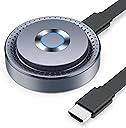
🚀 Elevate your screen game—wireless freedom, zero compromises!
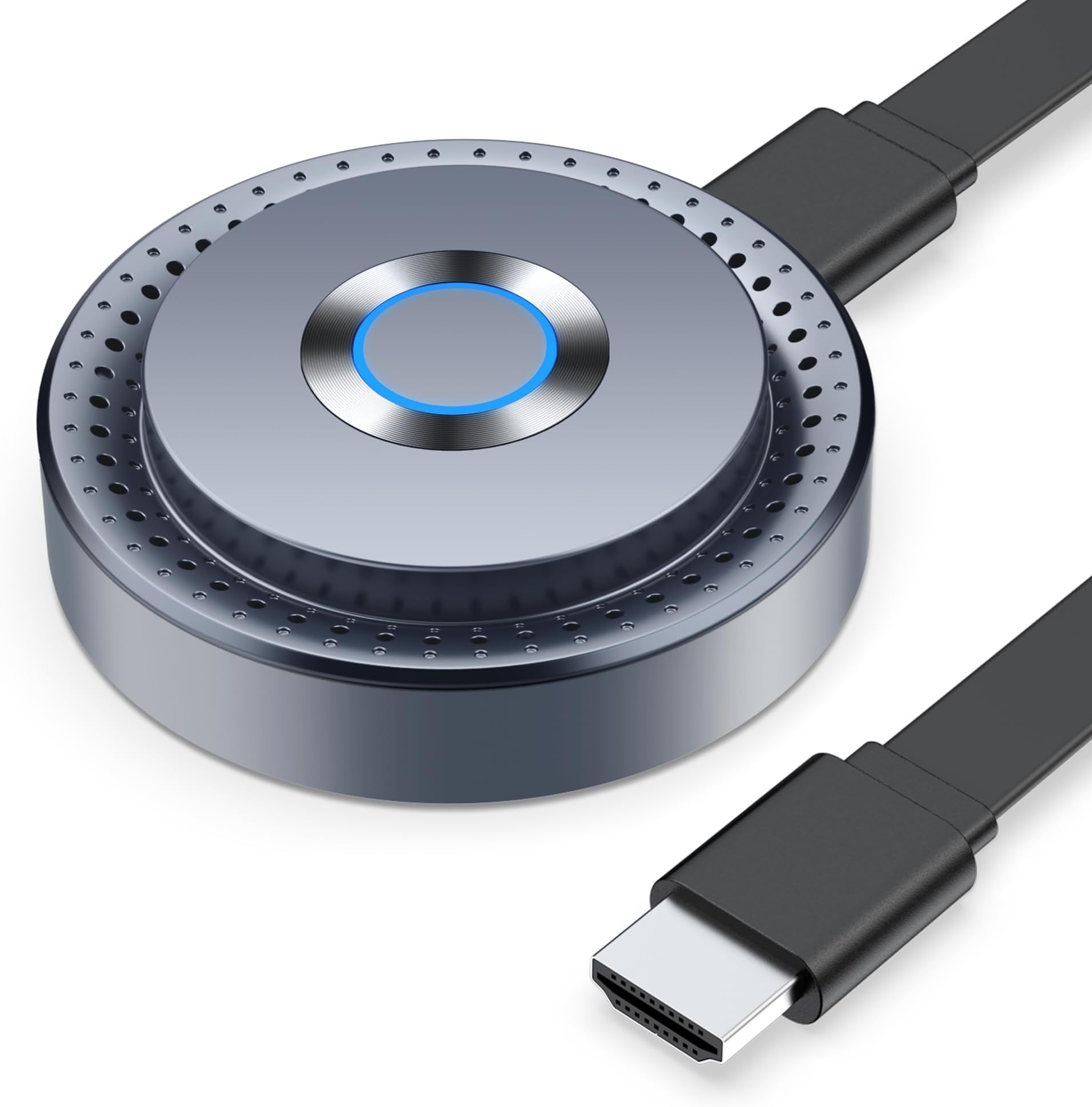
The TPUFO Wireless HDMI Display Dongle Adapter offers effortless 1080P Full HD streaming with 4K decoding, supporting a wide range of devices from laptops to smartphones. Featuring dual-band 2.4/5GHz antennas, it ensures stable, low-latency transmission up to 16 feet without the need for Wi-Fi or apps. Its compact, plug-and-play design makes it ideal for professional presentations and home entertainment, delivering seamless screen mirroring with minimal setup.


| ASIN | B0D6R3XT17 |
| Best Sellers Rank | #7,053 in Electronics ( See Top 100 in Electronics ) #50 in Streaming Media Players |
| Brand Name | TPUFO |
| Color Name | Grey |
| Customer Reviews | 4.0 4.0 out of 5 stars (710) |
| Date First Available | June 11, 2024 |
| Item Weight | 6.3 ounces |
| Item model number | Q8 |
| Product Dimensions | 2.36 x 2.36 x 0.78 inches |
| Special Features | 4K decoding support, Wide Compatibility |
H**Y
Does exactly what it says
This is an excellent mirror solution for me. Setup is easy. Just plug it in, instructions come up on screen for connecting so no need to read manual/Google/troubleshoot, very simple and easy. You can connect it to your Wi-Fi or just connect directly to it's own hotspot. I tried mirroring my screen from a OnePlus 8, Samsung Galaxy Tab S9, and a Windows 10 laptop. I encountered no problems with any of my devices. My TV is 1080p do I didn't need to use any higher resolution. Picture quality was pretty clear. Lag was minimal with all devices. The device is so small you can just stick it to the back of your TV and never see it. Overall I can't really think of any real complaints in my use case scenario. Of course any wireless mirroring is going to have some latency and I've seen muuuuch worse so it's fine. I'd recommend if you are trying to mirror a device to a larger screen.
N**S
Easy Screen Mirroring
This wireless HDMI adapter offers a remarkably easy, direct plug-and-play experience, eliminating the need for Wi-Fi or network connectivity and simplifying setup to just plugging in power and HDMI. Once connected, it provides intuitive on-screen graphic instructions for both iOS and Android devices, easily navigable with a simple indicator ring click. It delivers excellent response and fidelity for screen mirroring, ensuring seamless high-definition streaming of content from phones and laptops onto larger displays. Users benefit from consistently stable connectivity, maintaining a strong link without random drops or de-syncs during active use. This reliable performance, coupled with its versatility for movies, presentations, and games, significantly enhances shared viewing experiences for families.
X**M
How to use the TPUFO Wireless HDMI with Windows.
While the device says it works with Windows there no information on how to use it with Windows. I finally got it working. Apparently the device is compatible with Miracast; which should be in Windows 10/11. BUT, how to use it? First connect the device to your TV using the HDMI & power cables. Turn the TV on and switch the TV input to the HDMI port of the device; the devices instructions should appear on the screen (you won't need them). Next, on the PC click on the Notification Icon on the lower right of the taskbar. Then click on the block that says "Project" (should have read "Projection"). There you will find display options, particularly useful if you have a second display. Look for, and click on "Connect to a Wireless Display". That will then show the wireless options including the TPUFO device, but it will refer to it's chipset. Click on the chipset and your PC will be displayed on the TV; BINGO! By the way, depending on your TV, you might see your TV as a wireless option (LG TV's use WebOS that supports Miracast) in which case you don't need the TPUFO device 🤣 BTW: The 1 Star is for the lack of information on for use with Windows.
S**E
Solid receiver, works with AirPlay
This wireless dongle was exactly what I was looking for. It’s important to keep in mind that this is a receiver, and a separate transmitter may be required depending on the device you plan to use to cast/screen share. For my purposes, I wanted to connect my iPhone to a portable monitor that I use in my work office. The initial connection was super easy. It connected with my iPhone 14 Pro quickly and made it easy to stream video from YouTube, as well as to share/review photos and videos from our recent family vacation. I watch a lot of self-help and DIY style videos so being able to easy cast this to my extra monitor was a big upgrade compared to watching it on my phone. Streaming performance was excellent, with minimal lag. I have experienced no glitching so far, and have been happy with the image quality. The device itself is solid and well-made, a huge step up from the cheaply made plastic dongles also on the market. For what it is, and how well it works, this wireless hdmi receiver is an excellent value and is a must-have for anyone looking to extend their video sharing capabilities with minimal equipment and no wires!
D**N
Streaming quality was A1!
As a professional who loves staying ahead of the tech curve, this little gadget is a true game-changer! Pros: 1080P Full HD Output: The clarity of this device is simply stunning. Whether you're casting a presentation for work or streaming your favorite shows at home, the 1080P Full HD output ensures that every detail is crystal clear. Wide Compatibility: This dongle is a universal connector, seamlessly working with laptops, PCs, Blu-ray players, and even smartphones. It’s ideal for business meetings, family movie nights, or multimedia education settings. Plug-and-Play Simplicity: Gone are the days of complicated setups. This device offers true plug-and-play ease—no apps, Bluetooth, or Wi-Fi needed. Just connect and start streaming right away. It's all about efficiency and convenience! Stable Transmission: With dual-band high-speed antennas, the dongle offers rock-solid transmission with minimal latency. Whether you're streaming from across the room or right next to the screen, you’ll enjoy a smooth viewing experience without hiccups. Cons: Limited Streaming Service Compatibility: Due to HDCP limitations, some popular streaming services like Netflix and Hulu might not work as intended. This is a slight hiccup, but for other services and personal media, it performs superbly. Proximity Requirement: With a transmission distance capped at 16 feet, you'll need to ensure your device and the dongle are fairly close to maintain an optimal connection. Overall, the Wireless HDMI Display Dongle Adapter is a sleek and efficient addition to any tech-savvy professional's toolkit. It combines quality, versatility, and ease of use into a compact form, making it a must-have for both work and play. Get ready to elevate your streaming game!
K**S
This wireless HDMI adapter has completely streamlined my setup and exceeded my expectations. Right out of the box, the setup was quick and painless—I had it connected to my laptop and TV in under a minute. The video quality is outstanding: crystal clear visuals with zero lag, even during fast-paced movies and games. It’s made streaming from my laptop, phone, and tablet incredibly smooth and enjoyable. One of the biggest benefits is how it eliminates the cable mess. My entertainment area is now clutter-free, and I no longer have to shuffle around wires or worry about tripping over anything. The wireless range is excellent—I can walk around my entire living room without experiencing any dropouts or interruptions. It’s compatible with everything I’ve tested it on: Windows laptops, MacBooks, tablets, and smartphones. No software needed, just plug and play. The build quality is solid and durable, yet it’s compact enough to toss in my bag when I travel. If you’re looking to simplify your media setup, reduce cables, and enjoy smooth wireless streaming, this adapter is a must-have. Highly recommended for anyone wanting a cleaner, more flexible way to connect their devices to a screen.
L**4
This wireless HDMI display dongle turned my messy cable setup into a clean, streamlined experience. The plug-and-play setup was quick. I had it connected to my Macbook and TV in under a minute without needing extra apps or Wi-Fi. Video quality is sharp and smooth at 1080p, and I didn’t notice any lag even when streaming action-packed videos or flipping through presentations. I especially like that it works with both my Macbook and iPhone, so I can easily cast kids videos from my iPhone to the big screen for some family fun. The compact size also means I can toss it in my bag for travel or impromptu meetings. The stable connection has been a standout feature, with no random dropouts even when moving around the room. I was a bit disappointed that it cannot play shows from Netflix or Amazon Prime due to copyright restrictions, but it’s perfect for YouTube, personal videos, photo sharing, and presentations. If you’re looking to cut the cables, keep your setup tidy, and enjoy hassle-free wireless mirroring, this little device delivers exactly what it promises.
K**A
I’ve been using this with both my iPhone and Mac, and it works great. Setup was super straightforward—just plug it in, follow the on-screen steps, and you’re ready to go. I really like that it doesn’t need an extra app or complicated setup. The biggest win for me is cutting down on cords. It’s nice to just toss photos up on the TV without fiddling with cables, and the freedom to mirror straight from my phone makes it way easier to share with friends or do a quick work presentation. Video is clear, audio stays in sync, and I didn’t notice any lag with normal use. It’s not going to replace a streaming stick—Netflix, Disney+, and similar apps won’t work because of DRM—but for photos, YouTube, slides, and general mirroring, it’s perfect. Plus, it’s small and easy to carry around if I need it on the go. Overall, if you want a simple, no-fuss way to mirror your devices and free yourself from extra cords, this does the job really well.
D**N
This wireless HDMI adapter makes things a lot easier. Firstly, It allows me to manage my cables and reduces clutters. Setup straight forward and works flawlessly, I connected it to my laptop and TV in less than a minute. The video quality is crystal clear and without any lags, making it perfect for streaming movies, games and videos. The range is very good, allowing me to walk around my entire living room without dropouts. The adapter is compatible with all my devices, including Windows laptops, MacBooks, tablets, and phones, without any issues. The build quality feels solid and it is very compact, easy to take it with me when I travel. I would recommend this adapter to anyone looking to eliminate cables and upgrade their setup for ease to streaming from their devices!
V**V
I ordered this TPUFO Wireless HDMI Display Dongle for my friend who was having trouble with screen sharing, and it has been extremely helpful. The setup was quick and easy—just plug it in and it works without needing extra apps, Bluetooth, or Wi-Fi. The video quality is great, supporting 4K decoding with clear 1080p output, and the connection is stable thanks to the dual-band antennas that keep everything running smoothly even from a distance. My friend has been using it for presentations and streaming, and the performance has been reliable with very low lag. The only thing to note is that some streaming apps like Netflix or Prime Video may not work due to copyright restrictions, but overall, this dongle is a fantastic and affordable solution for wireless display needs.
Trustpilot
3 days ago
5 days ago