Desertcart purchases this item on your behalf and handles shipping, customs, and support to Denmark.
🎨 Elevate your digital artistry—where precision meets portability!
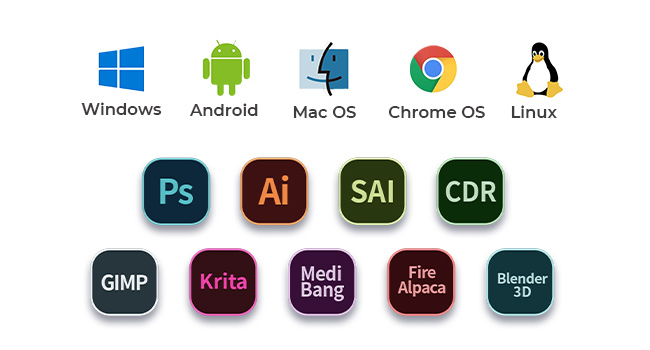
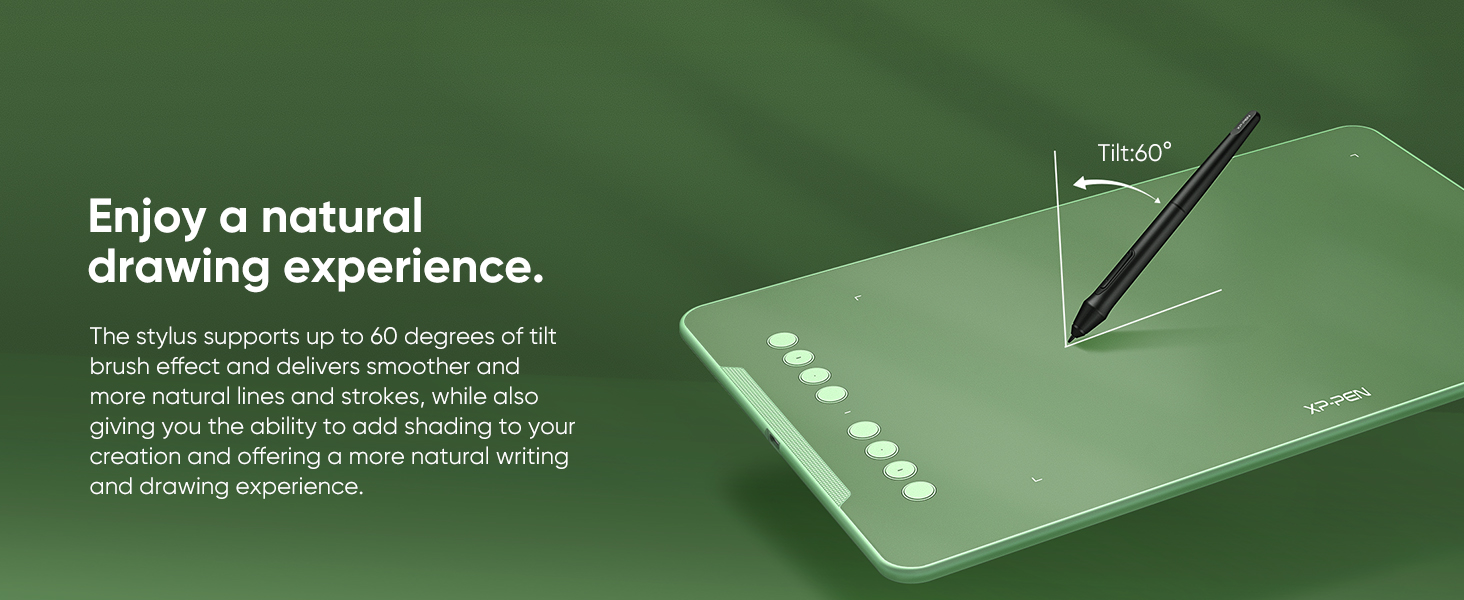
The XP-Pen Deco01 V3 is a sleek, ultra-portable 10 x 6.25 inch digital drawing tablet featuring 16,384 levels of pressure sensitivity and a battery-free stylus with 60° tilt support. Compatible with Windows, Mac, Linux, Android, and Chrome OS, it includes 8 customizable shortcut keys and a complete accessory bundle, making it the perfect tool for creative professionals and digital educators seeking precision and versatility on the go.


| ASIN | B077P6BQP7 |
| Active Surface Area | 60 square inches |
| Best Sellers Rank | #577 in Computers & Accessories ( See Top 100 in Computers & Accessories ) #3 in Graphic Tablets |
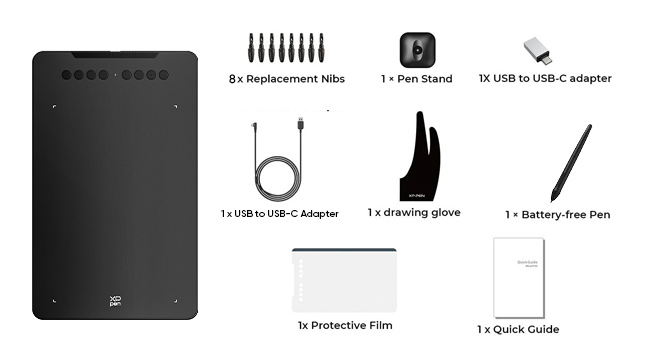
| Box Contents | 1 Pen Tablet, 1 P03 Passive Pen, 8 x Replacement Nibs, 1 Anti- Fouling Glove |
| Brand | XPPen |
| Brand Name | XPPen |
| Colour | Black |
| Compatible Devices | Desktop, Laptop, Smartphone, Tablet |
| Connectivity Technology | USB |
| Country of Origin | China |
| Customer Reviews | 4.4 out of 5 stars 14,585 Reviews |
| Display Type | LCD |
| EU Spare Part Availability Duration | 1 Years |
| External Testing Certification | nao |
| Importer Contact Information | M/s DNS Overseas 1003, Raheja Chambers, 213 Nariman Point, Mumbai 400021 |
| Item Dimensions L x W | 35.1L x 21.7W Centimeters |
| Item Type Name | Graphic Tablet |
| Item Weight Unit of Measure | 1000 Grams |
| Manufacturer | XP-Pen |
| Manufacturer Part Number | Deco 01 |
| Model Name | Deco |
| Model Number | Deco 01 V2 |
| Native Resolution | 500*500 |
| Network Connectivity Technology | USB |
| Number of Items | 1 |
| Number of Packs | 1 |
| Operating System | Android 6.0 Marshmallow |
| Packer Contact Information | M/s DNS Overseas - 1003, Raheja Chambers, 213 Nariman Point, Mumbai - 400 021 |
| Pressure Sensitivity | 16384 Levels |
| Product Features | 60° Tilt Support, Android Support, Electromagnetic Resonance, Extra-Slim, Shortcut Key, Stylus Dock |
| Screen Size Unit of Measure | 10 Inches |
| Special Feature | 60° Tilt Support, Android Support, Electromagnetic Resonance, Extra-Slim, Shortcut Key , Stylus Dock |
| Specific Uses For Product | Animation, Designing, Teaching |
| Target Audience | Student, Teacher |
| UPC | 758232357200 758232356821 761460825878 |
| Unit Count | 1 Count |
| Warranty Description | 1 Year Replacement Manufacturer |
A**I
Tabelina
Great product! Setting up the entire thing was simple and everything works smoothly. Even though they are concerns regarding stylus thickness, I found it perfect and easy to use. It took me hardly 5 minutes for my eyes and hands to get coordinated. A very genuine and thoughtful product!
N**I
Perfect for beginnners!!!
I'm writing this review after one and half month of using it and it's still working. The product came in good condition without any damage. Pros: 1. Best for beginners 2. The pen is light weight and easy to use 3. The tab space is almost equal to my laptop , which makes it even more convenient. 4. The pressure sensitivity is good and had no issues with it so far. Cons: 1. Since the tab space is wide, while working on laptop the distance from us to the screen is very far and we have to hunch over to see the screen. So because of this I have to strain my eyes and neck. 2. It may take some time for you to get use to drawing on the tab while seeing the screen. Overall I'm pretty satisfied with the product . if you want to start digital art but don't want to spend too much money then this is a must to buy.
K**H
Best product
The best product I bought from amazon. It costs little bit higher but A1 product for teaching
A**A
Love it
I love it. I'm using Deco V2. It's pretty big and quality is very nice. The pen feels premium and pressure sensitivity is excellent and works pretty well. Installation is easy, just install the drivers from the official Xp-pen site and then everytime you connect the tab, it'll start working right away. I have used it on windows and Android as well and it's compatible with both. There is no need of battery in pen as it works of battery free EMR wacom technology. Also, there is no lag. If your stroke is lagging, check your brush smoothing and set it to zero to get a lag free experience.
G**P
Amazing, best product for online teachers, have been using it for last one yearNo complaints
What an amazing teaching tool, I have been using it since last 1 year … must have … very effective and it has made my online sessions very effective
M**H
Packing is not good
It's good item
A**N
Best tablet
I'm using this Tablet for a long time now, really love this product and it's quality. It's value of money.
B**I
Value for money
I love it this is 2nd time orders same product after 2 years
S**P
LIKED THE QUALITY, SIZE & PRICING
Actually, its better than i expected. I used to use wacom pen&tablets but after using XPPen i feel like this product is underrated. SURFACE & PEN both are with soft/smooth touch. Size of tablet is bigger than i expected. They providing Quality product in this price, which is awesome.
A**A
Muito bom, com um preço muito acessível
O pacote veio muito bem embalado, com tudo descrito e organizado dentro da caixa. Por ser a minha primeira vez utilizando um dos produtos da XP-Pen, a instalação e configuração do dispositivo demorou um pouco, mas já me acostumei. Decidi usar a capa que o produto vem para o tablet pq achei a superfície mt fácil de riscar e só fazendo alguns testes eu ouvia ruídos que poderiam riscá-lo com facilidade. Porém, eu percebi que não só as configurações são um pouco limitadas comparadas à minha experiência com os drivers da wacom, mas também as pontas da caneta desgastam com facilidade, o que me chocou um pouco por testá-lo raramente em questões de dias e já ver a ponta da caneta beeem desgastada pro meu gosto. Sobre as pressões, tenho preferência a níveis de pressões mais altos, então achei q fosse uma boa escolha, porém eu percebi que o tablet falha um pouco (não sei se é por conta da capa que dificulta um tico), no sentido de tentar fazer uma pressão mínima, muito baixa e o tablet não conseguir detectar. Então quando há o costume de usar brushes de tamanho excessivo pra não só pintar áreas grandes, mas também conseguir pintar áreas mínimas por conta da pressão, aqui você vai encontrar dificuldade fazendo isso para pintar detalhes. Parece reclamação vazia, pois obviamente com um brush de tamanho muito grande não vai conseguir pintar áreas muito pequenas, mas com outros tablets eu conseguia esse feitio através das pressões. Também é difícil fazer pontos, por incrível que pareça kk. Isso tudo aconteceu mesmo eu tendo o costume de usar pressões mais baixas para evitar pressionar minha mão fortemente na superfície. Tenho ele faz mais de três semanas e sim, ele é muito bom, confortável, preferi não usar a luva, mas ainda assim foi uma boa escolha de compra. Até agora eu gastei duas pontas, pretendo ver até onde eu consigo gastar com uma (tá explicado porque vem tanta ponta, eles sabem que gastam bastante). Minhas únicas reclamações são quanto à pressão e as pontas, acho que deveria ser um pouco mais completo os drivers, tendo distância entre caneta e tablet e uma configuração mais completa sobre monitor, pois me irrita eu configurar um botão pra mudar entre dois monitores e eu precisar apertar mais de uma vez pois ele detecta a junção dos dois. Mas nada que eu não acostume, claro, são os drivers, não o produto em si. Por fim, os botões de atalho são algo que eu uso esporadicamente, não tenho mta frequência de uso, mas as vezes aperto aqui e ali pra tentar manter o uso um pouco mais frequente.
م**د
جيد جدا
أنا اشتريته لغرض التدريس اونلاين وبصراحه كجودة وخامة ممتازة وفيها اسكرينة وحامل للقلم لكن المشكلة في حساسية القلم عند الكتابة دورت على تعديلات عليه مش لاقي لحد دلوقتي وال software الخاص بالتابلت مش موفر ده مع أنه من النقاط المهمة جمب الزراير لكن غير كده هو رائع وانصح بيه لو حساسية الكتابة غير مهمة
F**E
AWESOME first graphics tablet!!
This is definitely a life saver for my posture as an artist (by using a secondary monitor) and works amazingly well in terms of reactivity and tracking and was absolutely worth the money. This is my first graphics tablet and I do not regret buying this product at all— it only took me a little while for my hand-eye coordination to use this tablet to its fullest. Not to mention, I love buttons and custom keybinds, omg??? The pen holder is okay, but the stylus doesn’t seamlessly slide inside and wobbles a bit, which isn’t too much of an issue since I don’t plan on taking my big laptop or this graphics tablet outside regularly on the long run. Either way, 10/10, would buy from XPPen again!!
T**S
Fantastic for the price, perfect on Linux!
For the price, this is a fantastic entry-level tablet. I've tried it on both Mac and Linux and I can confirm that the Linux support is excellent, with drivers available for every major distro family. Bravo to XPPen for treating Linux like the first-class citizen it is! I've tried it on both Fedora and Arch and it works great. It even has a handy GUI configuration tool that works quite well for various settings, including the shortcut buttons. I've tested in a variety of software including Blender, Krita, Affinity, and Nomad and it works well in all of them. It's very slim and sturdy and I'd be very comfortable tossing this in a backpack with a laptop. If I have one complaint, it's that the tip has a lot of "wiggle" and feels quite squishy. It's been years since I last used a tablet, but I prefer a more stiff, reliable tip, like a pen or pencil. Given how much cheaper this is versus a Wacom, I can live with that! If you need a starter tablet for drawing, drafting, or sculpting this is a good choice.
Trustpilot
2 months ago
2 days ago