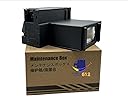
🛠️ Keep Your Printer Running Like New!
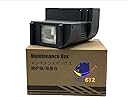
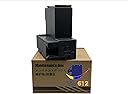
The PRINTERWORK612 Waste Ink Pad Replacement is a maintenance box designed specifically for the EPSON ECOTANK ET-2850 printer. It features an extra absorbent sponge and comes sealed for freshness, ensuring your printer operates at peak performance while promoting eco-friendly practices.
M**O
You still need to buy a “key” to reset counter.
It fits exactly into my Epson 2850 printer.
M**Y
Great value and Easy to Replace
The product was just as described and was easy to replace. I was happy to see that this was available insterad of having to buy a completely new printer or schedule expensive maintenance. I had already found instructions on where it was located and was able to replace it in less than 5 minutes.
S**E
Correct part for 2850 But you will still have to buy a reset key
This is the correct replacement ink tank for Epson 2850. But you will still need to purchase and download a reset key from a third party for about $10. Replacing the tank with a new one will not reset the counter and allow you to print. You need the key. You may want to try and clean the existing tank foam pads with a solvent and reuse it or just purchase this tank and move on.
E**M
PRODUCT DOES NOT SOLVE THE PROBLEM
Since EPSON has chosen to install planned obsolescence the product has no purpose. Yes it was an easy fix to replace the waste ink receptacle but there is no option to reset the print counter so the printer will still not print. Would suggest you just buy a reputable printer and let Epson go out of business.
M**K
Extends the life of your printer!
According to the printer manufacturer, when the waste ink take becomes full the printer is and the end of its useful life. That is absolute nonsense! Replace the tank with this one, follow the instructions included to reset the waste ink tank to zero and there you go, you have just doubled the life of your printer.
R**F
Easy to install
I didn’t know my printer had an ink waste tank until I had problems with my printer. Looked on YouTube and found out this was the problem. Easy to install and printer working well again.
B**.
So Easy!
This replacement tank for the Epson ET 280 printer was so simple to use. All you need is a Philipps head screwdriver. Take out two screws, the used up tank, insert the new tank and replace the screws. then you will need to reset your key. I was up and running with the printer in 5 minutes.
M**O
Only lasted 4 months.
This part only lasted 4 months. A reset key needs to be purchased for about $10, so it’s not the best deal on Amazon.It was easy to replace, but frustrating that it didn’t last very long. I’m going to try the other brand that comes with the reset key and hope it lasts longer!
Trustpilot
2 weeks ago
3 weeks ago