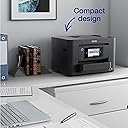
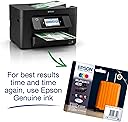
Before we dive in, just a quick shout out for Amazon: Ordered late afternoon 5th Feb 2024. Printer arrived 13:30 7th Feb 2024. That...is pretty amazing. And I didn't have to do anything! Back to the printer: I needed this printer fast because my existing one from the Canon family decided that the absorber pads were *nearly* saturated. I watched Youtube and cleaned them beautifully. No change. Since calling someone out would cost more than the value of the (8 year old) printer, I decided to replace it and silently curse the manufacturer of my old one. The box is quite big and heavy, just saying. Items well packed though and it took several minutes to rid the printer of blue tapes and get it ready...but nothing unusual there. What was disappointing was an absence of printer USB cable. Note that, potential buyers. Luckily, the old Canon one worked so no harm done. I wish the "Get Started" documentation had mentioned that users should get online and start the set up process immediately from there. As it was, I was faced with the (lovely) touch screen telling me to do stuff but waiting for the online to be activated. Confusing. However, once I got my stuff together, the set up was slick and reassuring. Lots of help and "Next" buttons. The only issue came with connecting the wifi. The set up suggests not using the Wifi Wizard. Be careful here, because choosing "Other->Wifiauto" means using the WPA button on your Hub. I nearly freaked out when nothing seemed to be happening but pressing the button appeared to do the trick. The printer is tall, but not a huge footprint. Printing or scanning on normal/standard quality is very fast indeed (good). However, if you choose fast/High Quality especially on scan (say 400 res) this takes a long time (but probably much the same for most scanners) I have subscribed to Readyprint 30pages a month and will try to remember to update this review with what I think of it. The overall look of the printer is great, despite the vertical bulk - the pull-outtable 45 degree menu panel is awesome really like that. Finally, after the set up was complete, I asked my wife to connect & print from her iPad. No problem, print was almost instantaneous from downstairs. Overall, this is a jolly fine printer print. Stay tuned for the update. 18/02/2024 Update 1. The printer: Still very pleased with this printer. Prints on "standard" are very, very quick. I have discovered that you can scan documents through wifi which my previous Canon would not do. Awesome!! Still love the touch menu - I wanted to see how much ink was left after a few bw/colour prints - amazingly only a tiny amount user (I was given the impression that ink tanks shipped with new printers were basically only sufficient to set-up and a few sample prints: Not True. The scanner has a preview which allows you to tweak books whose pages you are trying to scan. 2. Epson ReadyPrint. I have already received a replacement set of cartridges even though I do not need them (see above). I have signed up for "30 pages per month" @ £1.99 pm. Not sure how accurate my 30 pages is, but we'll see. I am expecting either to be inundated with new cartridges or not receive any more for months even though I may need them. Let's see how this pans out. 24/06/2024 Printer still as good as reported. Be careful with Readyprint. My old credit card had to be cancelled and replaced by a new one. I neglected to update the new payment method on my ReadyPrint account. So when the electricians shut off my supply for a few hours to do repairs and it came on the printer would not print. I thought I just had to reconnect. Simple. But 30 minutes pfaffing around it was still not printing. Then I looked very carefully at the error message and it mentioned account issue. Logged in and found the payment issue detailed above. Removed the old card and added the new. Once new card verified, a couple of reconnects were necessary before my print would emerge. Phew. 21/01/2025 I knew this was coming. The Readyprint subscription was too good to be true. So the 30 pages a month @ £2.99pm has now escalated to £11.99 pm but we definitely do NOT print 90 pages in a month. Luckily, I am the sort of annoying person who checks all subscriptions for value. I have now cancelled the subscription but not before ascertaining that I can get much cheaper ink cartridges that numerous reviewers say will definitely be accepted by the printer. Such a shame... 07/03/2025: Ok, so now I very unhappy. Just received a new invoice (after I cancelled sub last month) for £24.15!! And this on a £1.99 per month 30 pages pm contract!!! I have had to call Epson support to get an email confirming closure of my account AND call the bank to prevent any further payments from that Merchant ID. You can imagine how much trouble that's been suffice to say its a morning of my life I will never get back. DO NOT, repeat NOT subscribe to Readyprint. Ever. 14/03/2025: Final word on this printer - Escaping the Readyprint Subscription service is possible(!) but comes at a cost. Your printer will be locked from the Epson server and you will NOT be able to print anything. Yes, you heard it here first! What to do? 1. Remove ALL of your ink toner cartridges that were acquired under the Readyprint subscription. Every one even though some of them may be 50% full (as in my case). 2. Replace them all with OEM cartridges [I'm using TopKolor and they work great]. 3. Lower the scan lid and attempt to print. 4. In my case I had to download the drivers again and create a new default printer instance and set up wifi access again (but you may not need to do that.) 5. The printer warns you that you are not using proper "kwalitee" Epson cartridges and goes on to do about 10 mins of "maintenance" buzzing and chugging. 6. Eventually, you will get your print(s). I've said it before, and I'll say it again. The Epson WF-3820 is really a very good printer. Just remember that all printer manufacturers make their real money from ink sales - hence the subscription/cartridge quality lock out racket. Enjoy! 12/01/2026 Update. Decided, finally, to update the firmware. If you look online, Epson is notorious for trying to force you to use their inks. Anyway, the update is now done...and phew! I can still print. I think the class-action legal case has forced them to climb down. Hooray!