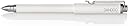
Bamboo Stylus Feel delivers pressure sensitivity and precision that EMR-enabled mobile tablet users have been longing for. Wacom's advanced, active technology is already built into a number of leading mobile devices and works with a special sensor to detect the pressure you apply to the stylus. Bamboo Stylus Feel responds with great accuracy and comfort because you're writing with a real pen, not a thin plastic stick. Bamboo Stylus Feel is your best bet to capture your ideas, thoughts, words, pictures and plans whenever you're on the go. Review: Slightly expensive but best Surface Pro 2 stylus...and it's by the trusted, Wacom! - Two for two so far. Previously I got an iPad 4 with Adonit Jot Touch 4 Stylus that works like a charm..... .....and now I have a Surface Pro 2 with this Wacom Bamboo Feel Stylus that also works like a charm (except for Wacom's or Microsoft's buggy calibration on the corners of the the tablet screen). Ugh...not sure if they have a fix for that yet. Overall this thing works where I need it too. I gave it 5 stars because the Stylus works great itself. And from my research I found that "corner calibration bug" is not the stylus fault but the screen technology of Wacom or Microsoft. It's a common defect in most Surface Pro/Stylus issues I've read. Hopefully it is fixed by now. But it doesn't really slow down any of my workflow. It has only one button on the side but I wish it had an extra button on the side so I could assign a different keystroke on it. The tip has a bit of a soft feel (it's not rubber) but if you press too hard on the screen it has a bit of friction (sometimes squeaky) feel to it. If you like to make "hard" strokes when you draw then I would recommend just sticking with the default stylus that comes with the Surface Pro. Pros: Pressure sensitivity works great, drawing feels great, works with all Windows OS art tools too! Cons: Expensive, only one side button, very slight rubbery feel to tip when pressing hard Review: Four Stars - Good product, but too expensive.
| ASIN | B00BVUQZZM |
| Are Batteries Included | No |
| Are Batteries Required | No |
| Brand | Wacom |
| Color | White |
| Compatible Devices | microsoft-surface-pro, microsoft-surface-pro 2 |
| Customer Reviews | 3.4 3.4 out of 5 stars (56) |
| Global Trade Identification Number | 00031113346952 |
| Item Dimensions | 5.21 x 0.46 x 0.46 inches |
| Item Weight | 17.69 g |
| Manufacturer | Wacom, Inc |
| Model Number | CS300UW |
| UPC | 753218991478 827194656482 031113346952 |
A**B
Slightly expensive but best Surface Pro 2 stylus...and it's by the trusted, Wacom!
Two for two so far. Previously I got an iPad 4 with Adonit Jot Touch 4 Stylus that works like a charm..... .....and now I have a Surface Pro 2 with this Wacom Bamboo Feel Stylus that also works like a charm (except for Wacom's or Microsoft's buggy calibration on the corners of the the tablet screen). Ugh...not sure if they have a fix for that yet. Overall this thing works where I need it too. I gave it 5 stars because the Stylus works great itself. And from my research I found that "corner calibration bug" is not the stylus fault but the screen technology of Wacom or Microsoft. It's a common defect in most Surface Pro/Stylus issues I've read. Hopefully it is fixed by now. But it doesn't really slow down any of my workflow. It has only one button on the side but I wish it had an extra button on the side so I could assign a different keystroke on it. The tip has a bit of a soft feel (it's not rubber) but if you press too hard on the screen it has a bit of friction (sometimes squeaky) feel to it. If you like to make "hard" strokes when you draw then I would recommend just sticking with the default stylus that comes with the Surface Pro. Pros: Pressure sensitivity works great, drawing feels great, works with all Windows OS art tools too! Cons: Expensive, only one side button, very slight rubbery feel to tip when pressing hard
G**S
Four Stars
Good product, but too expensive.
A**R
Not designed for Note Pro 12.2
I wanted to love this, I tried very hard to love this. There is a definite offset (to the left or the right, depending on how you hold it) when using this on the new Galaxy Pro 12.2 The stylus feels great in hand, sturdy, smooth, really excellent. I tried very hard to just get over the offset, but I really can't. It just impacts my handwriting too much. If you hold it perpendicular it is spot on, but angling to either side, as you would when writing, shifts the calibration over just enough to really mar the user experience. I'll be returning and hoping they come out with a new one to purchase in its place.
M**K
Wrong Item
Wacom produce TWO types of Bamboo Feel. One is CS300UW and the other (for the Galaxy Note) is CS300UW2. Amazon are selling the stylus with the description for the Galaxy Note but the part number from the non-Note stylus which is what they shipped me and which DOES NOT work with the Galaxy Note. When I try to get a refund the Amazon site says this item is not eligible for refund. Better to buy from a store where you can return it if it does not work and not from Amazon for this item.
W**T
Poor alignment with Galaxy Note 10.1 - BUT might work better with other devices - Read On
** AT THE TIME THAT I WROTE THIS REVIEW, THIS DEVICE (AND IT'S LISTING ON AMAZON) SPECIFICALLY STATED THAT IT WAS FOR THE GALAXY NOTE 10.1 (THE ORIGINAL ONE FROM 2013). THE LISTING TITLE HAS NOW BEEN CHANGED TO INDICATE THAT IT IS FOR THE SURFACE (AND OTHER DEVICES AS LISTED IN THE DESCRIPTION), BUT YOU CAN STILL TELL THAT IT WAS ORIGINALLY MADE FOR THE NOTE 10.1 - JUST LOOK AT THE PHOTOS. THERE MAY NOW BE A NEWER MODEL MADE SPECIFICALLY FOR THE GALAXY NOTE TABLETS - WHEN I BOUGHT IT, THERE WAS ONLY ONE MODEL AVAILABLE (IN WHITE, BLACK, OR CARBON). AT THAT TIME, I CALLED WACOM AND EVEN THEY HAD TO ADMIT THAT IT HAD TERRIBLE ALIGNMENT - OBVIOUSLY THEY THOUGHT SO IF THEY HAVE CREATED A NEWER VERSION FOR THE NOTES. I HAVE SINCE UPGRADED TO THE 2014 VERSION OF THE NOTE 10.1 AND THE ALIGNMENT IS NOT ANY BETTER WITH THE NEWER VERSION. I MAY TRY THE NEWER MODEL MADE FOR THE NOTE TO SEE IF IT IS IMPROVED. MY ORIGINAL REVIEW ---------------------------------- Contrary to the title of this item listing, this DOES NOT WORK WELL with the Galaxy Note 10.1 - it is NOT made specifically for the Galaxy Note Tablets and Amazon should NOT be advertising it this way. One's opinion of this pen depends on 2 things: the pen itself, and the operation of the pen with your specific device. The pen itself is pretty nice, however operation of this pen and the Galaxy Note 10.1 is NOT GREAT!! While I might give the pen itself a 5 if I were using a different pen-enabled pc or tablet, I can't give it more than a 3 for use with the Samsung Galaxy Note 10.1, and since this item listing says it's for that tablet, that's what it gets. I also have to deduct a star for the inability to replace the nibs - seriously, if you wear them out or lose them the only way to get more is to throw out the pen and buy a new one (I even checked with Wacom and they said they right ones aren't sold without the pen). As far as the pen goes, the pressure-sensitivity seems to be very good (as one would expect since this is made by Wacom). This pen/stylus is comfortable and fairly well-weighted, although the weight seems to be in the pen cap, not the pen itself - I think it would feel more balanced if the weight were in the pen instead. It has a pen-clip, which is a definite plus. I like the fact that it has a cap. It stays firmly capped (you can feel it click into place) when the cap is on the nib-end of the pen; however, the cap doesn't really click very well onto the other end (like you would do when you are using it). If you leave the pen like this in-between uses and then clip it to something, the pen could potentially come loose from the cap and get lost. One really needs to remember to re-cap this pen before clipping it to something. This isn't a deal-breaker by any means, just something to think about. Being able to cap the stylus when putting this into a pocket or into a bag is great. What isn't great is the lack of nibs. For the price of this pen, it should come with more nibs - it only has 2 of the soft ones (which WILL wear out with heavy use) and just ONE of the firm nibs - REALLY - ONE NIB - not even a spare??? What if you send that one flying off into space when you remove it to try the soft nib - there's no replacement (and by sending it flying off into space, I mean sending it into the abyss that is our deep pile carpeting - I'll never find it in there). Just like the Samsung pens, they don't sell replacement nibs - if you lose them or wear them down, you have to buy new pen to get more (which is criminal if you ask me!!) Seriously - 40 bucks and you only get 3 nibs total ... at least Samsung gives you more nibs than that with their after-market pens. They NEED to sell replacement nibs (or charge less for the pens). Regarding use with my tablet, I have a Samsung Galaxy Note 10.1 and this pen does NOT work well with it. The registration is off. Only the "Samsung" pens have perfect registration with the Note 10.1 (which is weird since Wacom actually makes the Samsung-branded pens). Sure, if you hold the pen perfectly upright and look directly down at the screen, then the registration is great. However, who does that?? When I hold this pen like an actual pen (at a natural writing angle), there is a good 1-1.5 mm offset in both horizontal and vertical alignment. When using the Samsung S-pens at a natural handwriting angle, the alignment is perfect. In the end, handwriting and taking notes is the purpose of having the Note 10.1, so a stylus that doesn't work well for handwriting isn't particularly useful. I may end up sending this one back. For the Samsung Galaxy Note 10.1, go with a "Samsung" pen - there are currently 2 that I know of. The S-Pen holder kit is nicely weighted and does feel like a full-sized pen, but I find that I often cause the end to unscrew when I'm using it (if you have one, you know what I'm talking about). I find myself using the Samsung S-Pen model ET-S200EBEG the most frequently. It has a pen clip AND it has the ERASER end, which is a fabulous feature. I would prefer a more substantial-feeling pen - it is a little small and light for my taste, but it works well. That's why I tried this one - I thought it might be better balanced. I have tried other tablet pens (Toshiba, HP ... probably all made by Wacom) and none of them align well on the Note 10.1. I got those ones pretty cheap, so, I took out the nib, used a nail file to take down the end of the pen by 1-2 mm and then filed the back end of the the nib itself by 1-2 mm and was able to get good alignment - that worked well at the time since the tablet was new to the market and the Samsung pens weren't yet availble. I'm sure the same process would work to adapt this pen to work better with my tablet, but for 40 Bucks, I don't really want to do that. The dilemma is that I like the button on this one the best. Well, I like the button on this one enough that I may end up keeping this pen, but I will have to pull out my nail file to try to fix the alignment if I decide to keep it. The lack of replacement nibs still bothers me a lot too. Since the alignment (or should I say mis-alignment) of this pen seems equivalent to the mis-alignment of the other tablet pens that I have tried, I suspect that this pen may work much better with other Pen-enabled tablets/pc's. The problem here is that Amazon is listing this pen specifically for the Galaxy Note 10.1, so please be aware of what you are getting!!!
M**O
Flawlessly designed; perfectly integrates with Surface Pro!
The Surface Pro includes a stylus that does not feel anything like a true pen. I purchased the Bamboo during my quest for a suitable replacement, and I tested it against an older model Wacom Cross stylus. The Pro stylus is skinnier than I would like, and I did not like the position of the buttons in relation to the stylus clip. The old Wacom Cross is a heavy stylus with one feature that seems to have disappeared from more recent styli - a No. 2 pencil-like eraser. The Bamboo surpasses the Pro stylus on all fronts - from design to feel to functionality. My only suggestion to Wacom is to integrate the old style No. 2 pencil-like eraser into newer models. They would have the perfect stylus! The Bamboo is light and perfectly mimics a pen. I primarily use a stylus as an integrative tool with OneNote for taking notes during meetings and classes. Unlike previous styli, there are no hiccups or staccato text; the stylus flows smoothly across the screen with no delay. I highly recommend Wacom's Bamboo to anyone who is looking for a more natural-feeling stylus that is weighted perfectly. Also, invest in a color other than black; having lost several in the last year, choosing white has made this one impossible to misplace.
B**R
I have quite a few different styluses, but I was tempted to purchase this after reading so much about what a difference the heavier weight made in the drawing experience. I was disappointed to discover that most of the difference in weight between this one and others resides in the cap! So if you like drawing with a top - heavy stylus, great - - but if you were expecting a firmer 'plant' on the screen, forget it. Myself, I've gone back to the more standard white Wacom which feels almost the same in total weight (minus cap with the Bamboo) and it gives me an erasing tip -- which I still use a lot. The other major difference I found between this and my other pens is the pressure response. Even when I tried to tweak it using the micro pots (under the barrel side switch cover) the highest 'level' reading I could get was somewhere around 60 percent of my other pens. The response was smooth, and I could use pressure response curves in my software to compensate, but not without giving up the ability to substitute my other pens without readjusting those curves. All in all -- not a good purchase decision (for me).
A**R
the S-Pen is accurate, this seems to always have the contact cursor about half a centimeter offset under the pen...which makes it very odd to draw with. Double checked with another friends Galaxy 8 with a capacitive screen and same issue. Contacted Wacom and they were not helpful. Dissapointing.
F**O
I got my Wacom Bamboo Feel Stylus last month. The pen is heavy and write very nicely on Surface Pro tablet. I had the original pen but felt too ''flimzly'' , too light and cheap. So I am glad that I could not find it anymore and urgently I bought this one. Very happy. Now back to work !
B**.
This works great on the Surface 2 pro. Only downside is that it can crack, mine did. But it still works.
S**H
I would have preferred that the side switch was more detectable by feel, perhaps if it bulged slightly from the stylus body
Trustpilot
2 months ago
2 weeks ago