

Desertcart purchases this item on your behalf and handles shipping, customs, and support to Denmark.
⚡ Power up your USB game with pro-grade precision!
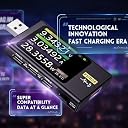
The FNIRSI FNB58 USB Tester is a professional-grade diagnostic tool featuring a vibrant 2.0-inch TFT LCD, capable of measuring voltage, current, power, and capacity across USB-A, Micro-USB, and USB-C interfaces. It supports a wide range of fast charge protocols including PD2.0/3.0 and QC2.0/3.0, with advanced features like E-Marker cable reading and high-speed ripple waveform sampling. Designed for durability and precision, it’s a must-have for tech professionals and enthusiasts who demand real-time, accurate USB power and charging insights.


| ASIN | B0BS2ZS813 |
| Best Sellers Rank | #25,813 in Tools & Home Improvement ( See Top 100 in Tools & Home Improvement ) #21 in Voltage Testers |
| Brand | FNIRSI |
| Brand Name | FNIRSI |
| Color | multi-color |
| Compatible Devices | USB devices, mobile phones, mobile power supplies, U disks, chargers |
| Customer Reviews | 4.4 out of 5 stars 185 Reviews |
| Included Components | USB Tester |
| Item Dimensions | 3.23 x 1.65 x 0.47 inches |
| Item Weight | 1.6 ounces |
| Item dimensions L x W x H | 3.23 x 1.65 x 0.47 inches |
| Manufacturer | FNIRSI |
| Measurement Type | Multimeter |
| Minimum Operating Voltage | 4 |
| Model | FNIRSI-FNB58-bp |
| Number of Items | 1 |
| Part Number | FNIRSI-FNB58-bp |
| Power Source | Battery Powered |
| Specification Met | CE, FCC, RoHS, UL |
| Style | FNB58 |
| Style Name | FNB58 |
| Upper Temperature Rating | 125 °C |
E**X
Still One of the Most Useful USB Testing Tools on My Bench After Years of Use
I've owned this USB tester for several years now, and despite all the newer USB-C equipment that has appeared since then, it remains one of the most useful diagnostic tools on my bench. It's one of those devices that I expected to use occasionally but ended up reaching for regularly. Whether I'm testing USB power supplies, evaluating charging cables, reviewing power banks, checking battery chargers, or troubleshooting charging issues, this tester provides immediate insight into what's actually happening on the USB connection. Being able to see voltage, current, power, capacity, and charging protocol information in real time takes a lot of the guesswork out of USB troubleshooting. Over the years I've used it with everything from basic USB-A chargers to modern USB-C PD devices. The fast-charge protocol detection is particularly useful because it quickly confirms whether a charger and device are negotiating properly. When a phone or tablet isn't charging as expected, this tester often helps identify whether the issue is the charger, cable, or device. One feature I've come to appreciate more over time is capacity measurement. When testing power banks, battery packs, or USB-powered devices, it's nice to be able to monitor actual energy transfer rather than relying on manufacturer claims. The ripple measurement functions are also useful for evaluating power supply quality and identifying potentially noisy chargers. The display is easy to read, the controls are straightforward, and the device has proven surprisingly durable. Mine has been connected to hundreds of devices over the years and continues to work just as well as when I first purchased it. That's saying something considering how often it gets used around my workbench. What really stands out is how relevant it remains. Even with the rapid evolution of USB charging standards, this tester still provides valuable information for modern USB-A and USB-C devices. It has helped me evaluate countless products, diagnose charging problems, and verify manufacturer specifications. If you regularly work with USB-powered devices, power banks, chargers, batteries, or charging cables, this is one of those inexpensive tools that pays for itself many times over. Mine has been in service for years and continues to be one of the most useful pieces of test equipment I own.
T**O
Excellent USB-C cable and charger diagnostic
It's not perfect.. it has bugs, quirks, and inexplicable interactions, but --- once you figure out how to test the things that matter to you, it's very repeatable and clear. Specifically, it can read the Chip ID in USB-C cables, and show all the available power modes in USB-C PD, on a nice color built-in screen. That's nice. You can see the finer details of PD packet exchange as well, but this was less reliable. For testing batteries and other sources, it has a convenient "Trigger" function that can request any voltage or current from your supply, with a nice physical Switch that engages or disengages the "active" part. Switched off, the device is pass-through only and zero risk. Switched ON, you have a lot of direct control over voltage, and of course, risk. You want to put 20v on a USB-A socket? You can! I find the device is best to use when it's plugged into its own independent Micro-USB power source (5v, low current), because then it's not constantly turning off and on with your devices under test. It's easy to crash the device when messing with USB-PD packets, or even have it just beep nonstop until you pull power. The firmware could use some work. Some functions are duplicated or confusing (how many different trigger menus do you need?) but hey, it's affordable for DIY hobby work and comes in a nice well-made housing with an excellent screen for cheap. Unfortunately, the company web site is terrible, hosted on some Mediaflare thing that runs out of bandwidth, so downloading the firmware updates is way more hassle than it should be. They need to up their game, put up a professional site, and host their own files.
F**T
USB-C can be quirky, but once you get it working it's great.
First, this is a very capable little tester. For testing USB-A stuff, no complaints at all. Does what it says on the box and then some. There are even Python libraries that can read the data over the USB port so you don't necessarily have to use an app downloaded from a strange place to access the data. My only complaint - and it may not be the device's fault - is the situation with two USB-C cables. It can be difficult and require some trial and error to actually get a proper USB-C PD connection passing through the device. As I understand it, this is because despite common belief, USB-C cables *aren't* 100% reversible (i.e. flipping the connector 180 degrees doesn't always "just work" because some pins are only connected on one side of the connector) and this is one case. It might take you up to 16 tries (four connection points, two possible orientations) to actually get USB-C PD passing through the device even with the device's own PD negotiation turned off. At best you'll get 0 volts, in the middle you'll get plain 5v/2a power, and in a couple cases I saw the device crash or fully shut down even with external power provided via the PC port. In short, you need two full-function USBC-to-USBC cables to be able to passively measure charging between a USB-C charger and device, and you might have to play with reversing the connectors multiple times before you actually get a successful PD negotiation. I'd love to see a USB-C native version of this, with a USB-C port or cable directly attached to the device so you never have to worry about the two-cable pass-through situation. I do have a TC66 USB-C tester which works well but its UI leaves much to be desired compared to this one!
B**Y
High quality, capable and great display
Pros: 1) Nice metal case with easy to use controls 2) Excellent, bright and clear display, with auto-rotate 3) Loads of technical capabilities 4) Nice storage box to keep the unit protected 5) Companion Windows app (NOT macOS) is nicely done, and turns this into a capable testing and measurement device. The only con is the documentation, which is a bit lacking. I had to go to YouTube to learn how to upgrade the firmware (which was necessary because the unit displayed incorrect temperature readings). All in all though, if you're reasonably technically savvy, there won't be any significant issues. Recommended! The manual and firmware are available at the FNIRSI website.
S**C
Test your usb stuff.
Very good tester, its nice to use the auto detect though its not 100%. Pd pass thru is amazingly helpful and pd trigger is good when using a USB c charger that requires a load device to provide power. Jitter reading isn't sure useful but the other readout and charts are good for load testing.
M**E
Works for me!
My experience with scopes is pretty limited, so take this as the opinion of a FW/SW dev. I love this little guy. Power consumption measurement of MCUs has been elusive until now. The sampling resolution doesn't blow me away, but it is good enough for my needs. Very easy to read and use. I found the menu system on the intuitive side, which surprised me. A like its size as well. At first I was wishing for a bigger screen. After using it for a while, I found that the smallish size is great because now I can leave it connected all the time without hogging up desk space. Excellent. And for the record, I've seen no evidence of interference with MCU D+/D- signals. Wish I'd picked this up a long time ago.
B**T
In Constant Use. Love It!
I bought this to test the e-marker (max voltage, amps, watts) on my forest of cables. I did find one high-dara-speed gem I didn't know I had! It took some sorting out to learn exactly when to hook up the micro-usb input, but it's not needed often. I've tested 4 power banks, 10 charging bricks, and solar power hub to see what standards (and thus how fast) they can charge. It's a hobby now. I've become Sheldon, putting stickers on the good stuff, tossing the junk cables. It's a great unit. Zero regrets!
D**.
Doesn't do any of the advanced fast charging features that it says it will in the manual. Pointless!
I have a OnePlus 9 Pro. It uses their unusual 10.5V , 6.5A protocol to charge, which on reading is also called VOOC. Reading the manual this device claims to be able to transcode between protocols, and I wanted something that I could plug into any PSS charger and at least be able to charge by phone at 10V 5A with it. The long and the short of it is, after spending about 3 hours updating the firmware, downloading the PC software and reading the manual several times, this thing straight up doesn't work. It doesn't detect the protocol used to fast charge on my factory charger, saying it is only QC2.0 and 3.0 compatible, and when I'm eventually by luck in the right screen that when I plug in the phone it starts fast charging it says it's using QC2.0 but when I go into that specific page in the fast charge menu it jumps out of warp charge and charges at 5V saying it doesn't find the handshake. The PC software is horrible, beyond being basic it disconnects randomly and stops logging. It's basically only good for updating the firmware. This thing was a total waste of time, and I regret being seduced into thinking this would do what it said it would in the manual.
W**N
não tem bluetooth
Produto de excelente qualidade, ótimo acabamento e muito preciso
E**E
Excelente , cumple con lo publicado,
B**P
Top in the market
Excellent product
M**.
A great USB tester for cables, adapters, chargers, power banks and devices, with plenty of features
This USB tester has a wealth of features to help test the power drawn or provided by USB devices (like smartphones), power banks, cables, chargers, etc., and diagnose fast charging problems or find cables or adapters having E-Marker chips or missing them. The Read E-Marker function, which works on adapters because only the USB C IN port needs something in it, not USB C OUT, also allows looking at the data transfer speed of cables beyond USB 2.0. It has proved quite helpful to find cables, adapters, power banks and chargers that are not quite as specified on Amazon. It has inputs and outputs for USB Type A and Type C, as well as an input for Micro USB A, all on the testing bus. There’s another Micro USB A port, labelled “PC”, for an external 5 V power supply, which can be good if you want to avoid taking the power required by the tester itself from the testing bus and possibly falsify capacity measurements. The “PC” port also allows connection to a computer for firmware updates (which can give you Quick Charge 4.0, 4.0+ and 5.0 detection, if the firmware on the unit you get is not the most recent, as it wasn’t on mine) and for logging measurements, with a utility provided by the manufacturer. Even if you don’t provide an external power supply, using a power supply on the testing bus is no problem, because capacity measurements are stored even in the event of a power failure. You can store up to 10 measurements, but watch out: it does not save which number was last selected if power fails, and it will always reset to 1. I recommend using a power bank with a USB Type A to Micro A cable you supply to avoid this. Among the tools I haven’t used yet are point voltage, amperage and wattage measurements, measurement graphs (which can help find voltage sag and flicker from impure AC-DC conversion), recording, DASH cable reading, as well as a cable resistance measurement mode that requires a fixed load to calibrate it (I have no such load around me, so I can’t really use it). The metal casing and glass screen are very sturdy, and the build quality overall is excellent. One caveat to keep in mind with this tester is that only ONE orientation of the USB Type C power pins are on the testing bus, meaning that if you’re testing a USB Type C device and USB Type C power supply, you may have to flip connectors 3 times if the power fails to flow: flip the first one, flip the second one, or flip both. The manual, which is on FNIRSI’s Web site, tries to explain this, but in the worst written English possible.
C**N
Muy útil acoplado a una generador de carga
Lo utilizo para comprobar la calidad de los cables y las prestaciones de los puertos USB. Acoplado a un generador de carga de USB es una herramienta excelente. Inclusive puedes medir la resistencia interna de los cables, o la corriente máxima que puede entregarte un puerto USB. Recomendado.
Trustpilot
2 months ago
2 days ago