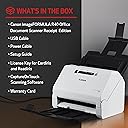
⚡ Scan smarter, work faster, stay ahead.
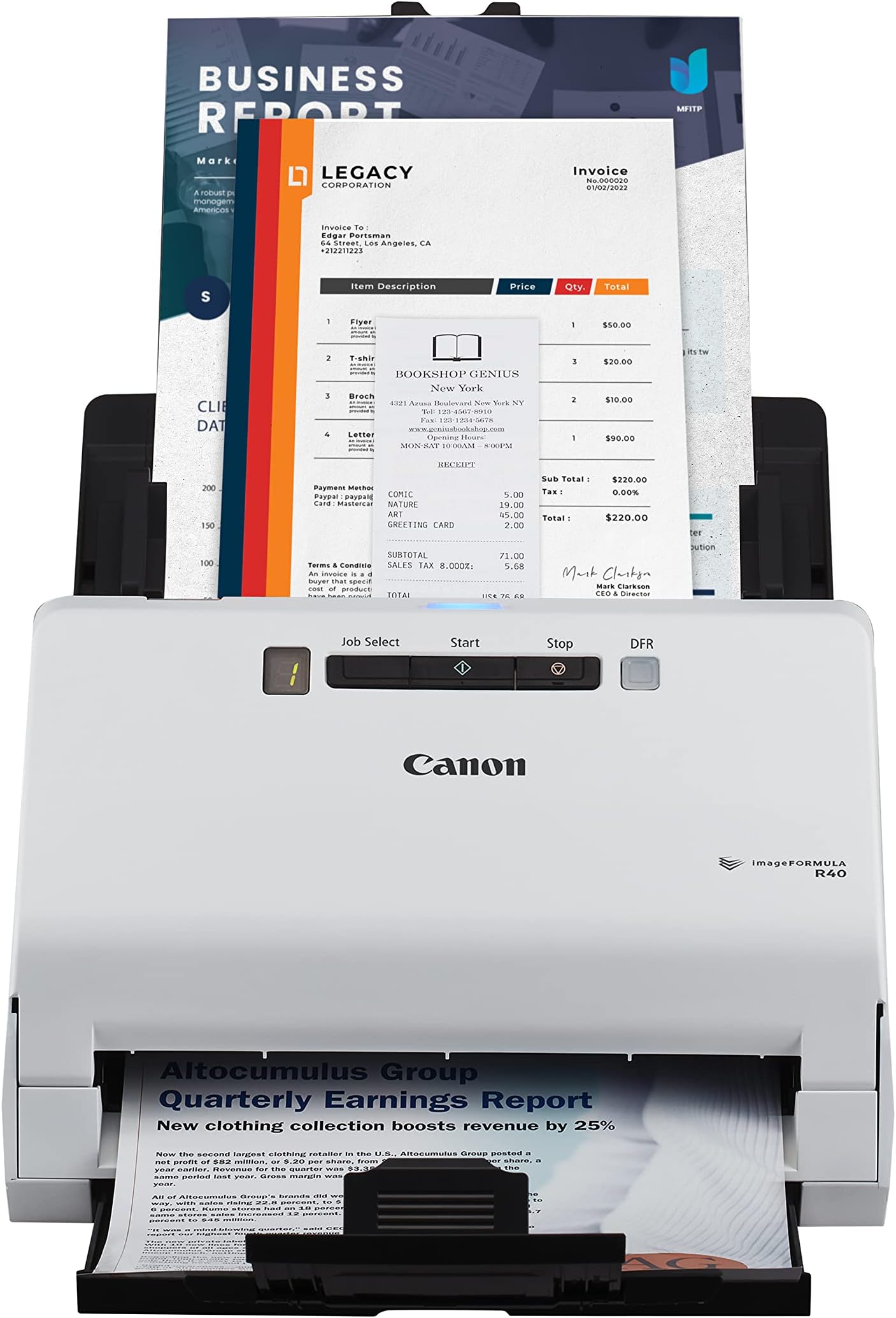
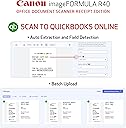
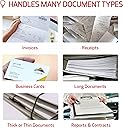
The Canon imageFORMULA R40 Receipt Edition is a high-speed, compact document scanner designed for professionals who demand efficiency. With 40 ppm duplex scanning, a 40-sheet auto document feeder, and seamless integration with QuickBooks Online, it transforms paper chaos into organized, searchable digital files—perfect for streamlining office workflows and boosting productivity.


| ASIN | B0BKLVM4X3 |
| Best Sellers Rank | #6,753 in Office Products ( See Top 100 in Office Products ) #9 in Document Scanners |
| Brand | Canon |
| Color Depth | 24 Bits |
| Connection Type | USB |
| Connectivity Technology | USB |
| Customer Reviews | 4.1 out of 5 stars 2,338 Reviews |
| Greyscale Depth | 8 bits |
| Item Dimensions D x W x H | 9.9"D x 11.4"W x 9.6"H |
| Item Type Name | Office Document Scanner |
| Item Weight | 6.2 Pounds |
| Light Source Type | LED |
| Manufacturer | Canon |
| Media Type | USB |
| Minimum System Requirements | Windows 10 (64-bit), Windows 11 MacOS 11, MacOS 12, |
| Model Name | imageFORMULA R40 Receipt Edition Office Document Scanner |
| Optical Sensor Technology | CIS |
| Paper Size | Legal |
| Product Dimensions | 9.9"D x 11.4"W x 9.6"H |
| Resolution | 600 dpi |
| Scanner Type | Document, Receipt |
| Standard Sheet Capacity | 40 |
| UPC | 013803358117 |
| Warranty Description | 1 year |
| Wattage | 22 |
R**K
Great Scanner
This doesn’t print — it’s strictly a scanner — but it’s excellent for documents and very fast. Works well for photos too, easy to use, and definitely recommend it.
D**S
Game-Changer for Time Management: Canon imageFORMULA R40 Scanner
The Canon imageFORMULA R40 Office Document Scanner Receipt Edition has truly changed the game for my business in terms of time management. This scanner has quickly become an indispensable tool in our daily operations. From the start, the setup was incredibly straightforward, and the user-friendly interface made it easy to get up and running. The scanning speed is impressive, allowing us to process large volumes of documents and receipts in a fraction of the time it used to take. This efficiency has freed up valuable time, enabling us to focus on other important aspects of our business. The image quality is outstanding, capturing every detail with precision. Whether we are scanning receipts, invoices, or multi-page documents, the output is consistently clear and accurate. The automatic document feeder works flawlessly, handling various paper sizes and types without any issues. One of the standout features of the Canon imageFORMULA R40 is its ability to integrate seamlessly with our existing systems. The included software is intuitive and offers a range of options for organizing and managing scanned documents. This has significantly improved our workflow and document management processes. Another huge benefit is the compact design, which fits perfectly in our office space without taking up too much room. Despite its small footprint, it packs a powerful performance that meets all our scanning needs. Overall, the Canon imageFORMULA R40 Office Document Scanner Receipt Edition has revolutionized the way we handle documents and receipts. It's a time-saving, efficient, and reliable tool that I highly recommend to any business looking to enhance their productivity and streamline their operations.
J**V
Great little home scanner. Worth the price if you have a lot of scanning to do. Back up to 5 stars
My old laptop died that I used to use this scanner on with no issues (I think it was originally Windows 7 that was upgraded to Windows 10). My new desktop has Windows 11 and each time I want to use the scanner, I have to re-install the TWAIN software to get the scanner to work as the software 'forgets' what scanner is attached to the computer. After I finish using the scanner and some unknown amount of time passes, the software 'forgets' again what scanner it is connected so and I have to re-install the software the next time I want to use it. Totally unacceptable and no workaround seems to be available from Canon other than to keep reinstalling the software each time I want to use the scanner. I would have returned the scanner if this has happened from the word go. Put the rating back up to 5 star after I deleted the Canon scanner software on my computer and re-installed it completely. Voila, no more losing the connection between the software and the scanner. Yeah, for all the years I've been using computers, I should have thought of removing and re-installing the software. With that issue gone, it's a really nice scanner especially for scanning significant numbers of pages. I was looking for a printer so I could put several boxes of old engineering paperwork into electronic format. So far, I've been really impressed with the R40. I can scan with my current printer but it's sloooooow, noisy and less than stellar quality. Definitely not a candidate for what I wanted to do. Setup was easy. You have to download the software which is 525 Mb. I missed the note on the download page directing US customers to an download link. My download speeds weren't great but it did come down. Installation went with no problem. Pros 1. Fast. The first time I ran about 4 or 5 pages through it, the scanner was set on 200 dpi greyscale and the pages just whipped through the feeder. I thought both sides could not have scanned but everything was there. Even on 300 dpi color it's pretty fast (max is 600 dpi). Compared to the scanner built into my printer, it's another whole other level of speed. I can't prep the next batch in time to keep up with the scanner. 2. The scanner says it will rotate pages into the correct orientation and overall it does a really good job. I finally found the section in the scanner software that allowed me to rotate a page that scanned in the wrong orientation (having it worked into a right mouse click with some other options would be useful Canon). I want to do some more testing but a couple of tests I did with flipping some pages or putting all the pages in upside down had them all come up in the right orientation (as mentioned, I had some early problems with some scans but that doesn't seem to be an issue now). 3. Handles flimsy magazine paper with no real problems. Ragged edges don't appear to be a problem but any amount of glue from the backing left on the pages and they don't feed properly causing a jam. Any amount of glue is bad. If you run your fingers down the edge and can feel bumps, remove it, trim the edges, whatever. If you can see a flat line of glue, trim it off. Sometimes it will feed, sometimes it won't. 4. Compact, nice small size. With the document feeder installed and extended as well as the output tray, it's about 12" high by 15" deep by 11" wide. Remove the feeder the retract the tray and the dimensions are about 7.5" high by 6.5" deep by 11" wide. 5. All necessary cables are provided. Small point maybe but there's nothing more annoying than getting a new toy and finding out you need to go out for a cable. While many of use have boxes of old cables, that doesn't mean we will have the right one. 6. Return shipping is included if I need to return it or don't like it, I don't think that's going to be an issue. Return shipping can be a nasty surprise. 7. The power supply handles 100V to 240V, doubt I will take it on a trip overseas but it's a nice feature to have. Cons: 1. The software version of the manual is useless. I had pages that were upside down and do you think 'rotate' or 'rotate pages' came up with useful information? If you said yes, you be wrong. 2. I finally figured out how to scan and then get the file written to my hard drive by setting up a one-touch button. Before that, sometimes when I hit 'finish', the file would write to my hard drive, other times it would not or I had no clue where it went to. Drove me crazy at first and really slowed down the overall speed. 3. Does an okay job on pictures but if I was going to scan a lot of pictures, this would not be the scanner I would pick. I didn't take anything off my rating as that was not my purpose in buying this scanner but I'll note it. 2023 comment Last point I'll add is when we came back from a 6 month cruise I decided to save all the daily cruise reports just in case I wanted to go back some time and see what we did on some day. It didn't take very long to scan that many pages, even less when I changed from full color to greyscale which was more than adequate for what I wanted. Full color looks good but does make some big files though that's not much of an issue given the multi Tb hard drives that you can get now.
J**O
Ludicrous Mac support
I have a Mac running the current MacOS, Ventura. This OS has been around since October 2022, not exactly new by OS standards. According to the Amazon product page, this scanner "includes easy-to-use CaptureOnTouch scanning software (Win and Mac)." This short quote contains multiple lies. First, the software is not included. No big deal--the Setup Guide in the box told me to get software from the Japanese Canon web site, which merely asks me if I want Win or Mac. After downloading, installing, and a complete fail, it turns out that the software I downloaded from Japan does not work on Ventura. Canon, how hard would it be to update the Japanese site with a sentence pointing out this major problem? It turns out that the US Canon site has software that they say works on Ventura. I downloaded and installed it. It didn't work, probably because of files left over from the wrong software. I looked in the Canon forums, where a guy from Canon named Arthur wrote that I have to uninstall the wrong software; however, Arthur doesn't bother to tell me how many files there are, what the filenames are, which folders they are in, or how to do that; their installer doesn't uninstall like well-written ones do. Then Arthur wrote to install the most recent software. That didn't work either. I then spent more than an hour on the phone with Kevin in support, who was very patient and walked me through many uninstalls, reinstalls, and restarts, many of which were in conflict with the installer instructions. After all this, some scanning was possible! However, the scanner remains unusable and will be returned because it will only complete a 3-page job after 2-3 restarts of the scanner and 2-3 restarts of the software, with the same two error messages recurring.
K**R
Huge timesaver vs. a flatbed scanner, but with some problems
I bought this after spending countless hours scanning our old piles of home paperwork on a Canon flatbed scanner. The fact that it can scan both sides of a document at once and automatically chuck out blank pages (such as sheets with text or images only on one side) is great. Overall it is a night and day experience for document archival, although if you have high-quality images or fine print (especially in pencil), a flatbed scanner will do a better job since those have at least double the resolution and better color handling (but they are so slow). Note that the fast 40 PPM scan is only available in low-resolution (200 dpi) single-sided mode...if you want to scan at higher resolutions (up to 600 dpi), or scan double-sided, it does slow down, but is still way, way faster than a flatbed. The experience with R40 scanner weren't without problems, however. First of all, the instruction sheet that is included was not super clear about removing all the protective elements...there was the usual tape and foam installed in the scanner to keep critical bits safe. However, the thing that threw me was the orange plastic insert in the feed port...I did not know this had to be removed via opening up the scanner (a simple job with a push-button access, so don't worry about this). Still, with that orange guard in there, it would not recognize any documents I put in it. The manual has a crappy black and white diagram with a tiny arrow pointing at this guard, but it did not explicitly say in words to "remove the molded orange plastic insert", or something helpful like that. Thus I wasted 30 minutes trying to figure out if this scanner was broken or not. Still, this is a minor annoyance, and it isn't the reason why I am taking off 1 star. This thing loses a star because the auto-page rotate feature just doesn't work well. For those that don't know, Canon advertises that the software bundled with the scanner will detect upside-down pages (via looking at the text) and rotate them to be right-side up. This is super helpful for when you are scanning huge packets of things quickly and don't want to sort through each pile to make sure all the sheets are facing the same way. The problem I found was that the auto-rotate feature only got it right about half of the time. I did a test and put an entire packet in upside-down, and it fixed about half of the sheets. So, I suppose if you have one or two random sheets that need to be rotated, you might get lucky, but if you have a bunch, you will still need to manually edit the .PDF file to fix this. When spending over $300 on a scanner, you are essentially paying for smooth operation of not only the hardware but the software as well. In this case, the software was good, but didn't quite live up to the advertisements. In other areas it was great (one-touch scanning, save to PDF, the overall image auto-adjustment quality, the quick and manual setting adjustments, etc, all worked great). But, for me, having to police every packet of documents I scan ahead of time for rotated pages is just too annoying. So, I'm dropping it a star... Also note that as of the writing of this review (1/4/2020), Canon is selling the R40 scanner for $247 with free shipping on their website, as opposed to Amazon's $320. Now, $247 would be a very good price for this, and if I'd paid that, the price to performance balance would have been spot on for a 5-star review. Conclusion: The imageFormula R40 scanner is a great page-feed scanner for home or small office use. It is fast (at 200 dpi), scans both sides of the sheet, and the bundled software does a good job overall. Just don't expect 100% success with some of the post-processing software features, like auto page rotate. Make sure to remove the orange page feed protector from the input side before operating the unit, or you'll be scratching your head for 30 minutes.
D**A
This is fast, easy inconvenient.
I love my Canon scanner. I scan a lot of documents and this is so easy. It’s great with receipts. It’s great for any size. Once you get everything installed after the first time you use it, you’ll never go back to any other scanner again.
S**N
Huge Time Saver for a Busy Office
I run a small CPA firm, and during tax season we scan a large volume of client documents every day. The scanners built into our multi-function printers just weren’t cutting it—especially when dealing with mixed document sizes and the need for speed. The Canon imageFORMULA R40 has been a game changer. It scans quickly, efficiently, and with excellent image quality, even when feeding stacks of documents that vary in size and thickness. The automatic document feeder works smoothly, and we’ve had far fewer slowdowns and rescans compared to our old setup. This scanner has easily paid for itself in time saved and reduced frustration during peak season. If you’re in a professional office that handles a lot of paperwork, this is a fantastic investment. Highly recommended.
J**D
Nice scanner that actually works well on Windows 11
Ok I didn’t want to buy a new scanner. Really. I absolutely love my Fujitsu scanner which I have had for decades. It looks it too, plenty of wear, but worked like a charm. But then along comes Windows 11. Well the Fujitsu ( now somebody else bought them) driver works so poorly to the point I gave my lovely Fujitsus away. The new Fujitsu scanners are even worse, they want you to connect wirelessly but are so unstable you need to reinstall the drivers constantly. This Canon solves all those problems. It’s happy being connected by USB and the software is OK even though it looks like a refugee from Windows 3.1 days. But here’s the big plus. The canon never ever feeds more than one sheet no matter how bunched up they are, that’s way better than my old Fujitsu. It outputs the same .pdf format files reliably and flips them around if you fed it upside down. No complaints. I have not tried wireless because I value the little sanity I have left.
Trustpilot
2 months ago
2 days ago