🚀 Upgrade your Ender 3 to pro-level precision and power!
The Official Direct Drive Sprite Extruder Pro Upgrade Kit is a precision-engineered extrusion system designed for Creality Ender 3 series and CR-10 Smart Pro 3D printers. Featuring an all-metal hotend capable of reaching 300°C, an 80N torque motor, and advanced dual-fan cooling, it supports a wide range of filaments including flexible TPU. The kit includes everything needed for a straightforward installation, enhancing print quality, material versatility, and reliability for professional-grade 3D printing.


| ASIN | B0B878P36Y |
| Best Sellers Rank | #411,004 in Industrial & Scientific ( See Top 100 in Industrial & Scientific ) #6,330 in 3D Printer Accessories |
| Date First Available | January 1, 2024 |
| Item Weight | 1.79 pounds |
| Item model number | ca-sprite2 |
| Manufacturer | Creality |
| Package Dimensions | 7.64 x 5.2 x 3.03 inches |
B**E
Absolutly the best Direct Drive replacement
I have tried many extruders over the years and this is the best all in one Direct Drive extruder I have ever used. The kit came with the everything I needed to add this to my Ender 3 v2. Installation was straight forward and the documentation online was easy to follow. My only complaint was the built in mount for the CR Touch is ever so slightly to low for a BL Touch so I did end up buying the CR Touch to finish this install The prints are beautiful with out any tuning what so ever other then adjusting e-steps For settings in Cura I ended up using the Ender 3 s1 Pro settings, and they worked perfectly.
A**E
Incredible performance!
Takes a half an hour or so to install (you will need to rewire motherboard connections), but the print quality is *incredible* compared to the stock hotend and extruder setup on an Ender 3 / most Creality printers. Night and day difference when printing small features thanks to the greatly improved retraction performance, and a smoother surface finish elsewhere (all printed with PETG). Haven't tried TPU yet but I have no doubt this extruder / hotend assembly will print it easily. 10/10 would (and do) recommend to anyone I know with an Ender 3.
A**F
Not compatible with cr 10 without mods
I love the quality of the print head. I have this installed on my ender 3 and it installed no problem. So when I went to install it on my cr 10 I found out the hard way that it needed a belt upgrade due to the bracket not being wide enough. Other than that I expect it to print perfect once my replacement belt arrives.
P**R
Cool,and neat looking!
I received the Sprite.It looks as if everything is just fine.I haven't used it yet but I am kind of looking forward to it
A**N
Trash.
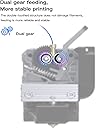
Every time I try to print with this extruder anything that takes less than two days to print is fine, but anything that takes more the extruder filament push gear slips, which causes the dual gear system to click and the filament to stop extruding, mid print, I have tried disassembling it cleaning it and reassembling it and every single time I get the same problem. I have tried asking for help, but nobody knows, I don’t know what else to do so I’m writing this review to let everyone else know that this extruder is very unreliable.. use PRUSA or another company.
A**R
A must upgrade for any Ender
Game changer if you don't already have direct drive. Best upgrade I have done.
I**A
Got a heating failed E1 error after install
Got a heating failed E1 error after install. I checked all connections and it is not working.
A**R
Currently is a pain with regular Ender 3 4.2.2 motherboard
So, in case you aren’t aware, since mid 2022 Ender has put out Ender 3’s with two types of boards and 2 types of chips: the 4.2.2 and the 4.2.7 silent boards and the STM style chips vs GD style. Both of these run their issues with trying to install the Sprite as an upgrade. On my 4.2.2 board with A4988 stepper motor drivers and Creality firmware, the Sprite quickly gets out of sync and halts and stutters, producing horrendous layer shifts. Oddly enough, this also seemed to bug out the y axis stepper as well. Due to the cheap stepper motor drivers, they can’t be changed with the G code, so you have to manually adjust the VREF to get the correct amount of current to drive the steppers. Unfortunately on the Ender 3 that I got, these are tiny, thin Philips heads that will strip before backing out. Likely due to the insane amount of hot glue that Ender decided to secure the electronics with. Perhaps I should change to a different Marlin to run the steppers? Well, that’s where the GD chip ruins the day. There is only one version of marlin firmware designed for Ender 3s with this extruder and motherboard. At least, only one that will let you move the z axis down as well as up. It’s is the one I’m currently running that is giving terrible results until I can get it calibrated. Now, onto specific complaints about this specific seller and motor. Despite the listing and site saying “all metal” (beware full metal- it is known to come with a plastic throat) this ALSO COMES WITH PTFE THROAT, limiting your upper temp to about 260 C. The only reason I know this is because the pre-tension spring was wound far too high from the factory, causing the motor to skip rather than extrude. Moreover, one of the extruder gears are also plastic, again undermining the idea that you are paying for an all-metal object. The gear is in the lower right and the tube is straddling the Ender logo in my picture. After tearing the motor apart, I found that the spring was bent, the locking nut was off the bolt, and there was a plastic tube where there should have been a titanium one. If you have a regular (non pro) Ender 3 in 2023, don’t bother with the upgrades. You’ll have to almost turn it into the pro version to get this working. Hopefully Ender or Marlin will start supporting the GD style chips to alleviate this frustration. As for me, I’m having a 4.2.7 that *should* have an STM chip on it coming in tomorrow. If I get this working, I’ll update my rating. If I can’t, than I’m returning to stock and the rest can go back to Ender. Update: the 4.2.7 board works well with this extruder and those drivers are actually silent at print speeds. The fans of the sprite, however, are super loud. If I find fans that are truly silent, I’ll update, but right now it’s just white noise while the printer is running, which is fine. After adjusting the tensioner until the PLA no longer slips, the extruder works well. The bolt supplying tension on the x axis gantry seems to come loose over time. Changing the nozzle is also more awkward than the stock head due to the parts cooling fan. Although faster extrusion speeds seem like an option with a direct drive, in reality you’re adding weight to a moving part, and so you are limited to about 60 mm/s on the print speed before having to compromise quality. Overall, I think upgrade, including the new motherboard price if you have a 4.2.2 board, is probably not worth it. Just run through teachingtech’s calibration guide more.
F**X
Le Creality Sprite Pro Extruder est un excellent choix pour améliorer la qualité de vos impressions 3D. Facile à installer, silencieux et efficace, il est également bien construit et équipé d'un système de refroidissement performant pour des résultats cohérents et de haute qualité. Je le recommande fortement.
A**.
Ein gamechanger. Mehr Materialien druckbar und sauberere Drucke möglich.
N**D
Product is as is described and works good. BUT....make sure you follow the instructions exactly and don't do any extra steps, for example there is 2 unlabeled wires on the sprite wire harness that fit nicely in 2 spots on the mother board but DO NOT PLUG THEM IN or you will spend a month emailing creality customer support trying to trouble shoot it with no luck. i know, my bad, i should have pugged in those wires, but customer support should have caught that in the first message that sent will a video showing exactly what i had done.
M**E
Eventhough most new enders now come standard with this extruder. I was blown away how easy the install and hassel free this extruder is to use. Just remember that once installed you will more than likely have to flash the motherboard with the proper update for your current motherboard and Software running on your ender weather Marlin etc...but you can find the updates on the creality website for high heat 300 degrees
W**S
i purchased this, installed it easy enough, aside from the 2 unmarked wires i couldn't figure out and had to google like crazy to find out DO NOT PLUG THEM IN!!! However it sets z default position at about 12mm {to high} and then when you try to level it runs the probe out past the build plate then rams the nozzle into the build plate. dented a brand new pei flex sheet. darn near punched a hole into it. Flashed the firmware for the board updated to the latest software for the display, still wont work. A very expensive waste of time. in the end returned it and went back to my stock extruder for Ender 3 v2.
Trustpilot
1 month ago
5 days ago